Revenge Theme For Windows 11
Transform your PC with the Revenge Theme for Windows 11. Complete guide to installing dark glassmorphism UI, neon blue icons, and floating taskbar mods

Revenge Theme Visual Style
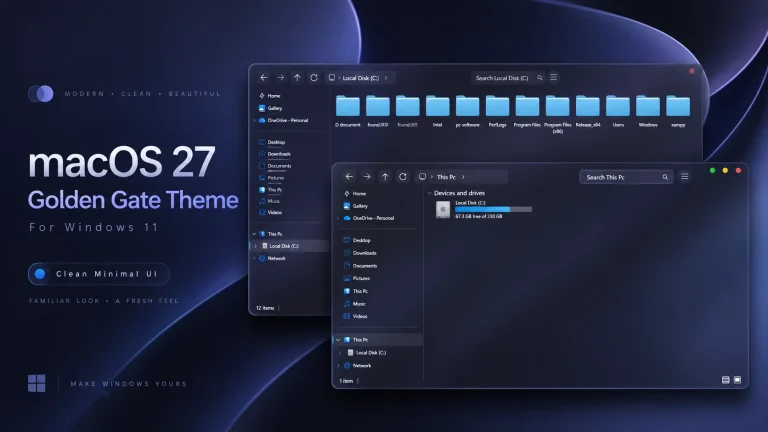
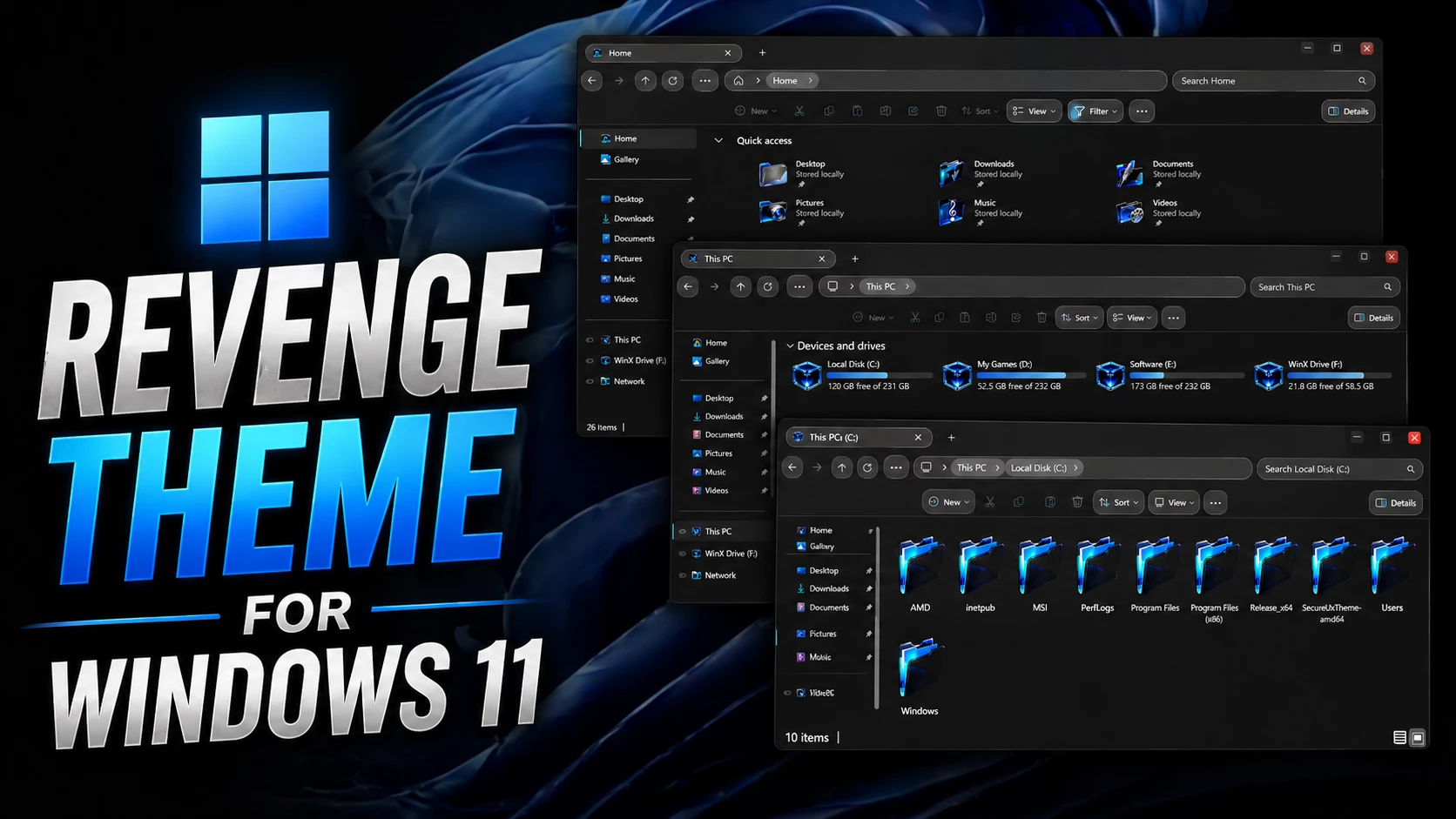
The Revenge Theme uses near-black, charcoal, and muted gray tones across File Explorer to create a deep dark Windows 11 appearance. The navigation pane, tabs, command area, and main content section follow the same dark direction, giving the interface a consistent look.
Blue and cyan details provide contrast without changing the overall dark character. The result is a clean File Explorer style for users who prefer a darker desktop with only a small amount of brighter color.
- Near-black and charcoal File Explorer surfaces
- Dark navigation, tab, and command sections
- Blue and cyan hard-drive level indicators
- Compact dark DWM window controls
- Red accent on the close button
- Subtle borders and interface separators
- Clean dark Windows 11 layout
- Familiar File Explorer structure remains intact
File Explorer and Drive Styling
File Explorer is the main focus of the design. Most supported areas use dark surfaces, while the drive section introduces blue and cyan progress indicators that remain easy to see against the near-black background.
The window controls are kept compact and dark, with a red close-button accent adding a small contrasting detail in the title area.
Using the Theme with Other Customizations
The main Windows theme can be used on its own. If you want to extend the same dark appearance across more of the desktop, separate icon packs, taskbar styles, Start Menu customizations, or matching wallpapers can also be added.
Apply It or Return to Windows Default
- Prepare Windows with a compatible theme patcher, place the extracted files in
C:\Windows\Resources\Themes, and select the new style from Windows theme settings. - Need the full procedure? Use this step-by-step Windows 11 theme installation guide.
- Choose one of the default Windows 11 themes and turn off any additional visual changes you may have paired with the setup.
- This custom theme removal guide covers the complete restoration process.
Windows 11 Version Support
- Windows 11 21H2: YES
- Windows 11 22H2: YES
- Windows 11 23H2: YES
- Windows 11 24H2: YES
- Windows 11 25H2: YES
Theme Package
The download keeps things fairly simple and contains the main Windows visual style together with wallpapers that can be used with the darker desktop layout.
- Windows 11 Theme
- Wallpapers
Theme Files 6MB
DownloadAbout Third-Party Visual Styles
Revenge Theme for Windows 11 is an independently created third-party customization resource intended for personal desktop styling. It is not an official Microsoft product and has no affiliation with, sponsorship from, or endorsement by Microsoft. Windows and related trademarks remain the property of their respective owners.
Custom visual styles may react differently after Windows updates or across different system configurations. Creating a System Restore Point before applying theme files or other interface modifications is recommended.
Final Thoughts
This design takes a more restrained route than glass-heavy or brightly colored Windows customizations. Near-black and charcoal surfaces establish the overall mood, while blue-cyan storage indicators and the small red DWM accent provide just enough contrast to stop the interface from feeling flat.
For users who prefer a darker Explorer without relying on transparency, glowing effects, or constantly changing wallpaper colors, this style offers a much more straightforward visual direction.