

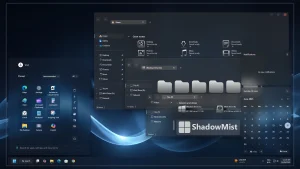
Shadow Mist Theme For Windows 11
Shadow Mist Theme For Windows 11:Shadow Mist Theme for Windows 11 redefines your desktop experience with a bold yet serene blend of mystery and minimalism

Shadow Mist Theme For Windows 11
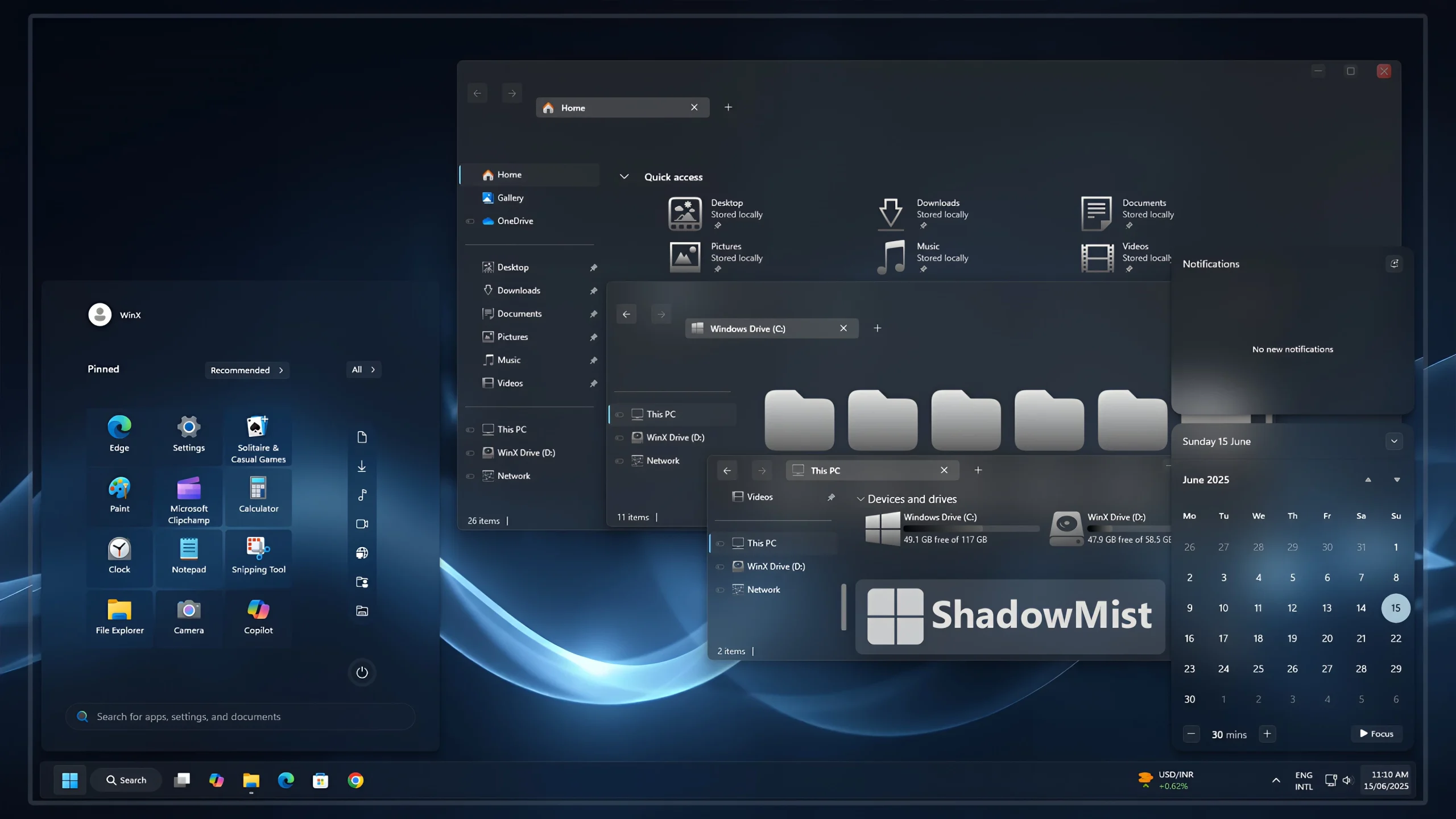
The Shadow Mist Theme For Windows 11 gives the desktop a darker glass-style appearance built around deep navy, charcoal, smoky blue, and soft gray tones. File Explorer uses translucent surfaces, while pale folder icons and restrained blue details keep the setup visually consistent without relying on strong neon colors.
The design stays deliberately understated. Dark surfaces form the base of the interface, while cool blue highlights and lighter gray resources provide contrast where needed. This gives the desktop a quieter character while keeping familiar Windows controls, folders, and navigation easy to recognize.
The package also includes a matching icon pack, Explorer mods, and a wallpaper, allowing the Shadow Mist styling to extend beyond the main Windows theme without replacing Windows 11 or changing how the operating system normally works.
Dark Smoky Glass Desktop Style
File Explorer uses a deep charcoal and blue-gray glass surface that allows some of the wallpaper to remain visible behind supported areas. The darker navigation section helps separate shortcuts and folders, while the main Explorer area stays relatively simple.
The folder resources use soft white, silver, and light gray tones instead of stronger colors. This muted approach creates clear contrast against the dark Explorer background while keeping the icon area close to a monochrome look.
The broader desktop setup can also use darker translucent Start Menu, notification, or calendar styling through compatible additional customization. Colorful application icons then provide most of the contrast against the smoky interface.
Hard drive level indicators follow the same restrained direction with muted steel-blue and blue-gray tones. They are intentionally less vivid than the storage bars used in more colorful themes, which helps them fit naturally into the Shadow Mist palette.
Features
- Smoky glass-style Windows 11 visual design
- Translucent File Explorer with a soft aesthetic blur effect
- Silver and soft gray folder icons with a clean metallic look
- Dark transparent interface surfaces that blend with the desktop wallpaper
- Glass-style Start menu with subtle transparency
- Matching translucent notification and calendar panels
- Rounded interface elements with compact modern controls
- Muted gray and blue-toned drive styling that fits the smoky glass setup
What Is Included?
- Windows 11 Theme
- Icon Pack
- Explorer Mods
- Wallpaper
Compatibility
- Windows 11 21H2: Supported
- Windows 11 22H2: Supported
- Windows 11 23H2: Recommended
- Windows 11 24H2: Recommended
- Windows 11 25H2: NO
Explorer mods and other optional interface customizations can behave differently between Windows builds. After a major Windows update, check compatibility before applying those additional components again.
Installation Steps
- Download the Shadow Mist Theme package and extract the ZIP file.
- Copy the extracted theme files and theme folder to
C:\Windows\Resources\Themes. - Right-click on the desktop, select Personalize, open the Themes section, and choose the Shadow Mist theme to apply it.
- After the main theme is active, you can apply the included icon pack, Explorer mods, and wallpaper separately if you want the complete Shadow Mist setup.
- For the complete installation process and additional setup details, follow this Windows 11 custom theme installation guide.
Shadow Mist Theme 91 MB
Download Removal Steps
- Right-click on the desktop, open Personalize, and switch back to one of the default Windows 11 themes.
- If you applied the included icon pack, use your icon customization tool to restore the default Windows icons.
- Disable the Explorer mods or any additional blur, transparency, Start Menu, or interface changes you added, and restore your previous wallpaper if needed.
- For the complete restoration process, follow this Windows 11 custom theme removal guide.
Disclaimer
Shadow Mist Theme For Windows 11 is an independent third-party customization resource intended for personal desktop styling. It is not an official Microsoft product and is not affiliated with, sponsored by, or endorsed by Microsoft.
Windows and other product or project names belong to their respective owners. Third-party themes, icon packs, Explorer mods, and other interface customizations can behave differently across Windows builds or after major system updates.
Final Word
Shadow Mist gives Windows 11 a darker and more restrained glass-style identity through smoky Explorer surfaces, pale folder resources, muted drive indicators, and a cool blue background.
Its strongest characteristic is consistency rather than brightness. Charcoal, gray, navy, and steel-blue details stay within the same visual family, allowing the desktop to look customized without depending on strong neon accents or overly decorative effects.
Frequently Asked Questions
Why are the folder icons almost white instead of blue?
The pale gray and white folder styling creates contrast against the dark Explorer surface without adding another strong color to the setup.
What color are the hard drive level indicators?
The storage indicators use muted steel-blue and blue-gray tones that match the darker Shadow Mist palette.
Is the icon pack included?
Yes. The Shadow Mist package includes an icon pack along with the main Windows 11 theme.
Are Explorer mods included?
Yes. Explorer customization resources are included and can be applied separately after the main theme is working.
Can I use a black wallpaper instead of the included background?
Yes. Black, navy, charcoal, smoky blue, and other dark backgrounds can work naturally with the theme.
Can I keep the standard Windows 11 Start Menu?
Yes. Additional Start Menu styling can remain separate, so you can keep the default Windows 11 Start Menu while using the main theme, icons, and Explorer styling.
Does Shadow Mist need strong blur to look right?
No. The dark color palette, pale icons, and muted storage indicators already provide most of the visual character. Additional blur can be used only if you want a stronger glass effect.



Disclaimer: All themes, visual styles, and concepts shared on this website are unofficial, fan-made creations built from imagination for customization purposes. We are not affiliated with, endorsed by, or sponsored by Microsoft or any other official brand.