macOS 27 Golden Gate Inspired Theme For Windows 11
Download macOS 27 Golden Gate Theme For Windows 11 and give your PC a clean, modern and elegant macOS-inspired desktop look.

macOS 27 Golden Gate Inspired Theme For Windows 11
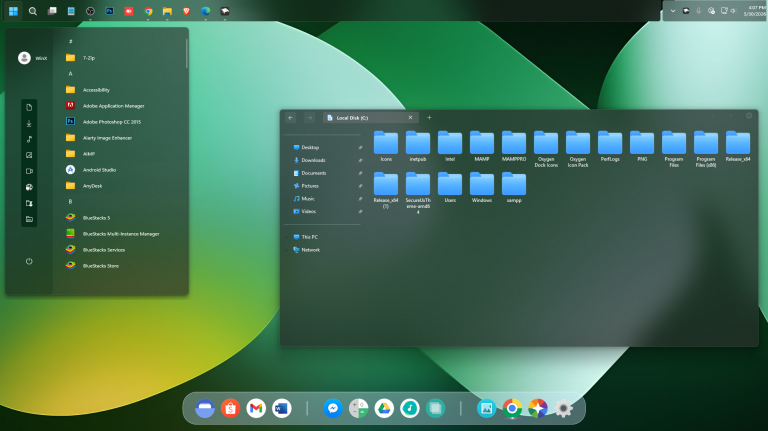
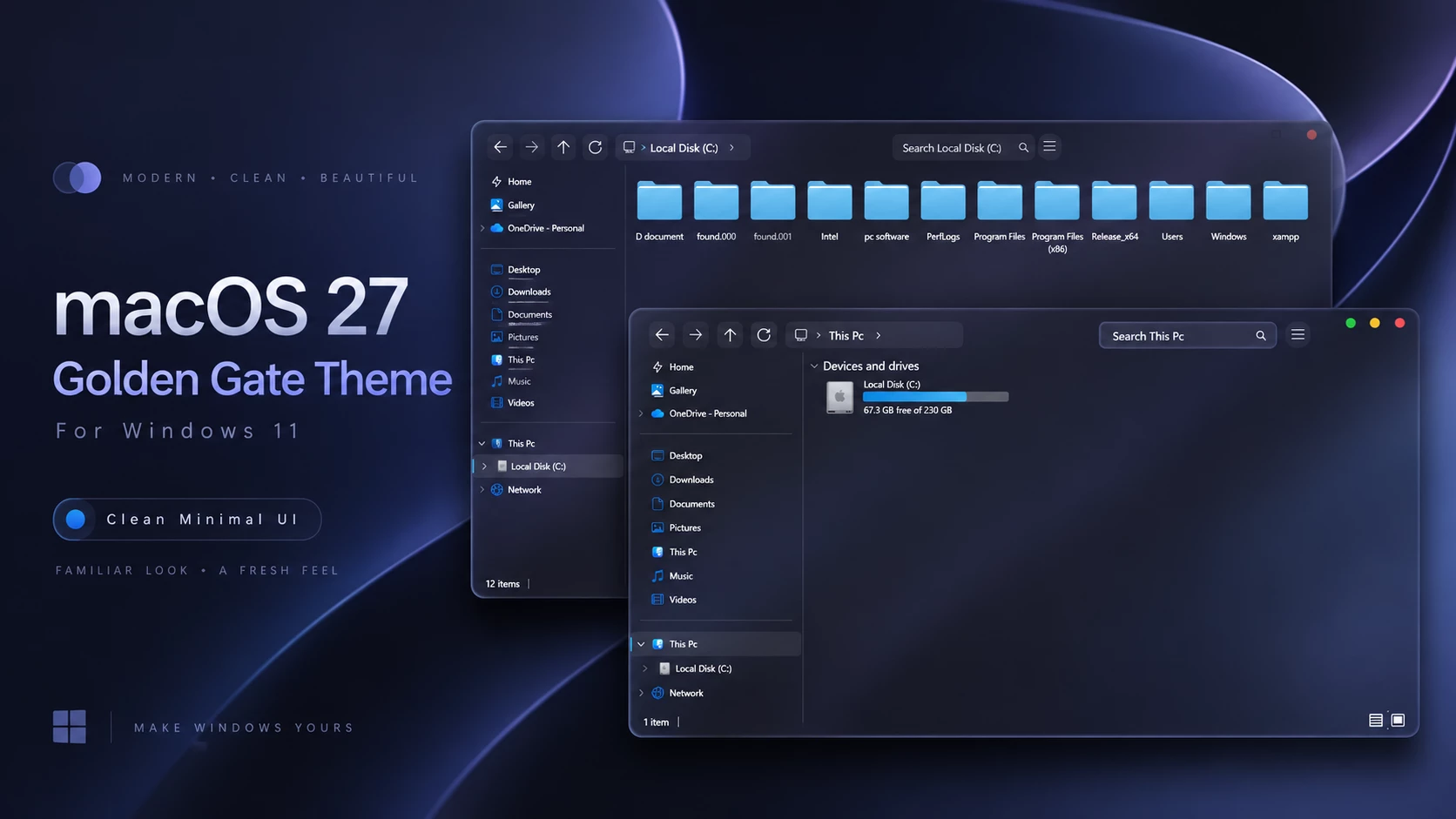
The macOS 27 Golden Gate Inspired Theme For Windows 11 is a dark customization created for users who want the visual character of a modern desktop design on a PC. It combines a deep navy interface, rounded controls, traffic-light window buttons, a custom cursor set, and optional desktop components for a complete layout transformation.
Designed primarily for dark mode, the macOS 27 Golden Gate theme blends darker File Explorer surfaces naturally with navy tones, while bright cyan details keep navigation controls and storage indicators clear and easy to notice.
A standout detail is the custom window controls. Supported windows use circular red, yellow, and green traffic-light buttons, giving the title bar a distinct look compared to standard Windows 11 styling.
A Dark macOS 27 Golden Gate Desktop Setup
This visual style does not try to copy another operating system exactly. Instead, the macOS 27 Golden Gate design adapts key concept ideas into a streamlined PC customization. Rounded interface elements, darker surfaces, compact controls, and traffic-light buttons help shape the look while Windows 11 remains unchanged underneath.
The included custom pointer set provides another subtle touch. When paired with a matching icon pack, dock, and visual tweaks, the overall desktop feels far more coordinated than using standard system visuals alone.
macOS 27 Golden Gate Features & Highlights
- Dark-mode-focused visual style for PC
- Deep navy and blue File Explorer appearance
- Red, yellow, and green traffic-light window controls
- Custom cursor set included in the setup package
- Rounded navigation, address, and search bars
- Bright cyan drive storage indicators
- Matching icon pack available separately
- Optional Windhawk and dock configurations for a fuller transformation
User Experience & Personal Thoughts
In my opinion, the macOS 27 Golden Gate setup is a great option for users who admire clean, modern desktop aesthetics while staying on Windows 11. The circular title bar buttons and matching cursors deliver a noticeably fresh interface, especially when kept in dark mode.
It is not meant to be a 1:1 replica, nor is that the main goal here. It simply serves as a custom visual style designed to bring fresh aesthetic choices to your desktop setup.
For the best result, a full configuration is recommended. Combining the core visual style with an application dock, top bar, custom icons, and interface modifications creates a much more convincing environment than using the theme file alone.
Building the Complete Setup
While the main macOS 27 Golden Gate theme file works standalone, adding companion mods creates a stronger impact. An application dock helps recreate a bottom launcher layout, while a top menu bar adds extra functional flair to the desktop.
The matching icon pack also plays a crucial role. Replacing stock folder and system icons with a unified set helps File Explorer blend seamlessly with the rest of the interface.
Your system will still run Windows 11 under the hood, but blending these elements provides enough visual polish for users who enjoy deep customization.
Complete Setup Resources
- SecureUxTheme – essential tool used to enable third-party custom visual styles.
- Matching Icon Pack – adds coordinated folder and system icons for a unified appearance.
- Windhawk Config: Optional interface modifications to extend styling into additional system areas.
- Dock Setup: Configures a bottom application launcher for the desktop.
- Menu Bar Setup: Adds an optional top bar if you want to extend desktop functionality further.
Installation Steps
- Create a Restore Point: Create a System Restore Point before making any theme-related changes.
- Patch Theme Support: Use a compatible tool such as SecureUxTheme or UltraUXThemePatcher to enable custom visual style support. Use only one patcher method for your Windows build.
- Download and Extract: Download the package and extract its contents to a separate folder.
- Copy the Files: Open the extracted folder and copy the included theme folder along with the corresponding
.themefile. - Paste into System Folder: Go to
C:\Windows\Resources\Themesand paste the copied files there. Administrator permission may be required. - Apply the Style: Double-click the
.themefile, or right-click the desktop, select Personalize, open Themes, and choose your installed style. - Add Optional Tweaks: Apply any matching icon pack, Windhawk mods, dock, or extra included resources for the complete look.
- Detailed Instructions: For a full step-by-step walkthrough, follow this Windows 11 custom theme installation guide.
Supported Windows Builds
- Windows 11 21H2: Not Tested
- Windows 11 22H2: Not Tested
- Windows 11 23H2: Supported
- Windows 11 24H2: Supported
- Windows 11 25H2: YES
Included Files
- Windows 11 Theme File
- Windhawk Config
- Dock Config
- Wallpapers
macOS 27 Golden Gate Theme 7MB
DownloadHow to Uninstall macOS 27 Golden Gate
- Return to Default: Open Settings > Personalization > Themes and select one of the default Windows 11 themes.
- Remove Extra Tweaks: Disable Windhawk configurations, restore default cursors and icons, and close or remove dock applications.
- Restart PC: Restart Windows Explorer or reboot your system. If any changes remain, use your System Restore Point or follow this Windows 11 custom theme removal guide.
Customization Notice
This macOS 27 Golden Gate visual customization is an independently created third-party Windows 11 resource intended solely for desktop personalization. It is not an official product and is not affiliated with, sponsored by, approved by, or endorsed by Apple Inc. or Microsoft Corporation.
All brand names, product names, and trademarks belong to their respective owners. Brand references are used strictly to describe the design style inspiring this PC modification. This package does not install another operating system.
Final Thoughts
Overall, the macOS 27 Golden Gate theme works best as part of a complete dark-mode setup rather than as a standalone file. The traffic-light window buttons, custom cursors, rounded controls, dark navy interface, and matching icons each contribute to the overall character.
Pairing the package with a compatible dock, top bar, icon set, and optional Windhawk configs delivers a much stronger result for users seeking a polished PC layout.
Frequently Asked Questions
Is this setup designed for dark mode?
Yes. The macOS 27 Golden Gate visual style is best suited to Windows dark mode, where its navy surfaces and lighter blue accents function as intended.
Does it include traffic-light window buttons?
Yes. Supported windows feature red, yellow, and green circular controls inspired by classic traffic-light button layouts.
Does the package include a custom cursor?
Yes. A custom cursor set is included to align pointer styling with the rest of the dark desktop setup.
Are a dock and menu bar mandatory?
No. The main visual file works fine on its own, but adding a dock and top bar creates a far more complete desktop transformation.
Is the matching icon pack required?
No. It is optional, though applying it helps folders and system icons match the rest of the customization.
Will this alter my underlying operating system?
No. It is only a Windows customization package. Windows 11 remains the core operating system throughout.