macOS 27 Golden Gate-Inspired Icon Pack
macOS 27 Golden Gate-Inspired Icon Pack : Explore macOS 27 Icon Pack for a clean, modern, and premium desktop customization look. Perfect for Windows users who love macOS-style icons.

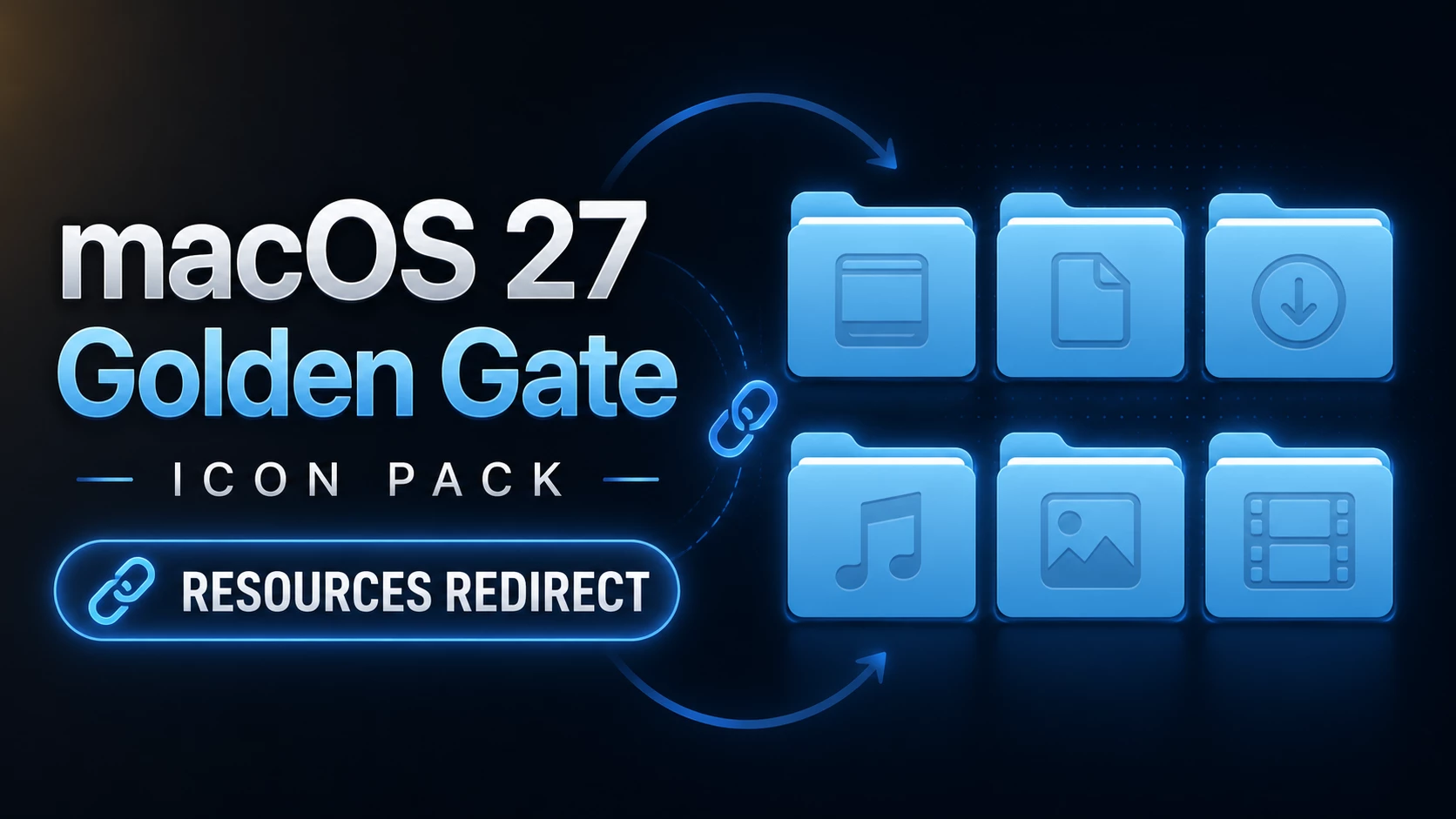
macOS 27 Golden Gate-Inspired Icon Pack for Windows 11
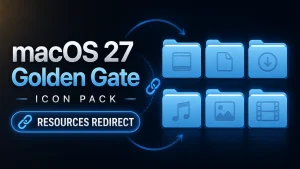
macOS 27 Golden Gate-Inspired Icon Pack is a modern Resource Redirect icon pack designed for Windows 11 users who want a cleaner and more refined File Explorer experience. Inspired by the visual style of modern macOS icons, this pack brings rounded folder shapes, soft blue tones, subtle depth, and simple symbols to create a fresh desktop appearance.
The main focus of this icon pack is the folder design. Each icon features smooth rounded corners, sky-blue and cyan shades, darker blue accents, and clear symbols for commonly used locations such as Documents, Downloads, Music, Pictures, and Videos. Compared to the default Windows folder icons, the design feels softer, more consistent, and visually polished.
This pack is created for Resource Redirect in Windhawk, allowing users to apply supported icon replacements without manually modifying protected Windows system files. It changes the visual appearance of supported icons only while keeping the original Windows functionality unchanged.
macOS-Style Icon Design
The goal of the macOS 27 Golden Gate-Inspired Icon Pack is to bring a consistent macOS-inspired icon style to Windows 11. Rounded shapes, smooth blue gradients, and simplified symbols create a clean look that works well with modern desktop setups.
Documents, Downloads, Music, Pictures, Videos, and other supported folders follow the same visual style, helping File Explorer look more organized. The icons remain easy to recognize, making daily navigation simple while giving Windows a refreshed appearance.
Features
- macOS-inspired icon design for Windows 11
- Rounded folder shapes with modern blue styling
- Soft sky-blue, cyan, and darker blue color tones
- Matching icons for Documents, Downloads, Music, Pictures, and Videos
- Clean symbols with a simple macOS-style look
- Designed for Resource Redirect in Windhawk
- No manual replacement of protected Windows system files
- Works well with modern and minimalist desktop setups
What Is Included?
- macOS 27 Golden Gate-Inspired Resource Redirect Icon Pack
- Resource Redirect-compatible icon files
Compatibility
- Windows 11
Icon coverage can vary depending on your Windows build and the resources included in the pack. Some applications use their own icons, while folders that display thumbnail previews may continue showing those previews instead of the themed folder resource.
Requirements
- Windows 11
- Windhawk installed
- Resource Redirect mod installed and enabled
- The icon pack extracted to a permanent folder
- A ZIP or archive extraction tool
Before You Apply the Pack
Before changing the icon path, keep a copy of your current Resource Redirect configuration. This makes it easier to switch back to your previous setup whenever needed.
After applying the icons, keep the extracted folder in the same location. Resource Redirect loads the icon files from that saved path, so moving or renaming the folder may prevent the icons from appearing correctly.
Installation Steps
- Install Windhawk: Download and install Windhawk if it is not already installed.
- Install Resource Redirect: Open Windhawk, search for Resource Redirect, and enable the mod.
- Download the Icon Pack: Download the icon pack file from the download section below.
- Extract the Files: Extract the archive to a folder that you want to keep permanently.
- Copy the Folder Path: Copy the complete path of the extracted icon folder.
- Open Resource Redirect Settings: Open the Resource Redirect settings and locate the custom resource folder option.
- Paste the Path: Add the extracted folder path and save the changes.
- Restart Explorer: Restart Windows Explorer to apply the new icons.
Download macOS 27 Golden Gate-Inspired Icon Pack
macOS 27 Golden Gate Icon Pack 18MB
DownloadDownload New Version
macOS 27 Golden Gate New Icon Pack 11MB
DownloadIf the Icons Do Not Appear
Make sure Resource Redirect is enabled and confirm that the saved path points to the extracted icon folder, not the ZIP or RAR archive.
If the path is correct but old icons are still visible, restart Windows Explorer. In some cases, Windows icon cache may need to refresh before the changes appear.
Why Do Some Icons Stay Unchanged?
Resource Redirect can only replace the resources included in the icon pack. Some applications use their own icons, and some folders may display thumbnail previews instead of the default folder resource.
How to Remove the Icon Pack
- Open Windhawk and select the Resource Redirect mod.
- Open the mod settings and find the current icon pack path.
- Remove the custom path or restore your previous configuration.
- Save the changes and restart Windows Explorer.
- Delete the extracted icon pack folder after removing the configuration.
Where This Icon Pack Works Best
The cool blue color style works especially well with dark wallpapers, navy backgrounds, soft gradients, and minimalist desktop setups. A simple background helps the folder symbols remain clear and easy to notice.
You do not need a complete macOS-style Windows theme to use this pack. The icons work independently through Resource Redirect, allowing you to keep your existing Windows customization.
Disclaimer
This customization is created for Windows UI personalization purposes only. It is not developed, endorsed, or supported by Apple or Microsoft. Compatibility may vary depending on your Windows version, Windhawk version, and system configuration. Create a system restore point before applying third-party customization.
Final Word
The macOS 27 Golden Gate-Inspired Icon Pack gives Windows 11 a fresh visual update with its soft blue folder design, rounded shapes, and consistent icon style. It is a simple way to refresh File Explorer while keeping the original Windows experience.
If you enjoy clean desktop customization and prefer a unified icon style instead of the default Windows look, this pack provides an elegant option for personalizing your setup.
Frequently Asked Questions
Is this an official Apple or macOS icon pack?
No. This is an independent Windows customization resource. The macOS-related name is used only to describe the design concept of the icon style.
What tool is required to use this icon pack?
You need Windhawk with the Resource Redirect mod enabled to apply this icon pack.
Can I use this without changing my Windows theme?
Yes. The icon pack works independently through Resource Redirect and can be used with your current Windows theme.
Why are some icons unchanged?
Some applications use their own icon resources, and some folders may show thumbnails or resources that are not included in this pack.