

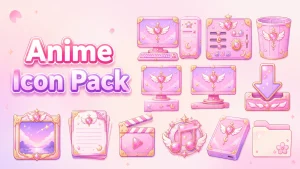
Glory Anime Icon Pack for Windows
Give your Windows desktop a fresh anime-inspired look with the Glory Anime Icon Pack for Windhawk Resource Redirect. Learn what it includes, how to install it, and important safety tips.

Glory Anime Icon Pack for Windows
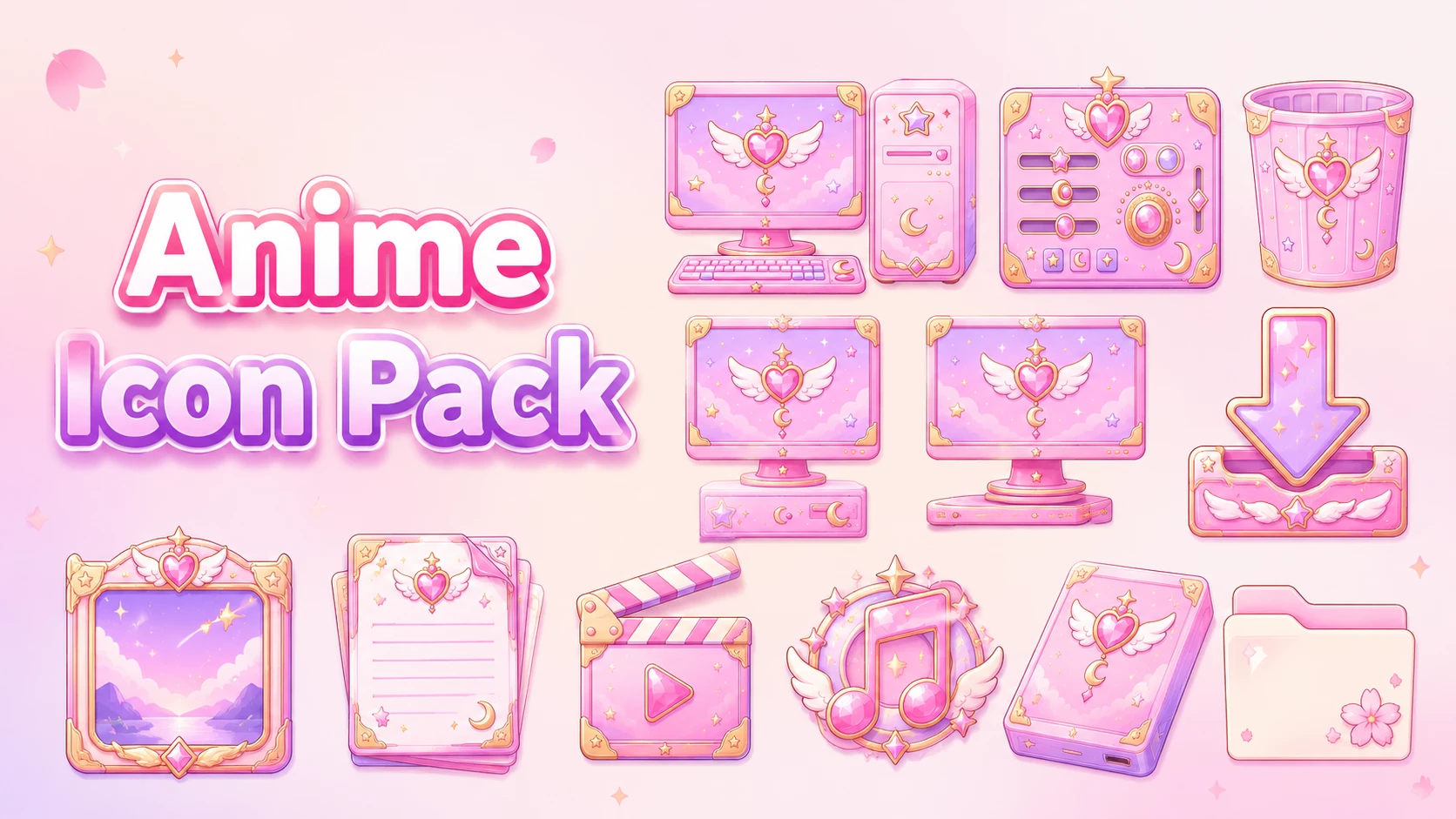
The Glory Anime Icon Pack for Windows brings a soft, colorful style to Windows 10 and Windows 11 desktops. The collection features pastel pink and lavender colors, glossy surfaces, and delicate golden outlines. With its decorative details and rounded shapes, the pack offers a different look from the standard Windows icons while keeping the designs easy to recognize.
The icon collection includes designs for common Windows resources such as folders, desktop, documents, downloads, music, videos, and Recycle Bin. Each icon follows a similar color scheme, combining light pink shades with purple gradients, soft highlights, and small decorative elements.
Glory Anime is designed for the Resource Redirect mod in Windhawk, allowing supported Windows icons to be customized without manually replacing protected system files. It can be used on Windows 10 and Windows 11 alongside your existing wallpaper, desktop theme, and other customization tools.
Design and Appearance
Glory Anime uses a pastel color palette with pink as the main color, supported by lavender, peach, and light purple tones. Many of the icons have a glossy finish with gentle gradients that give them a soft, rounded appearance. Thin golden borders and small decorative accents add extra detail without making the designs difficult to identify.
Some icons feature ribbons, stars, and ornamental details that give the collection its playful character. The folder and desktop designs use soft purple backgrounds with pink and gold accents, while the document and media icons follow the same overall style.
The combination of glossy textures, pastel colors, and decorative shapes makes this pack particularly suitable for cute, anime-inspired desktop setups. It also works well with simple Windows themes if you prefer to keep the rest of your desktop unchanged.
Key Features
- Anime-inspired icon designs for Windows 10 and Windows 11
- Pastel pink, lavender, peach, and purple color palette
- Glossy surfaces with soft gradients and rounded shapes
- Golden outlines and small decorative details
- Custom designs for supported folder, desktop, document, and media icons
- Matching download and Recycle Bin icon styles
- Designed for Windhawk Resource Redirect
- No manual replacement of protected Windows system files required
What’s Included?
- Glory Anime Resource Redirect Icon Pack
The pack contains replacement icon resources for supported Windows elements. The exact icons that change may depend on your Windows version and the files included in the package. Some applications use their own icons and may continue displaying their original designs.
Compatibility
Glory Anime Icon Pack is intended for both Windows 10 and Windows 11 using Windhawk Resource Redirect.
- Windows 10
- Windows 11
The appearance of certain icons may differ slightly between Windows versions. Compatibility can also depend on your Windows build and the installed version of Resource Redirect, especially after major system updates.
System Requirements
- Windows 10 or Windows 11
- Windhawk installed
- Resource Redirect mod installed and enabled
- Glory Anime icon pack files
- A ZIP extraction tool
Before Installing the Icon Pack
If you already have another icon pack configured through Resource Redirect, save your current settings before making any changes. This will help you switch back to your previous icons if needed.
It’s also important to keep the extracted icon files in a permanent location. Resource Redirect uses the folder path specified in its settings, so moving or renaming the folder later may cause some custom icons to stop working.
How to Install Glory Anime Icon Pack
You can apply the icon pack on Windows 10 and Windows 11 using Windhawk and the Resource Redirect mod. Follow the steps below to get started.
- Install Windhawk: Download and install Windhawk on your Windows computer.
- Install Resource Redirect: Open Windhawk, search for Resource Redirect, and install the mod.
- Download the Icon Pack: Download the Glory Anime ZIP archive using the button below.
- Extract the Files: Extract the downloaded archive to a folder on your computer. Choose a permanent location for the files.
- Copy the Folder Path: Open the extracted icon pack folder and copy its full path from File Explorer.
- Open Resource Redirect Settings: Return to Windhawk and open the settings for the Resource Redirect mod.
- Add the Icon Pack Path: Find the custom resource folder setting and paste the copied path. Remove any extra quotation marks if necessary.
- Save the Settings: Apply your changes and allow Resource Redirect to reload the configuration.
- Restart Windows Explorer: If the icons don’t change immediately, restart Windows Explorer to refresh the interface.
For additional help with the installation process, check these resources:
Anime Icon Pack 13MB
Download Icon PackHow to Remove Glory Anime Icon Pack
- Open Windhawk on your computer.
- Find the Resource Redirect mod and open its settings.
- Remove the Glory Anime folder path or replace it with your previous icon pack location.
- Save the configuration to apply the changes.
- Restart Windows Explorer to refresh the icons.
- If some custom icons remain visible, try rebuilding the Windows icon cache.
- Once Resource Redirect is no longer using the pack, you can delete the extracted icon files.
Matching Wallpapers and Desktop Styles
Glory Anime pairs naturally with wallpapers that use soft pink, lavender, light purple, or cream colors. These shades complement the glossy icon designs and help create a consistent desktop appearance.
If you prefer more contrast, darker purple or pink gradient wallpapers can also work well. The lighter colors and golden details of the icons can stand out nicely against a darker background.
You can combine the pack with a matching Rainmeter skin or Windows theme for a more personalized setup. However, these additions are optional. The icons can also be used with your existing desktop appearance.
Explore More Windows Customization
Who Is This Icon Pack For?
Glory Anime is a good option for Windows 10 and Windows 11 users who enjoy pastel colors, cute designs, and decorative desktop icons. Its pink and purple color scheme makes it a natural fit for anime-inspired setups, especially those built around softer colors.
It’s also suitable for anyone who wants to try a more colorful icon style without replacing their entire Windows theme. The pack focuses on supported icon resources, so you can keep the rest of your desktop setup as it is.
Disclaimer
Glory Anime Icon Pack for Windows is a third-party desktop customization resource intended for personal use. The anime-inspired design does not indicate any affiliation with a particular anime series, studio, or publisher.
This icon pack is not an official Microsoft or Windhawk product and is not affiliated with or endorsed by either project. Windows, Microsoft, and other trademarks belong to their respective owners.
Compatibility may vary depending on your Windows version, installed updates, and Resource Redirect configuration. Save your previous settings and check that the required tools are compatible with your system before applying the icon pack.
Conclusion
Glory Anime Icon Pack offers a colorful alternative to the default Windows icons. Its pastel pink and lavender shades, glossy gradients, and golden accents give supported desktop resources a softer, more decorative appearance.
Designed for Windows 10 and Windows 11 through Windhawk Resource Redirect, the pack is a nice choice for anyone interested in anime-inspired desktop customization. Whether you pair it with a matching wallpaper or keep your current Windows theme, it brings a different style to your everyday desktop icons.
You may also like
Disclaimer: All themes, visual styles, and concepts shared on this website are unofficial, fan-made creations built from imagination for customization purposes. We are not affiliated with, endorsed by, or sponsored by Microsoft or any other official brand.