

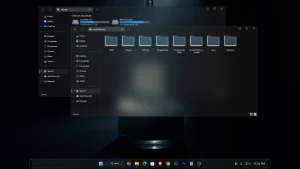
Glassify V2 Icon Pack for Windows 11
Glassify V2 Icon Pack for Resource Redirect : Glassify V2 Icon Pack brings a sleek glass-style look to Windows 10 and 11 using Windhawk’s Resource Redirect. Featuring translucent, modern icons with a frosted aesthetic, it safely transforms system icons without modifying system files.

Glassify V2 Icon Pack for Windows
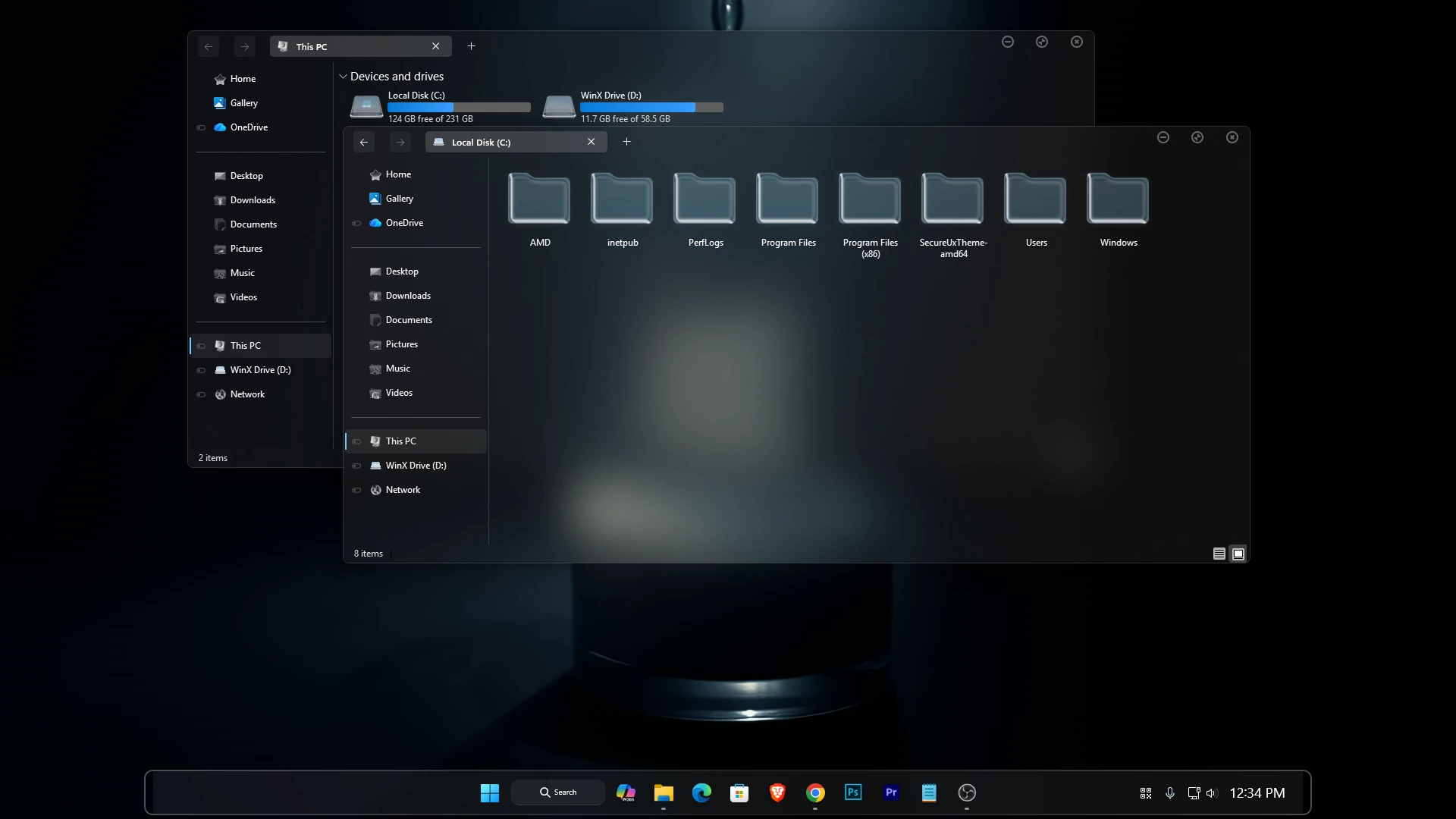
Glassify V2 Icon Pack is a modern, glass-inspired icon theme designed for Windows 10 and Windows 11 using the Resource Redirect mod in Windhawk. This icon pack brings a sleek translucent look to your system icons, featuring soft transparency, subtle blur effects, and smooth lighting that perfectly matches Fluent and acrylic-style user interfaces.
Built specifically for Windhawk Resource Redirect, Glassify V2 replaces default Windows system icons without modifying any system files. All changes are applied in memory, making it a safe, reversible, and performance-friendly solution for advanced Windows customization. Once enabled, icons across File Explorer, Start Menu, taskbar, and system dialogs gain a consistent frosted-glass appearance that elevates the overall desktop aesthetic.
Glassify V2 is ideal for users who love minimal, clean, and modern UI designs, especially when combined with Rainmeter skins, custom wallpapers, and Windhawk Start Menu styles. The icon pack blends beautifully with dark and light themes, giving your desktop a premium and polished feel.
What Is Glassify V2 Icon Pack?
Glassify V2 is a custom Windows icon pack designed to work with the Resource Redirect customization method. Instead of using the standard appearance of supported Windows icons, the pack introduces a glass-inspired visual style that helps create a more unified desktop setup.
The design focuses on a clean and modern appearance rather than overly complicated details. This makes the icons suitable for both dark and light desktop setups, especially when combined with transparent or acrylic-style interface effects.
Glass-Inspired Visual Design
The main attraction of Glassify V2 is its transparent glass-style appearance. The icons use a modern visual direction that can complement customized Windows interfaces without making the desktop look overly busy.
If you already use a transparent taskbar, customized File Explorer, modified Start Menu, or glass-style Windows elements, this icon pack can help make the overall setup feel more consistent.
Key Features of Glassify V2
- Modern glass-inspired icon design
- Designed for Resource Redirect customization
- Suitable for Windows 11 desktop setups
- Clean and minimal visual appearance
- Works well with dark and light desktop styles
- Complements transparent and Fluent-inspired interfaces
- Useful for creating a more consistent customized desktop
Compatibility & Requirements
Glassify V2 is intended for Windows 11 customization setups that use Resource Redirect. Compatibility can depend on your Windows build, the version of Windhawk, and the Resource Redirect configuration you are using. Before using the icon pack, make sure you have the following environment configured correctly:
Requirements
- Windows 11 Operating System
- Windhawk Installed
- Resource Redirect mod enabled
- Glassify V2 Icon Pack files
Installation Steps
- Create a System Restore Point before making customization changes.
- Download and install Windhawk.
- Install and enable the Resource Redirect mod inside Windhawk.
- Download the Icon Pack ZIP file.
- Extract the icon pack to a permanent folder on your computer.
- Copy the required icon pack folder path.
- Add the required path or configuration to the Resource Redirect settings.
- Apply the Resource Redirect settings carefully.
- Restart Windows Explorer if required to display the new icons.
Icon Pack 11MB
DownloadDisclaimer
This is an independent third-party customization project and is not an official Microsoft product. It is not affiliated with, authorized, sponsored, approved, or endorsed by Microsoft Corporation. This post is provided for customization and informational purposes only and is intended for use with Resources Redirect. Microsoft and Windows are trademarks of the Microsoft group of companies. All other trademarks are the property of their respective owners.
Finalization
If you want to transform your Windows interface with elegant glass-style icons while keeping system stability intact, Glassify V2 Icon Pack for Resource Redirect is an excellent choice.
You may also like
Disclaimer: All themes, visual styles, and concepts shared on this website are unofficial, fan-made creations built from imagination for customization purposes. We are not affiliated with, endorsed by, or sponsored by Microsoft or any other official brand.