

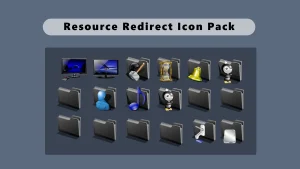
Satin Black Icon Pack for Windows 11
Satin Black Icon Pack for- Resource Redirect : The Satin Black Icon Pack is a minimal, dark-themed icon set designed for Resource Redirect using Windhawk Mods. Featuring smooth matte black icons, it delivers a clean, modern look for Windows 10 and Windows 11 customization lovers.

Satin Black Icon Pack for Windows 11
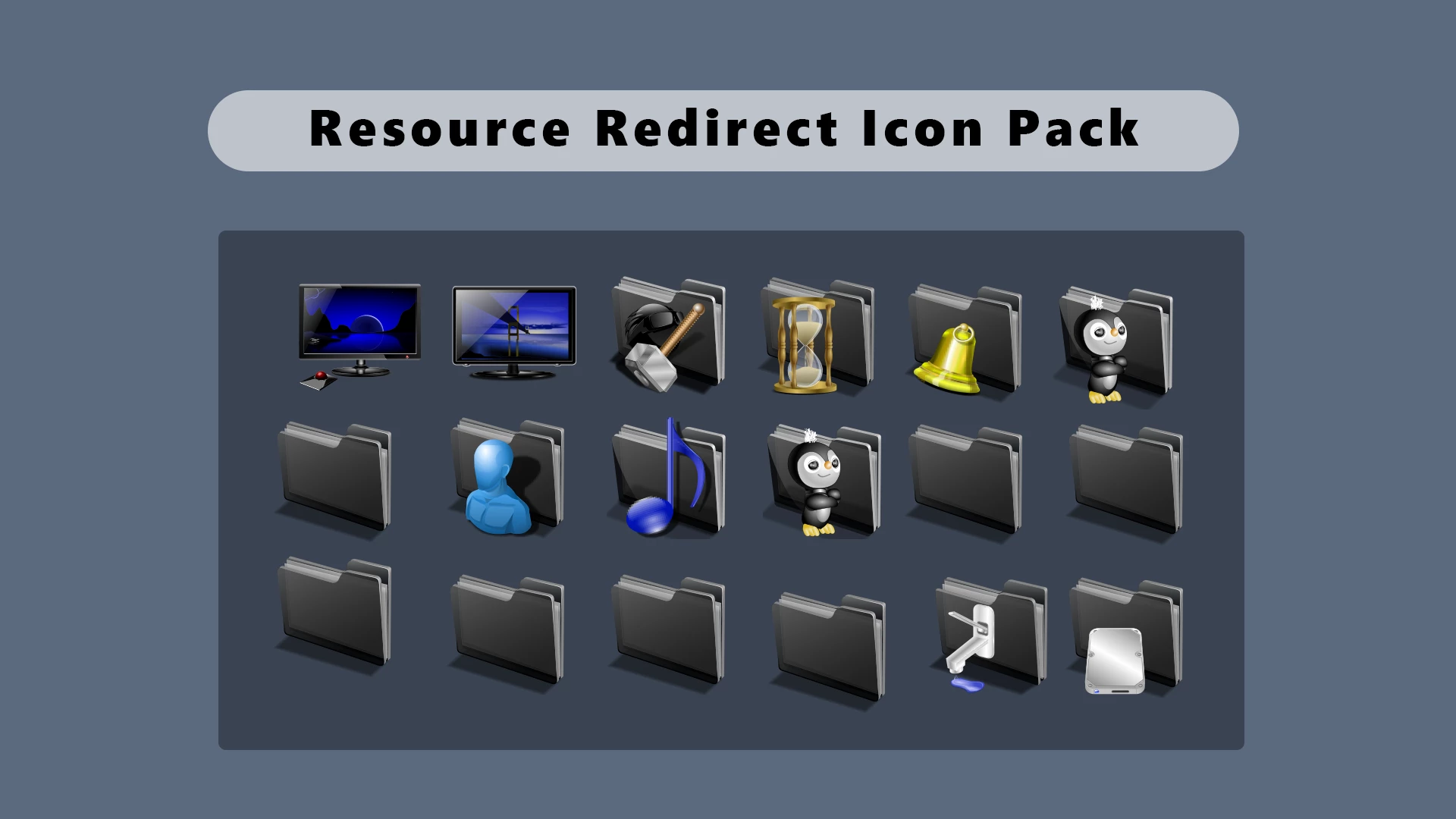
Windows 11 already has a modern interface, but the default folder and system icons may not always match a customized desktop style. If you prefer a darker and cleaner appearance, the Satin Black Icon Pack offers an easy way to refresh the look of File Explorer and supported Windows resources.
This icon pack brings a dark satin-inspired style with deep grey folder icons and redesigned system resources. The folder designs keep a simple and minimal appearance, while selected icons include subtle colors and details that help maintain easy recognition. The balanced design works especially well with dark wallpapers, transparent taskbars, modern Start menu styles, and minimal Windows setups.
Designed to work with the Resource Redirect mod in Windhawk, this pack allows you to customize supported Windows resources without manually replacing system files. This makes it easier to try a new desktop style while keeping the option to return to the default Windows appearance whenever you want.
Visual Details & Wallpaper Pairing
The overall design focuses on a clean dark aesthetic. The satin-style folder icons create a more consistent File Explorer experience, while the additional system icons add variety without making the interface feel overloaded.
This style pairs naturally with dark, grey, blue, and minimal wallpapers. It also looks great with transparent Windows effects, acrylic-style interfaces, Rainmeter widgets, and other desktop customization projects. The final appearance may vary depending on your wallpaper, Windows theme, display settings, and other installed modifications.
- Elegant Dark Folder Style: Gives File Explorer a refined appearance with darker folder icons that feel more suitable for modern desktop themes.
- Clean and Recognizable Icons: Combines a darker folder design with detailed system icons, helping your desktop look customized while remaining practical.
- Perfect for Minimal Setups: Matches well with dark wallpapers, transparent interfaces, and other Windows customization styles.
- Simple Resource-Based Installation: Uses Resource Redirect through Windhawk, allowing customization without manually modifying Windows system files.
- Improved Desktop Consistency: Helps create a more unified look across File Explorer and supported Windows areas.
- Easy to Restore: You can disable the configuration and return to the original Windows icon style whenever needed.
Compatibility & Requirements
This icon pack is designed for Windows 11 systems using Windhawk with the Resource Redirect mod. The final result may depend on your Windows build, Resource Redirect settings, display scaling, and other active customization tools.
Windows updates can sometimes change system resources and affect third-party customization. If icons stop appearing correctly, make sure Windhawk and Resource Redirect are updated and enabled.
Requirements & Included Files
- Windows 11 Operating System
- Windhawk installed on your system
- Resource Redirect mod for Windhawk enabled
- A ZIP extraction tool
- The downloaded Satin Black Icon Pack files
Before You Begin
Before applying any Windows customization, creating a restore point is recommended. It gives you an additional recovery option if another modification conflicts with your current setup.
If you already use multiple Windhawk mods, apply this icon pack separately and test the result before adding more customizations. This makes troubleshooting easier if any conflict appears.
How to Install the Satin Black Icon Pack
- Download the Satin Black Icon Pack from the download button below.
- Extract the ZIP archive to a permanent folder on your computer.
- Keep the extracted folder in the same location after applying the pack.
- Open Windhawk and install the Resource Redirect mod if you haven’t already.
- Open the Resource Redirect settings.
- Add the Satin Black Icon Pack folder path according to your configuration.
- Save the changes and restart File Explorer.
- If some icons do not update immediately, restart Windows or refresh the icon cache.
Icon Pack 19 MB
Download Icon PackHow to Remove
- Open Windhawk from your Windows system.
- Open the Resource Redirect mod settings.
- Remove the Satin Black Icon Pack configuration.
- Save the changes and restart File Explorer.
- Refresh the icon cache if the default icons do not appear immediately.
Pair With Satin Dark Theme
Complete your dark Windows setup by pairing the Satin Dark Theme for Windows 11 with this icon pack. The matching dark tones create a clean and consistent desktop experience.
The theme provides the overall interface style, while Satin Black Icon Pack adds the finishing touch with redesigned folder and system icons.
Credits & Disclaimer
This is an independent third-party customization project and is not affiliated with, authorized, sponsored, or endorsed by Microsoft Corporation or Windhawk. This content is provided for Windows customization and informational purposes only. Windows and Microsoft are trademarks of Microsoft Corporation.
The base icons used in this project are modified from open-source resources originally sourced from the KDE Store (store.kde.org). These resources have been redesigned, converted, and optimized by us for use with Windows 11. Credit for the original icon artwork belongs to the respective creators. This website does not claim ownership of the original third-party designs. If you are the original creator of any icon included in this pack and would like a specific credit or attribution added, please contact us.
Final Thoughts
Satin Black Icon Pack is a simple way to give Windows 11 a darker and more personalized look without changing the entire operating system interface. Its satin-inspired folder style and carefully designed resources make it a great choice for users who enjoy clean, minimal, and modern desktop customization.
Do you like this darker icon style for your Windows setup? Share your thoughts and let us know how you customize your desktop.
You may also like
Disclaimer: All themes, visual styles, and concepts shared on this website are unofficial, fan-made creations built from imagination for customization purposes. We are not affiliated with, endorsed by, or sponsored by Microsoft or any other official brand.