

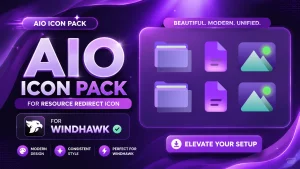
AIO Icon Pack For Windows 11
Download AIO Icon Pack ( Resource Redirect ) for Windhawk and transform your desktop with beautiful, modern, and unified resource redirect icons. Clean design, consistent style, and easy setup.

AIO Icon Pack for Windows 11
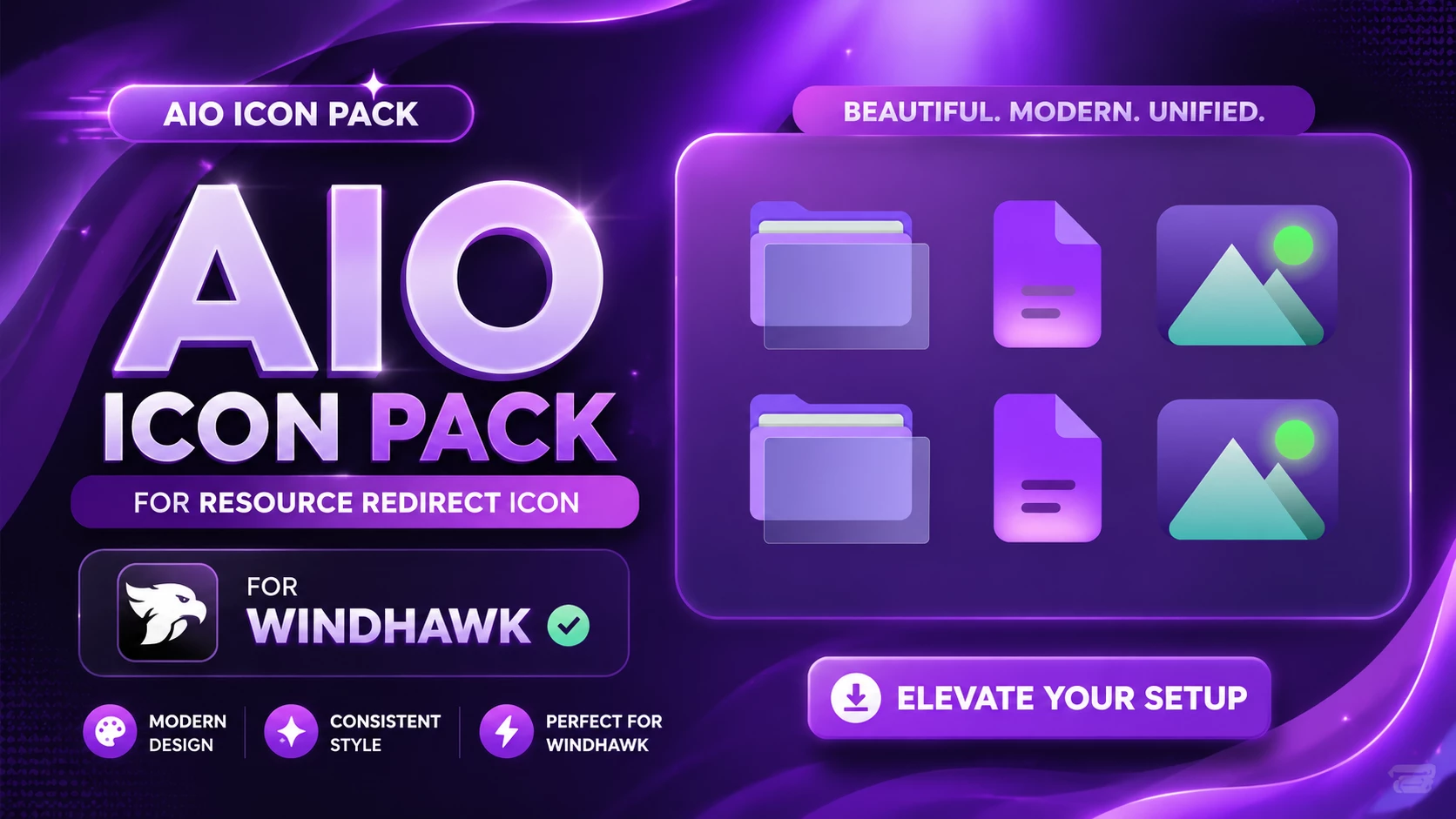
AIO Icon Pack is a colorful Resource Redirect icon set for Windows 11 with a softer purple-and-cyan visual style. The design uses layered lavender folders, violet document icons, and cool cyan image icons, with small green accents adding just enough contrast to keep the set from feeling flat.
The icons are rounded and fairly simple, but they are not plain. Soft gradients, overlapping layers, and subtle highlights give them more depth than the standard Windows icons without making File Explorer look overloaded.
This version is made for Resource Redirect in Windhawk. It changes supported Windows icon resources through the mod, so there is no need to manually replace protected Windows system files. Your wallpaper, taskbar, Start menu, and Windows theme stay separate from the icon pack.
AIO’s Color and Design Style
Purple is the strongest color in the set. Folder resources use soft lavender and violet layers, while document-style icons move into brighter purple and magenta tones. Image resources take a different direction with cyan, teal, and a small lime-green accent.
That little bit of color variation helps different resources stay easy to identify. The pack still feels connected because the shapes, gradients, and rounded edges follow the same overall visual language.
Features
- Layered lavender and violet folder styling
- Purple and magenta document-style icons
- Cyan and teal image icons with small green accents
- Rounded shapes with soft gradient shading
- Consistent styling across supported Windows resources
- Designed for Resource Redirect in Windhawk
- No manual replacement of protected Windows system files
- AIO Resource Redirect Icon Pack: Contains the replacement icon resources used by Resource Redirect for supported Windows 11 locations.
Compatibility
- Windows 11
Icon coverage can vary depending on your Windows build and the resources included in the pack. Some applications use their own icons, while folders with thumbnail previews may continue to show those previews instead of the themed folder resource.
Requirements
- Windows 11
- Windhawk installed
- Resource Redirect mod installed and enabled
- The AIO pack extracted to a permanent folder
- A ZIP extraction tool
Installation Steps
- Install Windhawk: Download and install Windhawk if it is not already installed.
- Install Resource Redirect: Open Windhawk, search for Resource Redirect, and install the mod.
- Download AIO: Download the ZIP archive using the button below.
- Extract the Pack: Extract the archive to a folder that you plan to keep in the same location.
- Copy the Folder Path: Open the extracted AIO folder and copy its full Windows path.
- Open Resource Redirect Settings: Go to the mod’s settings and locate the custom resource or theme folder field.
- Paste the Path: Paste the AIO folder path into the required field. Remove quotation marks if Windows added them automatically.
- Save the Settings: Apply the Resource Redirect configuration and let the mod reload.
- Refresh Explorer: Restart Windows Explorer if the new icons do not appear immediately.
For a detailed setup guide, you can also check:
AIO Icon Pack 10MB
Download Icon PackIf the Icons Do Not Appear
First check that Resource Redirect is enabled and that the saved path points to the actual extracted AIO folder rather than the ZIP file itself.
If the path is correct but older icons are still showing, restart Windows Explorer. Windows may also be holding on to cached icon data, so an icon-cache refresh can sometimes be necessary.
Why Do Some Icons Stay the Same?
Resource Redirect can only replace resources covered by the pack. Some applications provide their own icons, and certain folders may display content previews instead of the normal folder resource.
That means a few unchanged items do not automatically indicate a problem with AIO. Windows simply has several different ways of deciding where an icon comes from, because apparently one method would have been too peaceful.
How to Remove
- Open Windhawk: Select the installed Resource Redirect mod.
- Open Its Settings: Find the custom path currently pointing to the AIO folder.
- Restore Your Previous Setup: Replace the AIO path with your earlier configuration, or remove it if you want to return to the default Windows resources.
- Save the Changes: Apply the updated Resource Redirect settings.
- Restart Explorer: Restart Windows Explorer so the previous or default icons can reload.
- Delete the Pack Later: Remove the extracted AIO folder only after Resource Redirect is no longer using it.
Disclaimer
AIO Icon Pack is an independently shared third-party Windows customization resource intended for desktop personalization. It is not an official Microsoft or Windhawk product and is not affiliated with, authorized by, sponsored by, approved by, or endorsed by Microsoft, Windhawk, or the creators of Resource Redirect. Microsoft, Windows, and other trademarks belong to their respective owners. Appearance and compatibility may vary between Windows builds and mod versions.
Final Word
AIO has a softer personality than many bright icon packs. The lavender folders give the set a calm base, while purple documents and cyan-green image icons bring in just enough contrast to stop everything from blending together.
If you want a colorful Windows 11 icon setup without going all the way into neon, gaming, or heavily detailed artwork, AIO sits in a comfortable middle ground.
Frequently Asked Questions
Why are the AIO folders mostly purple while other icons use different colors?
The pack uses lavender and violet as its main base, then adds brighter colors to certain resource types so they remain easier to distinguish.
Are the AIO icons fully transparent?
No. They use soft gradients and a slightly translucent appearance, but the icons still have visible colored surfaces.
Do I need a purple Windows theme to use AIO?
No. The icon pack works independently from your Windows theme. Purple or blue setups can match it nicely, but they are completely optional.
Does AIO change every icon in File Explorer?
Not necessarily. Resource Redirect only changes supported resources included in the pack, while application-specific icons and thumbnail-based folders may remain unchanged.
Can I replace AIO with another Resource Redirect pack later?
Yes. Extract the next pack to its own folder, update the saved path in Resource Redirect, save the settings, and restart Explorer if needed.
You may also like

Disclaimer: All themes, visual styles, and concepts shared on this website are unofficial, fan-made creations built from imagination for customization purposes. We are not affiliated with, endorsed by, or sponsored by Microsoft or any other official brand.