

Amazing Lucent Icon Pack For Windows 11
Lucent Icon Pack For Windows 11 : Download Lucent Icon Pack for Resources Redirect (Windhawk) on Windows 11. Give your folders a clean, modern, and glowing aesthetic look instantly.

Lucent Icon Pack for Windows 11
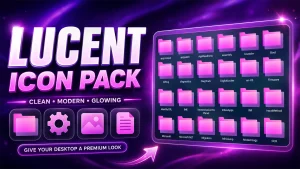
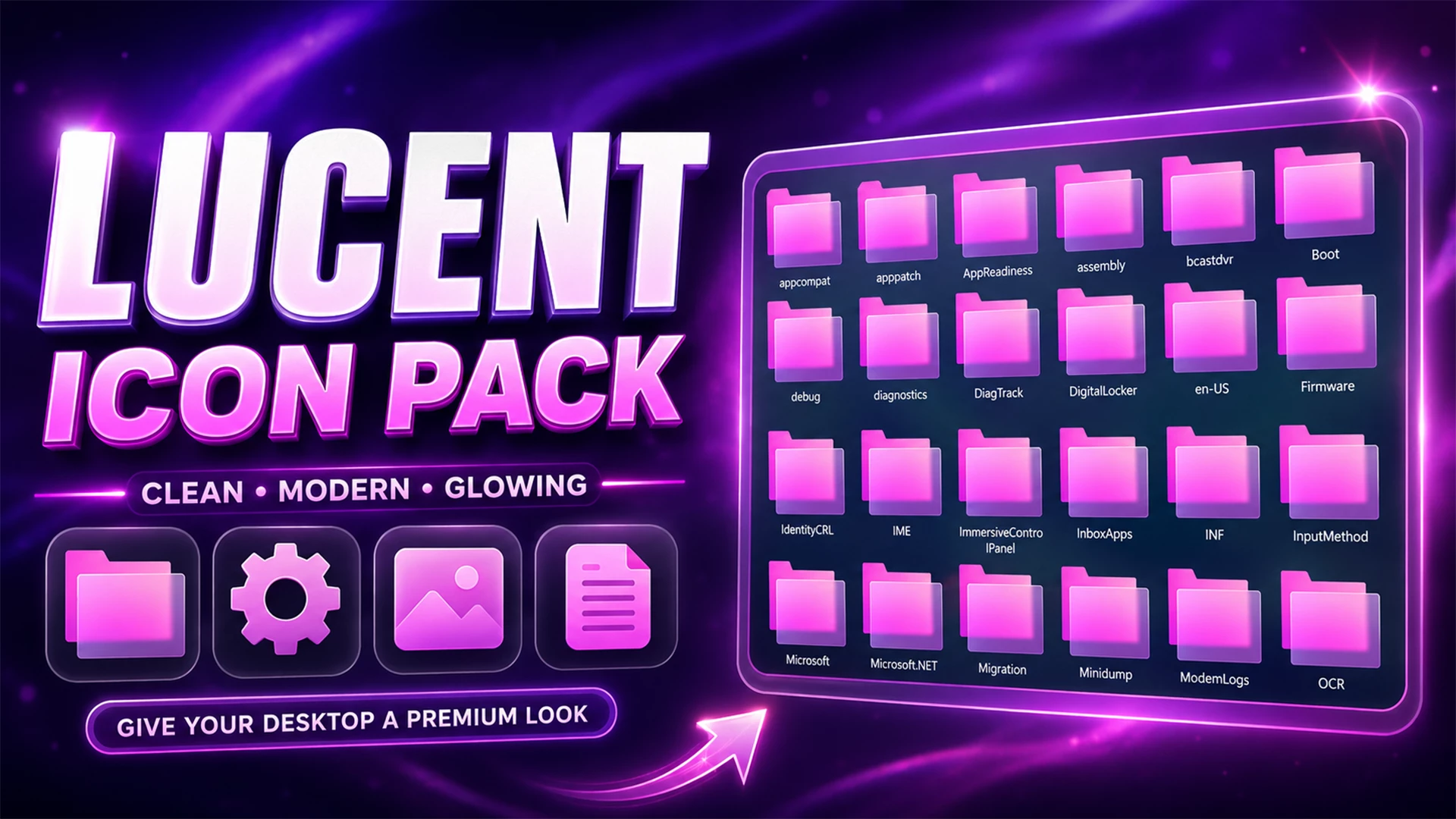
Lucent Icon Pack brings a bright pink-and-purple look to supported Windows 11 icons. The design uses fuchsia folders, violet shadows, soft glow around the edges, and simple symbols that stay easy to recognize inside File Explorer.
The color palette is very consistent. Most folders sit between hot pink and magenta, while darker purple layers add depth underneath. Settings, picture, document, and other supported resources follow the same visual direction instead of switching to unrelated colors.
This version is made for Resource Redirect in Windhawk. It changes supported Windows icon resources through the mod, so you do not need to manually replace protected Windows system files. Your wallpaper, taskbar, Start menu, and Windows theme remain separate customizations.
Lucent’s Pink and Purple Style
Lucent is not a subtle monochrome pack. Its strongest feature is the bright fuchsia folder color, supported by purple gradients and a soft neon-like glow. On a dark desktop, the icons stand out immediately without needing extra visual effects around File Explorer.
The shapes are still simple enough for everyday use. Folder icons keep a familiar form, while settings, image, and document resources use matching rounded blocks and the same magenta-purple palette.
Features
- Pink and purple gradient folder style
- Soft glow effects for a modern visual finish
- Clean, minimal icon shapes
- Designed for Windows 11 customization
- Compatible with Windhawk Resource Redirect
- Suitable for dark, glass, neon, and aesthetic desktop setups
Who Is This Pack For?
Lucent Icon Pack is a nice choice for users who want to move away from the default Windows icon appearance without turning the desktop into a full transformation project. It can suit both simple daily-use setups and more detailed desktop customizations.
- Users who like pink, purple, and glowing UI styles
- Fans of glass and acrylic Windows themes
- Rainmeter and dock users building an aesthetic desktop
- Anyone who wants folders and common system items to look more consistent
Requirements
- Windows 11 Operating System
- Windhawk Installed
- Resource Redirect Mod Enabled
- Basic File Path Knowledge
Before Applying the Icon Pack
Create a system restore point before applying any desktop customization. It provides an extra recovery option if your Windows build, another mod, or an existing theme does not work well with the icon pack.
It is also a good idea to apply one customization at a time. This makes it easier to identify the cause if an icon, taskbar, or File Explorer element does not look as expected.
Installation Steps
- Download and install Windhawk.
- Open Windhawk, go to Mods, and install the Resource Redirect mod.
- Download the Lucent Icon Pack ZIP file and extract it to a folder on your computer.
- Copy the full path of the extracted icon pack folder.
- Open Resource Redirect settings and paste the folder path into the appropriate theme or resource-path field.
- Save the changes, then restart Windows Explorer or clear the icon cache if some icons do not update immediately.
For a more detailed guide, you can also check:
Lucent Icon Pack 12MB
Download Icon PackIf Lucent Does Not Appear
Check that Resource Redirect is enabled and confirm that the saved path points to the extracted Lucent folder rather than the ZIP file itself.
If the configuration is correct but older icons are still visible, restart Windows Explorer. Windows may also be using cached icon data, so an icon-cache refresh can sometimes be needed.
Why Do Some Icons Stay Unchanged?
Resource Redirect can only replace resources covered by the pack. Some applications use their own icons, while certain folders display thumbnail previews instead of the regular Windows folder resource.
So a few default-looking icons do not necessarily mean something is broken. They may simply come from resources outside Lucent’s coverage.
How to Remove
- Open Windhawk: Select the installed Resource Redirect mod.
- Open the Settings: Find the path currently pointing to the Lucent folder.
- Restore Your Previous Setup: Replace the Lucent path with your earlier configuration, or remove it if you want to return to default Windows icons.
- Save the Changes: Apply the updated Resource Redirect settings.
- Restart Explorer: Restart Windows Explorer so the previous or default resources can reload.
- Delete Lucent Later: Remove the extracted Lucent folder only after Resource Redirect is no longer using it.
Where Lucent Looks Best
Lucent naturally suits darker desktops because the bright pink folders and purple glow have more contrast there. Black, deep violet, navy, or soft gradient wallpapers can all work nicely with the pack.
You do not need a matching theme, though. Lucent can stay as the main burst of color while the rest of Windows remains relatively simple.
Explore More Windows Customization
Disclaimer
Lucent Icon Pack is an independently shared third-party Windows customization resource intended for desktop personalization. It is not an official Microsoft or Windhawk product and is not affiliated with, authorized by, sponsored by, approved by, or endorsed by Microsoft, Windhawk, or the creators of Resource Redirect. Microsoft, Windows, and other trademarks belong to their respective owners. Appearance and compatibility may vary between Windows builds and mod versions.
Final Word
Lucent has a very clear visual identity. Bright pink folders do most of the work, while purple shadows and soft glow keep the set from looking flat. The matching document, settings, and image resources help the brighter color scheme feel intentional rather than random.
If you like colorful Windows icons but want to stay within one strong palette instead of mixing every possible color, Lucent is a much more focused option.
You may also like
Disclaimer: All themes, visual styles, and concepts shared on this website are unofficial, fan-made creations built from imagination for customization purposes. We are not affiliated with, endorsed by, or sponsored by Microsoft or any other official brand.