Xeon Theme For Windows 11
Download Xeon Theme For Windows 11 and give your PC a sleek, modern and clean desktop look with futuristic UI design and smooth visuals.

Xeon Theme For Windows 11 – Transparent Glass Explorer Style
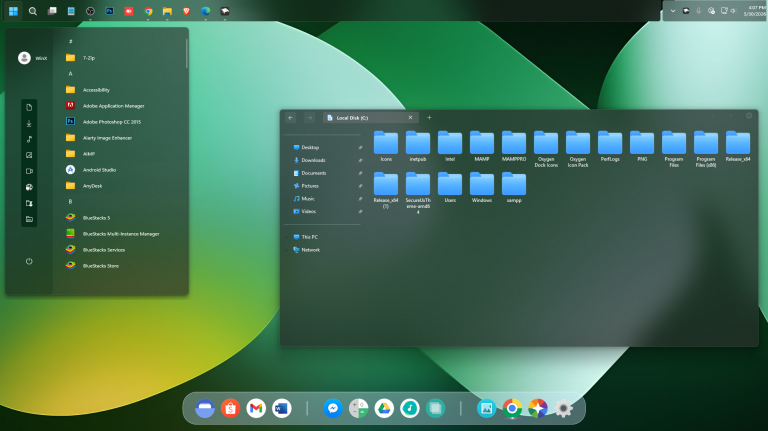
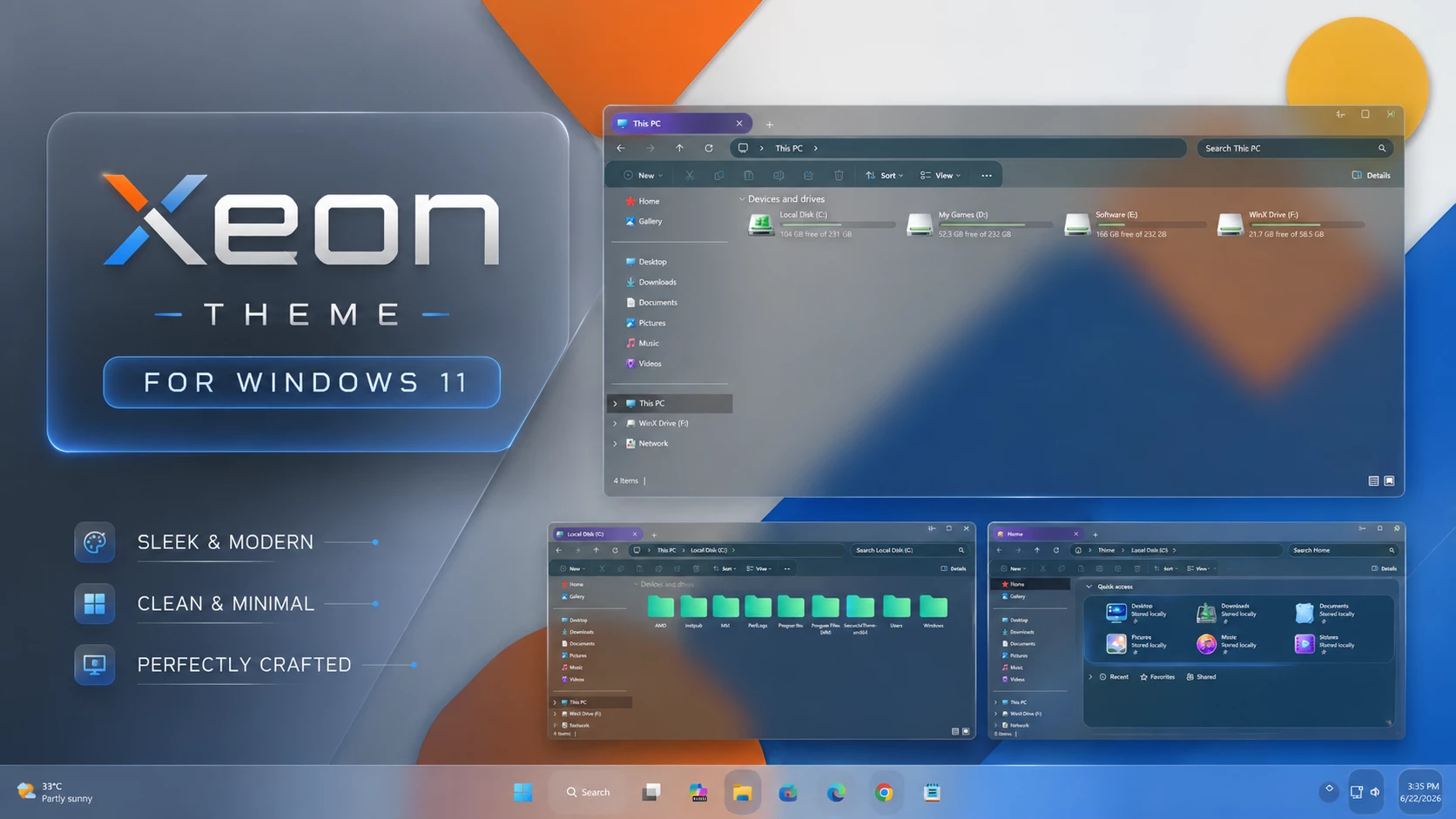
The Xeon Theme For Windows 11 is a clean Windows customization built around a highly transparent File Explorer interface. Instead of covering the wallpaper with a heavy background, the glass-style surface allows much of the desktop image to remain visible through supported areas of Explorer.
Because of this transparency, the final appearance depends heavily on the wallpaper you use. Orange, blue, gray, or other colors visible through File Explorer mainly come from the background behind the window rather than from fixed colors built into the theme itself.
Darker translucent areas around the toolbar and navigation section provide enough contrast for controls and text, while the drive section uses soft green level indicators. The overall result stays simple and restrained rather than filling the interface with strong accent colors.
Transparency Is the Main Focus
Xeon is designed for users who want the wallpaper to remain part of the Windows interface. The Explorer background stays highly transparent, while selected toolbar and navigation areas use darker glass surfaces to keep the layout practical and easy to follow.
This also means the same theme can look quite different with another wallpaper. Gradient, abstract, colorful, or darker backgrounds can all change the mood of the setup without changing the visual style itself.
Xeon Glass Highlights
- Highly transparent File Explorer surface
- Wallpaper remains visible through supported interface areas
- Dark translucent toolbar and navigation sections
- Soft green hard-drive level indicators
- Minimal customized DWM window controls
- Clean maximize and close button styling
- Familiar Windows 11 Explorer layout
- Wallpaper choice can noticeably change the final appearance
Xeon Theme Setup
- Create a System Restore Point before making changes.
- Patch Windows using SecureUxTheme or UltraUXThemePatcher.
- Download and extract the Xeon Theme package.
- Copy the theme folder and
.themefile toC:\Windows\Resources\Themes. - Double-click the
.themefile, or go to Personalization > Themes and select Xeon. - For more details, follow this Windows 11 custom theme installation guide.
Included Files
- Windows 11 Theme
Xeon Theme 1MB
DownloadRemove Xeon Theme
- Change the Theme: Open Settings > Personalization > Themes and select a default Windows 11 theme.
- Undo Extra Customizations: Restore any icons or disable other Explorer, Start Menu, taskbar, or interface changes that were added separately.
- Restart and Recover: Restart Windows Explorer or reboot your PC. If anything remains changed, use your System Restore Point or follow this Windows 11 custom theme removal guide.
Xeon Theme Disclaimer
Xeon Theme for Windows 11 is an independently created third-party customization resource intended for personal desktop styling. It is not an official Microsoft product and is not affiliated with, sponsored by, approved by, or endorsed by Microsoft. Windows and related trademarks remain the property of their respective owners.
Third-party visual styles may behave differently across Windows builds. Creating a System Restore Point and checking theme-patcher compatibility before applying custom visual files is recommended.
Final Thoughts
Xeon keeps its design simple by making transparency the main feature rather than relying on a large number of fixed colors or decorative effects. The wallpaper remains visible through File Explorer, while the darker toolbar areas, soft green drive indicators, and minimal window controls provide enough structure to keep the interface usable.
If you like glass-style Windows customization and want the wallpaper to influence the overall desktop appearance, Xeon offers a clean way to achieve that without heavily changing the familiar Windows 11 Explorer layout.
Frequently Asked Questions
How transparent is Xeon Theme?
File Explorer uses a high level of transparency, allowing the wallpaper to remain clearly visible through supported parts of the interface.
Are the visible wallpaper colors built into the theme?
No. Many of the colors visible through File Explorer come from the wallpaper behind the transparent surface.
What color are the drive level indicators?
The hard-drive level indicators use a soft green accent that contrasts with the transparent Explorer background.
What type of wallpaper works well with Xeon?
Gradient, abstract, colorful, or lighting-based wallpapers can make the transparency effect more noticeable, although you can use any wallpaper you prefer.
Does Xeon include a separate icon pack?
No. The package listed here contains the Windows theme itself. Additional icon resources can be added separately if you want further customization.
Can I return to the default Windows appearance?
Yes. Switch back to a default Windows theme, undo any separate customizations you applied, and restart Explorer or Windows if needed.