GORUDA Theme for Windows 11
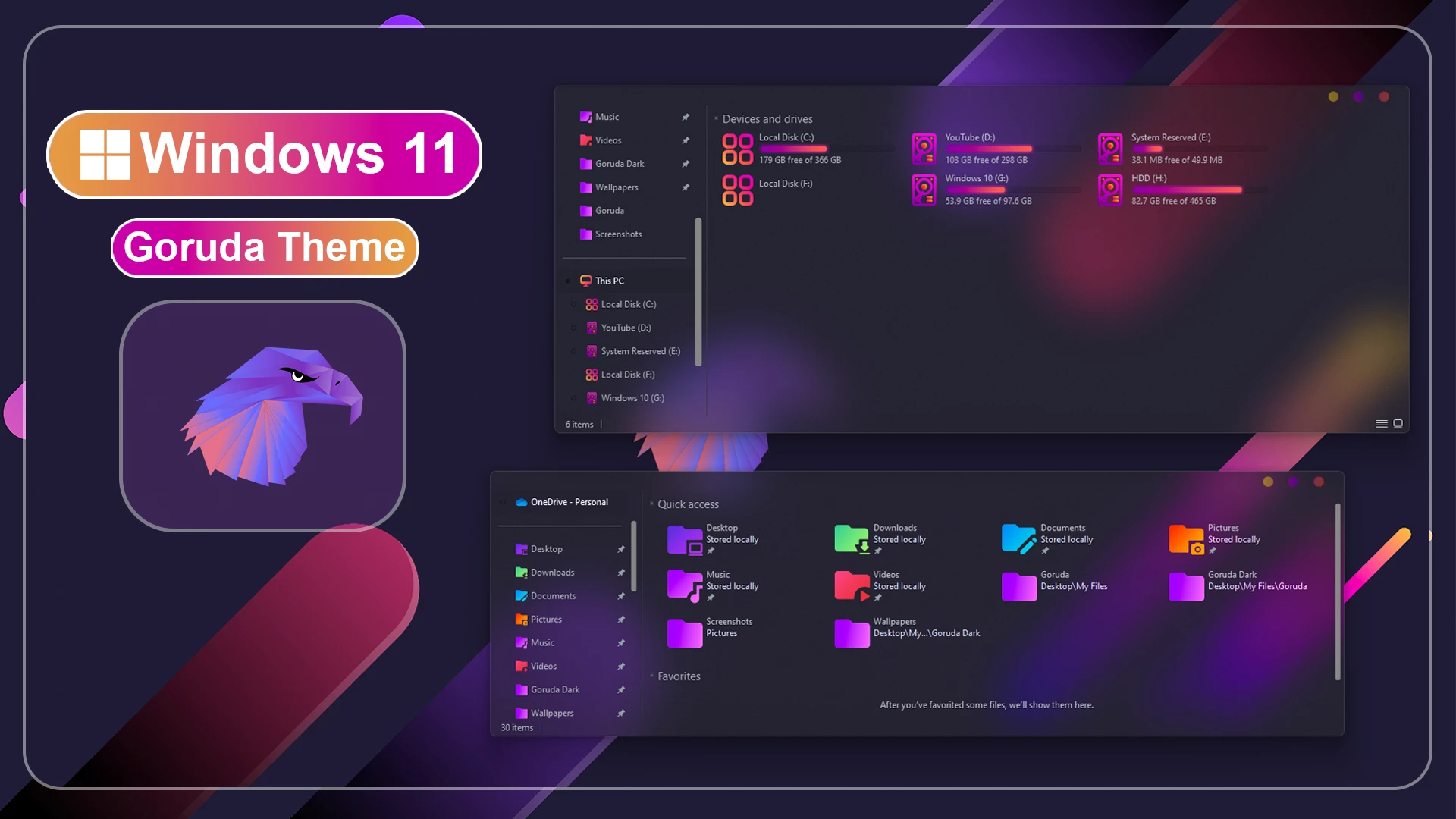
GORUDA Theme for Windows 11 is a stunning customization pack designed to give your desktop a sleek, modern, and futuristic look.

GORUDA Theme for Windows 11
GORUDA Theme for Windows 11 is a colorful custom Windows theme inspired by the visual style of Garuda Linux. It is made for users who want to move away from the standard Windows 11 appearance and give their desktop a brighter, more expressive look. The theme uses colorful gradients, modern interface styling, and matching visual details to create a desktop that feels fresh without becoming overly complicated.
The main attraction of this theme is its gradient-based design. Instead of relying on a plain dark or light color scheme, GORUDA mixes multiple colors across different parts of the interface to create a more lively desktop experience. If you enjoy colorful Windows setups and want something different from the usual minimal themes, this style is a strong option.
It is a custom Windows 11 theme, so the changes are mainly visual. Your normal apps, files, settings, and everyday Windows features remain available while the desktop gets a more personalized appearance. The theme also includes newly styled custom window buttons, giving the minimize, maximize, and close controls a look that matches the rest of the setup.
Theme Highlights
- Colorful gradient-inspired visual style for Windows 11
- Design inspired by the modern look of Garuda Linux
- Custom Windows theme that changes selected interface elements
- New custom minimize, maximize, and close window buttons
- Matching wallpaper and visual resources for a more complete desktop setup
- Works well with compatible icon packs, Start menu, and Explorer customization
- Made for users who prefer bright, colorful, and distinctive Windows desktops
Useful Customization Tools
These tools can help complete the GORUDA desktop setup. The Theme Tool is used for third-party themes, 7TSP GUI can apply compatible icon packs, StartAllBack can change the Start menu, and Blur Mica can add extra styling to File Explorer. Use only the tools you need and follow the instructions provided by each developer.
Getting the Theme Installed
- Create a System Restore Point before making any changes.
- Install a compatible Theme Patcher before applying the third-party theme.
- Follow this Windows 11 theme installation guide if you need step-by-step help.
- You can also check the theme installation guide by niivu.
- Theme support: Windows 11
Supported Windows Builds
- Windows 11 21H2: Supported
- Windows 11 22H2: Supported
- Windows 11 23H2: Recommended
- Windows 11 24H2: Recommended
- Windows 11 25H2: Not Tested
What is included in this?
- Windows 11 Theme
- Wallpaper
The included Windows 11 theme file changes the visual style of your desktop. The wallpaper helps complete the GORUDA look and gives your setup a more professional appearance. For the best result, apply the theme and wallpaper together so the desktop design looks consistent.
Before installing GORUDA Theme for Windows 11, it is strongly recommended to create a system restore point. A restore point helps protect your system and allows you to return to the previous condition if something does not work correctly. This is an important safety step when using third-party Windows themes.
Download GORUDA Theme for Windows 11
Theme Files 6MB
DownloadRestore the Original Setup
- Switch Theme: Go to Settings > Personalization > Themes and select a default Windows theme.
- Restore Extra Changes: Restore the original icons with 7TSP if used, then remove any additional customization files or tools.
- Restart and Recover: Restart Explorer or your PC. If needed, use your System Restore Point or follow this theme removal guide.
Important Note
This is an independently created third-party theme intended for Windows desktop customization. It is not affiliated with or endorsed by Microsoft, Linux, Garuda Linux, or any related project. All trademarks, brand names, and referenced visual elements belong to their respective owners.
Final Thoughts
GORUDA Theme for Windows 11 is a great choice for users who want to make their desktop look modern, clean, and futuristic. It offers a simple but premium visual style that can improve the overall appearance of Windows 11. With the included theme and wallpaper, your desktop can look more organized and stylish.
If you are looking for a lightweight and attractive Windows 11 theme, GORUDA Theme for Windows 11 can be a good option. It keeps the Windows experience familiar while giving your PC a fresh and customized look.