GORUDA Theme for Windows 11
GORUDA Theme for Windows 11 is a stunning customization pack designed to give your desktop a sleek, modern, and futuristic look.

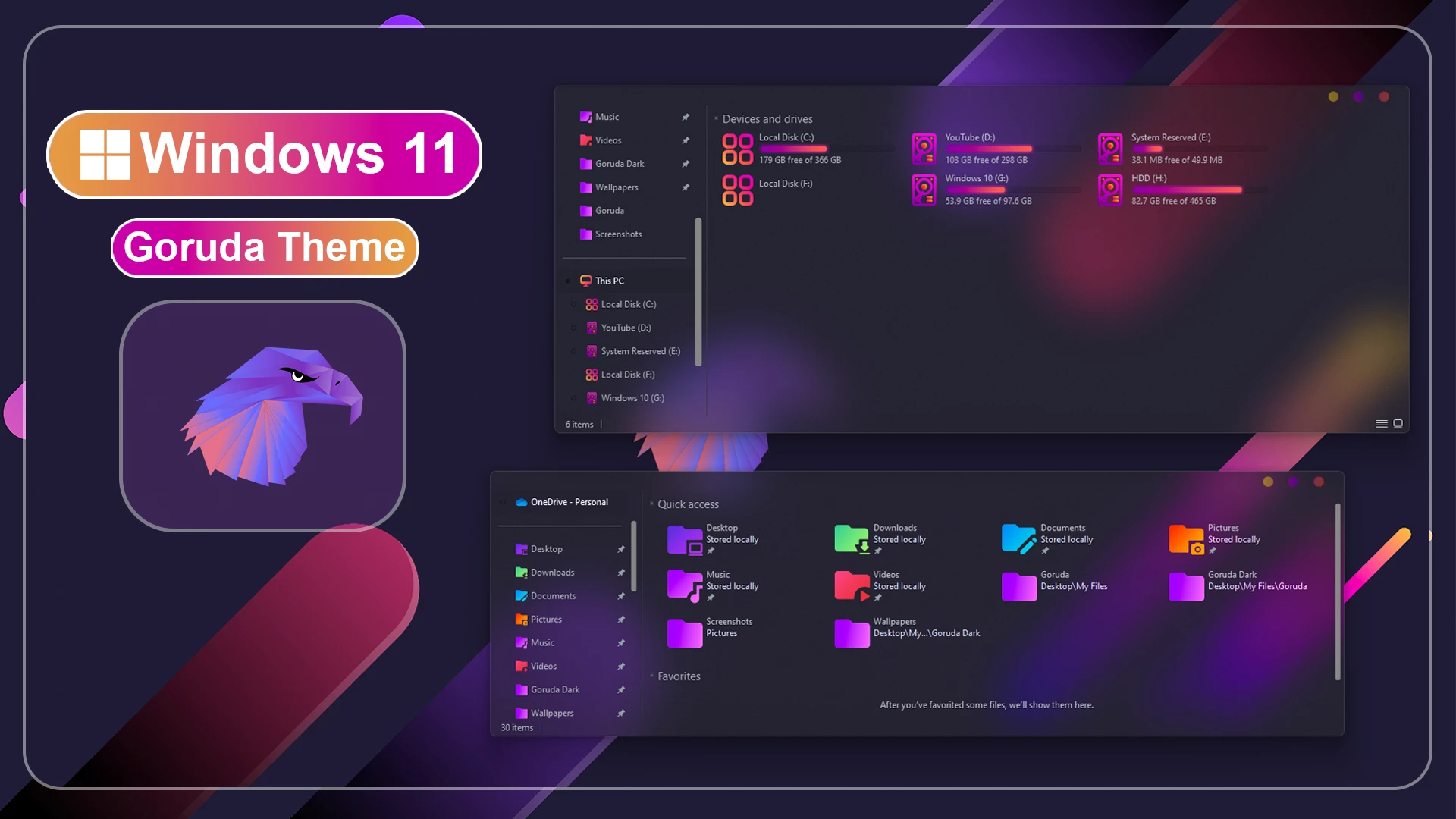
GORUDA Theme for Windows 11
GORUDA Theme for Windows 11 is a clean, modern, and futuristic desktop customization pack designed for users who want to refresh the look of their Windows 11 setup. If you are tired of the default Windows interface and want something more stylish, minimal, and professional, this theme can give your desktop a fresh visual identity. GORUDA Theme for Windows 11 focuses on a smooth user interface, eye-friendly design, attractive wallpaper, and a polished desktop experience.
The main purpose of this GORUDA Theme for Windows 11 is to make your PC look more premium without changing the actual functionality of Windows. You can still use your regular apps, files, settings, and Windows features, but the visual appearance becomes cleaner and more customized. This makes the theme suitable for daily use, office work, gaming, browsing, studying, and content creation.
GORUDA Theme for Windows 11 is inspired by modern UI design, minimal desktop layouts, and futuristic customization styles. It gives your Windows 11 desktop a more organized and attractive look. The theme is especially useful for users who like dark, clean, and professional desktop setups. With the right wallpaper and matching customization tools, GORUDA can make your Windows 11 setup look unique and visually impressive.
About GORUDA Theme for Windows 11
GORUDA Theme for Windows 11 is a third-party Windows customization theme created for personal desktop styling. It does not install a new operating system or change Windows into another OS. Instead, it modifies the visual appearance of Windows 11 and gives your desktop a more modern and premium look.
This theme is designed for users who enjoy customizing their desktop with clean visuals and a stylish interface. The GORUDA Theme for Windows 11 can improve the overall look of your workspace by adding a refined theme style and matching wallpaper. It is simple, modern, and suitable for users who want a smooth desktop environment without making the setup too complicated.
Why Choose GORUDA Theme for Windows 11?
Windows 11 already has a modern design, but many users want more personalization. After using the same default interface for a long time, the desktop can feel ordinary. GORUDA Theme for Windows 11 helps solve this by giving your PC a fresh and custom look. It makes the desktop feel more personal, more stylish, and more enjoyable to use.
This theme is a good option for users who prefer a clean and futuristic Windows setup. It can also be helpful for YouTube creators, designers, gamers, and customization lovers who want to showcase a beautiful desktop layout. A visually attractive desktop can make screen recordings, tutorials, and setup previews look more professional.
Modern and Futuristic Desktop Design
The design style of GORUDA Theme for Windows 11 is based on simplicity and modern visual balance. It gives your desktop a cleaner appearance with a more organized feel. The theme works well with matching wallpapers, custom icons, Start menu customization, and Explorer styling tools.
One of the best things about this theme is that it does not feel overloaded. The layout is clean, the design is eye-friendly, and the overall appearance feels smooth. If you like minimal Windows themes with a futuristic touch, GORUDA Theme for Windows 11 can be a great choice for your desktop setup.
Key Features of GORUDA Theme for Windows 11
GORUDA Theme for Windows 11 includes a modern Windows 11 theme and matching wallpaper. These elements help create a complete desktop look. When used with additional customization tools such as icon packs, StartAllBack, and ExplorerBlurMica, the theme can create a more advanced and polished Windows customization setup.
The theme is suitable for users who want a stylish desktop without losing the familiar Windows experience. It improves the visual side of Windows 11 while keeping the system usable and practical. This makes it a good option for both beginner and experienced customization users.
What is Included in This Theme Pack?
- Windows 11 Theme
- Wallpaper
The included Windows 11 theme file changes the visual style of your desktop. The wallpaper helps complete the GORUDA look and gives your setup a more professional appearance. For the best result, apply the theme and wallpaper together so the desktop design looks consistent.
Recommended Tools and Optional Customization Tools
These tools can help you complete the full GORUDA desktop customization. The Theme Tool is needed to apply third-party themes on Windows. 7TSP GUI can be used for applying icon packs. StartAllBack helps customize the Start menu and taskbar, while Blur Mica can improve the appearance of File Explorer. Use these tools carefully and always follow the official instructions from each tool provider.
Installation Steps
- I recommend creating a restore point before starting your customization.
- This third-party theme will only work if you install a compatible Theme Patcher or Theme Tool.
- If you are new to customization, follow a proper Windows custom theme installation guide before applying the theme.
- Watch the video tutorial on My YouTube Channel for a visual guide on Windows custom themes customization.
- Theme support: Windows 11
Before installing GORUDA Theme for Windows 11, it is strongly recommended to create a system restore point. A restore point helps protect your system and allows you to return to the previous condition if something does not work correctly. This is an important safety step when using third-party Windows themes.
After creating a restore point, install the required theme tool or patcher. Then apply the GORUDA theme files and set the included wallpaper. If you also want to use the icon pack, Start menu style, or Explorer effect, install those tools separately and follow their installation instructions carefully.
Important Note Before Using This Theme
GORUDA Theme for Windows 11 is made for personal desktop customization only. It is not an official Microsoft product. The theme only changes the visual appearance of Windows 11 and does not add official Microsoft features or system functions.
The final look may vary depending on your Windows version, display resolution, system scaling, installed updates, and customization tools. For the best experience, use a supported Windows 11 version and follow the installation steps properly. If you are new to Windows customization, take your time and do not skip the backup step.
Download GORUDA Theme for Windows 11
Theme Files 6MB
DownloadWho Should Try This Theme?
GORUDA Theme for Windows 11 is perfect for users who love clean and futuristic desktop customization. If you want a modern Windows 11 setup with a stylish theme and matching wallpaper, this theme is worth trying. It is suitable for students, professionals, gamers, designers, and anyone who wants a fresh desktop look.
This theme is also useful for users who create Windows customization videos or desktop setup content. A clean and attractive theme can make your desktop preview look more professional and eye-catching.
Final Thoughts
GORUDA Theme for Windows 11 is a great choice for users who want to make their desktop look modern, clean, and futuristic. It offers a simple but premium visual style that can improve the overall appearance of Windows 11. With the included theme and wallpaper, your desktop can look more organized and stylish.
If you are looking for a lightweight and attractive Windows 11 theme, GORUDA Theme for Windows 11 can be a good option. It keeps the Windows experience familiar while giving your PC a fresh and customized look.