macOS Theme for Windows 11
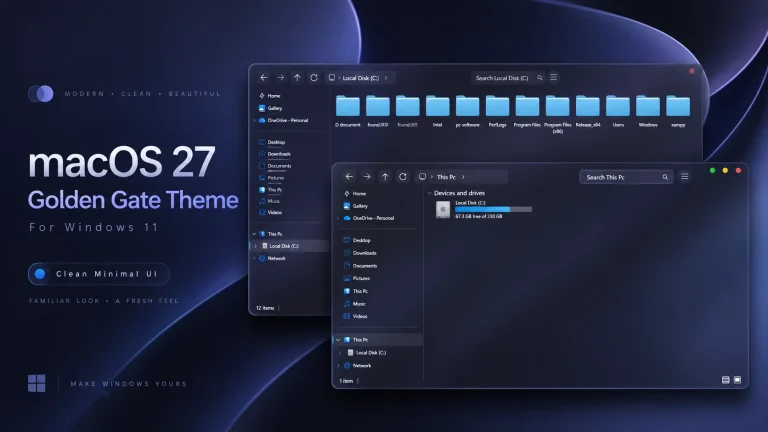
MacOS Theme for Windows 11:The macOS Theme for Windows 11 is a custom-designed theme that allows users to transform their Windows 11 experience to resemble the sleek, minimalist aesthetic of macOS

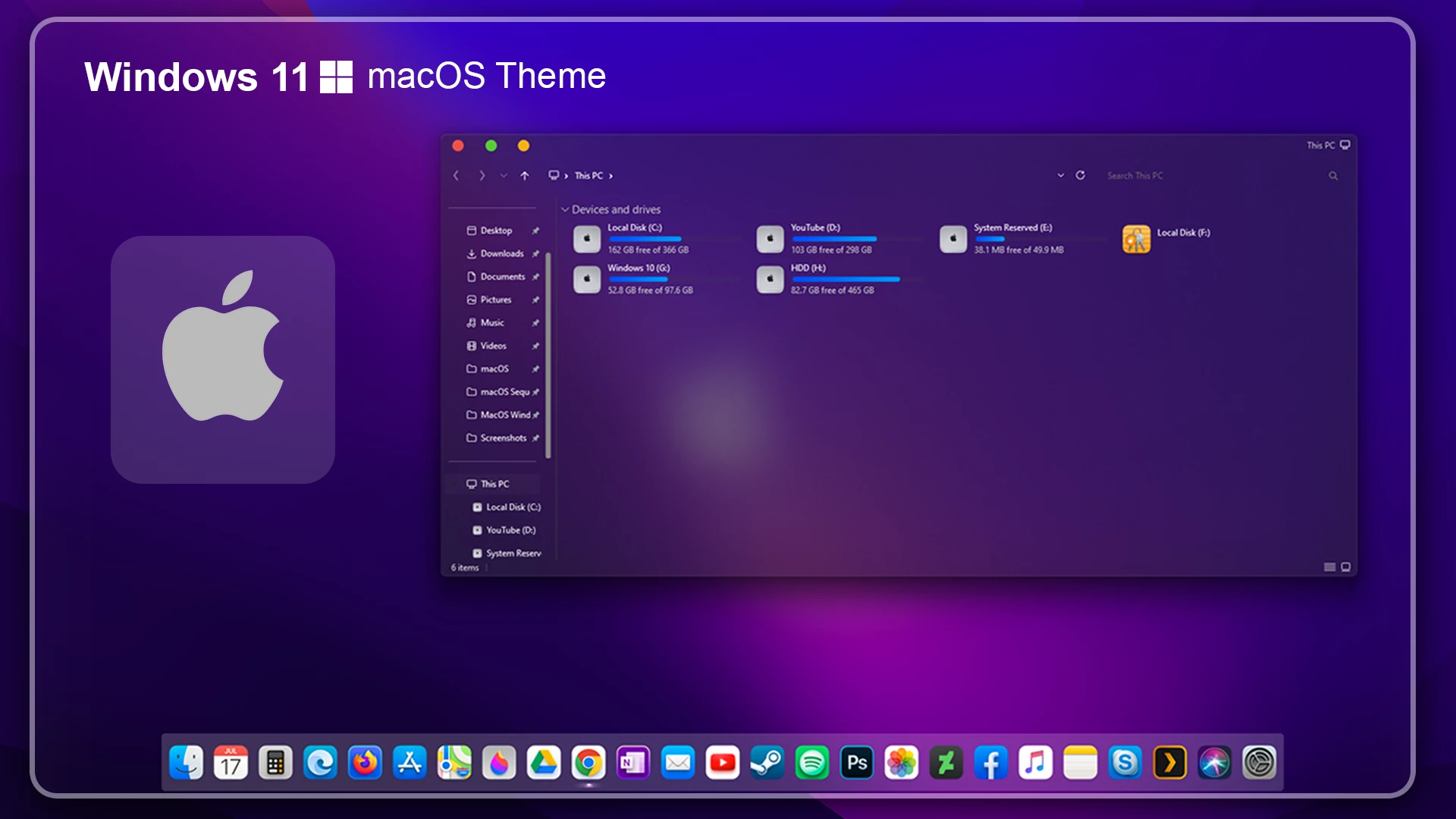
macOS Theme for Windows 11 – Clean Desktop Customization
The macOS Theme for Windows 11 is a custom Windows theme made for users who want to change the standard Windows 11 look and give their desktop a macOS-inspired look. Once applied, it changes selected visual parts of the interface and helps create a cleaner, more distinctive desktop style while keeping Windows 11 as the main operating system.
One of the noticeable details is the custom DWM window buttons. The minimize, maximize, and close buttons are styled to look more like macOS window controls, which gives application windows a different character from the default Windows design. Combined with the main theme, these small visual changes help the desktop feel more consistent with the overall macOS-inspired style.
The package can also include supporting customization files such as a 7TSP icon pack and other visual resources. You can apply them gradually depending on how much of the desktop you want to change. This makes it easier to keep the setup organized and adjust individual parts without changing everything at once.
Inside the Theme Package
This is a third-party custom theme created to modify the visual appearance of Windows 11. It does not install macOS or replace Windows itself. Instead, it changes selected interface elements, window styling, icons, and other visual details so the desktop can achieve a more macOS-inspired look while regular Windows apps and features continue to work normally.
The main theme handles much of the overall visual style, while the included 7TSP icon pack can be used to change compatible Windows folder and system icons. When paired with a suitable wallpaper and matching desktop elements, the setup can feel much more complete without making the desktop look overly complicated.
- macOS-inspired custom visual style for Windows 11
- Custom DWM minimize, maximize, and close buttons with a Mac-style look
- Includes the main Windows theme files and a matching 7TSP icon pack
- Changes selected Windows interface elements for a more distinctive desktop appearance
- Includes extra customization resources to help complete the overall setup
- Designed for users who want a cleaner and more personalized Windows 11 desktop
- Designed for Windows 11.
- Windows 11 theme files
- 7TSP icon pack
- Extras and supporting visual resources
- SecureUxTheme — use only if the package instructions require a custom-theme enabler for your Windows build.
- 7TSP GUI — optional for applying a compatible icon pack.
- Create a System Restore Point before starting so you can easily revert if anything goes wrong.
- Download and run UltraUXThemePatcher as Administrator, then restart your computer to patch core system files.
- Download the theme package using the button below and extract the
.zipor.rarfile. - Copy both the
.themefile and the theme folder toC:\Windows\Resources\Themes. - Right-click your desktop, go to Settings > Personalization > Themes, and select your new custom theme to apply it.
- If you are new to Windows customization, follow this detailed guide first: How to Install Custom Themes on Windows 11.
- Once the main theme looks right, try optional icons, Start menu styling, or Explorer effects one at a time.
macOS Theme 54 MB
Download- Switch to a Default Theme: Go to Settings > Personalization > Themes and select a default Windows theme.
- Restore Your Original Setup: Restore default icons with 7TSP if used, then disable or remove any extra customization tools or files.
- Restart and Restore if Needed: Restart Explorer or reboot your PC. If anything still looks changed, use your System Restore Point or follow this theme removal guide.
Frequently Asked Questions
Does this package install macOS on my PC?
No. It applies a macOS-inspired visual style to Windows 11. Your operating system remains Windows.
Do I need to install every optional tool?
No. Start with the main theme. SecureUxTheme, 7TSP GUI, and other desktop extras should be used only when needed and only after checking their instructions.
Can I use the theme without the icon pack?
Yes. The icon pack is optional. You can apply the main theme first and add icons later if you want a more complete visual match.
What should I do if a Windows update changes the appearance?
Return to the default Windows theme first, then check the package instructions and tool compatibility. Apply updates or optional tools one at a time, and use your restore point if needed.
Disclaimer
This independently created Windows customization package is intended for personal desktop customization. The term “macOS” is used only as a visual-style reference. This package is not an official Apple product, macOS release, update, or Apple-developed software, and it is not affiliated with, endorsed by, or sponsored by Apple Inc. or Microsoft Corporation. All trademarks and brand names belong to their respective owners.
Final Thoughts
The macOS Theme for Windows 11 is a simple choice for users who want a more refined desktop while continuing to use Windows normally. Apply the main theme carefully, keep a restore point, and add only the extras that make your setup more comfortable to use.