

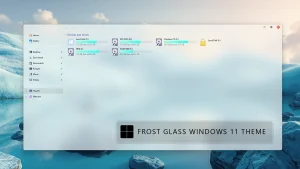
Frosted Glass Theme for Windows 11 (Light & Dark)
Give your desktop a sleek new appearance with the Frosted Glass Theme for Windows 11. Discover its features, compatibility, installation tips, and safe customization practices before you personalize your PC.

Frosted Glass Theme For Windows 11
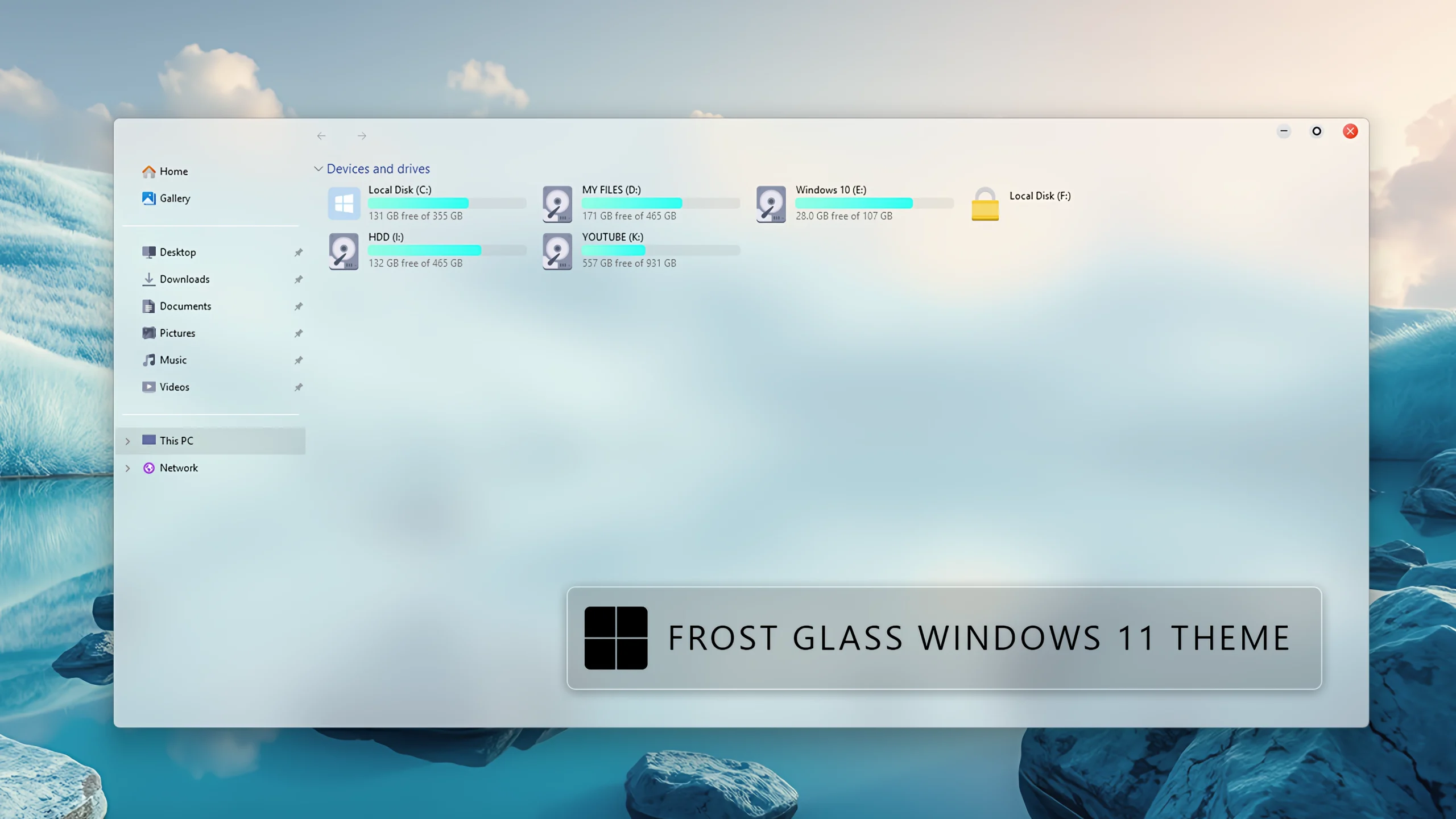
Frosted Glass Theme For Windows 11 gives the Windows desktop a clean and modern glass-inspired appearance. It uses soft transparency, blurred surfaces, gentle colors, and rounded interface elements to create a smooth frosted glass look across supported Windows areas.
The theme keeps the familiar Windows layout while adding a lighter and more refined visual style. File Explorer, navigation areas, drive sections, and window controls are designed with subtle glass effects so the interface looks cleaner without becoming difficult to use.
For the complete frosted glass appearance, use the theme together with BlurMica or another compatible tool that enables translucent mode for Windows windows. These tools add the blur and transparency effect required to make the glass styling appear more complete.
Frosted Glass Design
The main design uses translucent white and pale gray surfaces with a soft blue tint. The background remains slightly visible through the interface, while the blur effect keeps the desktop looking smooth and uncluttered.
The left navigation panel uses a light semi-transparent surface that blends naturally with the rest of the window. Its simple layout keeps common folders such as Home, Gallery, Desktop, Downloads, Documents, Pictures, Music, and Videos easy to access.
Drive Section and Storage Colors
The drive section follows the same soft glass style. Each drive is displayed inside a clean rounded area with a simple drive icon, the drive name, and its available storage information.
The storage bars use a soft cyan and turquoise color combination. These colors add a gentle accent to the light interface while making the used and available space easy to understand at a glance. The pale gray background of each bar keeps the overall appearance balanced and minimal.
Features
- Modern frosted glass appearance for Windows 11
- Soft translucent and blurred interface surfaces
- Light white, gray, blue, and cyan color palette
- Clean transparent navigation panel
- Rounded drive sections with storage information
- Soft cyan and turquoise storage progress bars
- Matching DWM minimize, maximize, and close buttons
- Light Mode and Dark Mode versions available
- Works well with BlurMica and compatible translucent window tools
Dark Mode
The Dark Mode version follows the same frosted glass design while using darker translucent surfaces. Deep gray and charcoal tones replace the brighter panels, giving the interface a more comfortable appearance in low-light environments.
The dark version still includes the same blurred glass effect, rounded window frame, transparent navigation area, storage sections, and DWM buttons. Soft blue and cyan accents remain visible against the darker background, so the drive information and progress bars are easy to read.
Dark Mode is a suitable choice for users who prefer a deeper desktop appearance or use darker wallpapers. For the best result, combine it with BlurMica or a compatible translucent window setting.
How to Get the Complete Glass Look
- Apply the Frosted Glass theme from the supplied package.
- Install and configure BlurMica, or use another compatible tool that supports translucent Windows windows.
- Enable the translucent or blurred mode for File Explorer and other supported windows.
- Choose the Light Mode or Dark Mode version according to your preferred desktop appearance.
- Use a suitable wallpaper so the transparency and blur effect can blend naturally with the desktop.
Compatibility
- Windows 11 21H2: Test before applying
- Windows 11 22H2: Test before applying
- Windows 11 23H2: Recommended
- Windows 11 24H2: Recommended
- Windows 11 25H2:YES
Package Contents
- Frosted Glass Light Mode files
- Frosted Glass Dark Mode files
How to Install the Theme
- Download the Frosted Glass Theme package and extract the ZIP file.
- Create a system restore point before making any changes to Windows visual files.
- Before applying the theme, prepare Windows for custom themes by patching the system with a trusted and compatible theme-patching tool. This step is required because Windows does not normally allow third-party visual styles to be applied directly.
- Restart the computer after completing the patching process so the changes can take effect properly.
- Open the extracted Frosted Glass package and choose either the Light Mode or Dark Mode version.
- Copy the required theme files and theme folder to
C:\Windows\Resources\Themes, if instructed by the package. - Right-click on the desktop, select Personalize, open the Themes section, and apply the selected Frosted Glass theme.
- Install and configure BlurMica or another compatible tool that supports translucent mode for Windows windows. This helps complete the frosted glass blur and transparency effect.
- Restart Windows Explorer or reboot the computer if the complete appearance does not appear immediately.
- For the full system preparation, patching, and installation instructions, follow this Windows 11 custom theme installation guide.
Theme Files 2.1MB
Download How to Remove the Theme
- Right-click on the desktop, open Personalize, and switch back to a default Windows theme.
- Disable or remove BlurMica and any other translucent window settings used with the theme.
- Restore your default wallpaper and other customization resources if required.
- Restart Windows Explorer or reboot the PC if the original appearance does not return immediately.
- For the complete restoration process, follow this Windows 11 custom theme removal guide.
Disclaimer
Frosted Glass Theme For Windows 11 is an independent third-party customization resource intended for personal desktop styling. It is not an official Microsoft product and is not affiliated with, sponsored by, or endorsed by Microsoft. Windows and related trademarks belong to their respective owners.
Third-party themes and transparency tools may behave differently across Windows builds or after major system updates. Check compatibility and create a restore point before applying visual modifications.
Final Word
Frosted Glass gives Windows 11 a soft and modern interface through translucent surfaces, gentle blur, rounded window elements, clean drive sections, cyan storage bars, and matching DWM buttons. The Light Mode and Dark Mode versions keep the same overall design while offering two different desktop moods.
Frequently Asked Questions
Does the theme include Light Mode and Dark Mode?
Yes. The package includes both Light Mode and Dark Mode versions with the same frosted glass design.
Do I need BlurMica for the complete glass effect?
For the most complete translucent and blurred appearance, use BlurMica or another compatible tool that enables translucent mode for Windows windows.
What colors are used in the drive section?
The drive section mainly uses soft white, pale gray, light blue, cyan, and turquoise accents. The storage bars use cyan and turquoise tones over a soft gray background.
Are the minimize, maximize, and close buttons included?
Yes. The DWM window buttons are styled to match the frosted glass frame, with a red close button for clear identification.
Can I switch between Light Mode and Dark Mode?
Yes. You can apply either version from the supplied package whenever you want to change the appearance.
Can I return to the default Windows appearance?
Yes. Switch back to a default Windows theme, disable the translucent window tool, and restart Windows Explorer if necessary.



Disclaimer: All themes, visual styles, and concepts shared on this website are unofficial, fan-made creations built from imagination for customization purposes. We are not affiliated with, endorsed by, or sponsored by Microsoft or any other official brand.