Amazing BlueFlux Theme For Windows 11
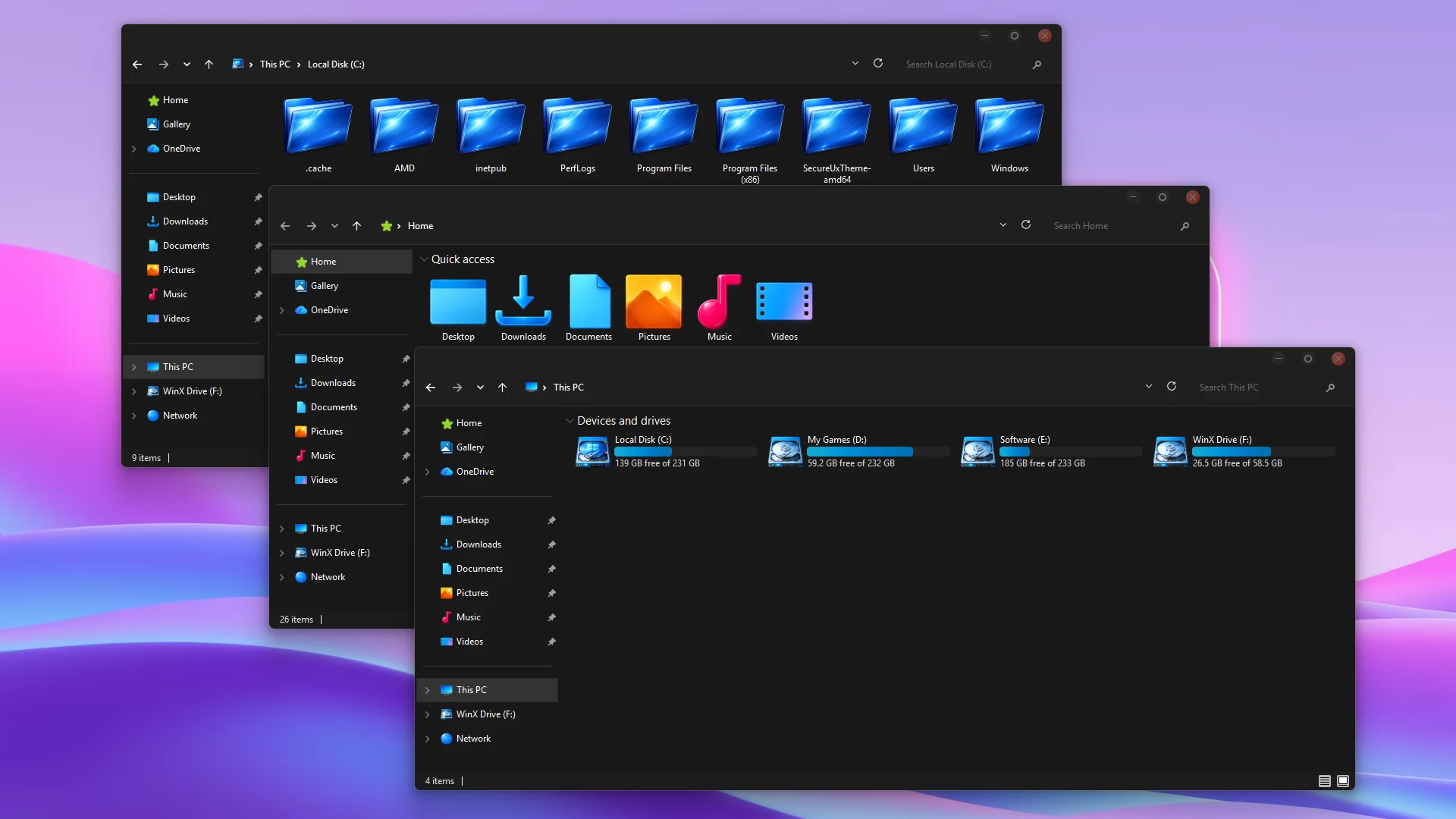
BlueFlux Theme For Windows 11 : BlueFlux is a stylish dark customization theme for Windows 11 featuring glossy blue folders, modern UI elements, and a clean interface. Perfect for users who want a sleek and futuristic desktop look.

BlueFlux Theme For Windows 11(Custom Windows Theme)
Windows 11 users, especially those who like customizing the desktop, will like the clean and sleek design of the BlueFlux Theme. BlueFlux is a custom visual theme for Windows users that aims to give the default Windows interface a sleeker, smoother, and more visually appealing design. This custom visual theme for Windows has dark-colored panels, glowing blue icons, and a sleek, modern design for the interface.One of the first things that users will notice about the BlueFlux Theme is the dark interface with the addition of bright blue colors. This custom visual theme for Windows has dark-colored window components, giving the interface a more sleek and premium design. This is especially useful for users who spend long periods of time working on their computers, as the dark colors do not strain the eyes like bright colors would.
The design of the File Explorer is one of the most prominent aspects of the BlueFlux theme. The design of the folder icons features a glossy blue gradient look that makes them stand out from the regular Windows folder icons. The folders also have a smooth appearance with a reflective look, giving a modern touch to the interface.Another positive change to the interface is the design of the windows title bars and the navigation panels. The theme brings a smooth dark panel with colored accents that go well with the dark mode of the system. These features add a contrasting look to the background interface and the active windows.
The UI is still familiar, meaning you still get the classic Windows 11 design but with a new visual design. Buttons, navigation arrows, and menu items are all redesigned but still easy to understand and use. This is important because it maintains the customization’s stylishness without compromising functionality.BlueFlux is also highly suitable for use with dark wallpapers and gradient backgrounds, which is essential for a modern computer setup. When paired with colorful or abstract wallpapers, the blue folder icons and dark interface provide a high contrast that improves the visual design of the computer.
- Windows 11 21H2: May work, but not recommended for the best experience
- 22H2 YES
- 23H2 YES
- 24H2 YES
- 25H2 Not Work Properly
- Windows 11 Theme
Installation and Removal Guide
- Create a System Restore Point before making changes.
- Patch Windows using SecureUxTheme or UltraUXThemePatcher.
- Download and extract the theme package.
- Copy the theme folder and
.themefile toC:\Windows\Resources\Themes. - Double-click the
.themefile, or go to Personalization > Themes and select the installed theme. - For more details, follow this Windows 11 custom theme installation guide.
- Switch back to one of the default Windows 11 themes from Settings > Personalization > Themes.
- Disable any optional mods and restore changed icons or other customization resources.
- Restart Windows Explorer or reboot your PC. If needed, use the System Restore Point created before installation.
- For a complete walkthrough, follow this Windows 11 custom theme removal guide.
Theme Files 27MB
DownloadFinalization
Overall, BlueFlux is a beautiful dark theme that focuses on simplicity, clarity, and modern design. Its glossy blue folders, dark interface elements, and smooth UI styling make it a great option for anyone who wants their Windows 11 desktop to look more futuristic and visually appealing.