Neo Dark Minimal Theme For Windows 11
Neo Dark Minimal Theme For Windows 11 : The Neo Dark Minimal Theme for Windows 11 is designed for users who appreciate simplicity, elegance, and a clutter-free desktop experience.

Neo Dark Minimal Theme For Windows 11
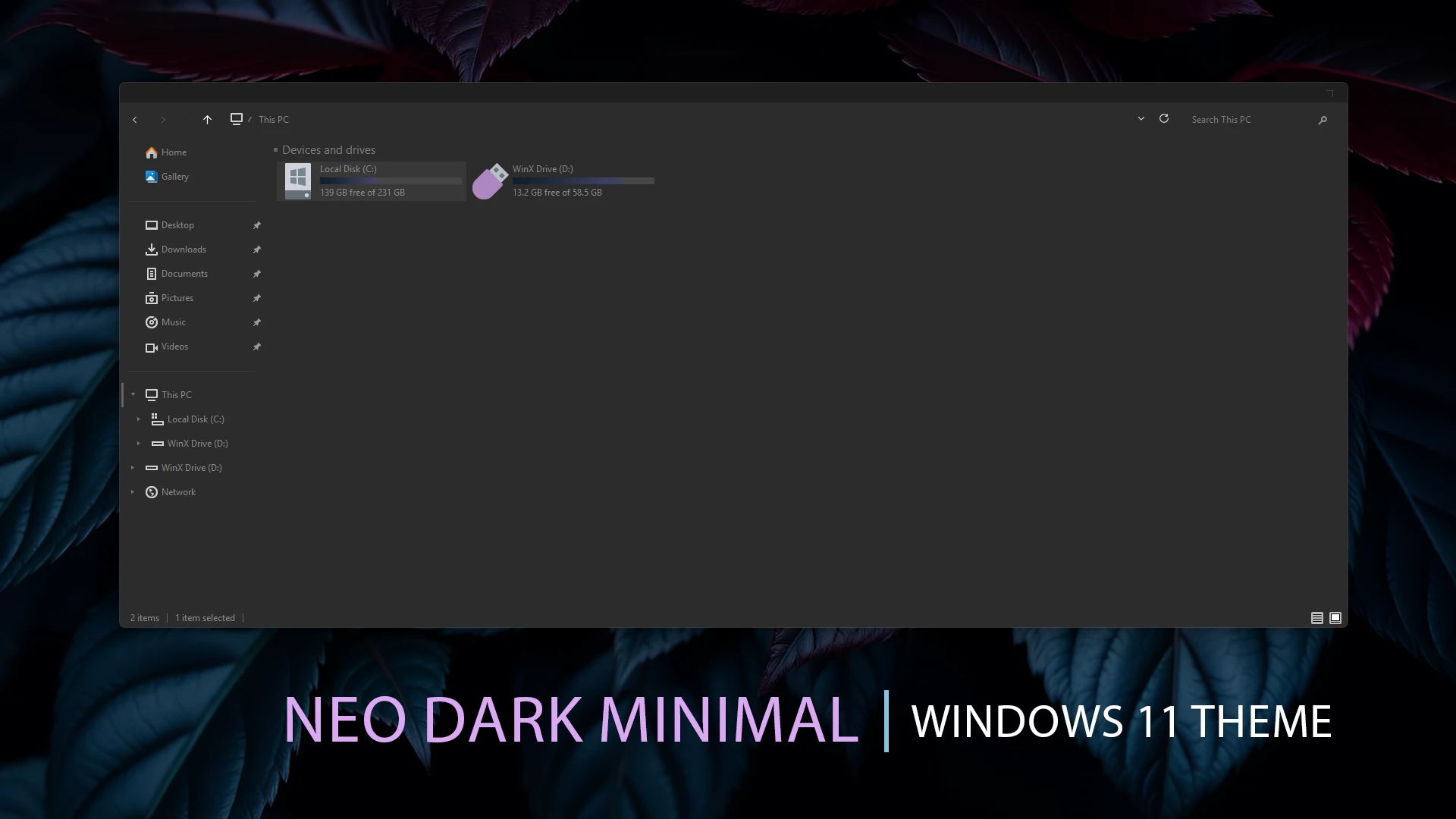
The Neo Dark Minimal Theme for Windows 11 gives File Explorer a simple dark appearance built around charcoal, deep gray, and muted black tones. The interface avoids bright gradients and heavy visual effects, keeping the main content area, navigation pane, and title section visually consistent.
The theme uses restrained borders, subtle separators, and small neutral controls to keep the layout easy to follow without adding unnecessary decoration. File Explorer remains familiar underneath, but the darker color treatment gives Windows 11 a more focused and understated appearance.
Neo Dark Minimal works naturally with darker wallpapers and simple desktop layouts. The package also includes wallpapers, allowing the background and interface to follow the same low-key visual direction without making the desktop feel overly busy.
Features
- Dark charcoal and deep gray Windows 11 styling
- Minimal File Explorer appearance
- Subtle borders and interface separators
- Restrained title bar and navigation styling
- Low-contrast dark color treatment
- Works naturally with darker wallpapers
- Keeps the familiar Windows 11 interface structure
Compatibility
- 21H2 YES
- 22H2 YES
- 23H2 YES
- 24H2 YES
- 25H2 YES
What is included in this?
- Windows 11 Theme
- Wallpapers
Optional Customization Tools
Installation Steps
- Create a System Restore Point before making changes.
- Patch Windows using SecureUxTheme or UltraUXThemePatcher.
- Download and extract the theme package.
- Copy the theme folder and
.themefile toC:\Windows\Resources\Themes. - Double-click the
.themefile, or go to Personalization > Themes and select the installed theme. - For more details, follow this Windows 11 custom theme installation guide.
Removal Steps
- Switch back to one of the default Windows 11 themes from Settings > Personalization > Themes.
- Disable any optional mods and restore changed icons or other customization resources.
- Restart Windows Explorer or reboot your PC. If needed, use the System Restore Point created before installation.
- For a complete walkthrough, follow this Windows 11 custom theme removal guide.
Theme Files 19.4MB
Download Disclaimer
Neo Dark Minimal Theme for Windows 11 is an independent third-party customization resource intended for personal desktop customization. It is not an official Microsoft product and is not affiliated with, sponsored by, or endorsed by Microsoft. Windows and related trademarks belong to their respective owners. Third-party themes may behave differently across Windows builds, so create a System Restore Point before applying theme files or modifying Windows visual resources.
Finalization
The Neo Dark Minimal Theme for Windows 11 keeps the interface simple with deep charcoal surfaces, subtle borders, and restrained visual details. It gives File Explorer a darker character without adding bright colors or excessive effects, making it suitable for users who prefer a straightforward dark desktop style.