

Nova Glass Theme for Windows 11
Nova Glass Theme for Windows 11 : Nova Glass Theme is a concept-based Windows 11 customization pack featuring a modern visual style, matching icons, wallpaper, and optional interface modifications.

Nova Glass Theme for Windows 11
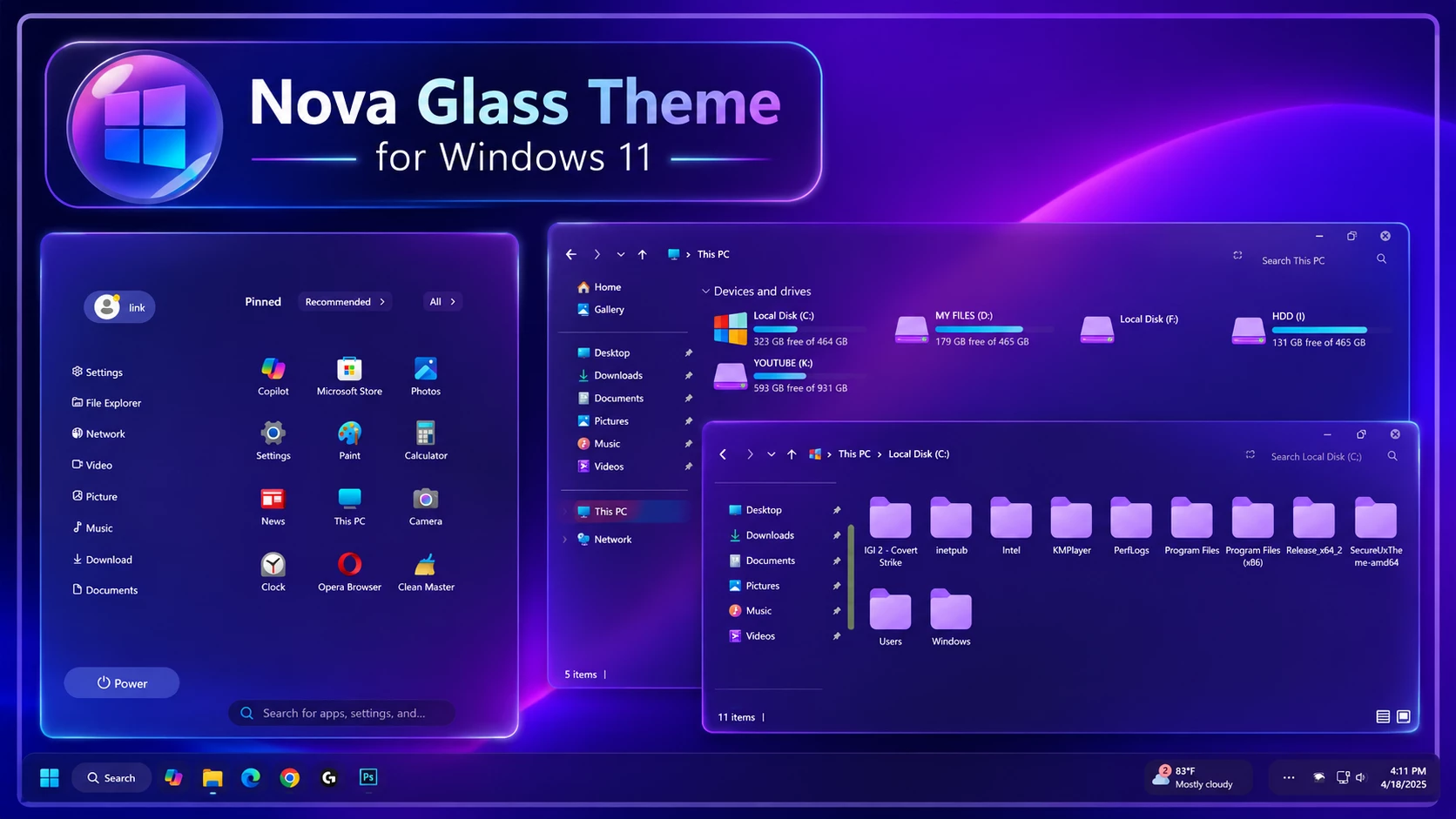
Nova Glass Theme for Windows 11 is a custom desktop theme built around a rich purple glass style. Deep violet and indigo tones, transparent surfaces, glowing borders, and matching interface details give Windows 11 a colorful futuristic look without making the desktop feel cluttered or difficult to use.
The setup brings the same visual direction across the Start menu, File Explorer, icons, taskbar, and wallpaper. Rounded glass panels and soft neon edges give the interface more depth, while the purple and pink accents help each part of the desktop feel connected rather than randomly customized.
This is an independently created third-party Windows customization package made only for desktop personalization. It does not install another operating system, upgrade Windows, or add official Microsoft features. The changes are focused on supported visual elements of an existing Windows 11 installation.
Purple Glass Desktop Style
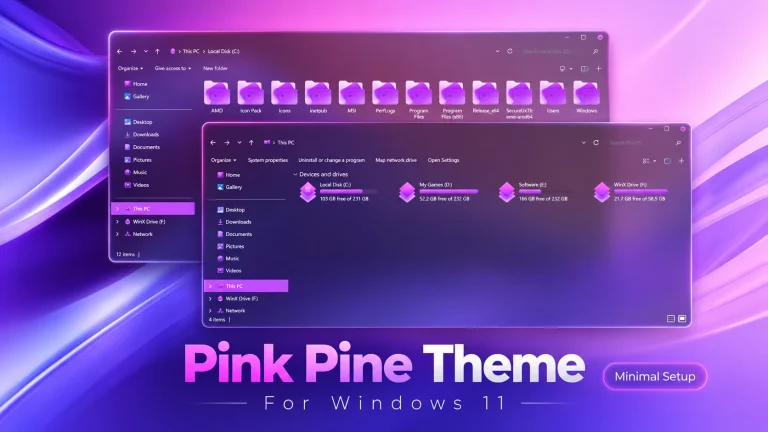
Nova Glass uses a deep violet background with bright purple highlights and soft transparency across the interface. The Start menu has a rounded glass panel with a subtle glowing outline, while File Explorer follows the same dark purple direction with transparent surfaces and matching accent colors.
The folder icons use soft pink and lavender tones, and the drive sections add brighter gradient accents without breaking the overall color balance. A purple space-style wallpaper sits naturally behind the interface, helping the glass panels and glowing borders stand out without overwhelming the desktop.
Theme Main Features
- Deep violet and purple glass-inspired Windows 11 style
- Rounded Start menu with transparent surfaces and glowing borders
- Dark purple File Explorer with soft glass effects
- Matching pink and lavender folder icon appearance
- Colorful gradient details across supported drive elements
- Dark translucent taskbar that blends with the overall setup
- Matching purple wallpaper for a more complete desktop look
- Optional Windhawk and interface tweaks for additional customization
- Windows 11 Theme: Applies the main purple glass visual style to supported interface elements.
- Matching Icon Pack: Gives compatible folders and system icons a softer purple and pink appearance.
- Windhawk Configurations: Optional interface tweaks for users who want to customize additional parts of Windows.
- Desktop Wallpaper: Completes the setup with a purple background that matches the glass styling.
Before You Install
- Create a System Restore Point before applying custom visual files.
- Check that the required tools support your Windows 11 build.
- Keep your current Windows theme available for easy restoration.
- Back up the original icons before applying a 7TSP icon pack.
- Download required tools from their official or trusted project pages.
- Apply major customization components one at a time.
Installation Steps
- Create a System Restore Point before starting so you can easily revert if anything goes wrong.
- Download and run UltraUXThemePatcher as Administrator, then restart your computer to patch core system files.
- Download the theme package using the button below and extract the
.zipor.rarfile. - Copy both the
.themefile and the theme folder toC:\Windows\Resources\Themes. - Right-click your desktop, go to Settings > Personalization > Themes, and select your new custom theme to apply it.
- If you are new to Windows customization, follow this detailed guide first: How to Install Custom Themes on Windows 11.
- Once the main theme looks right, try optional icons, Start menu styling, or Explorer effects one at a time.
Nova Glass Theme 47 MB
DownloadRemove Nova Glass
- Switch Back: Go to Settings > Personalization > Themes and select a default Windows 11 theme.
- Undo Extra Changes: Restore the original icons, disable any Windhawk, Start menu, taskbar, or Explorer mods, and switch back to your previous wallpaper if needed.
- Restart and Recover: Restart Windows Explorer or reboot your PC. If anything still looks changed, use your System Restore Point or follow this theme removal guide.
Frequently Asked Questions
Is Nova Glass Theme an official Microsoft theme?
No. It is an independently created third-party customization package and is not affiliated with Microsoft.
Does Nova Glass replace Windows 11?
No. It changes supported visual elements of your existing Windows installation and does not install another operating system.
Do I need every recommended tool?
No. Use only the tools required for the parts of the setup you want to apply.
Can I use only the icon pack?
Yes. The icon pack can be used separately if the required icon tool supports your Windows build.
Are Windhawk mods required?
No. They are optional and are mainly useful if you want to customize additional interface areas.
Can a Windows update affect compatibility?
Yes. Major Windows updates can affect third-party themes and customization tools, so check compatibility again after a feature update.
Important Theme Notice
Nova Glass Theme is a third-party Windows customization package created for desktop personalization. It is not an official Microsoft product and is not affiliated with or endorsed by Microsoft or any of the independent tools and projects referenced in this post. All trademarks and brand names remain the property of their respective owners. Since compatibility can differ between Windows versions and customization tools, creating a System Restore Point before applying the theme is strongly recommended.
Final Word
Nova Glass gives Windows 11 a bold purple glass identity without burying the desktop under unnecessary effects. The glowing Start menu, dark violet Explorer, matching folder icons, transparent surfaces, and purple wallpaper all follow the same visual direction, which is what makes the setup feel complete.
If you enjoy colorful glass-style desktops, would you use the full Nova Glass setup or keep only the main theme and matching icons?



Disclaimer: All themes, visual styles, and concepts shared on this website are unofficial, fan-made creations built from imagination for customization purposes. We are not affiliated with, endorsed by, or sponsored by Microsoft or any other official brand.