

Windows 12 Inspired Theme for Windows 11
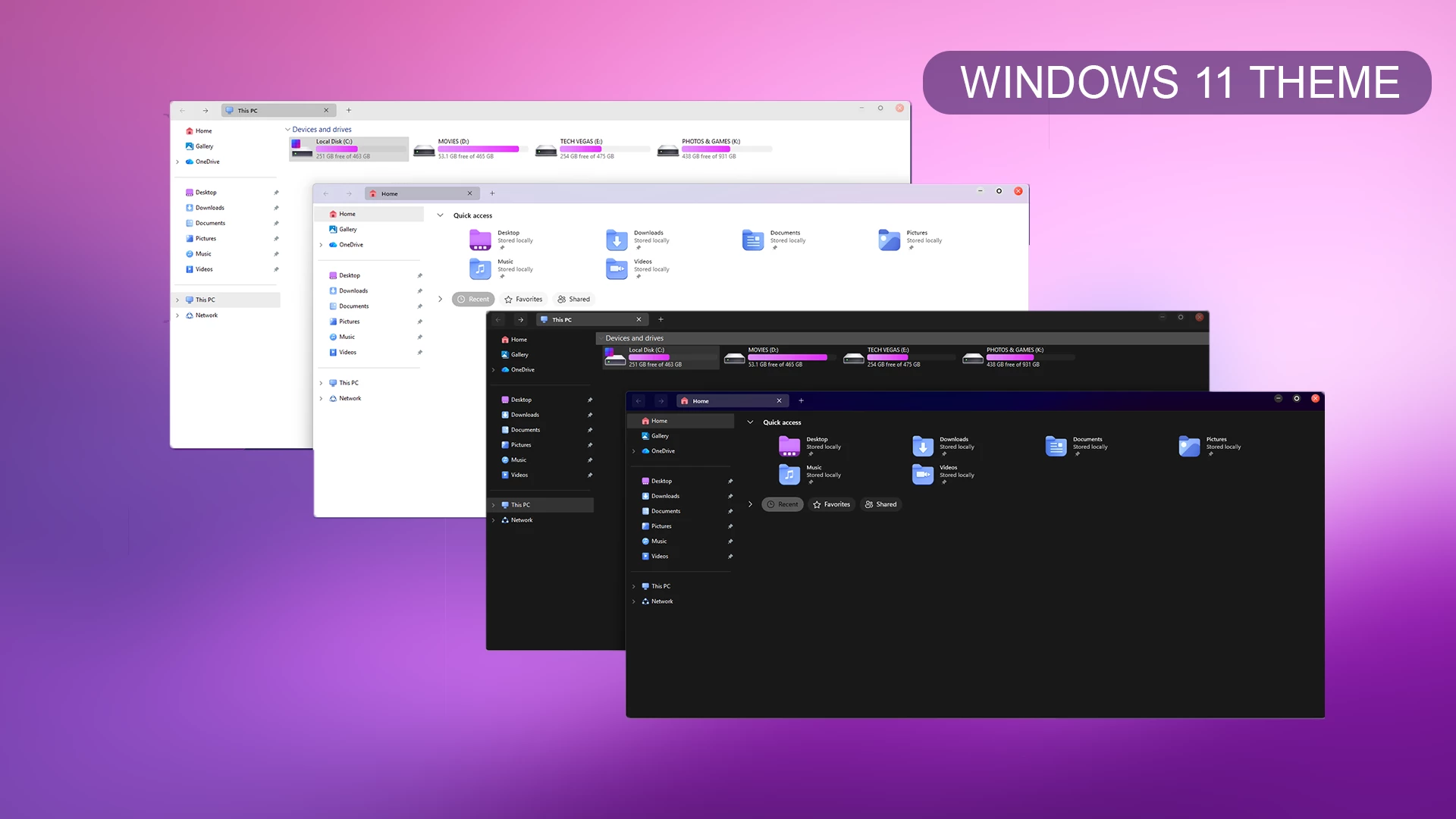
Windows 12 (Concept Style) Theme For Windows 11 : Upgrade your desktop with the Windows 12 (Concept Style) Theme for Windows 11. Enjoy a futuristic design with smooth glass effects, soft gradients, modern icons, and a clean, minimal layout. This lightweight custom theme gives your PC a next-gen Windows look while keeping performance smooth and stable.

Windows 12 Inspired Theme for Windows 11
If you like futuristic Windows customization, the Windows 12 Inspired Theme for Windows 11 gives the desktop a clean concept-style appearance with soft transparency, rounded visual details, smooth gradients, and a modern Windows layout.
This is a visual customization for Windows 11 rather than a different operating system. It changes supported interface elements to create a more futuristic desktop while keeping your existing Windows installation, applications, files, and normal system functions unchanged.
The package includes the main Windows theme and matching wallpaper resources. Optional customization tools can also be used separately if you want to extend the same concept-style appearance across more of the desktop.
Disclaimer: There is no official “Windows 12” operating system. This theme is purely a work of imagination and an unofficial fan-made concept designed for Windows 11. It does not represent an official Microsoft update, announcement, or Microsoft-developed product. This website and the theme are not affiliated with, endorsed by, or sponsored by Microsoft.
About the Concept Style
The design is aimed at users who prefer a cleaner Windows 11 setup with glass-like surfaces, subtle highlights, rounded details, and a simple overall layout. It avoids filling the desktop with unnecessary visual elements while still giving supported areas a noticeably different appearance.
File Explorer, window borders, buttons, and other themeable interface components can take on the new styling while the underlying Windows 11 structure remains familiar.
Concept Theme Features
- Windows 12-inspired concept visual style
- Clean and modern Windows 11 appearance
- Glass-like interface with soft transparency
- Smooth gradients and rounded visual details
- Matching wallpaper resources
- Simple desktop styling without excessive visual clutter
- Keeps the familiar Windows 11 environment underneath
Matching Icon Resources
A matching Resource Redirect icon pack can be used separately if you want folders and supported system icons to follow the same concept-style direction. Icons are not part of the main theme package unless they are specifically listed in the download contents.
If you decide to change system icons, create a backup first and use a compatible customization method for your Windows build.
Wallpaper Style
The included wallpaper helps establish the overall concept look through abstract shapes, smooth gradients, soft lighting, and layered modern details. It can be used with the full theme or separately as a desktop background.
Pairing the wallpaper with the main visual style can make transparent and glass-like interface areas feel more coordinated, while another wallpaper can give the same theme a different character.
Before Applying the Theme
- Create a System Restore Point before applying third-party visual styles.
- Use a compatible and trusted Windows theme tool.
- Keep a backup of important personal files and existing customization resources.
Theme Installation
- Prepare Windows with a compatible theme patcher, place the extracted theme files in
C:\Windows\Resources\Themes, and apply the visual style from Personalization > Themes. - For the complete process, follow this Windows 11 custom theme installation guide.
Useful Customization Tools
Windows Compatibility
- Windows 11 21H2: May work, but not recommended for the best experience
- Windows 11 22H2: YES
- Windows 11 23H2: YES
- Windows 11 24H2: Recommended
- Windows 11 25H2: YES, but test carefully after Windows updates
Package Contents
- Windows 11 Theme
- Wallpaper
Windows 12 Inspired Theme 5 MB
DownloadWho Should Use This Theme?
This concept style is suitable for Windows 11 users who enjoy modern interface ideas, glass effects, gradients, rounded details, and a cleaner desktop appearance. It can also work well for users who want noticeable visual changes without replacing the familiar Windows layout.
The main theme can be kept simple or combined with optional icons, Start Menu styling, and other compatible customization tools if you want to build a more complete desktop setup.
Final Thoughts
The Windows 12 Inspired Theme for Windows 11 offers a futuristic concept-style appearance through transparent surfaces, smooth gradients, modern visual details, and matching wallpaper resources. It changes the look of supported Windows elements without claiming to provide an actual future version of Windows.
Since this is an unofficial third-party customization, create a Restore Point and check compatibility before applying visual files or optional tools to your system.



Disclaimer: All themes, visual styles, and concepts shared on this website are unofficial, fan-made creations built from imagination for customization purposes. We are not affiliated with, endorsed by, or sponsored by Microsoft or any other official brand.