Aura Start Menu & Taskbar Style For Windows 11
Create a stunning glass UI with the Aura Start Menu & Taskbar Style for Windows 11 using Windhawk, featuring smooth blur, transparency, and a clean modern design.

Aura Start Menu & Taskbar Style For Windows 11
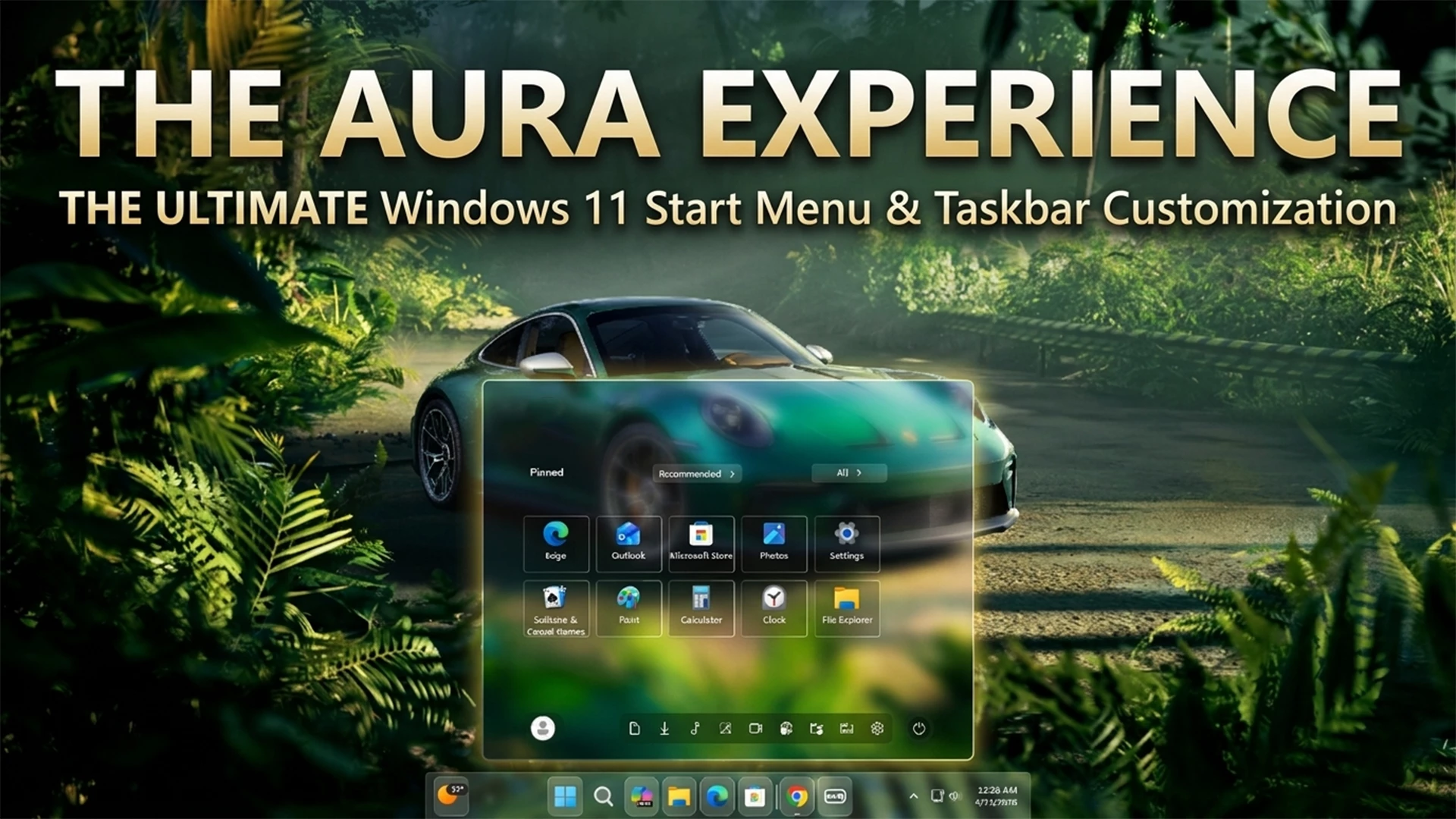
Transform your desktop into a sleek and modern workspace with the **Aura Start Menu & Taskbar Style for Windows 11 using Windhawk**. This setup delivers a smooth glass-like interface with soft blur effects, making your system look clean, premium, and highly aesthetic.The Aura style is all about **transparency, minimalism, and depth**. With Windhawk, you can easily modify the default Windows UI and apply a frosted glass effect to both the Start Menu and Taskbar. The result is a floating, semi-transparent panel that blends beautifully with your wallpaper, just like in the preview image. Whether you’re using a nature background or a cinematic wallpaper, the blur effect enhances the overall visual experience.Using Windhawk makes the process safe and flexible because it doesn’t permanently modify system files. Instead, it applies tweaks through lightweight mods, allowing you to enable or disable the style anytime without risk. This makes it perfect for beginners and advanced users alike.
To achieve the Aura look, you’ll typically use **Start Menu Styler** and **Taskbar Styler mods inside Windhawk**. These mods let you customize transparency levels, blur intensity, corner radius, and icon spacing. By adjusting these settings, you can create a smooth, glass-inspired UI that feels modern and responsive.The Start Menu in Aura style features a clean layout with centered pinned apps and a soft glowing background. The icons are neatly arranged, making navigation simple and visually appealing. The blur effect reduces background distraction while still allowing the wallpaper to shine through, giving your desktop a layered and immersive feel.
The Taskbar complements the Start Menu perfectly with a **dock-style transparent design**. Icons appear centered with a subtle glow, and the background blends seamlessly with your wallpaper. This creates a unified look across your desktop, making everything feel connected and polished.Another advantage of using Windhawk is performance efficiency. Even with blur and transparency effects enabled, the system remains smooth and responsive. The mods are lightweight, so you won’t experience lag or slowdowns on most modern systems.This setup is ideal for customization lovers, YouTubers, and anyone who wants a visually stunning desktop. If you create content like Windows customization tutorials, the Aura style is perfect for showcasing a premium UI experience. It looks especially good in thumbnails and preview shots.
- Windows 11 21H2: May work, but not recommended for the best experience
- Windows 11 22H2: May work, but compatibility can vary
- Windows 11 23H2: Recommended
- Windows 11 24H2: Recommended
- Windows 11 25H2: YES work, but test carefully after Windows updates
- Windhwak Start Menu Mods
- Windhwak Taskbar Mods
- Wallpapers
- Download & Install windhawk.
- install & Open the Windows 11 Start Menu Styler mod in Windhawk.
- Go to the “Advanced” tab.
- Copy the content below to the text box under “Mod settings” and click “Save”.
Zip File 4KB
DownloadIn conclusion, the Aura Start Menu & Taskbar Style using Windhawk is one of the best ways to upgrade your Windows 11 interface. With its glassy transparency, smooth layout, and modern design, it delivers a clean and elegant desktop experience that stands out