OxygenOS-Inspired Icon Pack for Windows 11
Download and access Oxygen OS Icon Pack for Windows 11 resources. Give your desktop a clean, modern Oxygen OS look with beautiful icons and Windhawk customization support.

OxygenOS-Inspired Icon Pack for Windows 11
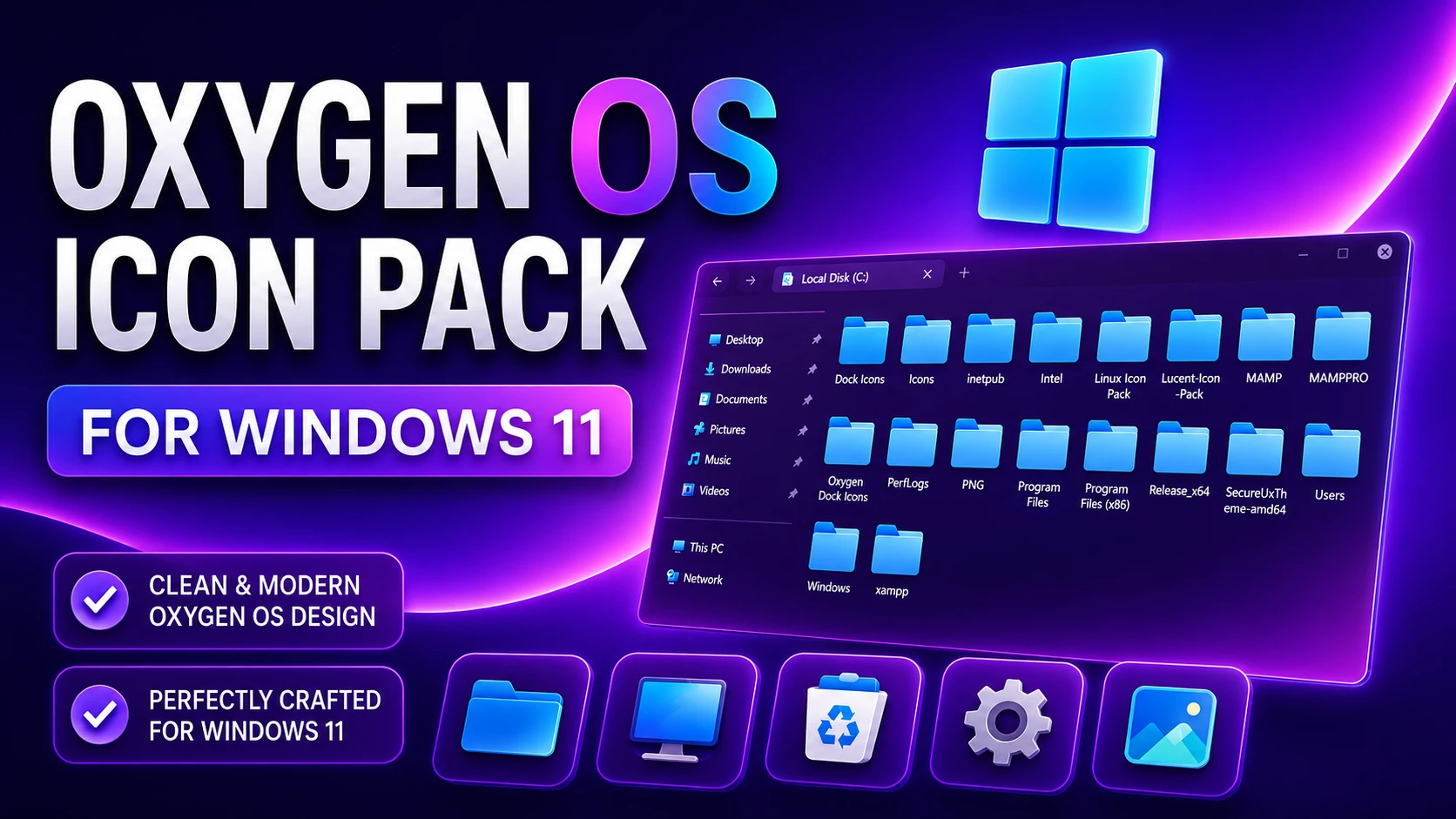
Give your Windows 11 desktop a cleaner and more colorful look with the OxygenOS-Inspired Icon Pack. This pack is made for users who enjoy a simple, polished setup with rounded shapes, smooth gradients, and icons that feel easy to recognize at a glance.
The overall style takes inspiration from the soft, modern visual direction often associated with OxygenOS. Instead of making the desktop look overly busy, it focuses on balanced colors, tidy folder icons, and a consistent appearance across common Windows locations.
A Clean and Colorful Desktop Style
Default Windows icons are practical, but a custom icon pack can make your desktop feel more personal. The OxygenOS-Inspired Icon Pack brings a fresher look to folders, drives, and supported system resources while keeping the layout familiar for everyday use.
The rounded forms and gentle color transitions work especially well with minimal wallpapers, transparent taskbars, glass-style File Explorer themes, and other modern Windows 11 customization setups. It is a good option if you want a colorful desktop without using harsh neon effects or overly detailed icons.
Designed for Resource Redirect
This pack is intended for use with the Resource Redirect mod in Windhawk. When configured correctly, Resource Redirect can load compatible custom icon resources while the mod is active instead of permanently replacing the original Windows system files on disk.
Your final result can vary depending on your Windows build, Windhawk version, display scaling, and any other customization tools already running on your PC. For the smoothest setup, apply one major customization at a time and check the icons before adding more mods or themes.
Key Features
- OxygenOS-inspired rounded icon style
- Clean colors and smooth gradient details
- Custom folder, drive, and supported system icon resources
- Designed for Windows 11 customization setups
- Compatible with Windhawk Resource Redirect
- Works well with modern, minimal, and glass-style desktop themes
- Easy to disable when you want to return to the default appearance
Who Is This Icon Pack For?
This pack is suitable for Windows users who enjoy building a neat and personalized desktop. It can fit gaming setups, study desktops, productivity workspaces, screenshots, or simply a cleaner everyday File Explorer experience.
If you already use a custom wallpaper, a centered taskbar, a transparent interface style, or a simple Rainmeter setup, these icons can help tie the overall look together without changing how Windows normally works.
Before Applying the Pack
Although Resource Redirect is designed to avoid permanent system-file replacement, it is still wise to create a restore point before changing your Windows appearance. A restore point gives you an extra recovery option if an update, another mod, or an incompatible setting causes an unexpected result.
- Create a Windows system restore point.
- Make sure Windhawk and the Resource Redirect mod are up to date.
- Extract the downloaded ZIP file before selecting its folder path.
- Apply one icon pack at a time.
- Keep a copy of your previous Resource Redirect configuration if you already use another pack.
- Windows 11 Operating System
- Windhawk installed
- Resource Redirect mod enabled
- Basic knowledge of file and folder paths
How to Install the Icon Pack
- Download and install Windhawk.
- Open Windhawk and install or enable the Resource Redirect mod.
- Download the OxygenOS-Inspired Icon Pack ZIP file.
- Extract the ZIP file to a folder on your computer.
- Copy the full path of the extracted icon-pack folder.
- Paste the folder path into the appropriate Resource Redirect setting.
- Save the changes and restart Windows Explorer if the icons do not refresh immediately.
For a more detailed installation guide, you can check:
What Is Included?
The download contains the icon resources prepared for this customization pack. The exact icons that change may depend on the pack version and your Windows build, as newer Windows updates can introduce or alter individual interface resources.
- OxygenOS-inspired icon resources
- Resource Redirect-compatible folder structure
- Files required for the icon-pack setup
Disclaimer
This is an independent third-party customization pack inspired by OxygenOS visual design. It is not an official OnePlus, OxygenOS, or Microsoft product and is not affiliated with, authorized, sponsored, approved, or endorsed by OnePlus or Microsoft Corporation. This pack is provided solely for desktop customization and informational purposes and is intended for use with Resource Redirect. OxygenOS and OnePlus are trademarks of OnePlus or its affiliates. Microsoft and Windows are trademarks of the Microsoft group of companies. All other trademarks are the property of their respective owners.
Oxygen Icon Pack 10MB
DownloadFrequently Asked Questions
Is this an official OxygenOS or OnePlus icon pack?
No. This is an independent third-party customization pack inspired by the visual style of OxygenOS. It is not made, supported, or distributed by OnePlus.
Does it work on Windows 11?
It is intended for Windows 11 systems using Windhawk and Resource Redirect. Compatibility can vary by Windows build, Windhawk version, and other active customization tools.
Will it replace my Windows system files?
Resource Redirect is designed to load compatible resources while the mod is active rather than permanently overwriting the original Windows files. However, creating a restore point before applying any customization is still recommended.
Can I return to the default icons later?
Yes. Disable the Resource Redirect configuration for this pack or remove its folder path from the mod settings, then restart Windows Explorer if needed.
Why do some icons still look unchanged?
Windows may keep old icons in its icon cache, or an application may use its own built-in icon. Restarting Windows Explorer or your computer usually helps refresh supported system icons.
Final Thoughts
The OxygenOS-Inspired Icon Pack is a pleasant choice for users who want a softer, cleaner, and more colorful Windows 11 desktop. Its rounded visual style and balanced gradients can make File Explorer and common system locations feel more consistent without changing the normal Windows workflow.
Take a few minutes to create a restore point, confirm that your Windhawk setup is compatible, and follow the installation steps carefully. With the right setup, this pack can be a simple way to give your desktop a more polished and personal appearance.