The Best macOS Theme for Windows 11
The Best macOS Theme for Windows 11:Transform your Windows 11 desktop into a sleek, Mac-like experience with the best macOS theme available—macOS Monterey/Big Sur SkinPack.

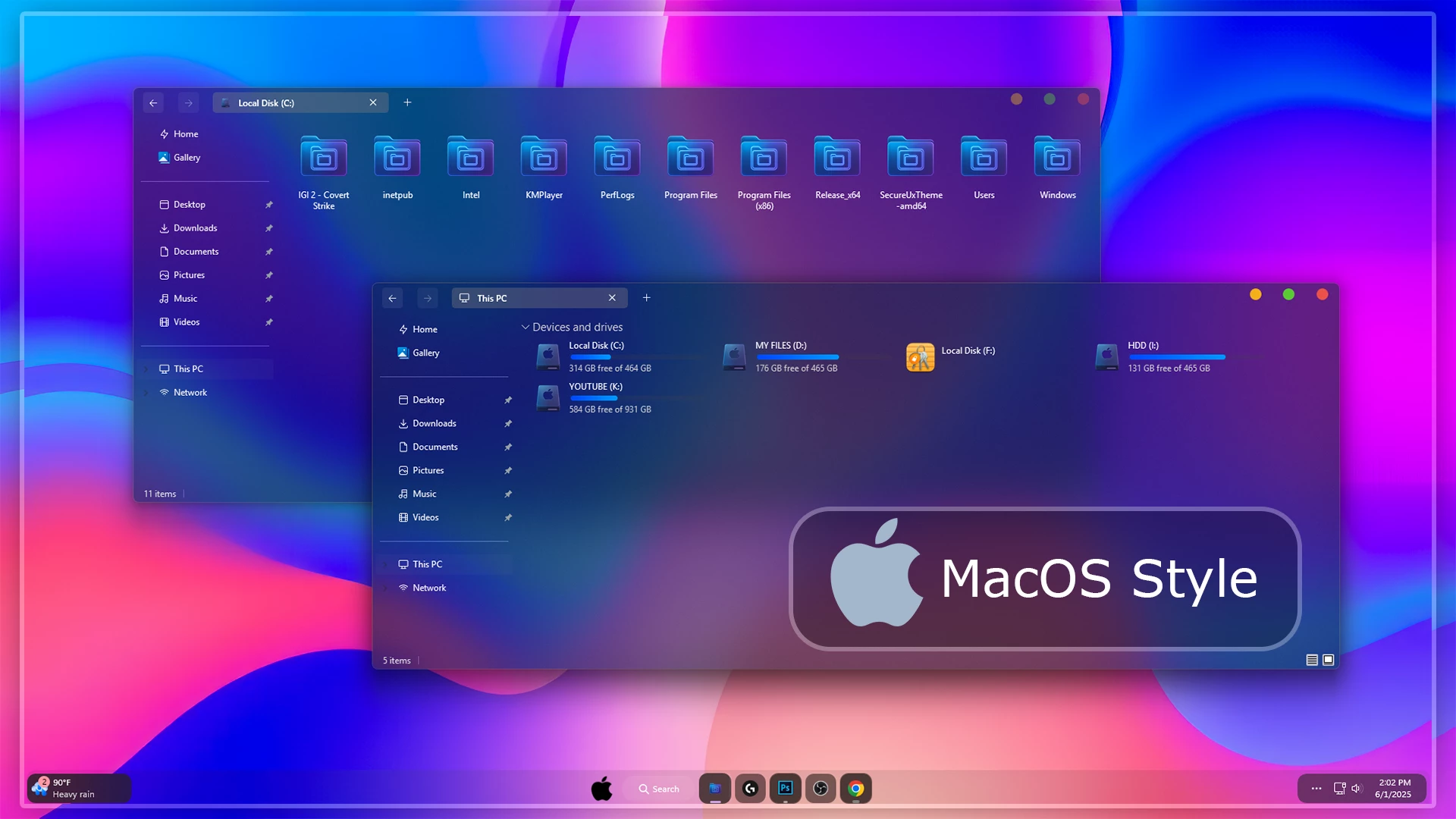
The Best macOS Theme for Windows 11
If you are searching for a clean, stylish, and premium-looking macOS Theme for Windows 11, this macOS Monterey/Big Sur SkinPack is one of the best choices to try. It brings a smooth Mac-like desktop experience to your Windows 11 PC with elegant icons, a modern dock, beautiful wallpapers, soft transparency, and a polished interface that feels fresh, minimal, and professional.
Many Windows users love the beautiful design of macOS, but they still prefer Windows 11 for gaming, software support, productivity, and daily use. That is why a macOS Theme for Windows 11 is a great option. It lets you enjoy the Mac-inspired look without changing your operating system. You can keep the flexibility of Windows while adding the clean and modern appearance of macOS.
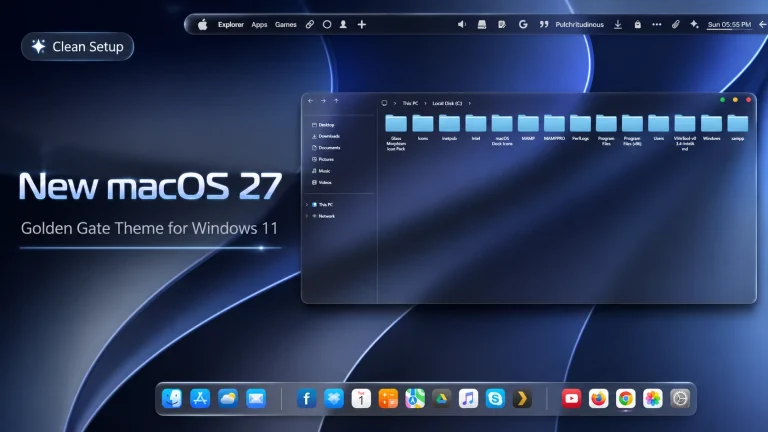
This theme is inspired by macOS Monterey and macOS Big Sur, two of the most popular Apple-style desktop designs. The overall look is simple, colorful, and eye-catching. With this macOS Theme for Windows 11, your desktop gets a complete visual makeover, including custom icons, a Mac-style dock, matching wallpaper, smooth interface elements, and additional customization tools.
Why Choose This macOS Theme for Windows 11?
The main reason to choose this macOS Theme for Windows 11 is its balanced design. It does not make your desktop look too heavy or confusing. Instead, it gives your PC a clean and premium look that feels modern and easy to use. The icons are attractive, the dock is practical, and the wallpaper gives the desktop a professional finish.
Windows 11 already has a modern interface, but a Mac-inspired setup can make it look even more unique. If you are bored with the default Windows style, this macOS Theme for Windows 11 can give your desktop a fresh new appearance. It is especially useful for users who like minimal desktop setups, aesthetic customization, and smooth visual design.
macOS Monterey and Big Sur Inspired Look
The macOS Monterey and Big Sur design styles are known for their rounded corners, soft colors, clean spacing, and beautiful transparency effects. This macOS Theme for Windows 11 tries to bring that same elegant feeling to your Windows desktop. From the icon pack to the wallpaper, every part is selected to match the Mac-style look.
The theme makes your desktop look more organized and premium. It is suitable for personal use, office setup, screen recording, YouTube customization videos, and desktop showcase content. If you want your Windows 11 PC to look different from the usual default layout, this theme can be a great choice.
What Is Included in This Theme?
This macOS Theme for Windows 11 includes several important customization files that help you create a complete Mac-like desktop setup. You do not only get a wallpaper or a simple icon pack. Instead, the package includes different visual elements that work together to create a better desktop experience.
- Windows 11 Theme
- Icon Pack
- Windhawk Mods
- Wallpaper
The Windows 11 theme changes the main visual style of your desktop. The icon pack gives your folders and system icons a Mac-inspired appearance. The wallpaper adds a clean background, and Windhawk mods can help improve the look even further. Together, these elements make the macOS Theme for Windows 11 feel more complete and attractive.
Best Features of macOS Theme for Windows 11
One of the best features of this macOS Theme for Windows 11 is the Mac-style dock. It helps you open your favorite apps quickly and gives your desktop a more premium look. The dock is one of the most recognizable parts of macOS, and adding it to Windows 11 makes the setup feel much closer to a real Mac interface.
The icon pack is another important feature. Good icons can completely change the feeling of your desktop. This theme includes beautifully designed icons that match the macOS style. The wallpaper also fits perfectly with the theme, creating a smooth and professional desktop environment.
This macOS Theme for Windows 11 is also useful for people who love desktop customization. You can combine it with tools like SecureUxTheme, 7TSP GUI, ExplorerBlurMica, and Windhawk to improve the final look. These tools help apply third-party themes, change icons, add blur effects, and customize different parts of Windows.
Recommended Customization Tools
To get the best result from this macOS Theme for Windows 11, you may need some extra tools. These tools help apply the theme properly and improve the overall appearance of your desktop. Always download tools from trusted sources and follow the instructions carefully.
Installation Steps
Before installing any macOS Theme for Windows 11, it is always recommended to create a system restore point. Third-party customization can change visual parts of Windows, so a restore point helps you return to the previous state if anything goes wrong.
- Create a restore point before starting your Windows 11 customization.
- Install the required theme patcher before applying the third-party theme.
- Extract the downloaded theme files carefully before installation.
- Apply the Windows 11 theme and icon pack step by step.
- Use Windhawk mods only if you understand the settings and want extra customization.
- Restart your PC after applying the main theme files for a smoother result.
- Theme support: Windows 11
If you are new to Windows customization, do not install everything at once. First apply the main theme, then add the icon pack, wallpaper, dock, and extra visual effects. This simple process will help you understand how each part of the macOS Theme for Windows 11 changes your desktop.
Important Note Before Using This Theme
This macOS Theme for Windows 11 is made only for desktop customization. It is not an official Apple product, and it does not convert your Windows PC into macOS. It only changes the visual appearance of Windows 11 to create a Mac-inspired desktop experience.
Use the theme carefully and follow the installation guide properly. If you are using important work files on your PC, creating a backup is also a good idea. Customization is fun, but safe installation is always important.
Download macOS Theme for Windows 11
You can download the macOS Theme for Windows 11 files from the button below. The package includes the main files needed to create a macOS-style desktop setup on Windows 11. After downloading, extract the files and read the instructions before applying the theme.
Theme Files 166MB
DownloadFinal Words
The macOS Monterey/Big Sur SkinPack is a beautiful and modern macOS Theme for Windows 11 for users who want a clean, premium, and Mac-inspired desktop. It includes a stylish theme, icon pack, wallpaper, dock-style layout, and useful customization support.
Overall, this macOS Theme for Windows 11 offers a strong balance between beauty and usability. It keeps the familiar Windows 11 experience while adding the smooth and elegant feeling of macOS. If you enjoy desktop customization and want a fresh look for your PC, this theme is definitely worth trying.