

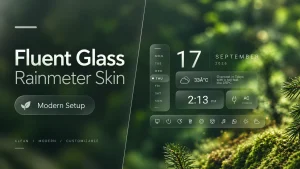
Fluent Glass Rainmeter Skin
Fluent Glass Rainmeter Skin brings a clean and modern glass-inspired desktop setup for Windows users. Featuring transparent panels, date, weather, clock, power status, and a minimal white icon dock, this Rainmeter customization creates an elegant and organized desktop experience.

Fluent Glass Rainmeter Skin: Give Your Windows Desktop a Clean Glass Look
The default Windows desktop is simple and functional, but a well-designed Rainmeter setup can give it a completely different feel. Fluent Glass Rainmeter Skin adds a clean glass-inspired widget layout with transparent panels, soft borders, and a minimal Windows 11-style appearance that makes your desktop look more organized and elegant.
This setup is designed for Rainmeter users who prefer a simple and practical desktop customization. Instead of filling the screen with multiple separate widgets, Fluent Glass combines the essential information into one balanced layout, including date, weather, clock, power status, and a shortcut dock.
Visual Details & Wallpaper Pairing
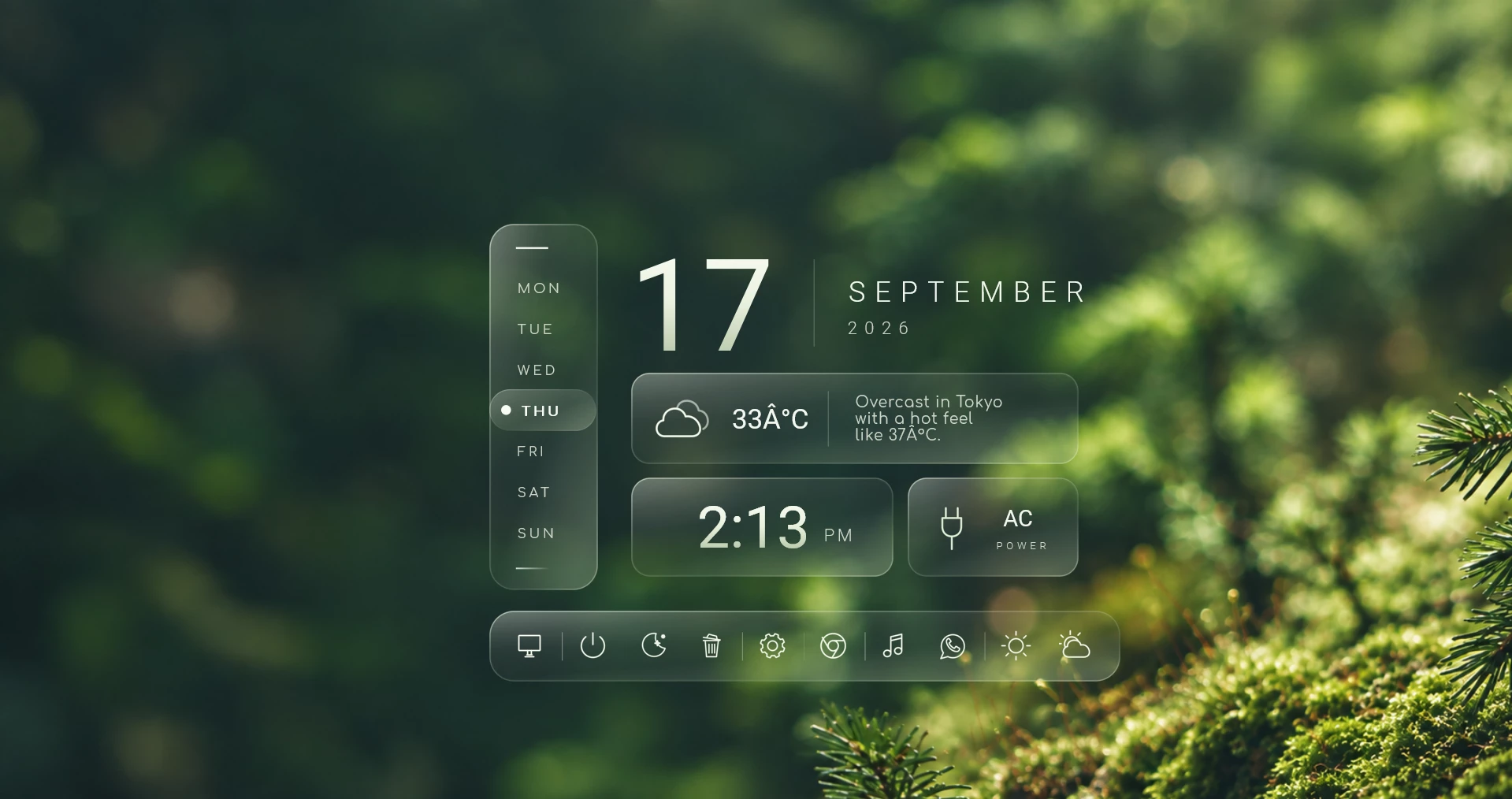
The Fluent Glass design focuses on a smooth glass panel style with transparency, rounded corners, and subtle blur effects. The widgets are placed together as a single dashboard, allowing the wallpaper to remain visible through the glass layers while keeping the information easy to read.
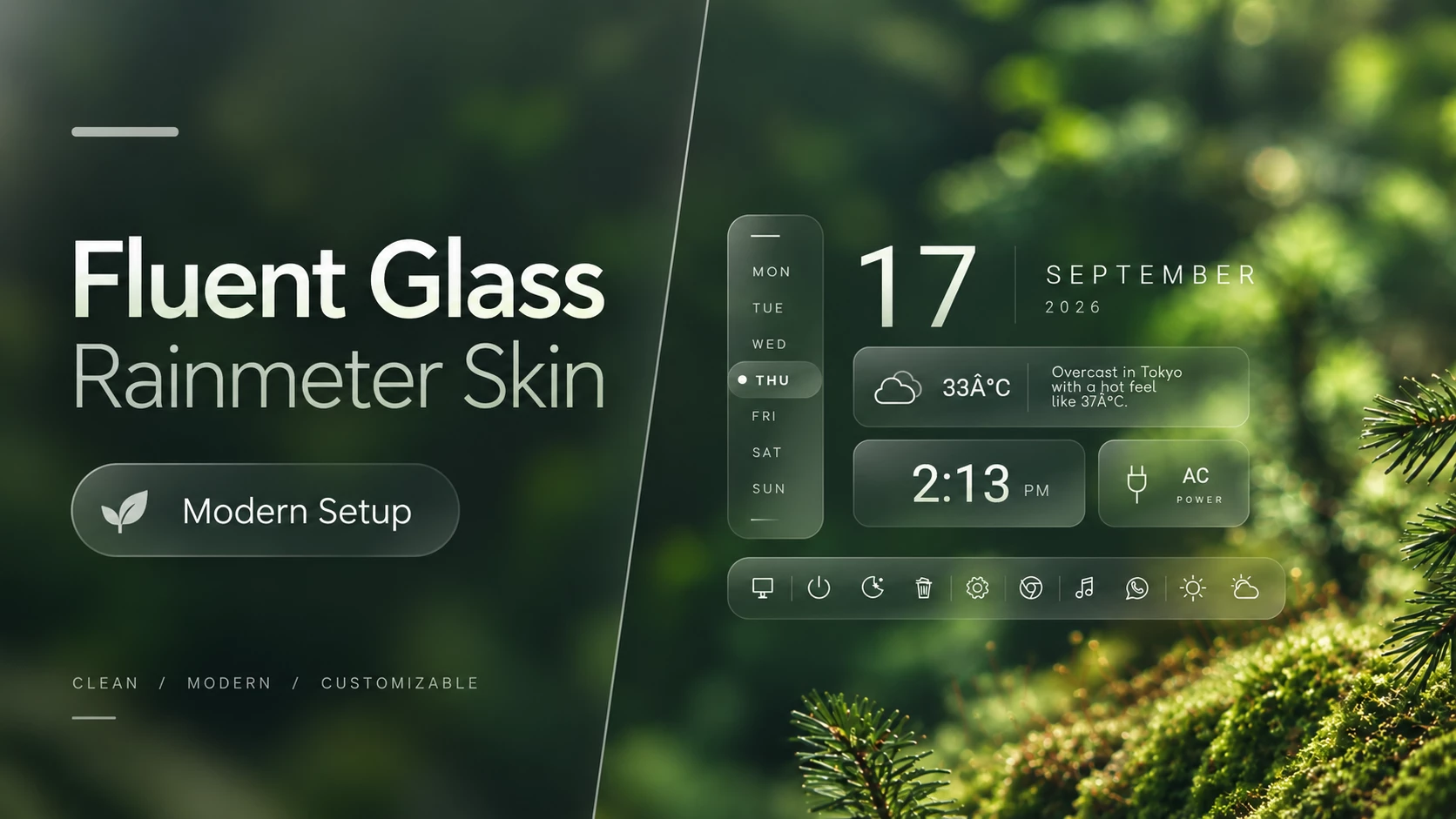
On the left side, the layout includes a vertical day section, while the upper area displays the date and month. Below that, the weather information is placed inside a glass panel, followed by a clock section and an AC power indicator. Each element uses the same glass background style, creating a consistent and clean desktop appearance.
At the bottom, a transparent glass dock provides quick access to applications using simple white line-style icons. The combination of soft glass panels, white typography, and a nature-inspired wallpaper creates a calm and modern desktop setup that works especially well with dark, blurred, and minimal wallpapers.
Fluent Glass Skin Features
- Modern Glass Panel Design: Uses transparent panels, rounded corners, and subtle borders to create a clean glass-inspired desktop interface.
- All-in-One Widget Layout: Date, weather, clock, power information, and shortcuts are arranged together in a single organized dashboard.
- Minimal Desktop Appearance: The simple layout keeps useful information visible while maintaining a clean and distraction-free workspace.
- Elegant Wallpaper Integration: The transparent glass effect allows your wallpaper to remain visible and become part of the overall design.
- White Icon Dock: A bottom shortcut dock with white icons adds quick access while matching the overall Fluent glass style.
- Easy Rainmeter Customization: Built with Rainmeter, allowing users to adjust positions, sizes, fonts, and other visual settings according to their preference.
What is included in this?
- Rainmeter Skin
Compatibility
- Windows 10
- Windows 11
- Rainmeter installed
- Recommended Resolution: 1920 × 1080
Required Tool
To use Fluent Glass Rainmeter Skin, you need to install Rainmeter first. Rainmeter allows you to add customizable widgets and desktop skins to Windows.
Optional Customization Tools
Preview
Installation steps:
- Download and install Rainmeter from the official website.
- After installation, Rainmeter will start automatically in the background.
- Download the Fluent Glass Rainmeter Skin package.
- Open the included .rmskin file.
- The Rainmeter Skin Installer window will appear.
- Click Install to add the skin.
- Right-click the Rainmeter icon from the Windows system tray.
- Open Skins and locate the Fluent Glass folder.
- Select the widgets you want and click Load.
- Adjust the position of each element to match your desktop layout.
Theme Files1MB
Download How to Remove
- Close Rainmeter: Right-click the Rainmeter icon from the Windows system tray and select “Exit” to stop all active widgets.
- Unload the Skin: Open Rainmeter Manager, select the Fluent Glass widgets, and unload them from your desktop.
- Delete the Skin Files: Open your Rainmeter skins folder and remove the Fluent Glass Rainmeter Skin folder.
C:\Users\YourName\Documents\Rainmeter\Skins - Restore Your Desktop: Apply your previous wallpaper and arrange your desktop icons according to your preference.
- Remove Rainmeter (Optional): If you don’t want to use Rainmeter anymore, uninstall it from Windows Settings → Apps → Installed Apps.
Disclaimer
Fluent Glass Rainmeter Skin is a third-party desktop customization project created for Rainmeter users. It is not affiliated with, endorsed by, or connected to Microsoft, Windows, or any official Microsoft customization service. Rainmeter is an independent application used for desktop customization.
Wrapping Up
A customized desktop can make your everyday PC experience feel much more enjoyable. Fluent Glass Rainmeter Skin combines useful widgets, a clean layout, and a beautiful glass interface to create a modern workspace that feels unique and personal.
Whether you prefer a simple desktop or a futuristic Windows-inspired setup, this design gives you the freedom to create something that matches your style. What do you think about this Fluent Glass Rainmeter Skin? Share your thoughts in the comments and tell us how you would customize your own desktop!







