


Kelso Rainmeter Skin
Kelso Rainmeter Skin : The Kelso Rainmeter Skin is a modern, minimal, and stylish desktop customization designed for users who love simplicity with smooth visual flair.

Kelso Rainmeter Skin
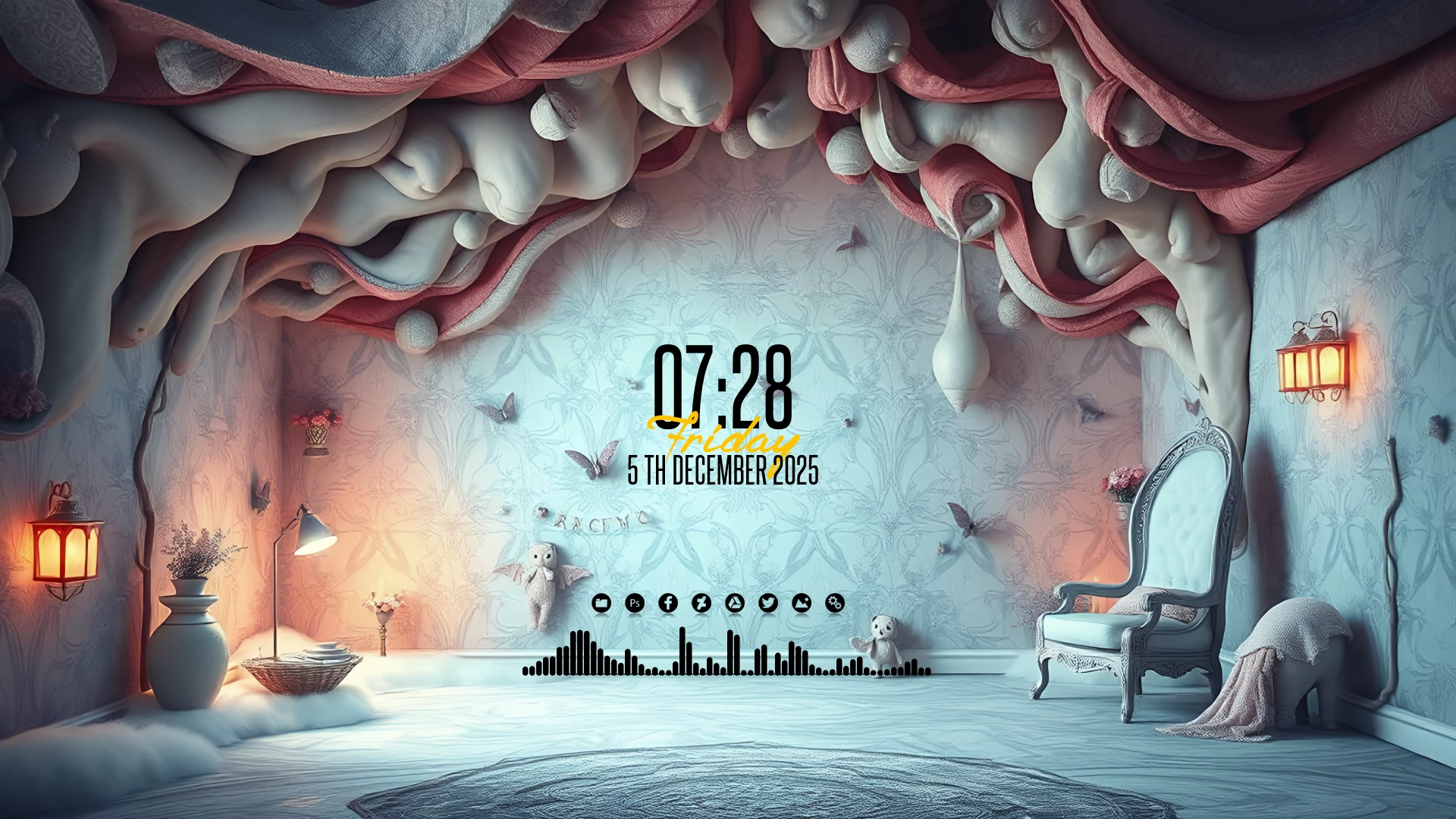
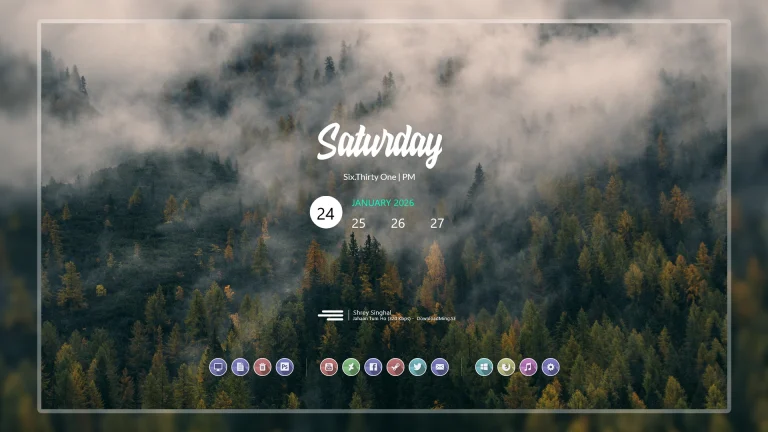
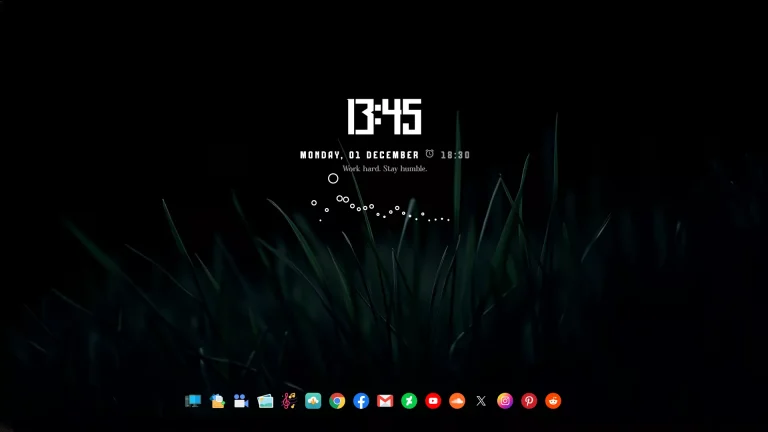
Kelso Rainmeter Skin is a clean and stylish desktop customization designed for Windows users who prefer minimal layouts, elegant typography, and a balanced visual style. With a large clock display, date information, a simple icon row, and an audio visualizer, Kelso creates a modern and aesthetic desktop experience.
The design focuses on keeping the desktop simple while adding useful visual elements. A bold time and date display works as the main highlight, while the small shortcut icons and bottom visualizer complete the setup without making the screen feel crowded.
Kelso Rainmeter Skin works especially well with soft, bright, minimal, and artistic wallpapers. Its clean arrangement makes it suitable for users who enjoy calm desktop designs, creative setups, and organized workspaces.
Design Overview
The main element of the Kelso setup is the large centered clock and date widget. The typography-based design gives the desktop a modern appearance while keeping important information easy to read.
Below the clock area, a compact row of shortcut icons provides quick access to applications. The audio visualizer at the bottom adds a dynamic touch while maintaining the overall minimal style of the setup.
Key Features
- Minimal and modern Rainmeter desktop design.
- Large clock and date display.
- Elegant typography-based interface.
- Bottom audio visualizer element.
- Compact application shortcut icons.
- Clean layout suitable for aesthetic wallpapers.
- Lightweight Rainmeter-based customization.
- Customizable widget positioning and arrangement.
Compatibility
- Windows operating system.
- Rainmeter application installed.
- Recommended for Full HD and higher resolution displays.
What is Included in This?
Kelso Rainmeter Skin package includes the required files to create the complete desktop setup.
- Kelso Rainmeter Skin Files
- Dock Icons & Backup
How to Install Kelso Rainmeter Skin
- Download and install Rainmeter on your Windows PC.
- Download the Kelso Rainmeter Skin package from this page.
- Extract the downloaded file if required.
- Open the included .rmskin file.
- The Rainmeter Skin Installer window will appear.
- Click Install to add the skin components.
- Open Rainmeter Manage from the system tray.
- Find the Kelso components from the skin list.
- Load the required widgets and adjust their positions according to your preferred layout.
Theme Files13.8MB
Download How to Remove Kelso Rainmeter Skin
Removing Kelso Rainmeter Skin only removes the Rainmeter customization elements from your desktop. It does not affect your Windows files or installed applications.
- Open Rainmeter Manage from the system tray.
- Find the active Kelso widgets.
- Unload the skin components you want to remove.
- Delete the Kelso skin folder from the Rainmeter Skins directory if you no longer want to keep the files.
Who Should Use This Skin?
Kelso Rainmeter Skin is suitable for users who enjoy clean, artistic, and minimal desktop customization. It is a good choice for people who prefer simple layouts with stylish visual elements.
- Users who like aesthetic desktop setups.
- People who prefer clean and distraction-free layouts.
- Rainmeter users looking for a modern clock-based design.
- Users who enjoy combining wallpapers, icons, and visual effects.
Explore More
Disclaimer
Kelso Rainmeter Skin is a third-party desktop customization resource created for Rainmeter users. It is not an official Microsoft product or Windows feature. Windows, Rainmeter, and related trademarks belong to their respective owners.
Final Thoughts
Kelso Rainmeter Skin provides a simple way to create a clean and elegant Windows desktop. Its large clock design, minimal icons, and audio visualizer create a balanced setup that looks modern without unnecessary elements.
For users who enjoy aesthetic wallpapers, minimal interfaces, and creative Rainmeter customization, Kelso is a great option for building a personalized desktop workspace.

Disclaimer: All themes, visual styles, and concepts shared on this website are unofficial, fan-made creations built from imagination for customization purposes. We are not affiliated with, endorsed by, or sponsored by Microsoft or any other official brand.