


New Dex Clock Rainmeter Skin 2026
Dex Clock Rainmeter Skin : Desk Clock Rainmeter Skin is a minimalist and elegant desktop clock widget featuring a clean digital display, transparent design, and seamless wallpaper integration. Perfect for modern setups, it enhances productivity while adding a calm, aesthetic look to your desktop.

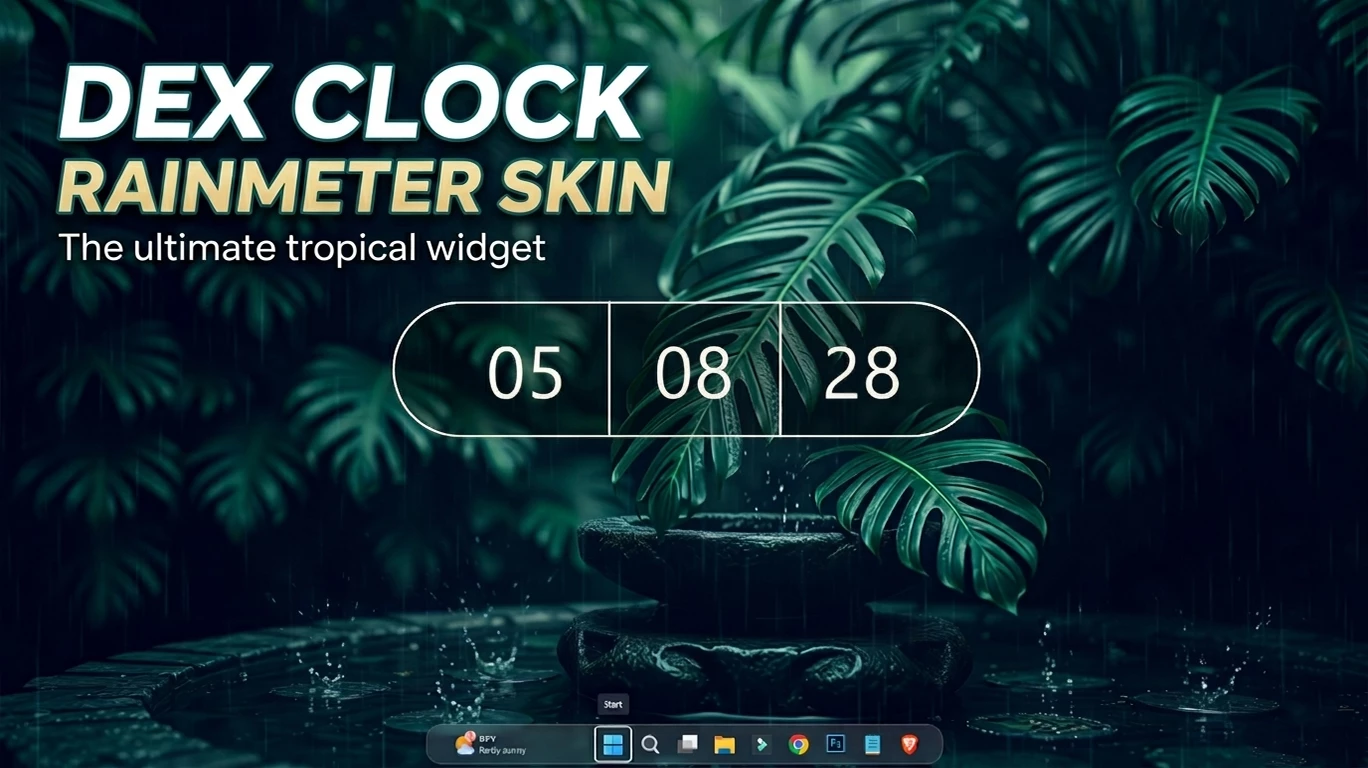
Dex Clock Rainmeter Skin
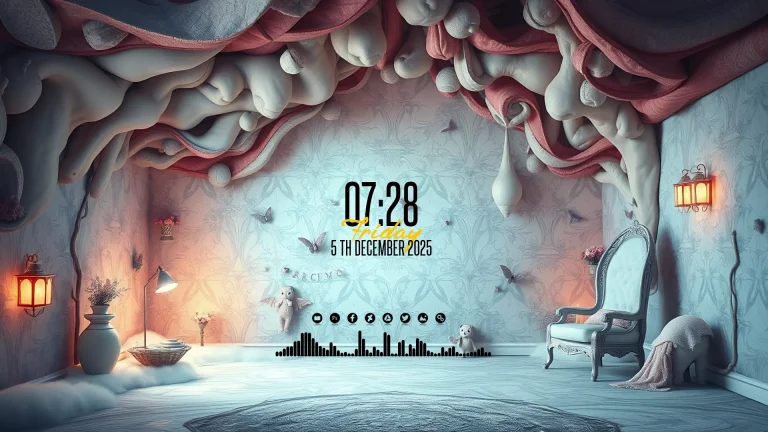
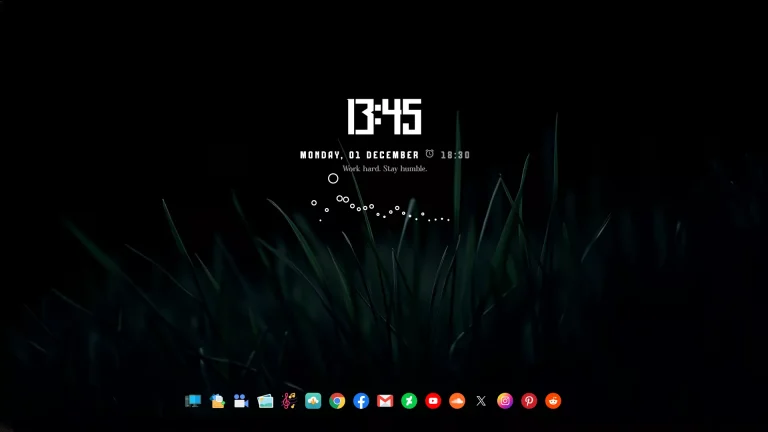
Dex Clock Rainmeter Skin is a clean and modern desktop clock customization designed for Windows users who prefer a minimal and aesthetic workspace. With a stylish digital clock layout, smooth transparency, and a simple visual design, this Rainmeter skin adds a premium touch to your desktop without creating unnecessary clutter.
The skin features a modern segmented time display with hours, minutes, and seconds arranged in an elegant layout. Its simple typography and balanced design make it suitable for different desktop styles, including dark themes, nature wallpapers, minimal setups, and modern Windows customization layouts.
Dex Clock Rainmeter Skin is lightweight and easy to customize. Users can adjust the position, size, transparency, and appearance according to their preferred desktop setup. It is a good choice for users who want a beautiful clock widget while keeping their desktop clean and organized.
About Dex Clock Rainmeter Skin
Dex Clock Rainmeter Skin is a desktop clock widget created for Rainmeter, a popular Windows desktop customization platform. It works as an additional desktop element and does not replace or modify Windows system components.
The main focus of this skin is simplicity and readability. The clean clock interface allows users to check time quickly while maintaining an aesthetic desktop appearance.
Key Features
- Minimal digital clock design
- Modern segmented time display
- Clean typography and balanced layout
- Lightweight Rainmeter desktop widget
- Works well with dark and aesthetic wallpapers
- Adjustable position and appearance
- Suitable for Windows desktop customization
- Easy to install and use with Rainmeter
What is included in this?
- Rainmeter Skin
- Wallpaper
Compatibility
- Windows 10
- Windows 11
- Rainmeter installed
- Recommended Resolution: 1920 × 1080 or higher
Required Tool
To use Dex Clock Rainmeter Skin, you need to install Rainmeter first. Rainmeter allows users to apply customizable desktop widgets and skins on Windows.
Optional Customization Tools
Installation steps:
- Download and install Rainmeter from the official website.
- After installation, Rainmeter will start automatically.
- Download the Dex Clock Rainmeter Skin package.
- Open the included .rmskin file if available.
- The Rainmeter Skin Installer window will appear.
- Click Install to add the skin.
- Right-click the Rainmeter icon from the system tray.
- Navigate to Skins and select Dex Clock.
- Click Load to apply the clock widget.
- Adjust the position according to your desktop layout.
Theme Files5MB
Download Customization Tips
- Use a clean wallpaper for better visibility.
- Match the clock with dark, nature, or minimal themes.
- Adjust transparency for a smoother desktop appearance.
- Keep enough empty space around the widget for a cleaner look.
- Combine it with matching icons and other Rainmeter skins.
How to Remove Dex Clock Rainmeter Skin
- Right-click the Dex Clock widget on your desktop.
- Select Unload Skin.
- Open Rainmeter Manager from the system tray.
- Unload the active Dex Clock skin.
- Delete the skin folder from the Rainmeter Skins directory if you want to remove it completely.
Disclaimer
Dex Clock Rainmeter Skin is a third-party desktop customization resource created for personal Windows customization purposes only. It is not an official Microsoft product and is not affiliated with Microsoft Corporation.
This skin works through Rainmeter and does not modify Windows system files. Windows-related trademarks belong to their respective owners.
Final Thoughts
Dex Clock Rainmeter Skin is a simple and elegant option for users who want to improve their Windows desktop appearance with a clean clock widget. Its minimal design, lightweight performance, and customizable layout make it suitable for different desktop setups.
For the best result, combine Dex Clock with a matching wallpaper, icons, and other desktop customization resources to create a complete personalized workspace.
Disclaimer: All themes, visual styles, and concepts shared on this website are unofficial, fan-made creations built from imagination for customization purposes. We are not affiliated with, endorsed by, or sponsored by Microsoft or any other official brand.