Nemo Start Menu & Taskbar Mods
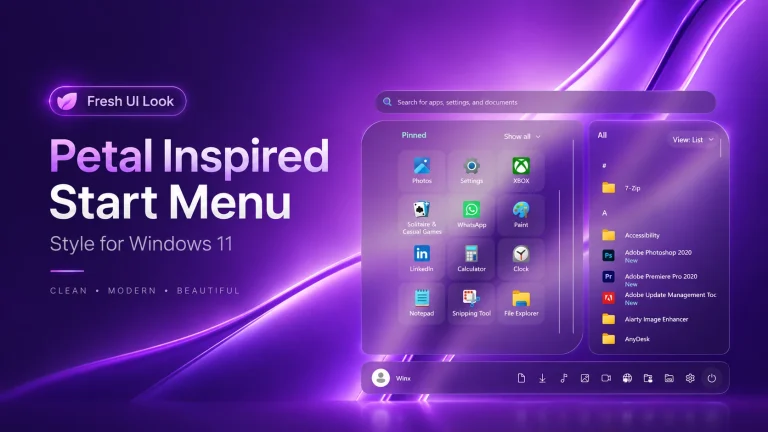
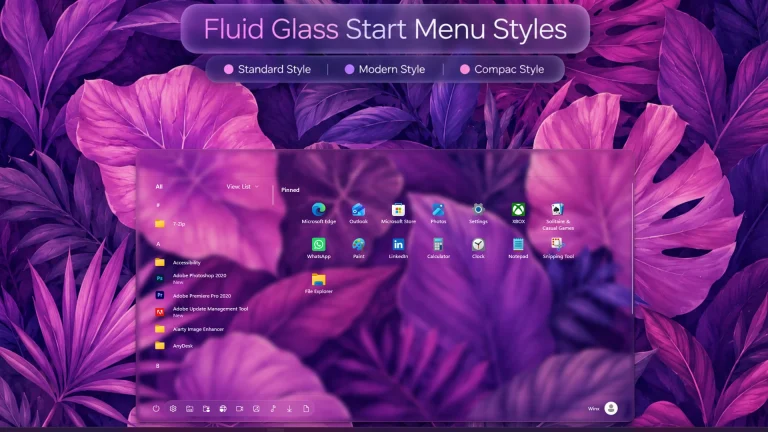
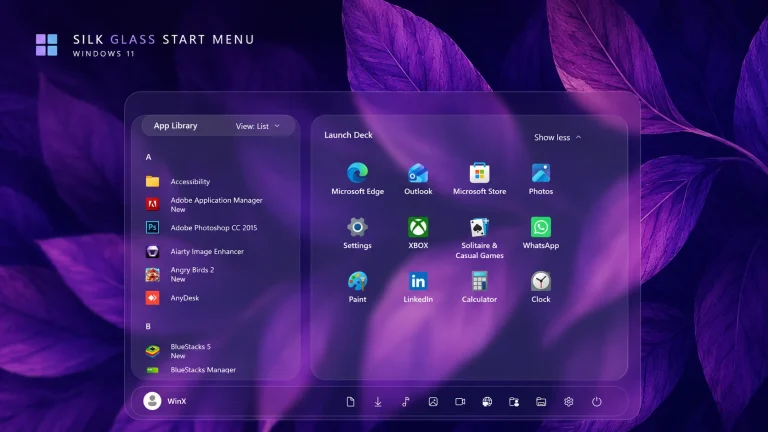
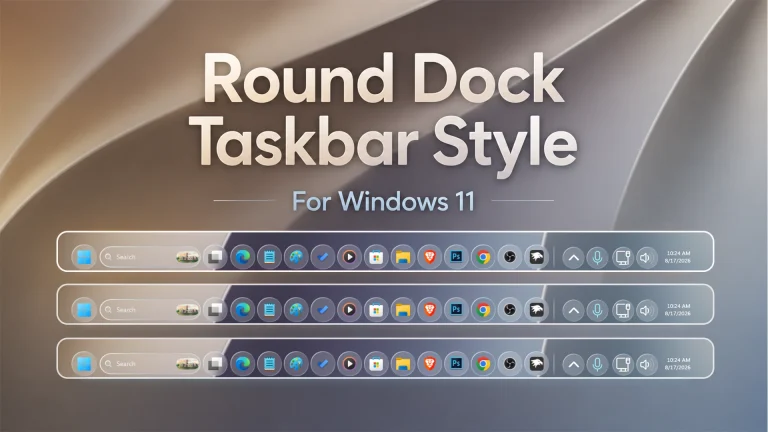
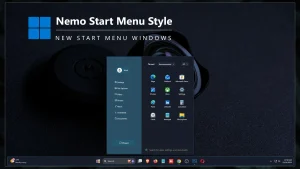
Nemo Start Menu & Taskbar Mods : The Nemo Start Menu & Taskbar using Windhawk Mods brings a fresh, clean, and modern aesthetic to Windows 11 with a uniquely minimal and fluid design

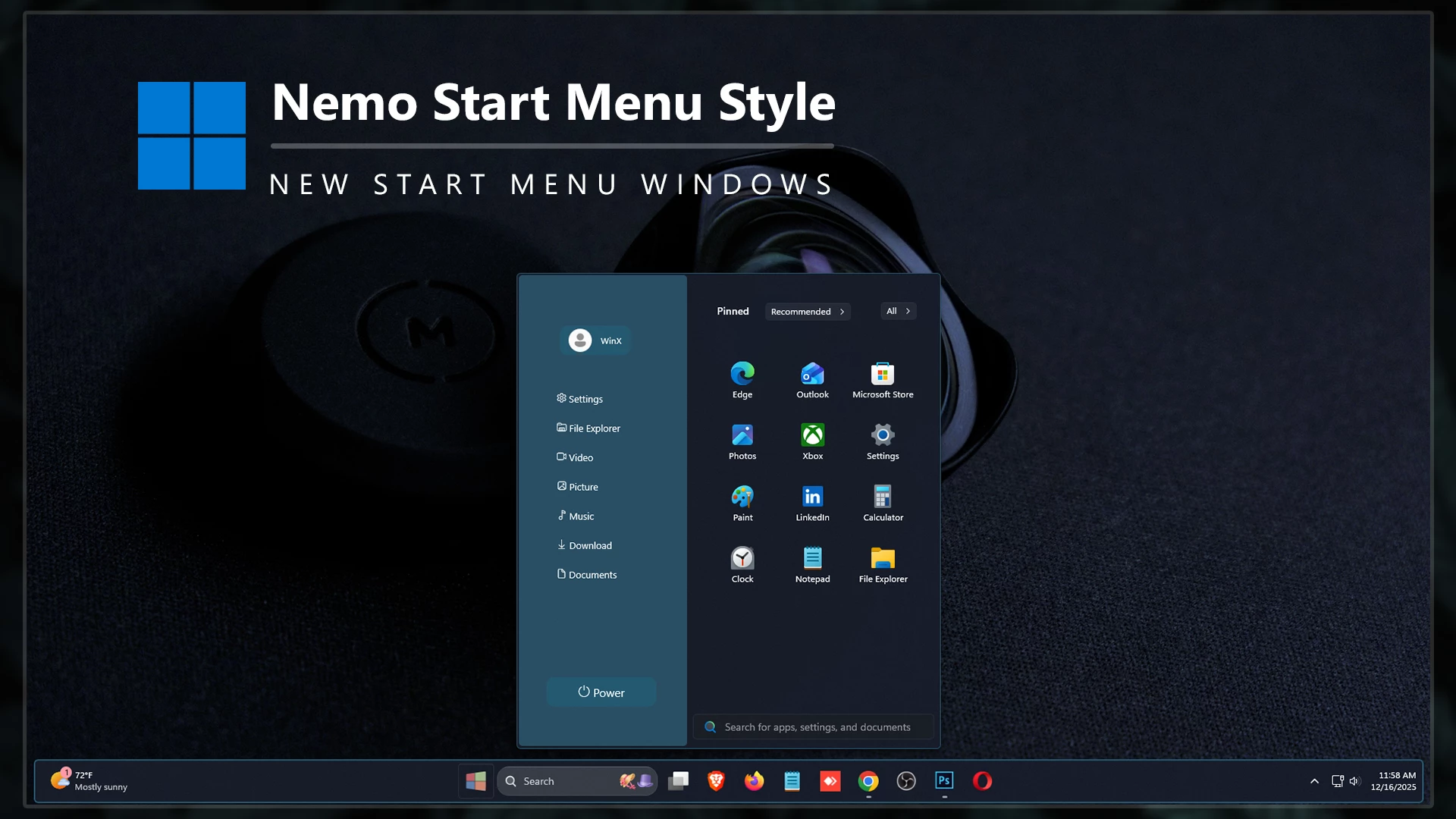
Nemo Start Menu & Taskbar Mods – Windhawk for Windows 11
If you’re looking for a clean, modern, and visually appealing way to customize Windows 11, the Nemo Start Menu & Taskbar Mods – Windhawk package is an excellent choice. Designed for users who want a fresh desktop experience, this customization mod transforms the default Windows 11 Start Menu and Taskbar into a stylish and polished interface. Whether you’re a customization enthusiast or simply want your PC to stand out, this Windhawk mod delivers a unique appearance while maintaining usability and performance.
What Is Nemo Start Menu & Taskbar Mods?
Nemo Start Menu & Taskbar Mods is a custom styling package created for Windhawk that enhances the overall look of the Windows 11 Start Menu and Taskbar. The design focuses on Dark Color, elegance, and modern aesthetics. It introduces refined visual elements, , improved spacing, and a cleaner layout that makes your desktop feel more organized and premium.
Unlike heavy customization tools that can impact performance, Windhawk allows users to apply visual modifications efficiently. This means you can enjoy a completely refreshed desktop environment without sacrificing system responsiveness.
Key Features of Nemo Start Menu & Taskbar Mods
- Modern and elegant Start Menu design.
- Beautifully customized Windows 11 Taskbar.
- Clean spacing and improved visual hierarchy.
- Smooth Deep Color and Sky Blue effects.
- Lightweight customization powered by Windhawk.
- Easy installation and configuration process.
- Compatible with most Windows 11 versions.
- Perfect for desktop personalization enthusiasts.
Download Windhawk To Use The Style
Compatibility
- Windows 11 21H2: Yes
- Windows 11 22H2: Yes
- Windows 11 23H2: Yes
- Windows 11 24H2: Yes
- Windows 11 25H2: YES.
How to Install
- Download and install Windhawk
- Open Windhawk and install the Windows 11 Start Menu Styler mod
- Go to the Advanced tab
- Paste the provided configuration code into the “Mod settings” box
- Click Save to apply the style
- For more details, visit this GitHub guide
Start Menu{ "theme": "", "controlStyles[0].target": "Grid#MainMenu", "controlStyles[0].styles[0]": "Width=580", "controlStyles[0].styles[1]": "MinWidth=580", "controlStyles[0].styles[2]": "MaxWidth=580", "controlStyles[1].target": "Grid#FrameRoot", "controlStyles[1].styles[0]": "Height=650", "controlStyles[1].styles[1]": "MaxHeight=650", "controlStyles[2].target": "Border#AcrylicBorder", "controlStyles[2].styles[0]": "Background:=<SolidColorBrush Color=\"#141a28\"/>", "controlStyles[2].styles[1]": "BorderBrush:=<SolidColorBrush Color=\"#255971\"/>", "controlStyles[2].styles[2]": "BorderThickness=1", "controlStyles[2].styles[3]": "CornerRadius=6", "controlStyles[2].styles[4]": "Margin=0", "controlStyles[3].target": "Border#AcrylicOverlay", "controlStyles[3].styles[0]": "Visibility=Visible", "controlStyles[3].styles[1]": "Background:=<SolidColorBrush Color=\"#265871\" Opacity=\"0.85\"/>", "controlStyles[3].styles[2]": "HorizontalAlignment=Left", "controlStyles[3].styles[3]": "Width=215", "controlStyles[3].styles[4]": "CornerRadius=6,0,0,6", "controlStyles[3].styles[5]": "Margin=0", "controlStyles[4].target": "Border#DropShadow", "controlStyles[4].styles[0]": "CornerRadius=6", "controlStyles[5].target": "Border#StartDropShadow", "controlStyles[5].styles[0]": "CornerRadius=6", "controlStyles[6].target": "Grid#MainContent", "controlStyles[6].styles[0]": "Grid.Row=0", "controlStyles[6].styles[1]": "VerticalAlignment=0", "controlStyles[6].styles[2]": "MinHeight=Auto", "controlStyles[6].styles[3]": "Margin=225,0,0,0", "controlStyles[7].target": "Grid#MainMenu > Grid#MainContent > Grid", "controlStyles[7].styles[0]": "Canvas.ZIndex=1", "controlStyles[8].target": "TextBlock#PinnedListHeaderText", "controlStyles[8].styles[0]": "Visibility=Visible", "controlStyles[8].styles[1]": "Text=Pinned", "controlStyles[8].styles[2]": "FontSize=12", "controlStyles[8].styles[3]": "FontWeight=SemiBold", "controlStyles[8].styles[4]": "Opacity=.85", "controlStyles[8].styles[5]": "Margin=235,16,0,0", "controlStyles[8].styles[6]": "HorizontalAlignment=Left", "controlStyles[9].target": "StartMenu.PinnedList#StartMenuPinnedList", "controlStyles[9].styles[0]": "Height=340", "controlStyles[9].styles[1]": "MaxHeight=340", "controlStyles[9].styles[2]": "Width=335", "controlStyles[9].styles[3]": "MaxWidth=335", "controlStyles[9].styles[4]": "Margin=0,15,15,20", "controlStyles[10].target": "StartMenu.PinnedList#StartMenuPinnedList Border#ContentBorder@CommonStates > Grid#DroppedFlickerWorkaroundWrapper > Border", "controlStyles[10].styles[0]": "CornerRadius=6", "controlStyles[10].styles[1]": "Background@Normal=Transparent", "controlStyles[10].styles[2]": "Background@PointerOver:=<RevealBorderBrush Color=\"Transparent\" TargetTheme=\"1\" Opacity=\".20\"/>", "controlStyles[10].styles[3]": "BorderThickness=0", "controlStyles[10].styles[4]": "Margin=1", "controlStyles[11].target": "Microsoft.UI.Xaml.Controls.PipsPager#PinnedListPipsPager", "controlStyles[11].styles[0]": "Visibility=Collapsed", "controlStyles[12].target": "Grid#TopLevelSuggestionsListHeader", "controlStyles[12].styles[0]": "Visibility=Collapsed", "controlStyles[12].styles[1]": "Height=0", "controlStyles[13].target": "Grid#NoTopLevelSuggestionsText", "controlStyles[13].styles[0]": "Height=0", "controlStyles[14].target": "Grid#TopLevelSuggestionsContainer", "controlStyles[14].styles[0]": "Visibility=Collapsed", "controlStyles[14].styles[1]": "Height=0", "controlStyles[15].target": "Windows.UI.Xaml.Controls.GridView#RecommendedList", "controlStyles[15].styles[0]": "Visibility=Collapsed", "controlStyles[15].styles[1]": "Height=0", "controlStyles[16].target": "Grid#ShowMoreSuggestions", "controlStyles[16].styles[0]": "Visibility=Collapsed", "controlStyles[16].styles[1]": "Height=0", "controlStyles[17].target": "Grid#MoreSuggestionsRoot", "controlStyles[17].styles[0]": "Visibility=Collapsed", "controlStyles[17].styles[1]": "Height=0", "controlStyles[18].target": "Button#ShowMoreSuggestionsButton", "controlStyles[18].styles[0]": "Visibility=Collapsed", "controlStyles[18].styles[1]": "Height=0", "controlStyles[18].styles[2]": "Width=0", "controlStyles[19].target": "Button#ShowLessSuggestionsButton", "controlStyles[19].styles[0]": "Visibility=Collapsed", "controlStyles[19].styles[1]": "Height=0", "controlStyles[19].styles[2]": "Width=0", "controlStyles[20].target": "Grid#TopLevelSuggestionsRoot", "controlStyles[20].styles[0]": "Grid.Row=1", "controlStyles[20].styles[1]": "Margin=225,0,0,0", "controlStyles[21].target": "GridView#AllAppsGrid", "controlStyles[21].styles[0]": "Margin=210,10,15,60", "controlStyles[21].styles[1]": "Width=335", "controlStyles[22].target": "GridView#AllAppsGrid > Border > ScrollViewer > Border > Grid > ScrollContentPresenter > ItemsPresenter > ItemsWrapGrid", "controlStyles[22].styles[0]": "Margin=15,10,15,20", "controlStyles[23].target": "TextBlock#AllListHeadingText", "controlStyles[23].styles[0]": "Margin=20,10,12,6", "controlStyles[23].styles[1]": "FontSize=12", "controlStyles[23].styles[2]": "FontWeight=SemiBold", "controlStyles[23].styles[3]": "Opacity=.85", "controlStyles[23].styles[4]": "Text=All apps", "controlStyles[24].target": "StartMenu.SearchBoxToggleButton#SearchBoxToggleButton", "controlStyles[24].styles[0]": "Visibility=Visible", "controlStyles[24].styles[1]": "Height=34", "controlStyles[24].styles[2]": "Width=335", "controlStyles[24].styles[3]": "HorizontalAlignment=Right", "controlStyles[24].styles[4]": "VerticalAlignment=Bottom", "controlStyles[24].styles[5]": "Margin=0,0,18,16", "controlStyles[24].styles[6]": "Canvas.ZIndex=10", "controlStyles[25].target": "StartMenu.SearchBoxToggleButton#SearchBoxToggleButton > Grid@CommonStates > Border#BorderElement", "controlStyles[25].styles[0]": "Background:=<SolidColorBrush Color=\"#141a28\" Opacity=\"0.6\"/>", "controlStyles[25].styles[1]": "BorderBrush:=<SolidColorBrush Color=\"#255971\" Opacity=\"0.8\"/>", "controlStyles[25].styles[2]": "BorderThickness=1", "controlStyles[25].styles[3]": "CornerRadius=5", "controlStyles[26].target": "StartDocked.NavigationPaneView", "controlStyles[26].styles[0]": "Height=180", "controlStyles[26].styles[1]": "Margin=0,-750,0,0", "controlStyles[26].styles[2]": "Transform3D:=<CompositeTransform3D TranslateX=\"160\" RotationZ=\"270\" />", "controlStyles[26].styles[3]": "VerticalAlignment=1", "controlStyles[27].target": "StartDocked.NavigationPaneView > Grid#RootPanel", "controlStyles[27].styles[0]": "FlowDirection=1", "controlStyles[28].target": "Windows.UI.Xaml.Controls.ItemsStackPanel > StartDocked.AppListViewItem", "controlStyles[28].styles[0]": "FlowDirection=0", "controlStyles[28].styles[1]": "Height=180", "controlStyles[29].target": "StartDocked.AppListViewItem > Grid#ContentBorder > Windows.UI.Xaml.Controls.ContentPresenter#ContentPresenter", "controlStyles[29].styles[0]": "VerticalAlignment=2", "controlStyles[29].styles[1]": "Width=105", "controlStyles[30].target": "StartDocked.AppListViewItem > Grid#ContentBorder > Windows.UI.Xaml.Controls.ContentPresenter#ContentPresenter > Windows.UI.Xaml.Controls.FontIcon", "controlStyles[30].styles[0]": "Margin=20,0,-45,0", "controlStyles[30].styles[1]": "Transform3D:=<CompositeTransform3D TranslateX=\"-13\" RotationZ=\"90\" />", "controlStyles[30].styles[2]": "Width=125", "controlStyles[31].target": "StartDocked.AppListViewItem > Grid#ContentBorder > Windows.UI.Xaml.Controls.ContentPresenter#ContentPresenter > Windows.UI.Xaml.Controls.FontIcon > Grid > TextBlock", "controlStyles[31].styles[0]": "FontFamily=Segoe UI, Segoe Fluent Icons", "controlStyles[31].styles[1]": "FontSize=12", "controlStyles[31].styles[2]": "HorizontalAlignment=Left", "controlStyles[32].target": "Windows.UI.Xaml.Controls.TextBlock[Text=]", "controlStyles[32].styles[0]": "FontFamily=Segoe UI, Segoe Fluent Icons", "controlStyles[32].styles[1]": "Text= Power", "controlStyles[33].target": "Windows.UI.Xaml.Controls.TextBlock[Text=]", "controlStyles[33].styles[0]": "Text= Documents", "controlStyles[34].target": "Windows.UI.Xaml.Controls.TextBlock[Text=]", "controlStyles[34].styles[0]": "Text= Download", "controlStyles[35].target": "Windows.UI.Xaml.Controls.TextBlock[Text=]", "controlStyles[35].styles[0]": "Text= Music", "controlStyles[36].target": "Windows.UI.Xaml.Controls.TextBlock[Text=]", "controlStyles[36].styles[0]": "Text= Picture", "controlStyles[37].target": "Windows.UI.Xaml.Controls.TextBlock[Text=]", "controlStyles[37].styles[0]": "Text= Video", "controlStyles[38].target": "Windows.UI.Xaml.Controls.TextBlock[Text=]", "controlStyles[38].styles[0]": "Text= Network", "controlStyles[39].target": "Windows.UI.Xaml.Controls.TextBlock[Text=]", "controlStyles[39].styles[0]": "Text= File Explorer", "controlStyles[40].target": "Windows.UI.Xaml.Controls.TextBlock[Text=]", "controlStyles[40].styles[0]": "Text= Settings", "controlStyles[41].target": "Windows.UI.Xaml.Controls.TextBlock[Text=]", "controlStyles[41].styles[0]": "Text= User Folder", "controlStyles[42].target": "StartDocked.UserTileView#UserTile", "controlStyles[42].styles[0]": "Transform3D:=<CompositeTransform3D TranslateX=\"385\" TranslateY=\"100\" RotationZ=\"270\" />", "controlStyles[42].styles[1]": "Margin=300,-200,-300,0", "controlStyles[43].target": "StartDocked.NavigationPaneButton#UserTileButton > Grid > ContentPresenter", "controlStyles[43].styles[0]": "FlowDirection=0", "controlStyles[44].target": "StartDocked.NavigationPaneButton#UserTileButton > Grid@CommonStates > Border", "controlStyles[44].styles[0]": "Background:=#1e475c", "controlStyles[44].styles[1]": "CornerRadius=6", "controlStyles[44].styles[2]": "Height=38", "controlStyles[45].target": "StartDocked.PowerOptionsView", "controlStyles[45].styles[0]": "Margin=-300,0,0,-910", "controlStyles[45].styles[1]": "Transform3D:=<CompositeTransform3D TranslateX=\"-135\" TranslateY=\"-500\" RotationZ=\"-90\" />", "controlStyles[46].target": "StartDocked.NavigationPaneButton#PowerButton", "controlStyles[46].styles[0]": "Width=140", "controlStyles[46].styles[1]": "CornerRadius=6", "controlStyles[47].target": "StartDocked.NavigationPaneButton#PowerButton > Grid > Border#BackgroundBorder", "controlStyles[47].styles[0]": "Background:=#1e475c", "controlStyles[47].styles[1]": "CornerRadius=6", "controlStyles[48].target": "Windows.UI.Xaml.Controls.Primitives.ToggleButton#ShowHideCompanion", "controlStyles[48].styles[0]": "Visibility=Collapsed", "controlStyles[49].target": "Grid#CompanionRoot", "controlStyles[49].styles[0]": "Visibility=Collapsed", "controlStyles[50].target": "Grid#RightCompanionContainerGrid", "controlStyles[50].styles[0]": "Visibility=Collapsed", "disableNewStartMenuLayout": "forceNewLayout"}
{ "controlStyles[0].target": "Taskbar.TaskbarFrame#TaskbarFrame", "controlStyles[0].styles[1]": "HorizontalAlignment=Center", "controlStyles[0].styles[2]": "Width=Auto", "controlStyles[1].target": "Taskbar.TaskbarFrame#TaskbarFrame > Grid#RootGrid", "controlStyles[1].styles[0]": "Padding=6,0,6,0", "controlStyles[1].styles[1]": "Margin=10,2,10,3", "controlStyles[1].styles[2]": "BorderThickness=2", "controlStyles[1].styles[3]": "BorderBrush:=#255971", "controlStyles[2].target": "Rectangle#BackgroundFill", "controlStyles[2].styles[0]": "Visibility=Collapsed", "controlStyles[3].target": "Rectangle#BackgroundStroke", "controlStyles[3].styles[0]": "Visibility=Collapsed", "controlStyles[4].target": "Taskbar.AugmentedEntryPointButton#AugmentedEntryPointButton > Taskbar.TaskListButtonPanel#ExperienceToggleButtonRootPanel", "controlStyles[4].styles[0]": "Margin=0", "controlStyles[5].target": "Grid#SystemTrayFrameGrid", "controlStyles[5].styles[0]": "Background:=#00000000", "controlStyles[5].styles[1]": "CornerRadius=5", "controlStyles[5].styles[2]": "BackgroundSizing=InnerBorderEdge", "controlStyles[5].styles[3]": "Margin=0,2,0,3", "controlStyles[5].styles[4]": "BorderThickness=5", "controlStyles[6].target": "SystemTray.ChevronIconView", "controlStyles[6].styles[0]": "Padding=0", "controlStyles[7].target": "SystemTray.NotifyIconView#NotifyItemIcon", "controlStyles[7].styles[0]": "Padding=0", "controlStyles[8].target": "SystemTray.OmniButton", "controlStyles[8].styles[0]": "Padding=0", "controlStyles[9].target": "SystemTray.CopilotIcon", "controlStyles[9].styles[0]": "Padding=0", "controlStyles[10].target": "SystemTray.OmniButton#NotificationCenterButton > Grid > ContentPresenter > ItemsPresenter > StackPanel > ContentPresenter > systemtray:IconView#SystemTrayIcon > Grid", "controlStyles[10].styles[0]": "Padding=0,0,0,0", "controlStyles[11].target": "SystemTray.IconView#SystemTrayIcon > Grid#ContainerGrid > ContentPresenter#ContentPresenter > Grid#ContentGrid > SystemTray.TextIconContent > Grid#ContainerGrid", "controlStyles[11].styles[0]": "Padding=0", "controlStyles[12].target": "SystemTray.StackListView#IconStack > ItemsPresenter > StackPanel > ContentPresenter > SystemTray.IconView#SystemTrayIcon", "controlStyles[12].styles[0]": "Padding=0", "controlStyles[13].target": "SystemTray.Stack#ShowDesktopStack", "controlStyles[13].styles[0]": "Margin=0,0,0,0", "controlStyles[14].target": "Taskbar.Gripper#GripperControl", "controlStyles[14].styles[0]": "Width=Auto", "controlStyles[14].styles[1]": "MinWidth=24", "controlStyles[1].styles[4]": "CornerRadius=5", "controlStyles[1].styles[5]": "Background:=<AcrylicBrush TintColor=\"#141a28\" TintOpacity=\"1\" />", "controlStyles[15].target": "Taskbar.ExperienceToggleButton#LaunchListButton[AutomationProperties.AutomationId=StartButton] > Taskbar.TaskListButtonPanel > Microsoft.UI.Xaml.Controls.AnimatedVisualPlayer#Icon", "controlStyles[15].styles[0]": "Visibility=Collapsed", "controlStyles[16].target": "Taskbar.ExperienceToggleButton#LaunchListButton[AutomationProperties.AutomationId=StartButton] > Taskbar.TaskListButtonPanel > Border#BackgroundElement", "controlStyles[16].styles[0]": "Background:=<ImageBrush Stretch=\"none\" ImageSource=\"https://www.linkvegastheme.com/wp-content/uploads/2025/05/Button.png\" />"}
{ "TaskbarHeight": 65, "IconSize": 28, "TaskbarButtonWidth": 52, "IconSizeSmall": 16, "TaskbarButtonWidthSmall": 32}
⚠️ Disclaimer: This Windhawk Start Menu Style is provided for Windows UI personalization and educational purposes only. It is an unofficial customization and is not developed, endorsed, or supported by Microsoft. Compatibility may vary depending on your Windows version, Windhawk version, Start Menu Styler version, and system configuration. Windows updates may also affect how the style works. Please keep a backup of your current settings before applying any changes.Final Thoughts
{ "theme": "", "controlStyles[0].target": "Grid#MainMenu", "controlStyles[0].styles[0]": "Width=580", "controlStyles[0].styles[1]": "MinWidth=580", "controlStyles[0].styles[2]": "MaxWidth=580", "controlStyles[1].target": "Grid#FrameRoot", "controlStyles[1].styles[0]": "Height=650", "controlStyles[1].styles[1]": "MaxHeight=650", "controlStyles[2].target": "Border#AcrylicBorder", "controlStyles[2].styles[0]": "Background:=<SolidColorBrush Color=\"#141a28\"/>", "controlStyles[2].styles[1]": "BorderBrush:=<SolidColorBrush Color=\"#255971\"/>", "controlStyles[2].styles[2]": "BorderThickness=1", "controlStyles[2].styles[3]": "CornerRadius=6", "controlStyles[2].styles[4]": "Margin=0", "controlStyles[3].target": "Border#AcrylicOverlay", "controlStyles[3].styles[0]": "Visibility=Visible", "controlStyles[3].styles[1]": "Background:=<SolidColorBrush Color=\"#265871\" Opacity=\"0.85\"/>", "controlStyles[3].styles[2]": "HorizontalAlignment=Left", "controlStyles[3].styles[3]": "Width=215", "controlStyles[3].styles[4]": "CornerRadius=6,0,0,6", "controlStyles[3].styles[5]": "Margin=0", "controlStyles[4].target": "Border#DropShadow", "controlStyles[4].styles[0]": "CornerRadius=6", "controlStyles[5].target": "Border#StartDropShadow", "controlStyles[5].styles[0]": "CornerRadius=6", "controlStyles[6].target": "Grid#MainContent", "controlStyles[6].styles[0]": "Grid.Row=0", "controlStyles[6].styles[1]": "VerticalAlignment=0", "controlStyles[6].styles[2]": "MinHeight=Auto", "controlStyles[6].styles[3]": "Margin=225,0,0,0", "controlStyles[7].target": "Grid#MainMenu > Grid#MainContent > Grid", "controlStyles[7].styles[0]": "Canvas.ZIndex=1", "controlStyles[8].target": "TextBlock#PinnedListHeaderText", "controlStyles[8].styles[0]": "Visibility=Visible", "controlStyles[8].styles[1]": "Text=Pinned", "controlStyles[8].styles[2]": "FontSize=12", "controlStyles[8].styles[3]": "FontWeight=SemiBold", "controlStyles[8].styles[4]": "Opacity=.85", "controlStyles[8].styles[5]": "Margin=235,16,0,0", "controlStyles[8].styles[6]": "HorizontalAlignment=Left", "controlStyles[9].target": "StartMenu.PinnedList#StartMenuPinnedList", "controlStyles[9].styles[0]": "Height=340", "controlStyles[9].styles[1]": "MaxHeight=340", "controlStyles[9].styles[2]": "Width=335", "controlStyles[9].styles[3]": "MaxWidth=335", "controlStyles[9].styles[4]": "Margin=0,15,15,20", "controlStyles[10].target": "StartMenu.PinnedList#StartMenuPinnedList Border#ContentBorder@CommonStates > Grid#DroppedFlickerWorkaroundWrapper > Border", "controlStyles[10].styles[0]": "CornerRadius=6", "controlStyles[10].styles[1]": "Background@Normal=Transparent", "controlStyles[10].styles[2]": "Background@PointerOver:=<RevealBorderBrush Color=\"Transparent\" TargetTheme=\"1\" Opacity=\".20\"/>", "controlStyles[10].styles[3]": "BorderThickness=0", "controlStyles[10].styles[4]": "Margin=1", "controlStyles[11].target": "Microsoft.UI.Xaml.Controls.PipsPager#PinnedListPipsPager", "controlStyles[11].styles[0]": "Visibility=Collapsed", "controlStyles[12].target": "Grid#TopLevelSuggestionsListHeader", "controlStyles[12].styles[0]": "Visibility=Collapsed", "controlStyles[12].styles[1]": "Height=0", "controlStyles[13].target": "Grid#NoTopLevelSuggestionsText", "controlStyles[13].styles[0]": "Height=0", "controlStyles[14].target": "Grid#TopLevelSuggestionsContainer", "controlStyles[14].styles[0]": "Visibility=Collapsed", "controlStyles[14].styles[1]": "Height=0", "controlStyles[15].target": "Windows.UI.Xaml.Controls.GridView#RecommendedList", "controlStyles[15].styles[0]": "Visibility=Collapsed", "controlStyles[15].styles[1]": "Height=0", "controlStyles[16].target": "Grid#ShowMoreSuggestions", "controlStyles[16].styles[0]": "Visibility=Collapsed", "controlStyles[16].styles[1]": "Height=0", "controlStyles[17].target": "Grid#MoreSuggestionsRoot", "controlStyles[17].styles[0]": "Visibility=Collapsed", "controlStyles[17].styles[1]": "Height=0", "controlStyles[18].target": "Button#ShowMoreSuggestionsButton", "controlStyles[18].styles[0]": "Visibility=Collapsed", "controlStyles[18].styles[1]": "Height=0", "controlStyles[18].styles[2]": "Width=0", "controlStyles[19].target": "Button#ShowLessSuggestionsButton", "controlStyles[19].styles[0]": "Visibility=Collapsed", "controlStyles[19].styles[1]": "Height=0", "controlStyles[19].styles[2]": "Width=0", "controlStyles[20].target": "Grid#TopLevelSuggestionsRoot", "controlStyles[20].styles[0]": "Grid.Row=1", "controlStyles[20].styles[1]": "Margin=225,0,0,0", "controlStyles[21].target": "GridView#AllAppsGrid", "controlStyles[21].styles[0]": "Margin=210,10,15,60", "controlStyles[21].styles[1]": "Width=335", "controlStyles[22].target": "GridView#AllAppsGrid > Border > ScrollViewer > Border > Grid > ScrollContentPresenter > ItemsPresenter > ItemsWrapGrid", "controlStyles[22].styles[0]": "Margin=15,10,15,20", "controlStyles[23].target": "TextBlock#AllListHeadingText", "controlStyles[23].styles[0]": "Margin=20,10,12,6", "controlStyles[23].styles[1]": "FontSize=12", "controlStyles[23].styles[2]": "FontWeight=SemiBold", "controlStyles[23].styles[3]": "Opacity=.85", "controlStyles[23].styles[4]": "Text=All apps", "controlStyles[24].target": "StartMenu.SearchBoxToggleButton#SearchBoxToggleButton", "controlStyles[24].styles[0]": "Visibility=Visible", "controlStyles[24].styles[1]": "Height=34", "controlStyles[24].styles[2]": "Width=335", "controlStyles[24].styles[3]": "HorizontalAlignment=Right", "controlStyles[24].styles[4]": "VerticalAlignment=Bottom", "controlStyles[24].styles[5]": "Margin=0,0,18,16", "controlStyles[24].styles[6]": "Canvas.ZIndex=10", "controlStyles[25].target": "StartMenu.SearchBoxToggleButton#SearchBoxToggleButton > Grid@CommonStates > Border#BorderElement", "controlStyles[25].styles[0]": "Background:=<SolidColorBrush Color=\"#141a28\" Opacity=\"0.6\"/>", "controlStyles[25].styles[1]": "BorderBrush:=<SolidColorBrush Color=\"#255971\" Opacity=\"0.8\"/>", "controlStyles[25].styles[2]": "BorderThickness=1", "controlStyles[25].styles[3]": "CornerRadius=5", "controlStyles[26].target": "StartDocked.NavigationPaneView", "controlStyles[26].styles[0]": "Height=180", "controlStyles[26].styles[1]": "Margin=0,-750,0,0", "controlStyles[26].styles[2]": "Transform3D:=<CompositeTransform3D TranslateX=\"160\" RotationZ=\"270\" />", "controlStyles[26].styles[3]": "VerticalAlignment=1", "controlStyles[27].target": "StartDocked.NavigationPaneView > Grid#RootPanel", "controlStyles[27].styles[0]": "FlowDirection=1", "controlStyles[28].target": "Windows.UI.Xaml.Controls.ItemsStackPanel > StartDocked.AppListViewItem", "controlStyles[28].styles[0]": "FlowDirection=0", "controlStyles[28].styles[1]": "Height=180", "controlStyles[29].target": "StartDocked.AppListViewItem > Grid#ContentBorder > Windows.UI.Xaml.Controls.ContentPresenter#ContentPresenter", "controlStyles[29].styles[0]": "VerticalAlignment=2", "controlStyles[29].styles[1]": "Width=105", "controlStyles[30].target": "StartDocked.AppListViewItem > Grid#ContentBorder > Windows.UI.Xaml.Controls.ContentPresenter#ContentPresenter > Windows.UI.Xaml.Controls.FontIcon", "controlStyles[30].styles[0]": "Margin=20,0,-45,0", "controlStyles[30].styles[1]": "Transform3D:=<CompositeTransform3D TranslateX=\"-13\" RotationZ=\"90\" />", "controlStyles[30].styles[2]": "Width=125", "controlStyles[31].target": "StartDocked.AppListViewItem > Grid#ContentBorder > Windows.UI.Xaml.Controls.ContentPresenter#ContentPresenter > Windows.UI.Xaml.Controls.FontIcon > Grid > TextBlock", "controlStyles[31].styles[0]": "FontFamily=Segoe UI, Segoe Fluent Icons", "controlStyles[31].styles[1]": "FontSize=12", "controlStyles[31].styles[2]": "HorizontalAlignment=Left", "controlStyles[32].target": "Windows.UI.Xaml.Controls.TextBlock[Text=]", "controlStyles[32].styles[0]": "FontFamily=Segoe UI, Segoe Fluent Icons", "controlStyles[32].styles[1]": "Text= Power", "controlStyles[33].target": "Windows.UI.Xaml.Controls.TextBlock[Text=]", "controlStyles[33].styles[0]": "Text= Documents", "controlStyles[34].target": "Windows.UI.Xaml.Controls.TextBlock[Text=]", "controlStyles[34].styles[0]": "Text= Download", "controlStyles[35].target": "Windows.UI.Xaml.Controls.TextBlock[Text=]", "controlStyles[35].styles[0]": "Text= Music", "controlStyles[36].target": "Windows.UI.Xaml.Controls.TextBlock[Text=]", "controlStyles[36].styles[0]": "Text= Picture", "controlStyles[37].target": "Windows.UI.Xaml.Controls.TextBlock[Text=]", "controlStyles[37].styles[0]": "Text= Video", "controlStyles[38].target": "Windows.UI.Xaml.Controls.TextBlock[Text=]", "controlStyles[38].styles[0]": "Text= Network", "controlStyles[39].target": "Windows.UI.Xaml.Controls.TextBlock[Text=]", "controlStyles[39].styles[0]": "Text= File Explorer", "controlStyles[40].target": "Windows.UI.Xaml.Controls.TextBlock[Text=]", "controlStyles[40].styles[0]": "Text= Settings", "controlStyles[41].target": "Windows.UI.Xaml.Controls.TextBlock[Text=]", "controlStyles[41].styles[0]": "Text= User Folder", "controlStyles[42].target": "StartDocked.UserTileView#UserTile", "controlStyles[42].styles[0]": "Transform3D:=<CompositeTransform3D TranslateX=\"385\" TranslateY=\"100\" RotationZ=\"270\" />", "controlStyles[42].styles[1]": "Margin=300,-200,-300,0", "controlStyles[43].target": "StartDocked.NavigationPaneButton#UserTileButton > Grid > ContentPresenter", "controlStyles[43].styles[0]": "FlowDirection=0", "controlStyles[44].target": "StartDocked.NavigationPaneButton#UserTileButton > Grid@CommonStates > Border", "controlStyles[44].styles[0]": "Background:=#1e475c", "controlStyles[44].styles[1]": "CornerRadius=6", "controlStyles[44].styles[2]": "Height=38", "controlStyles[45].target": "StartDocked.PowerOptionsView", "controlStyles[45].styles[0]": "Margin=-300,0,0,-910", "controlStyles[45].styles[1]": "Transform3D:=<CompositeTransform3D TranslateX=\"-135\" TranslateY=\"-500\" RotationZ=\"-90\" />", "controlStyles[46].target": "StartDocked.NavigationPaneButton#PowerButton", "controlStyles[46].styles[0]": "Width=140", "controlStyles[46].styles[1]": "CornerRadius=6", "controlStyles[47].target": "StartDocked.NavigationPaneButton#PowerButton > Grid > Border#BackgroundBorder", "controlStyles[47].styles[0]": "Background:=#1e475c", "controlStyles[47].styles[1]": "CornerRadius=6", "controlStyles[48].target": "Windows.UI.Xaml.Controls.Primitives.ToggleButton#ShowHideCompanion", "controlStyles[48].styles[0]": "Visibility=Collapsed", "controlStyles[49].target": "Grid#CompanionRoot", "controlStyles[49].styles[0]": "Visibility=Collapsed", "controlStyles[50].target": "Grid#RightCompanionContainerGrid", "controlStyles[50].styles[0]": "Visibility=Collapsed", "disableNewStartMenuLayout": "forceNewLayout"}{ "controlStyles[0].target": "Taskbar.TaskbarFrame#TaskbarFrame", "controlStyles[0].styles[1]": "HorizontalAlignment=Center", "controlStyles[0].styles[2]": "Width=Auto", "controlStyles[1].target": "Taskbar.TaskbarFrame#TaskbarFrame > Grid#RootGrid", "controlStyles[1].styles[0]": "Padding=6,0,6,0", "controlStyles[1].styles[1]": "Margin=10,2,10,3", "controlStyles[1].styles[2]": "BorderThickness=2", "controlStyles[1].styles[3]": "BorderBrush:=#255971", "controlStyles[2].target": "Rectangle#BackgroundFill", "controlStyles[2].styles[0]": "Visibility=Collapsed", "controlStyles[3].target": "Rectangle#BackgroundStroke", "controlStyles[3].styles[0]": "Visibility=Collapsed", "controlStyles[4].target": "Taskbar.AugmentedEntryPointButton#AugmentedEntryPointButton > Taskbar.TaskListButtonPanel#ExperienceToggleButtonRootPanel", "controlStyles[4].styles[0]": "Margin=0", "controlStyles[5].target": "Grid#SystemTrayFrameGrid", "controlStyles[5].styles[0]": "Background:=#00000000", "controlStyles[5].styles[1]": "CornerRadius=5", "controlStyles[5].styles[2]": "BackgroundSizing=InnerBorderEdge", "controlStyles[5].styles[3]": "Margin=0,2,0,3", "controlStyles[5].styles[4]": "BorderThickness=5", "controlStyles[6].target": "SystemTray.ChevronIconView", "controlStyles[6].styles[0]": "Padding=0", "controlStyles[7].target": "SystemTray.NotifyIconView#NotifyItemIcon", "controlStyles[7].styles[0]": "Padding=0", "controlStyles[8].target": "SystemTray.OmniButton", "controlStyles[8].styles[0]": "Padding=0", "controlStyles[9].target": "SystemTray.CopilotIcon", "controlStyles[9].styles[0]": "Padding=0", "controlStyles[10].target": "SystemTray.OmniButton#NotificationCenterButton > Grid > ContentPresenter > ItemsPresenter > StackPanel > ContentPresenter > systemtray:IconView#SystemTrayIcon > Grid", "controlStyles[10].styles[0]": "Padding=0,0,0,0", "controlStyles[11].target": "SystemTray.IconView#SystemTrayIcon > Grid#ContainerGrid > ContentPresenter#ContentPresenter > Grid#ContentGrid > SystemTray.TextIconContent > Grid#ContainerGrid", "controlStyles[11].styles[0]": "Padding=0", "controlStyles[12].target": "SystemTray.StackListView#IconStack > ItemsPresenter > StackPanel > ContentPresenter > SystemTray.IconView#SystemTrayIcon", "controlStyles[12].styles[0]": "Padding=0", "controlStyles[13].target": "SystemTray.Stack#ShowDesktopStack", "controlStyles[13].styles[0]": "Margin=0,0,0,0", "controlStyles[14].target": "Taskbar.Gripper#GripperControl", "controlStyles[14].styles[0]": "Width=Auto", "controlStyles[14].styles[1]": "MinWidth=24", "controlStyles[1].styles[4]": "CornerRadius=5", "controlStyles[1].styles[5]": "Background:=<AcrylicBrush TintColor=\"#141a28\" TintOpacity=\"1\" />", "controlStyles[15].target": "Taskbar.ExperienceToggleButton#LaunchListButton[AutomationProperties.AutomationId=StartButton] > Taskbar.TaskListButtonPanel > Microsoft.UI.Xaml.Controls.AnimatedVisualPlayer#Icon", "controlStyles[15].styles[0]": "Visibility=Collapsed", "controlStyles[16].target": "Taskbar.ExperienceToggleButton#LaunchListButton[AutomationProperties.AutomationId=StartButton] > Taskbar.TaskListButtonPanel > Border#BackgroundElement", "controlStyles[16].styles[0]": "Background:=<ImageBrush Stretch=\"none\" ImageSource=\"https://www.linkvegastheme.com/wp-content/uploads/2025/05/Button.png\" />"}{ "TaskbarHeight": 65, "IconSize": 28, "TaskbarButtonWidth": 52, "IconSizeSmall": 16, "TaskbarButtonWidthSmall": 32} ⚠️ Disclaimer: This Windhawk Start Menu Style is provided for Windows UI personalization and educational purposes only. It is an unofficial customization and is not developed, endorsed, or supported by Microsoft. Compatibility may vary depending on your Windows version, Windhawk version, Start Menu Styler version, and system configuration. Windows updates may also affect how the style works. Please keep a backup of your current settings before applying any changes.
Final Thoughts
Nemo Start Menu & Taskbar Mods – Windhawk is an excellent customization package for users who want to elevate the appearance of Windows 11. With its sleek design, modern visual enhancements, and lightweight performance, it delivers a premium desktop experience that feels both stylish and functional. If you’re searching for a professional-looking Windows 11 customization that transforms both the Start Menu and Taskbar, Nemo is definitely worth trying.
Focus Keyword: Nemo Start Menu & Taskbar Mods – Windhawk
Related Keywords: Windows 11 customization, Windhawk Start Menu Style, Windows 11 Taskbar Mod, Start Menu Styler, Windhawk Mods, Windows 11 desktop customization, custom taskbar, modern Start Menu design.