ColorOS-Inspired Icon Pack for Windows 11
Download Color OS Icon Pack For Windows 11 using Windhawk Resource Redirect and upgrade your desktop with modern neon icons, stylish folder designs, and futuristic File Explorer customization.

ColorOS-Inspired Icon Pack for Windows 11
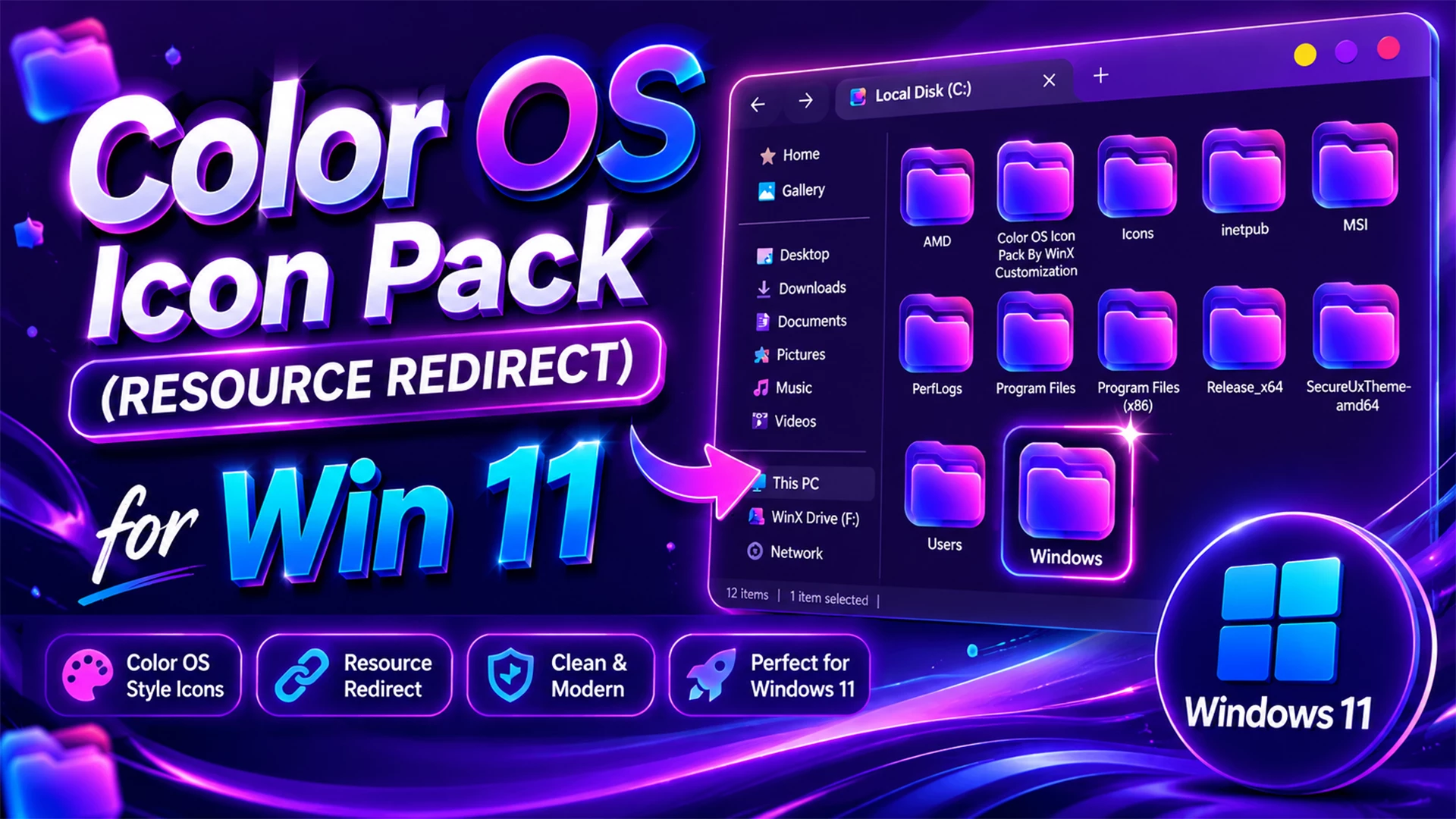
The ColorOS-Inspired Icon Pack gives Windows 11 a brighter and more playful visual direction without making the desktop difficult to use. The collection mixes glossy blue-magenta gradients with clean turquoise, purple, and multicolor accents, so common folders and system items feel more personal while remaining easy to recognize.
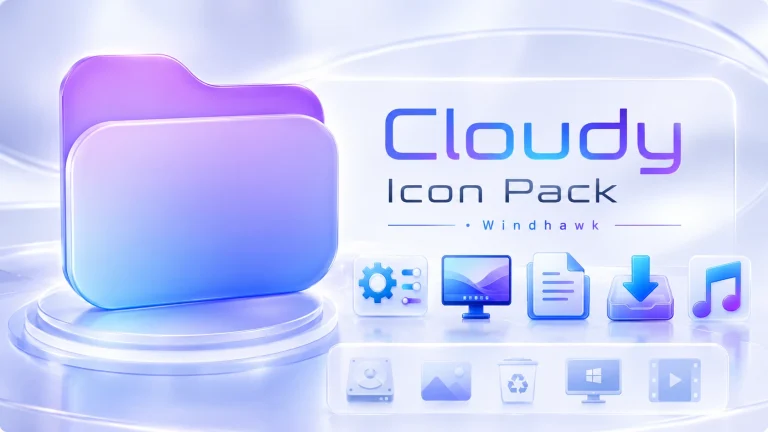
The most noticeable icons are the folders and drive resources. They use a luminous blue-to-pink surface, rounded corners, and a subtle glass-like highlight that stands out beautifully on dark wallpapers. The same glossy treatment appears on the folder stack and drive icons, helping File Explorer look more connected instead of using several unrelated styles.
This pack does not use one colour for everything. The Recycle Bin uses a fresh turquoise finish, the monitor icon is bright cyan, the music note carries a purple gradient, and the video icon combines a dark slate panel with a clear play symbol. There are also colorful document, picture, download, and utility-style icons, which makes the set feel lively without becoming confusing.
A Colorful Visual Style for Windows 11
The design is inspired by the colorful visual direction associated with ColorOS, but it has its own desktop-focused character. The smooth gradients, rounded forms, and glossy highlights can work especially well with glass taskbars, centered Start menus, dark wallpapers, purple accent colours, and modern Rainmeter layouts.
Some icons are deliberately more detailed than others. Folders and drives have a reflective, almost glass-panel look, while media and utility icons remain simpler so that they are easy to identify at smaller sizes. This balance helps the desktop look expressive without sacrificing everyday usability.
Icons You Will Notice in This Pack
- Glossy blue-magenta folder and folder-stack icons
- Matching drive icons with a reflective gradient finish
- Turquoise Recycle Bin icons
- Cyan monitor and display-style icons
- Purple music and download icons
- Video resources with a dark clapperboard and play symbol
- Colorful picture, document, and utility-style icons
- Additional system-style resources for a more consistent setup
Who Will Enjoy This Icon Pack?
This pack is a good choice for users who prefer a colorful desktop rather than a plain monochrome theme. It can fit a gaming setup, a creative workspace, or a simple daily-use desktop that needs a little more visual energy.
- Users who like blue, purple, pink, and turquoise gradients
- Fans of glossy, glass-inspired Windows customization
- Creators building a themed desktop for screenshots or videos
- Users who want File Explorer folders and media icons to look more distinctive
- Anyone pairing a dark wallpaper with colorful interface accents
Requirements
- Windows 11 Operating System
- Windhawk Installed
- Resource Redirect Mod Enabled
- Basic File Path Knowledge
Before Applying the Icon Pack
Create a system restore point before applying any third-party Windows customization. It gives you an additional recovery option if your current Windows build, another visual mod, or an existing theme does not work well with the icon pack.
It is also best to apply one customization at a time. If something looks different after a change, you will know exactly which tool or theme to check first.
How to Install the ColorOS-Inspired Icon Pack
- Download and install Windhawk.
- Open Windhawk, go to Mods, and install the Resource Redirect mod.
- Download the Color OS Icon Pack ZIP file and extract it to a folder on your computer.
- Copy the complete path of the extracted theme folder.
- Open Resource Redirect settings and paste the folder path into the appropriate theme or resource-path field.
- Save the changes, then restart Windows Explorer or clear the icon cache if some icons do not update immediately.
For a more detailed installation guide, you can also check:
What’s Included in the Pack?
- Color OS Icon Pack theme files for Resource Redirect
- Folder, drive, media, document, image, download, and utility-style icon resources included in this release
- A theme folder ready to configure through Resource Redirect settings
Disclaimer
This is an independent third-party customization pack inspired by ColorOS visual design. It is not an official OPPO, ColorOS, or Microsoft product and is not affiliated with, authorized, sponsored, approved, or endorsed by OPPO or Microsoft Corporation. This pack is provided solely for desktop customization and informational purposes and is intended for use with Resource Redirect. ColorOS and OPPO are trademarks of OPPO. Microsoft and Windows are trademarks of the Microsoft group of companies. All other trademarks are the property of their respective owners.
Color OS Icon Pack 9MB
DownloadFrequently Asked Questions
Is this an official ColorOS or OPPO icon pack?
No. This is an independent Windows customization pack that references ColorOS only to describe its visual inspiration. It is not made, supported, or distributed by OPPO.
Does this pack modify original Windows system files?
Resource Redirect is designed to apply compatible icon resources while the mod is active rather than replacing original Windows system files on disk. Creating a restore point is still recommended before using any third-party customization.
Why do some icons remain unchanged after applying the pack?
Windows may continue showing cached icons until File Explorer is restarted or the icon cache is refreshed. Some third-party applications also use their own icons, which are not always replaced by a system icon theme.
Can I return to my previous icons later?
Yes. Disable Resource Redirect or remove the icon pack folder path from the mod settings. You can also use the system restore point created before installation if needed.
Can I use the pack with other Windhawk mods?
Yes, if the mods are compatible. Apply changes one at a time so that any visual conflict is easier to identify and fix.
Final Thoughts
The ColorOS-Inspired Icon Pack is not just a purple-pink folder theme. Its glossy folders and drives, turquoise Recycle Bin, cyan monitor, purple media icons, and colorful utility resources give Windows 11 a more complete visual refresh.
If you want a desktop that feels brighter and more expressive while keeping common files and system locations easy to recognize, this pack can be a strong fit for a modern Windows 11 setup.