

Windows 7 Reloaded Start Menu Style
If you miss the classic look and feel of Windows 7, the Windows 7 Reloaded Start Menu Style Windhawk is one of the best customization options available for Windows 11

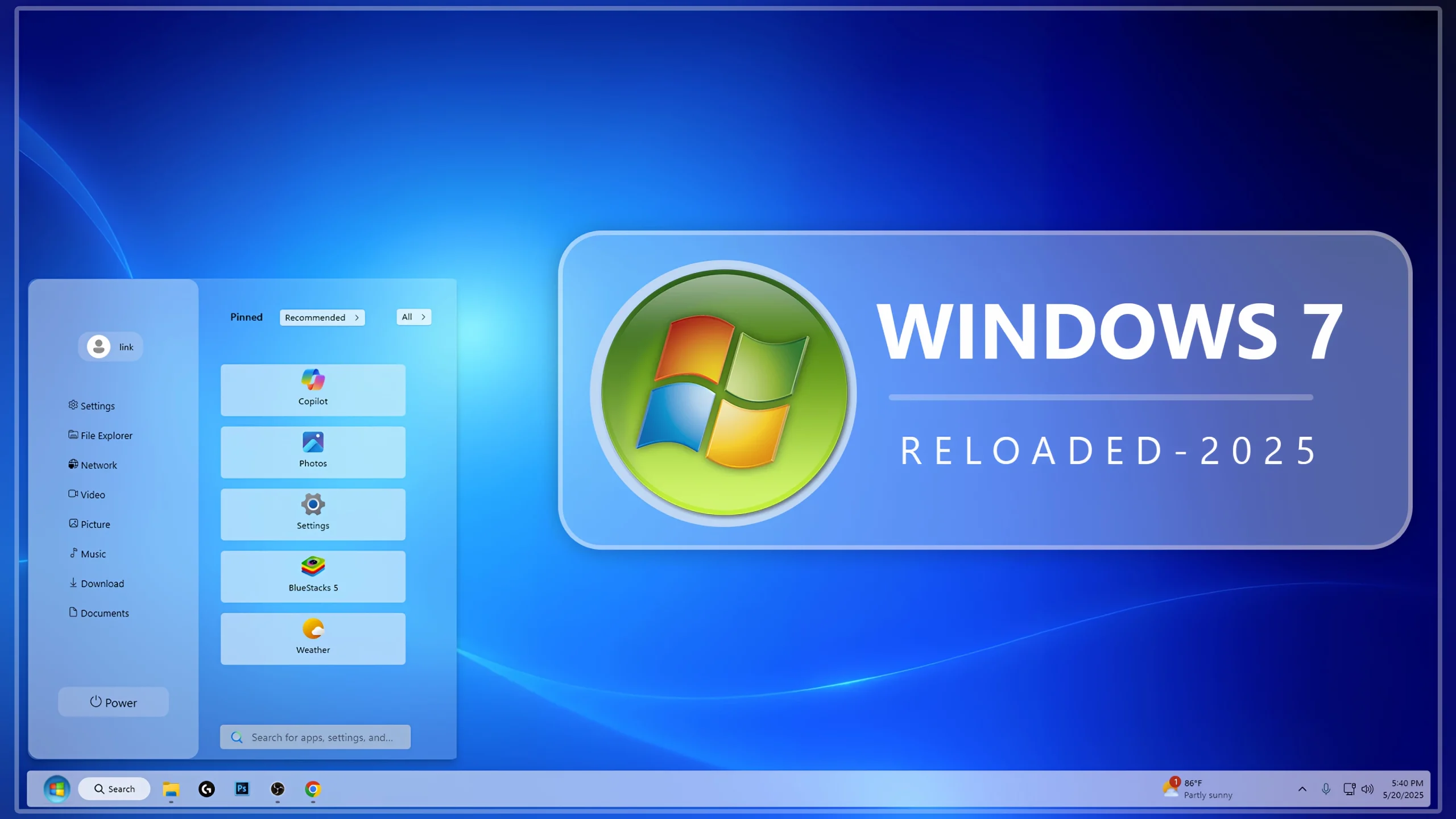
Windows 7 Reloaded Start Menu Style Windhawk for Windows 11
If you miss the classic look and feel of Windows 7, the Windows 7 Reloaded Start Menu Style Windhawk is one of the best customization options available for Windows 11. This stylish Start Menu design brings back the familiar Windows 7 experience while combining it with the modern performance and functionality of today’s operating system. Using Windhawk, users can completely transform the appearance of the Windows 11 Start Menu and enjoy a nostalgic desktop environment without sacrificing modern features.
The Windows 7 Reloaded Start Menu Style Windhawk recreates the iconic Start Menu layout that made Windows 7 one of Microsoft’s most popular operating systems. From the traditional menu structure to the clean visual design, this style is perfect for users who prefer simplicity, productivity, and a timeless user interface.
Why Choose Windows 7 Reloaded Start Menu Style Windhawk?
Many Windows 11 users find the default Start Menu too modern or cluttered for their workflow. The Windows 7 Reloaded Start Menu Style Windhawk offers a familiar and efficient alternative. It restores the classic Start Menu experience while maintaining compatibility with Windows 11.
- Classic Windows 7-inspired design
- Clean and organized application layout
- Faster access to programs and folders
- Improved desktop productivity
- Seamless integration with Windhawk
- Lightweight and performance-friendly
- Easy installation and customization
For users who appreciate the traditional Windows interface, this Start Menu style delivers the perfect balance between nostalgia and modern functionality.
Features of Windows 7 Reloaded Start Menu Style Windhawk
Classic Start Menu Layout
The design closely follows the original Windows 7 Start Menu structure. Applications, shortcuts, and system options are organized in a familiar format, making navigation easier for long-time Windows users.
Modern Performance
Although inspired by Windows 7, this Start Menu style is optimized for Windows 11. Users can enjoy smooth animations, responsive controls, and excellent system compatibility.
Improved User Experience
The Windows 7 Reloaded Start Menu Style Windhawk focuses on usability. Frequently used applications are easier to access, helping users save valuable time during everyday tasks.
Customizable Appearance
Windhawk allows users to personalize various elements of the Start Menu. You can adjust visual settings, transparency effects, layouts, and styling options to create a desktop that matches your preferences.
Lightweight Design
Unlike some heavy customization tools, the Windows 7 Reloaded Start Menu Style Windhawk is designed to be efficient and resource-friendly, ensuring smooth performance even on older systems.
Benefits of Using Windows 7 Reloaded Start Menu Style Windhawk
One of the biggest reasons users choose the Windows 7 Reloaded Start Menu Style Windhawk is the comfort of using a familiar interface. Many professionals, students, and PC enthusiasts grew accustomed to the Windows 7 Start Menu and still consider it one of Microsoft’s most successful designs.
- Familiar navigation experience
- Reduced learning curve
- Cleaner desktop appearance
- Enhanced productivity
- Better organization of applications
- Attractive retro-modern aesthetic
- Improved accessibility and usability
Whether you use your computer for gaming, work, content creation, or everyday browsing, this Start Menu style can help create a more efficient and enjoyable desktop environment.
- Windows 11 21H2: May work, but not recommended for the best experience
- 22H2 YES
- 22H3 YES
- 24H2 YES
- Windows 11 25H2: YES work, but test carefully after Windows updates
- Download & Install windhawk.
- install & Open the Windows 11 Start Menu Styler mod in Windhawk.
- Go to the “Advanced” tab.
- Copy the content below to the text box under “Mod settings” and click “Save”.
Windhwak Style 4KB
DownloadFinal Thoughts
The Windows 7 Reloaded Start Menu Style Windhawk is an excellent choice for Windows 11 users who want to bring back the classic Windows 7 experience. Combining nostalgia, functionality, and modern compatibility, it offers a polished Start Menu that enhances both appearance and usability.
If you’re looking for a clean, efficient, and visually appealing Start Menu replacement, the Windows 7 Reloaded Start Menu Style Windhawk is definitely worth trying. Its classic layout, lightweight performance, and extensive customization options make it one of the best Start Menu styles available for Windhawk users today.
It very nice
It good
Thank You !
Can Windows 14 light start manu be added to windows10 office 365?