

Amazing Lucent Start Menu & Taskbar Style (Windhawk)
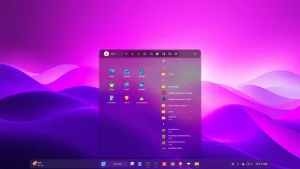
Lucent Start Menu & Taskbar Style (Windhawk) : Lucent Start Menu is a modern glass-style Start Menu & Taskbar customization for Windows 11 created using Windhawk. Featuring a smooth pink and purple gradient, soft blur effects, and rounded corners, it delivers a clean, vibrant, and premium desktop experience without modifying system files.

Lucent Start Menu & Taskbar Style (Windhawk) For Windows 11
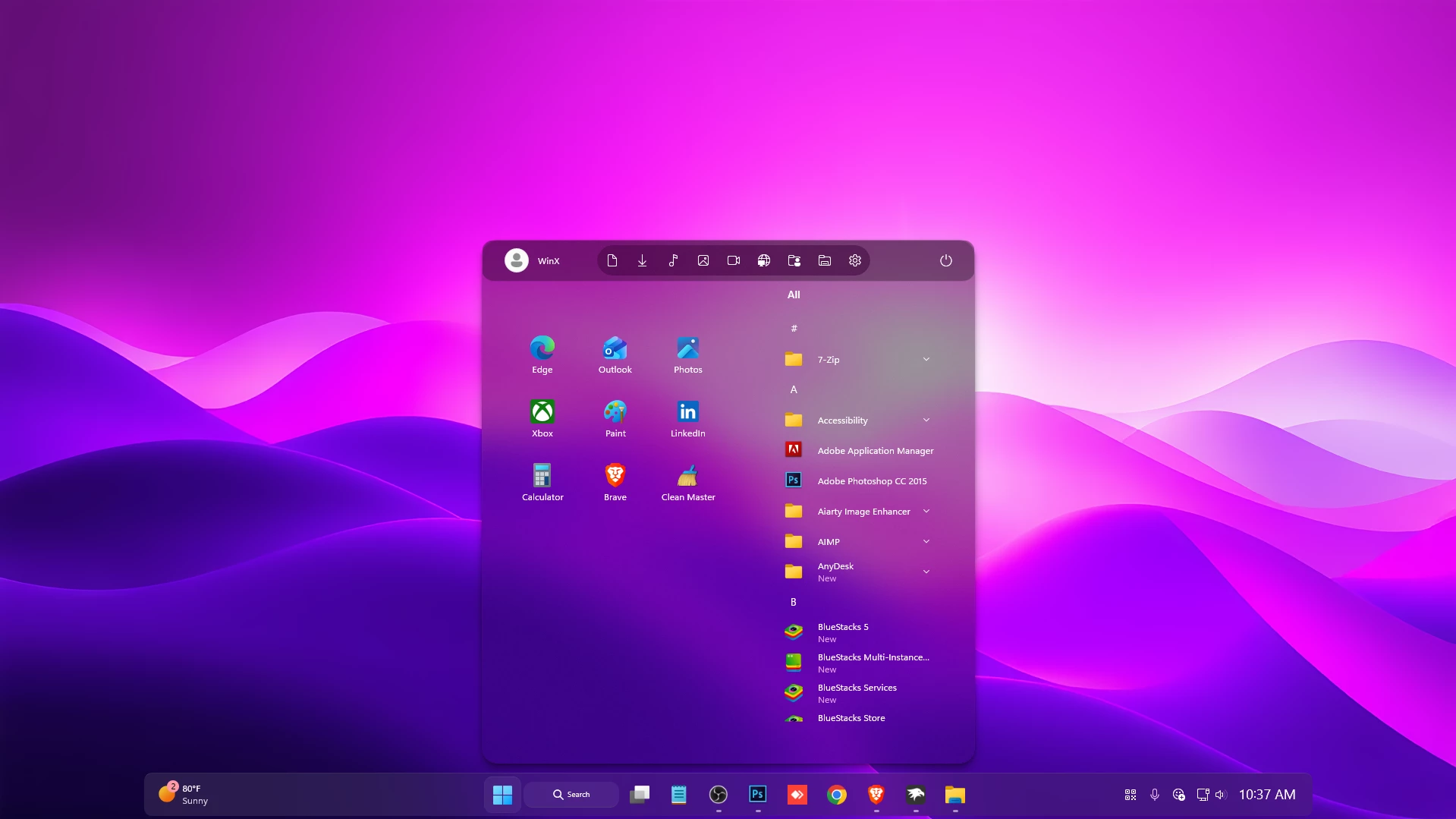
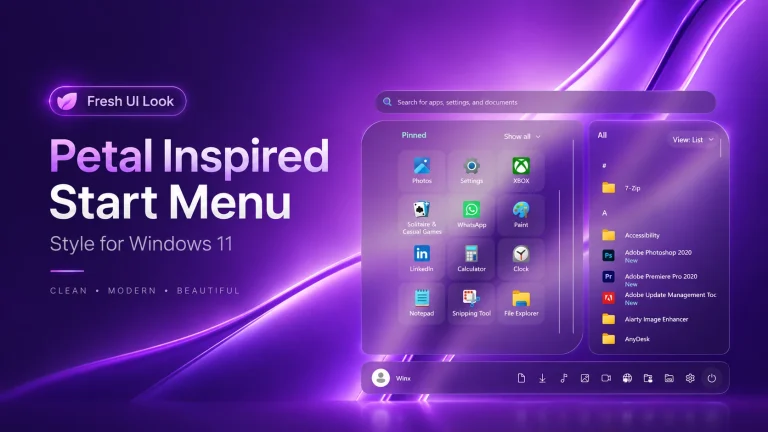
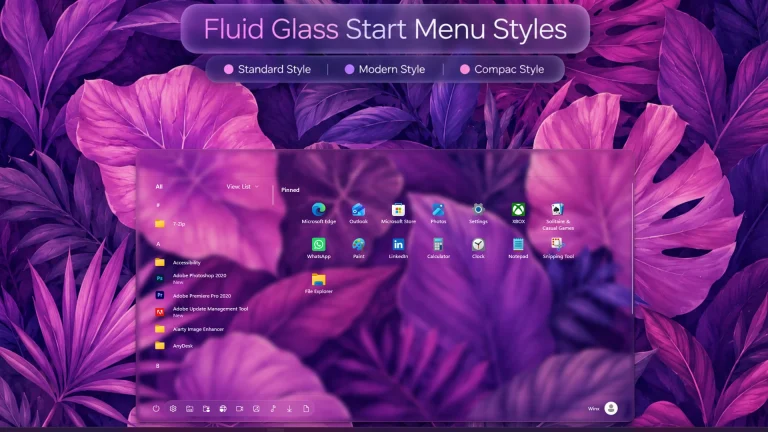
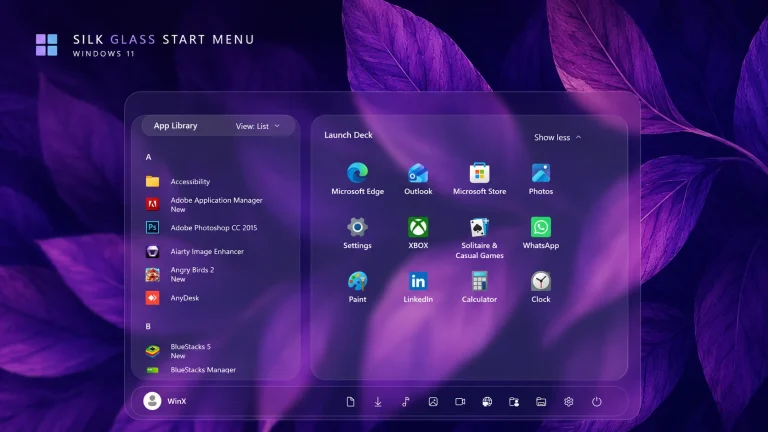
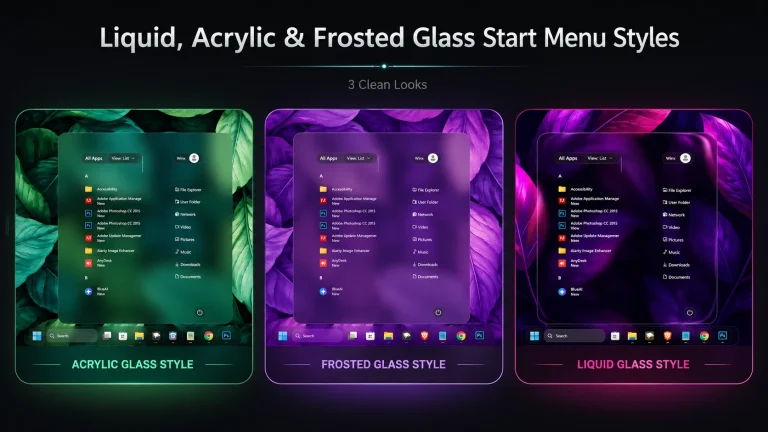
The Lucent Start Menu & Taskbar Style is a modern Windows 11 customization created with Windhawk, featuring a clean transparent interface with soft gradients and a minimal glass-inspired appearance. The pink and purple gradient background, rounded corners, and smooth transparency effects give the Start Menu a premium and elegant look while matching the Windows 11 design style.
The Start Menu features a well-organized layout with navigation buttons on the top panel, profile access, and shortcut icons. The fully transparent body with acrylic blur creates a lightweight glass effect while keeping apps and text clear. The customized Taskbar follows the same visual style with a centered layout, soft transparency, and a balanced modern appearance.
Created using Windhawk, the Lucent style customizes Windows 11 without modifying system files, allowing users to easily enable or disable the design whenever they want.
Features of Lucent Start Menu & Taskbar Style
- Modern transparent Start Menu design with acrylic blur effect
- Navigation buttons available on the top panel for quick access
- Fully transparent Start Menu body with a soft glass appearance
- Beautiful pink and purple gradient background design
- Clean rounded corners matching Windows 11 aesthetics
- Minimal and balanced Taskbar customization
- Centered Taskbar with a smooth translucent effect
- Created with Windhawk without modifying system files
Download Windhawk To Use The Style
Compatibility
- Windows 11 21H2: May work, but not recommended for the best experience
- Windows 11 22H2: May work, but compatibility can vary
- Windows 11 23H2: Recommended
- Windows 11 24H2: Recommended
- Windows 11 25H2: no
What is included in this?
- Windhawk Start Menu Mods
- Windhawk Taskbar Mods
- Wallpapers
Installation steps:
- Download & Install windhawk.
- install & Open the Windows 11 Start Menu Styler mod in Windhawk.
- Go to the “Advanced” tab.
- Copy the content below to the text box under “Mod settings” and click “Save”.
{ "theme": "", "disableNewStartMenuLayout": "newLayoutSideBySide", "controlStyles[0].target": "Grid#MainMenu", "controlStyles[0].styles[0]": "Width=650", "controlStyles[0].styles[1]": "MinWidth=650", "controlStyles[0].styles[2]": "MaxWidth=650", "controlStyles[1].target": "StartMenu.StartBlendedFlexFrame > Grid#FrameRoot", "controlStyles[1].styles[0]": "Height=690", "controlStyles[1].styles[1]": "MaxHeight=690", "controlStyles[2].target": "Border#AcrylicBorder", "controlStyles[2].styles[0]": "Background:=<AcrylicBrush TintColor=\"{ThemeResource CardStrokeColorDefaultSolid}\" FallbackColor=\"{ThemeResource CardStrokeColorDefaultSolid}\" TintOpacity=\"0\" TintLuminosityOpacity=\".45\" Opacity=\"1\"/>", "controlStyles[2].styles[1]": "BorderBrush:=<AcrylicBrush TintColor=\"{ThemeResource SurfaceStrokeColorDefault}\" FallbackColor=\"{ThemeResource SurfaceStrokeColorDefault}\" TintOpacity=\"0\" TintLuminosityOpacity=\"0\" Opacity=\"1\"/>", "controlStyles[2].styles[2]": "BorderThickness=1", "controlStyles[2].styles[3]": "CornerRadius=20", "controlStyles[2].styles[4]": "Margin=0", "controlStyles[3].target": "Border#AcrylicOverlay", "controlStyles[3].styles[0]": "Background=#50000000", "controlStyles[3].styles[1]": "Height=55", "controlStyles[3].styles[2]": "Width=650", "controlStyles[3].styles[3]": "VerticalAlignment=Top", "controlStyles[3].styles[4]": "HorizontalAlignment=Center", "controlStyles[3].styles[5]": "Margin=0", "controlStyles[3].styles[6]": "CornerRadius=16", "controlStyles[3].styles[7]": "IsHitTestVisible=False", "controlStyles[4].target": "Border#StartDropShadow", "controlStyles[4].styles[0]": "CornerRadius=20", "controlStyles[5].target": "StartMenu.SearchBoxToggleButton", "controlStyles[5].styles[0]": "Visibility=Collapsed", "controlStyles[5].styles[1]": "Height=0", "controlStyles[5].styles[2]": "MinHeight=0", "controlStyles[6].target": "Grid#SideBySidePinnedWrapper", "controlStyles[6].styles[0]": "ColumnDefinitions:=<ColumnDefinitionCollection><ColumnDefinition Width=\"370\"/><ColumnDefinition Width=\"*\"/></ColumnDefinitionCollection>", "controlStyles[7].target": "GridView#AllAppsGrid > Border > Grid#SideBySidePinnedWrapper > ScrollViewer#ScrollViewer", "controlStyles[7].styles[0]": "Grid.Column=1", "controlStyles[7].styles[1]": "MinWidth=0", "controlStyles[7].styles[2]": "HorizontalScrollMode=Disabled", "controlStyles[7].styles[3]": "HorizontalScrollBarVisibility=Disabled", "controlStyles[7].styles[4]": "VerticalScrollBarVisibility=Auto", "controlStyles[8].target": "ScrollViewer#SideBySidePinnedScrollViewer", "controlStyles[8].styles[0]": "Grid.Column=0", "controlStyles[8].styles[1]": "MinWidth=0", "controlStyles[8].styles[2]": "HorizontalScrollMode=Disabled", "controlStyles[8].styles[3]": "HorizontalScrollBarVisibility=Disabled", "controlStyles[8].styles[4]": "VerticalScrollBarVisibility=Auto", "controlStyles[9].target": "Grid#SideBySidePinnedContent", "controlStyles[9].styles[0]": "RowDefinitions:=<RowDefinitionCollection><RowDefinition Height=\"0\"/><RowDefinition Height=\"Auto\"/><RowDefinition Height=\"0\"/></RowDefinitionCollection>", "controlStyles[9].styles[1]": "Margin=0,30,0,12", "controlStyles[9].styles[2]": "MinWidth=0", "controlStyles[10].target": "Grid#PinnedListHeaderGrid", "controlStyles[10].styles[0]": "Visibility=Collapsed", "controlStyles[11].target": "TextBlock#PinnedListHeaderText", "controlStyles[11].styles[0]": "Visibility=Collapsed", "controlStyles[12].target": "Grid#ShowMorePinnedGrid", "controlStyles[12].styles[0]": "Visibility=Collapsed", "controlStyles[13].target": "StartMenu.PinnedList#StartMenuPinnedList", "controlStyles[13].styles[0]": "Grid.Row=1", "controlStyles[13].styles[1]": "Width=324", "controlStyles[13].styles[2]": "MinWidth=0", "controlStyles[13].styles[3]": "MaxWidth=324", "controlStyles[13].styles[4]": "Height=500", "controlStyles[13].styles[5]": "MinHeight=500", "controlStyles[13].styles[6]": "MaxHeight=500", "controlStyles[13].styles[7]": "HorizontalAlignment=Center", "controlStyles[13].styles[8]": "Margin=0", "controlStyles[14].target": "StartMenu.PinnedList#StartMenuPinnedList > Grid#Root", "controlStyles[14].styles[0]": "MinWidth=0", "controlStyles[14].styles[1]": "MaxWidth=324", "controlStyles[14].styles[2]": "MinHeight=500", "controlStyles[14].styles[3]": "MaxHeight=500", "controlStyles[14].styles[4]": "Padding=0", "controlStyles[15].target": "StartMenu.PinnedList#StartMenuPinnedList > Grid#Root > GridView#PinnedList", "controlStyles[15].styles[0]": "MinWidth=0", "controlStyles[15].styles[1]": "MaxWidth=324", "controlStyles[15].styles[2]": "Padding=0", "controlStyles[16].target": "GridView#PinnedList > Border > ScrollViewer#ScrollViewer", "controlStyles[16].styles[0]": "VerticalScrollMode=Enabled", "controlStyles[16].styles[1]": "VerticalScrollBarVisibility=Auto", "controlStyles[16].styles[2]": "HorizontalScrollMode=Disabled", "controlStyles[16].styles[3]": "HorizontalScrollBarVisibility=Disabled", "controlStyles[16].styles[4]": "MaxHeight=500", "controlStyles[17].target": "GridView#PinnedList > Border > ScrollViewer#ScrollViewer > Border#Root > Grid > ScrollContentPresenter#ScrollContentPresenter > ItemsPresenter > ItemsWrapGrid", "controlStyles[17].styles[0]": "MaximumRowsOrColumns=3", "controlStyles[17].styles[1]": "Orientation=Horizontal", "controlStyles[17].styles[2]": "ItemWidth=96", "controlStyles[17].styles[3]": "ItemHeight=84", "controlStyles[17].styles[4]": "HorizontalAlignment=Left", "controlStyles[17].styles[5]": "Margin=0", "controlStyles[18].target": "GridView#PinnedList > Border > ScrollViewer#ScrollViewer > Border#Root > Grid > ScrollContentPresenter#ScrollContentPresenter > ItemsPresenter > ItemsWrapGrid > GridViewItem", "controlStyles[18].styles[0]": "Width=92", "controlStyles[18].styles[1]": "Height=80", "controlStyles[18].styles[2]": "MinWidth=0", "controlStyles[18].styles[3]": "MinHeight=0", "controlStyles[18].styles[4]": "Margin=2", "controlStyles[18].styles[5]": "Padding=0", "controlStyles[19].target": "GridView#PinnedList > Border > ScrollViewer#ScrollViewer > Border#Root > Grid > ScrollContentPresenter#ScrollContentPresenter > ItemsPresenter > ItemsWrapGrid > GridViewItem > Border#ContentBorder@CommonStates > Grid#DroppedFlickerWorkaroundWrapper > Border#BackgroundBorder", "controlStyles[19].styles[0]": "CornerRadius=8", "controlStyles[19].styles[1]": "Background@Normal=Transparent", "controlStyles[19].styles[2]": "Background@PointerOver=#20ffffff", "controlStyles[19].styles[3]": "Background@Pressed=#30ffffff", "controlStyles[20].target": "GridView#PinnedList > Border > ScrollViewer#ScrollViewer > Border#Root > Grid > ScrollContentPresenter#ScrollContentPresenter > ItemsPresenter > ItemsWrapGrid > GridViewItem > Border#ContentBorder@CommonStates", "controlStyles[20].styles[0]": "CornerRadius=4", "controlStyles[20].styles[1]": "FocusVisualPrimaryBrush:=<SolidColorBrush Color=\"#b3cefd\" Opacity=\".10\"/>", "controlStyles[21].target": "StartMenu.PinnedListTile", "controlStyles[21].styles[0]": "Width=92", "controlStyles[21].styles[1]": "Height=80", "controlStyles[22].target": "StartMenu.PinnedListTile > Grid#Root > Grid#LogoContainer", "controlStyles[22].styles[0]": "Margin=0,8,0,0", "controlStyles[23].target": "StartMenu.PinnedListTile > Grid#Root > Grid#DisplayNameAndDownloadIconContainer", "controlStyles[23].styles[0]": "MaxWidth=88", "controlStyles[23].styles[1]": "HorizontalAlignment=Center", "controlStyles[24].target": "StartMenu.PinnedListTile > Grid#Root > Grid#DisplayNameAndDownloadIconContainer > TextBlock#DisplayName", "controlStyles[24].styles[0]": "FontSize=12", "controlStyles[24].styles[1]": "TextAlignment=Center", "controlStyles[25].target": "Grid#TopLevelSuggestionsRoot", "controlStyles[25].styles[0]": "Visibility=Collapsed", "controlStyles[26].target": "Grid#ShowMoreSuggestions", "controlStyles[26].styles[0]": "Visibility=Collapsed", "controlStyles[27].target": "Grid#NoTopLevelSuggestionsText", "controlStyles[27].styles[0]": "Visibility=Collapsed", "controlStyles[28].target": "Grid#TopLevelSuggestionsContainer", "controlStyles[28].styles[0]": "Visibility=Collapsed", "controlStyles[29].target": "StartMenu.StartMenuCompanion#RightCompanion", "controlStyles[29].styles[0]": "Visibility=Collapsed", "controlStyles[30].target": "Windows.UI.Xaml.Controls.Primitives.ToggleButton#ShowHideCompanion", "controlStyles[30].styles[0]": "Visibility=Collapsed", "controlStyles[31].target": "Grid#AllListHeading", "controlStyles[31].styles[0]": "Width=280", "controlStyles[31].styles[1]": "HorizontalAlignment=Right", "controlStyles[31].styles[2]": "Margin=0,0,0,8", "controlStyles[32].target": "Grid#AllListHeading > TextBlock#AllListHeadingText", "controlStyles[32].styles[0]": "Text=All", "controlStyles[32].styles[1]": "Margin=30,6,12,7", "controlStyles[32].styles[2]": "FontSize=13", "controlStyles[33].target": "Grid#AllListHeading > Microsoft.UI.Xaml.Controls.DropDownButton#ViewSelectionButton", "controlStyles[33].styles[0]": "Visibility=Collapsed", "controlStyles[34].target": "Grid#SideBySidePinnedWrapper > ScrollViewer > Border#Root > Grid > ScrollContentPresenter > ItemsPresenter > ItemsWrapGrid", "controlStyles[34].styles[0]": "Margin=24,0,20,14", "controlStyles[34].styles[1]": "MaximumRowsOrColumns=1", "controlStyles[34].styles[2]": "Orientation=Horizontal", "controlStyles[35].target": "Grid#NavPanePlaceholder", "controlStyles[35].styles[0]": "Height=662", "controlStyles[35].styles[1]": "MinHeight=0", "controlStyles[35].styles[2]": "MaxHeight=662", "controlStyles[35].styles[3]": "Margin=0,-602,0,0", "controlStyles[35].styles[4]": "VerticalAlignment=Bottom", "controlStyles[35].styles[5]": "Background:=", "controlStyles[35].styles[6]": "Canvas.ZIndex=10", "controlStyles[36].target": "StartDocked.NavigationPaneView", "controlStyles[36].styles[0]": "Height=662", "controlStyles[36].styles[1]": "MinHeight=0", "controlStyles[36].styles[2]": "MaxHeight=662", "controlStyles[36].styles[3]": "Margin=0", "controlStyles[36].styles[4]": "Background:=", "controlStyles[36].styles[5]": "VerticalAlignment=Stretch", "controlStyles[37].target": "StartDocked.NavigationPaneView > Grid#RootPanel", "controlStyles[37].styles[0]": "Height=662", "controlStyles[37].styles[1]": "Background:=", "controlStyles[37].styles[2]": "RowDefinitions:=<RowDefinitionCollection><RowDefinition Height=\"55\"/><RowDefinition Height=\"*\"/></RowDefinitionCollection>", "controlStyles[37].styles[3]": "ColumnDefinitions:=<ColumnDefinitionCollection><ColumnDefinition Width=\"140\"/><ColumnDefinition Width=\"*\"/><ColumnDefinition Width=\"64\"/></ColumnDefinitionCollection>", "controlStyles[37].styles[4]": "FlowDirection=LeftToRight", "controlStyles[38].target": "StartDocked.UserTileView", "controlStyles[38].styles[0]": "Grid.Row=0", "controlStyles[38].styles[1]": "Grid.Column=0", "controlStyles[38].styles[2]": "Grid.ColumnSpan=1", "controlStyles[38].styles[3]": "MaxWidth=136", "controlStyles[38].styles[4]": "HorizontalAlignment=Left", "controlStyles[38].styles[5]": "VerticalAlignment=Center", "controlStyles[38].styles[6]": "Margin=16,0,0,0", "controlStyles[39].target": "StartDocked.PowerOptionsView", "controlStyles[39].styles[0]": "Grid.Row=0", "controlStyles[39].styles[1]": "Grid.Column=2", "controlStyles[39].styles[2]": "Grid.ColumnSpan=1", "controlStyles[39].styles[3]": "HorizontalAlignment=Center", "controlStyles[39].styles[4]": "VerticalAlignment=Center", "controlStyles[39].styles[5]": "Margin=0", "controlStyles[40].target": "StartDocked.AppListView#NavigationPanePlacesListView", "controlStyles[40].styles[0]": "Grid.Row=0", "controlStyles[40].styles[1]": "Grid.Column=1", "controlStyles[40].styles[2]": "Grid.ColumnSpan=1", "controlStyles[40].styles[3]": "Width=360", "controlStyles[40].styles[4]": "MinWidth=0", "controlStyles[40].styles[5]": "Height=40", "controlStyles[40].styles[6]": "HorizontalAlignment=Left", "controlStyles[40].styles[7]": "VerticalAlignment=Center", "controlStyles[40].styles[8]": "Margin=10,0,0,0", "controlStyles[40].styles[9]": "Padding=0", "controlStyles[40].styles[10]": "ItemsPanel:=<ItemsPanelTemplate><ItemsStackPanel Orientation=\"Horizontal\"/></ItemsPanelTemplate>", "controlStyles[41].target": "StartDocked.AppListView#NavigationPanePlacesListView > Border > ScrollViewer", "controlStyles[41].styles[0]": "HorizontalScrollMode=Enabled", "controlStyles[41].styles[1]": "HorizontalScrollBarVisibility=Hidden", "controlStyles[41].styles[2]": "VerticalScrollMode=Disabled", "controlStyles[41].styles[3]": "VerticalScrollBarVisibility=Disabled", "controlStyles[42].target": "StartDocked.AppListViewItem", "controlStyles[42].styles[0]": "Width=40", "controlStyles[42].styles[1]": "MinWidth=0", "controlStyles[42].styles[2]": "Height=40", "controlStyles[42].styles[3]": "MinHeight=0", "controlStyles[42].styles[4]": "Margin=0", "controlStyles[42].styles[5]": "Padding=0", "controlStyles[43].target": "StartDocked.AppListViewItem > Grid > ContentPresenter", "controlStyles[43].styles[0]": "HorizontalAlignment=Center", "controlStyles[43].styles[1]": "VerticalAlignment=Center", "controlStyles[43].styles[2]": "Margin=0", "controlStyles[44].target": "StartDocked.AppListView#NavigationPanePlacesListView > Border", "controlStyles[44].styles[0]": "Background:=<AcrylicBrush TintColor=\"{ThemeResource CardStrokeColorDefaultSolid}\" FallbackColor=\"{ThemeResource CardStrokeColorDefaultSolid}\" TintOpacity=\"0\" TintLuminosityOpacity=\".55\" Opacity=\"1\"/>", "controlStyles[44].styles[1]": "CornerRadius=20", "controlStyles[3].styles[8]": "RenderTransform:=<TranslateTransform Y=\"-64\"/>"}{ "controlStyles[0].target": "Taskbar.TaskbarFrame#TaskbarFrame", "controlStyles[0].styles[1]": "HorizontalAlignment=Auto", "controlStyles[0].styles[2]": "Width=Auto", "controlStyles[0].styles[0]": "MaxWidth:=1600", "controlStyles[0].styles[3]": "MinWidth:=1600", "controlStyles[1].target": "Taskbar.TaskbarFrame#TaskbarFrame > Grid#RootGrid", "controlStyles[1].styles[0]": "Margin=30,0,30,5", "controlStyles[1].styles[1]": "BorderThickness=$BorderThickness", "controlStyles[1].styles[2]": "BorderBrush:=$BorderBrush", "controlStyles[1].styles[3]": "CornerRadius=$CornerRadius", "controlStyles[1].styles[4]": "Background:=<AcrylicBrush TintColor=\"{ThemeResource CardStrokeColorDefaultSolid}\" FallbackColor=\"{ThemeResource CardStrokeColorDefaultSolid}\" TintOpacity=\"0\" TintLuminosityOpacity=\".55\" Opacity=\"1\"/>", "controlStyles[2].target": "Rectangle#BackgroundFill", "controlStyles[2].styles[0]": "Visibility=Visible", "controlStyles[2].styles[1]": "Fill:=$Background", "controlStyles[3].target": "Rectangle#BackgroundStroke", "controlStyles[3].styles[0]": "Visibility=Collapsed", "controlStyles[4].target": "Taskbar.AugmentedEntryPointButton#AugmentedEntryPointButton > Taskbar.TaskListButtonPanel#ExperienceToggleButtonRootPanel", "controlStyles[4].styles[0]": "Margin=4", "controlStyles[4].styles[1]": "Background:=$ElementBGG", "controlStyles[4].styles[2]": "CornerRadius=10", "controlStyles[5].target": "Grid#SystemTrayFrameGrid", "controlStyles[5].styles[0]": "Margin=0,0,-250,0", "controlStyles[5].styles[1]": "RenderTransform:=<TranslateTransform X=\"-435\" Y=\"-2\"/>", "controlStyles[5].styles[2]": "Padding=10", "controlStyles[5].styles[3]": "Background:=$ElementBGG", "controlStyles[5].styles[4]": "CornerRadius=10", "controlStyles[6].target": "SystemTray.ChevronIconView", "controlStyles[6].styles[0]": "Padding=$TrayPadding", "controlStyles[6].styles[1]": "CornerRadius=10", "controlStyles[7].target": "SystemTray.NotifyIconView#NotifyItemIcon", "controlStyles[7].styles[0]": "Padding=$TrayPadding", "controlStyles[7].styles[1]": "CornerRadius=10", "controlStyles[8].target": "SystemTray.OmniButton", "controlStyles[8].styles[0]": "Padding=$TrayPadding", "controlStyles[8].styles[1]": "CornerRadius=10", "controlStyles[9].target": "SystemTray.CopilotIcon", "controlStyles[9].styles[0]": "Padding=$TrayPadding", "controlStyles[10].target": "SystemTray.OmniButton#NotificationCenterButton > Grid > ContentPresenter > ItemsPresenter > StackPanel > ContentPresenter > systemtray:IconView#SystemTrayIcon > Grid", "controlStyles[10].styles[0]": "Padding=$TrayPadding", "controlStyles[11].target": "SystemTray.IconView#SystemTrayIcon > Grid#ContainerGrid > ContentPresenter#ContentPresenter > Grid#ContentGrid > SystemTray.TextIconContent > Grid#ContainerGrid", "controlStyles[11].styles[0]": "Padding=0", "controlStyles[11].styles[1]": "CornerRadius=10", "controlStyles[12].target": "SystemTray.StackListView#IconStack > ItemsPresenter > StackPanel > ContentPresenter > SystemTray.IconView#SystemTrayIcon", "controlStyles[12].styles[0]": "Padding=0", "controlStyles[13].target": "SystemTray.Stack#ShowDesktopStack", "controlStyles[13].styles[0]": "Visibility=Visible", "controlStyles[14].target": "Taskbar.Gripper#GripperControl", "controlStyles[14].styles[0]": "Width=Auto", "controlStyles[14].styles[1]": "MinWidth=24", "controlStyles[15].target": "Windows.UI.Xaml.Controls.Grid#AugmentedEntryPointContentGrid", "controlStyles[15].styles[0]": "Margin=4,0,0,0", "controlStyles[15].styles[1]": "HorizontalAlignment=Left", "controlStyles[16].target": "TextBlock#TimeInnerTextBlock", "controlStyles[16].styles[0]": "FontSize=18", "controlStyles[16].styles[1]": "FontFamily=Quantico", "controlStyles[16].styles[2]": "Margin=0", "controlStyles[16].styles[3]": "Padding=0", "controlStyles[16].styles[4]": "RenderTransform:=<TranslateTransform X=\"0\" Y=\"1\" />", "controlStyles[17].target": "TextBlock#DateInnerTextBlock", "controlStyles[17].styles[0]": "Visibility=Collapsed", "controlStyles[17].styles[1]": "RenderTransform:=<TranslateTransform X=\"0\" Y=\"-9\" />", "controlStyles[17].styles[2]": "FontSize=11", "controlStyles[17].styles[3]": "FontFamily=vivo Sans EN VF", "controlStyles[18].target": "TextBlock#InnerTextBlock[Text=]", "controlStyles[18].styles[0]": "Text=", "controlStyles[19].target": "Windows.UI.Xaml.Controls.Grid#ConfirmatorMainGrid", "controlStyles[19].styles[0]": "CornerRadius=22", "controlStyles[19].styles[1]": "BorderThickness=$BorderThickness", "controlStyles[19].styles[2]": "BorderBrush:=$BorderBrush", "controlStyles[19].styles[3]": "Background:=$Background", "controlStyles[20].target": "TextBlock#SearchBoxTextBlock", "controlStyles[20].styles[0]": "Text=Search ", "controlStyles[20].styles[1]": "FontSize=10", "controlStyles[20].styles[2]": "FontFamily=vivo Sans EN VF", "controlStyles[21].target": "SystemTray.OmniButton#NotificationCenterButton > Grid > ContentPresenter > ItemsPresenter > StackPanel > ContentPresenter > SystemTray.IconView#SystemTrayIcon > Grid > Grid > SystemTray.TextIconContent", "controlStyles[21].styles[0]": "Visibility=Visible", "controlStyles[22].target": "Windows.UI.Xaml.Controls.Button", "controlStyles[22].styles[0]": "BorderThickness=$BorderThickness", "controlStyles[23].target": "Windows.UI.Xaml.Controls.Border#OverflowFlyoutBackgroundBorder", "controlStyles[23].styles[0]": "BorderThickness=$BorderThickness", "controlStyles[23].styles[1]": "BorderBrush:=$BorderBrush", "controlStyles[23].styles[2]": "Background:=$Background", "controlStyles[23].styles[3]": "CornerRadius=$CornerRadius", "controlStyles[24].target": "Windows.UI.Xaml.Controls.Grid#ModalRootGrid > Windows.UI.Xaml.Controls.Border#BackgroundElement", "controlStyles[24].styles[0]": "BorderThickness=$BorderThickness", "controlStyles[24].styles[1]": "BorderBrush:=$BorderBrush", "controlStyles[24].styles[2]": "Background:=$Background", "controlStyles[24].styles[3]": "CornerRadius=20", "controlStyles[25].target": "WindowsInternal.ComposableShell.Experiences.Switcher.VirtualDesktopBarElement#VirtualDesktopBar", "controlStyles[25].styles[0]": "Width=1000", "controlStyles[25].styles[1]": "Visibility=Collapsed", "controlStyles[25].styles[2]": "RenderTransform:=<TranslateTransform X=\"0\" Y=\"60\" />", "controlStyles[25].styles[3]": "CornerRadius=$CornerRadius", "controlStyles[26].target": "Windows.UI.Xaml.Controls.Border#BackgroundDimmingLayer", "controlStyles[26].styles[0]": "Background:=$Background", "controlStyles[27].target": "Taskbar.TaskListButtonPanel#ExperienceToggleButtonRootPanel > Windows.UI.Xaml.Controls.Border#BackgroundElement", "controlStyles[27].styles[0]": "CornerRadius=10", "controlStyles[28].target": "Taskbar.TaskListButton#TaskListButton", "controlStyles[28].styles[0]": "CornerRadius=10", "controlStyles[29].target": "Windows.UI.Xaml.Controls.Border#SnapBarBorder", "controlStyles[29].styles[0]": "Background:=$Background", "controlStyles[29].styles[1]": "BorderBrush:=$BorderBrush", "controlStyles[29].styles[2]": "CornerRadius=$CornerRadius", "controlStyles[29].styles[3]": "BorderThickness=$BorderThickness", "controlStyles[29].styles[4]": "RenderTransform:=<TranslateTransform X=\"0\" Y=\"10\" />", "controlStyles[29].styles[5]": "Margin=0,0,0,-10", "controlStyles[30].target": "Windows.UI.Xaml.Controls.Border#SnapPickerBorder", "controlStyles[30].styles[0]": "Background:=$Background", "controlStyles[30].styles[1]": "BorderBrush:=$BorderBrush", "controlStyles[30].styles[2]": "CornerRadius=$CornerRadius", "controlStyles[30].styles[3]": "BorderThickness=$BorderThickness", "controlStyles[31].target": "Windows.UI.Xaml.Controls.Border#SearchPillBackgroundElement", "controlStyles[31].styles[0]": "BorderBrush:=$ElementBorderBrush", "controlStyles[31].styles[1]": "CornerRadius=$ElementCornerRadius", "controlStyles[31].styles[2]": "BorderThickness=$ElementBorderThickness", "controlStyles[31].styles[3]": "Margin=0", "controlStyles[32].target": "Taskbar.TaskbarExtensionElement", "controlStyles[32].styles[0]": "RenderTransform:=<TranslateTransform X=\"0\" Y=\"0\" />", "controlStyles[33].target": "Taskbar.TaskListButtonPanel#ExperienceToggleButtonRootPanel", "controlStyles[33].styles[0]": "RenderTransform:=<TranslateTransform X=\"0\" Y=\"0\" />", "controlStyles[34].target": "Windows.UI.Xaml.Controls.ToolTip > Windows.UI.Xaml.Controls.ContentPresenter#LayoutRoot", "controlStyles[34].styles[0]": "Background:=$Background", "controlStyles[34].styles[1]": "BorderBrush:=$BorderBrush", "controlStyles[34].styles[2]": "BorderThickness:=$BorderThickness", "controlStyles[34].styles[3]": "CornerRadius=12", "controlStyles[35].target": "SearchUx.SearchUI.SearchButtonControl", "controlStyles[35].styles[0]": "Width=130", "controlStyles[35].styles[1]": "Margin=-1,7,-1,7", "controlStyles[36].target": "WindowsInternal.ComposableShell.Experiences.Switcher.VirtualDesktopBarElement > Windows.UI.Xaml.Controls.Grid#GridElement > Windows.UI.Xaml.Controls.Border#VirtualDesktopSwitcherBackground", "controlStyles[36].styles[0]": "Background:=$Background", "controlStyles[36].styles[1]": "BorderBrush:=$BorderBrush", "controlStyles[36].styles[2]": "BorderThickness=$BorderThickness", "controlStyles[36].styles[3]": "CornerRadius=$CornerRadius", "styleConstants[0]": "Background=<WindhawkBlur BlurAmount=\"15\" TintColor=\"#20808080\"/>", "styleConstants[1]": "BorderBrush2=<LinearGradientBrush StartPoint=\"0,0\" EndPoint=\"0,1\"><GradientStop Color=\"{ThemeResource SystemChromeHighColor}\" Offset=\"0.0\" /><GradientStop Color=\"{ThemeResource SystemChromeLowColor}\" Offset=\"0.25\" /><GradientStop Color=\"{ThemeResource SystemChromeHighColor}\" Offset=\"1\" /></LinearGradientBrush>", "styleConstants[2]": "BorderThickness=0.3,1,0.3,0.3", "styleConstants[3]": "CornerRadius=10", "styleConstants[4]": "BorderBrush=<LinearGradientBrush StartPoint=\"0,0\" EndPoint=\"0,1\"><GradientStop Color=\"#50808080\" Offset=\"0.0\" /><GradientStop Color=\"#50404040\" Offset=\"0.25\" /><GradientStop Color=\"#50808080\" Offset=\"1\" /></LinearGradientBrush>", "styleConstants[5]": "Background2=<AcrylicBrush TintColor=\"{ThemeResource SystemChromeAltHighColor}\" TintOpacity=\"0.3\" FallbackColor=\"{ThemeResource SystemChromeAltHighColor}\" />", "styleConstants[6]": "TrayPadding=2", "styleConstants[7]": "ElementBG=<SolidColorBrush Color=\"{ThemeResource SystemChromeAltHighColor}\" Opacity=\"0.3\" />", "styleConstants[8]": "ElementBorderThickness=0.3,0.3,0.3,1", "styleConstants[9]": "ElementBorderBrush=<LinearGradientBrush StartPoint=\"0,0\" EndPoint=\"0,1\"><GradientStop Color=\"#50808080\" Offset=\"1\" /><GradientStop Color=\"#50606060\" Offset=\"0.15\" /></LinearGradientBrush>", "styleConstants[10]": "ElementCornerRadius=12", "resourceVariables[0].variableKey": "", "resourceVariables[0].value": "", "controlStyles[4].styles[3]": "HorizontalAlignment=Left", "controlStyles[5].styles[5]": "VerticalAlignment=Left"}{ "TaskbarHeight": 62, "IconSize": 26, "TaskbarButtonWidth": 52, "IconSizeSmall": 16, "TaskbarButtonWidthSmall": 32}You may also like


Disclaimer: All themes, visual styles, and concepts shared on this website are unofficial, fan-made creations built from imagination for customization purposes. We are not affiliated with, endorsed by, or sponsored by Microsoft or any other official brand.