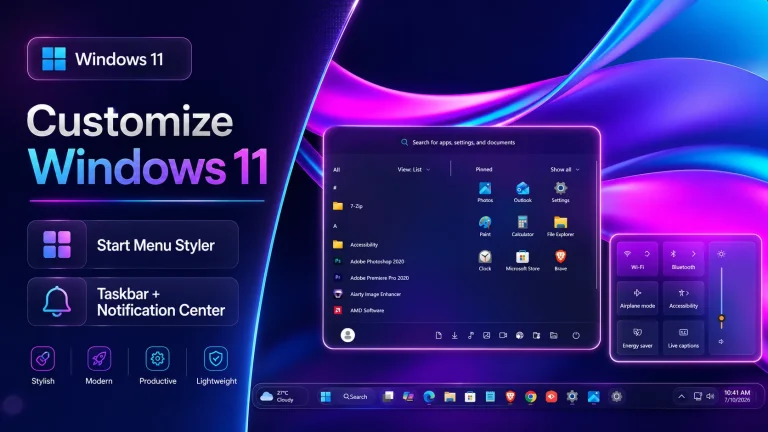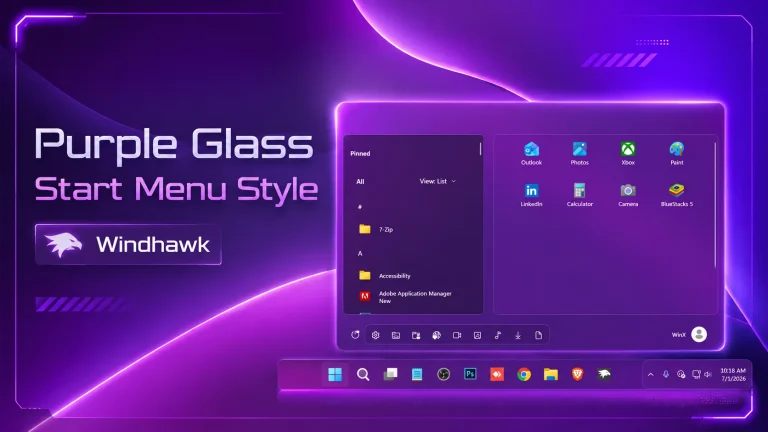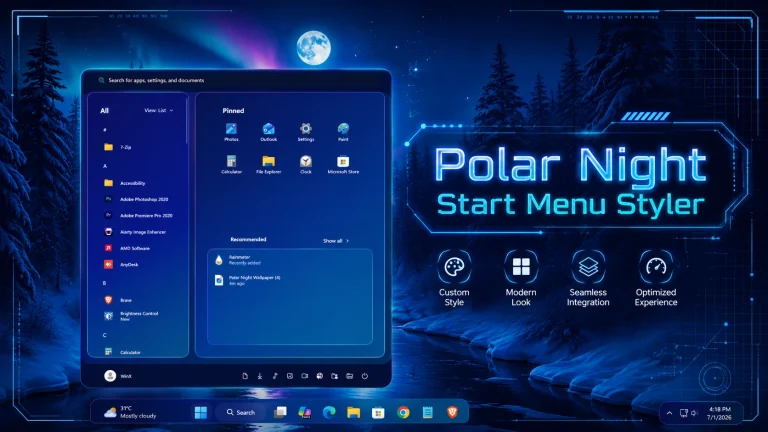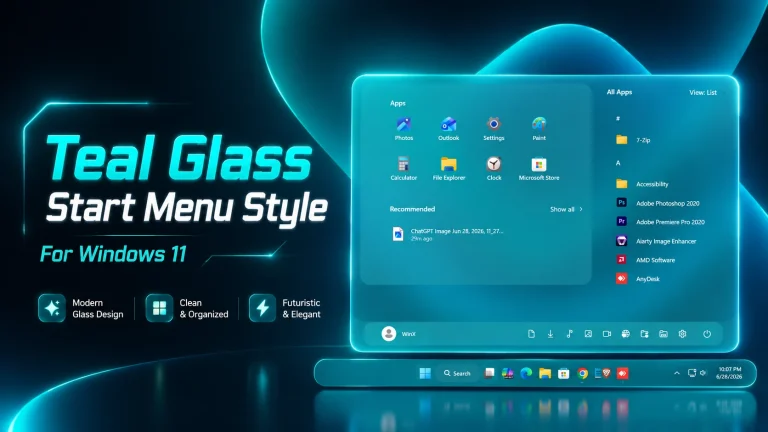
Windows 11 New Start Menu with Windhawk
Windows 11 New Start Menu with Windhawk:Upgrade your Windows 11 desktop with the New Start Menu powered by Windhawk, designed to bring modern aesthetics, enhanced usability, and total customization to your PC.

“`html
Windows 11 New Start Menu with Windhawk
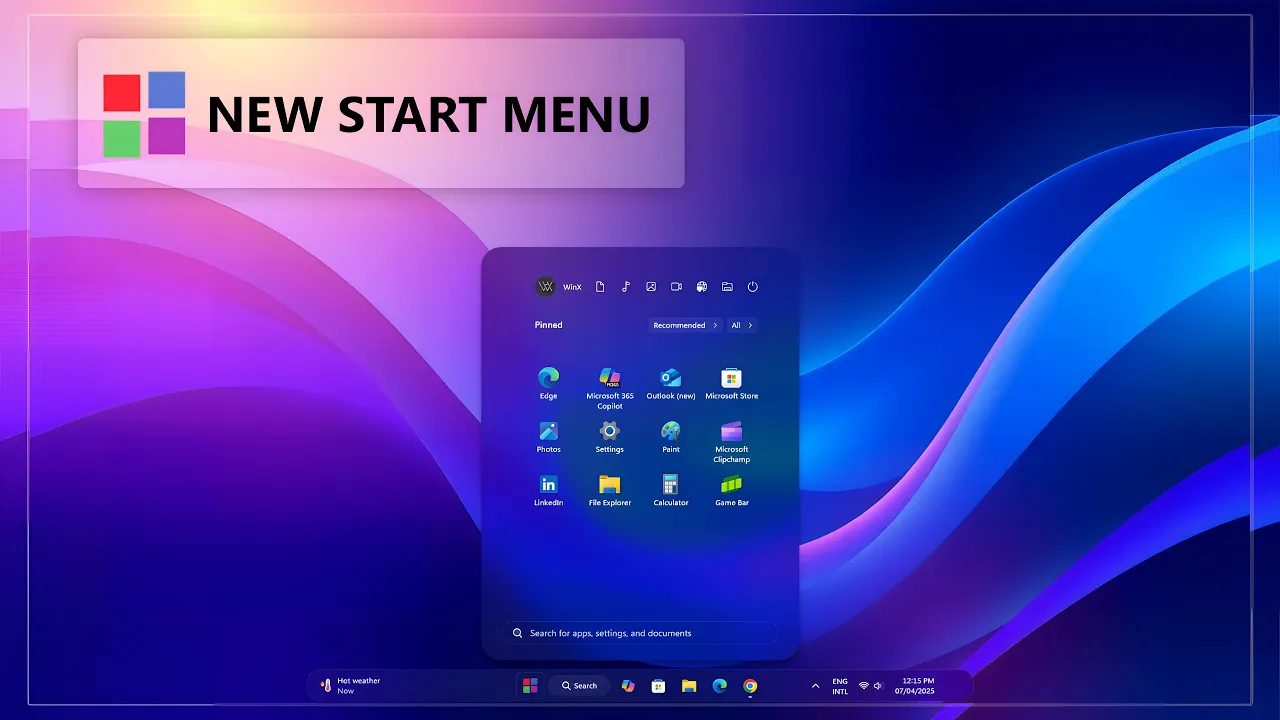
Windows 11 New Start Menu with Windhawk is a modern customization style created for users who want to refresh the look of their Windows 11 desktop. This style gives the default Start Menu a cleaner, smoother, and more stylish appearance while keeping the interface simple and easy to use.
If you like Windows customization and want your desktop to look more personal, this New Start Menu style can be a great choice. It is designed to improve the visual feel of Windows 11 with modern UI elements, rounded corners, soft transparency, and a more polished layout. The design looks clean without making the Start Menu complicated.
With the help of Windhawk, you can customize your Windows 11 Start Menu without using a heavy third-party launcher. This makes the setup lightweight and practical for everyday use. Whether you prefer a simple modern look or a more futuristic desktop setup, this style can blend nicely with your wallpaper, taskbar, and icon pack.
Modern Start Menu Design for Windows 11
The main purpose of this style is to give your Windows 11 Start Menu a fresh and updated look. The default Start Menu is simple, but many users want something more stylish and personalized. This Windhawk style helps you create a modern desktop environment with a better visual balance.
The layout is clean, the spacing feels comfortable, and the overall design looks more premium. It works well for users who enjoy minimal desktop setups, glass-style themes, and modern Windows UI customization.
Why Use This New Start Menu Style?
This Windows 11 New Start Menu style is useful for users who want a better-looking desktop without changing the entire operating system. It keeps the familiar Windows 11 experience but adds a modern touch through visual customization.
You can use this style for daily work, productivity setups, gaming desktops, or desktop showcase videos. It helps your PC look more attractive while keeping the Start Menu functional and easy to access.
Main Features
- Modern Start Menu style for Windows 11
- Clean and simple user interface
- Rounded corners and smooth visual design
- Lightweight Windhawk-based customization
- Works without heavy third-party launchers
- Suitable for minimal and modern desktop setups
- Includes wallpapers for a better matching look
- Easy to apply and customize
Windhawk Powered Customization
Windhawk is a popular Windows customization tool that allows users to modify different parts of the Windows interface. With Windhawk mods, you can adjust the Start Menu, taskbar, taskbar size, and other visual elements depending on the available mod settings.
This New Start Menu style is made to work with Windhawk, so you can apply the design in a simple way. It is a good option for users who want a clean Windows 11 customization experience without using too many extra programs.
Best For Desktop Customization Lovers
This style is especially useful for people who enjoy creating beautiful Windows desktop setups. You can combine it with matching wallpapers, icon packs, transparent taskbar styles, and modern themes to create a complete Windows 11 transformation.
For the best result, use a clean wallpaper and matching accent color. A well-matched wallpaper can make the Start Menu look more balanced and premium. You can also use a glass or acrylic-style taskbar to complete the overall desktop look.
- Windhawk Styles
- Wallpapers
How to Use This Style
- Download and install Windhawk from the official website.
- Install the required Start Menu customization mod.
- Download the Windows 11 New Start Menu style file from this page.
- Apply the provided style or configuration through the mod settings.
- Use the included wallpaper for a better matching desktop look.
- Restart Windows Explorer if the style does not apply instantly.
System Requirements
- Windows 11 operating system
- Windhawk customization tool
- Supported Start Menu styling mod
- Basic knowledge of Windows customization
- Latest Windows update recommended for better compatibility
Tips for Best Experience
- Use the included wallpapers for a matching desktop setup.
- Enable transparency effects from Windows Settings.
- Use modern icon packs for a cleaner look.
- Keep your desktop organized for a more premium appearance.
- Combine the style with a matching taskbar customization.
Start Menu 9kb
DownloadImportant Note
This is an unofficial Windows customization style created for personalization purposes only. It is not developed, supported, or endorsed by Microsoft. The final look may vary depending on your Windows version, theme settings, wallpaper, accent color, and installed Windhawk mods.
Before applying any customization mod, it is recommended to create a system restore point or keep a backup of your current settings. Always download tools and files from trusted sources and follow the installation steps carefully.
Frequently Asked Questions
Is this Windows 11 New Start Menu style free?
Yes, this style is provided as a customization resource for users who want to personalize their Windows 11 Start Menu with Windhawk.
Do I need Windhawk to use this style?
Yes, Windhawk is required because this style is designed to work with Windhawk-based Windows customization mods.
Are wallpapers included?
Yes, this package includes wallpapers that can help you create a better matching desktop setup with the Start Menu style.
Will this style slow down my computer?
The style is lightweight and designed for smooth use. However, performance may depend on your device specifications and the number of active customization mods.
Can I use this style with dark mode?
Yes, this Start Menu style can work well with dark mode, light mode, and modern wallpaper-based desktop themes.