Windows 7 Modern Start Menu Style
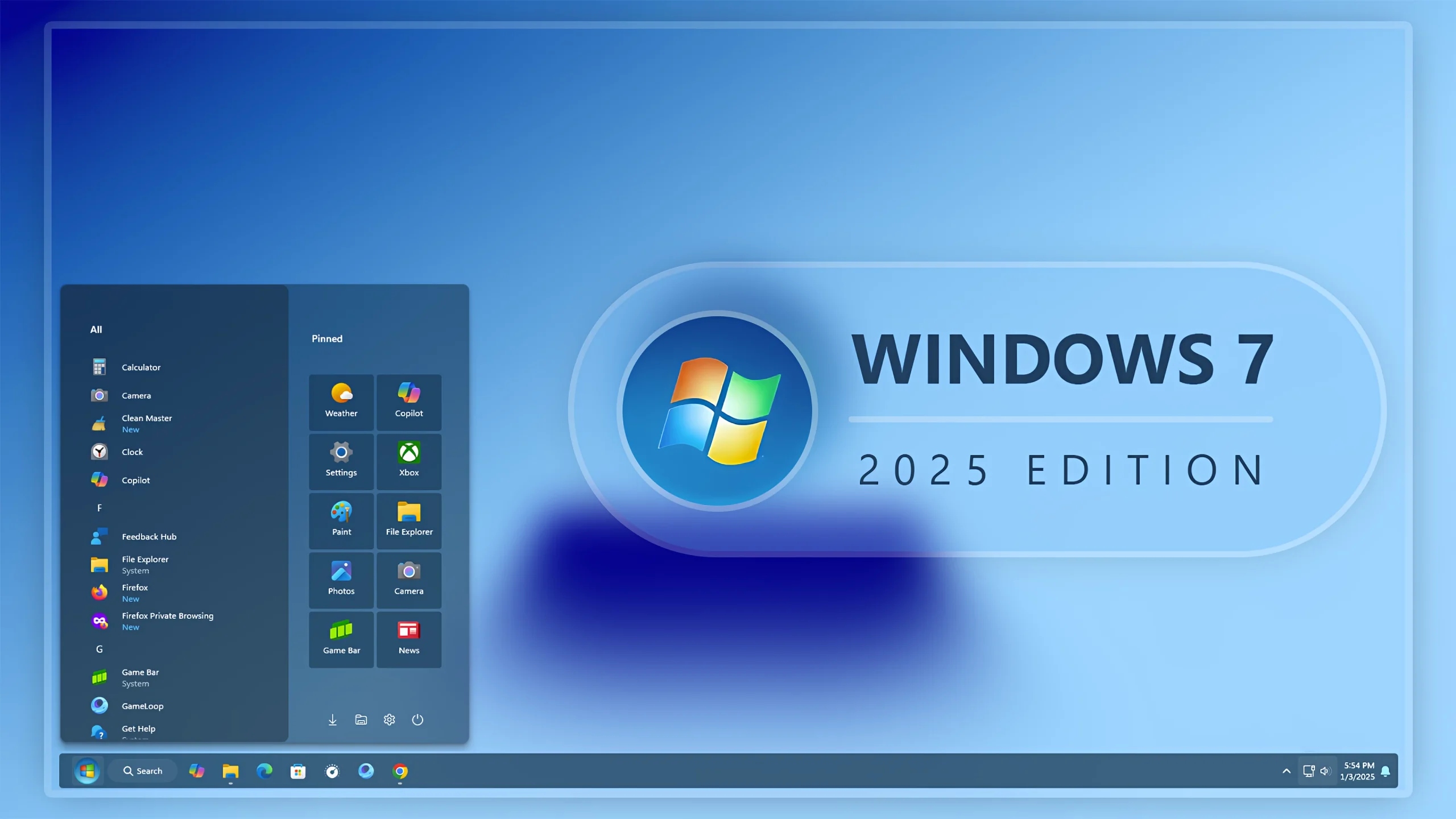
Windows 7 Modern Start Menu Style : The Windows 7 Modern Start Menu Style is a refined take on the classic Windows 7 Start Menu, blending nostalgia with modern design for Windows 11

Windows 7 Modern Start Menu Style for Windows 11
Bring back the classic Windows 7 experience with a fresh modern design using the Windows 7 Modern Start Menu Style for Windows 11. This custom start menu style combines the nostalgic layout of Windows 7 with modern transparency, fluent effects, smooth animations, and a clean minimal interface that perfectly matches today’s desktop setups.
If you miss the classic Windows 7 Start Menu but still want a stylish and premium look, this setup is the perfect solution. The design keeps the familiar structure of Windows 7 while adding updated visuals that make your Windows 11 desktop look cleaner, faster, and more professional.
Features of Windows 7 Modern Start Menu Style
- Classic Windows 7 Inspired Layout – Enjoy the traditional Start Menu design with a modern user interface.
- Modern Fluent UI Effects – Includes smooth transparency, blur effects, and soft shadows for a premium desktop appearance.
- Minimal & Clean Design – A distraction-free start menu that improves both aesthetics and usability.
- Optimized for Windows 11 – Fully compatible with the latest Windows 11 builds and desktop themes.
- Smooth Animation Effects – Elegant opening and closing animations for a modern user experience.
- Perfect for Desktop Customization – Ideal for users who love customizing Windows 11 with modern themes and start menu styles.
- Dark & Light Mode Support – Looks great on both dark themes and light desktop setups.
- Lightweight Performance – Designed to run smoothly without slowing down your system.
Why Use Windows 7 Modern Start Menu Style?
The default Windows 11 Start Menu may not feel comfortable for users who prefer the simplicity of older Windows versions. The Windows 7 Modern Start Menu Style gives you the best of both worlds by combining the classic Windows 7 experience with a modern Windows 11 design.
This style is perfect for productivity-focused users, desktop customization enthusiasts, gamers, and creators who want a cleaner and more organized desktop environment.
Windows 7 Modern Start Menu Customization
You can customize the Start Menu appearance with different transparency levels, icon spacing, blur intensity, and modern visual effects. Pair it with custom taskbar styles, icon packs, and Windows themes for a complete desktop transformation.
- 21H2 Not Tested
- 22H2 Not Tested
- 22H3 Not Tested
- 24H2 Not Tested
- Windows 11 25H2: YES work, but test carefully after Windows updates
- Download & Install windhawk.
- install & Open the Windows 11 Start Menu Styler mod in Windhawk.
- Go to the “Advanced” tab.
- Copy the content below to the text box under “Mod settings” and click “Save”.
- For More Information
START STYLE 3KB
DownloadCustomization Video
Final Thoughts
The Windows 7 Modern Start Menu Style for Windows 11 is one of the best ways to recreate the classic Windows feeling while keeping a sleek and updated interface. It delivers a balanced combination of nostalgia, performance, and modern aesthetics that can completely transform your desktop experience.
If you are searching for the best Windows 7 style Start Menu for Windows 11, this modern version is a perfect choice for a clean, elegant, and highly customizable desktop setup.