

Windows 13-Inspired Start Menu Style for Rainmeter
Windows 13-Inspired Start Menu Style for Rainmeter : Transform your Windows 13 Start Menu into a modern, stylish, and personalized dashboard using Rainmeter! In this step-by-step customization guide, you’ll learn how to completely

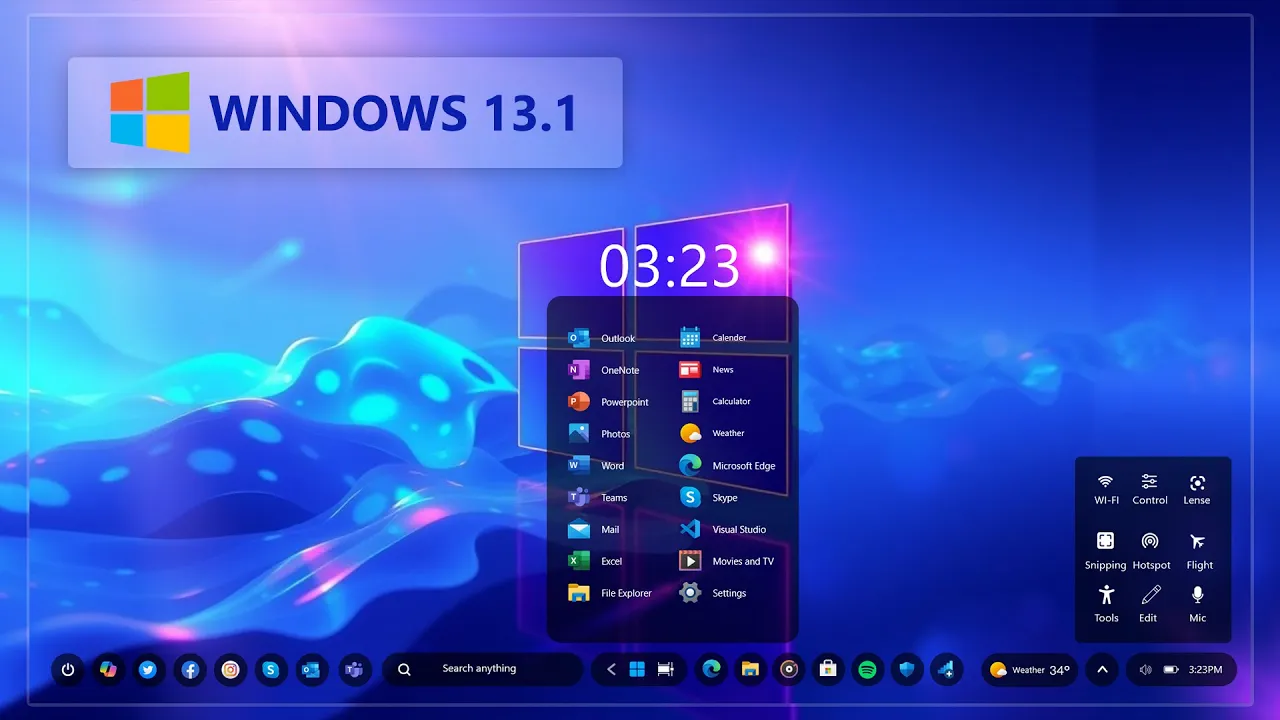
Windows 13-Inspired Start Menu Style for Rainmeter
The Windows 13-Inspired Start Menu Style for Rainmeter gives your Windows desktop a modern, futuristic, and personalized appearance. This concept-style Rainmeter skin creates a clean Start menu-inspired dashboard with useful shortcuts and an attractive layout.
It is designed for users who enjoy minimal interfaces, creative desktop setups, and productivity-focused customization. The skin is lightweight, responsive, and does not require coding knowledge, making it suitable for both beginners and experienced Windows customization users.
You can combine this Rainmeter skin with matching wallpapers, transparent taskbars, icon packs, and other desktop widgets to create a consistent modern setup. Please note that Windows 13 is used here as a design concept and is not an official Microsoft operating system.
- Rainmeter Start Menu Skin
- Download and install Rainmeter from the official website.
- After installation, Rainmeter should start automatically.
- Download the ZIP file using the button below.
- Extract the downloaded ZIP file to a separate folder.
- Double-click the included .rmskin file to open the Rainmeter Skin Installer.
- Click Install to add the skin to Rainmeter.
- Right-click the Rainmeter icon in the system tray.
- Open Skins, select the installed skin, and click Load.
ZIP File 21 MB
“` Download “`Final Words
The Windows 13-Inspired Start Menu Style for Rainmeter is a simple way to give your Windows desktop a clean and futuristic appearance. Combine it with a suitable wallpaper and matching desktop elements to create a polished and consistent setup without using excessive system resources.







