

Windows Dock Rainmeter Skin
Windows Dock Rainmeter Skin:The Windows Dock Rainmeter Skin offers a stylish and functional dock-style launcher that brings a modern, macOS-inspired look to your Windows desktop

Windows Dock Rainmeter Skin
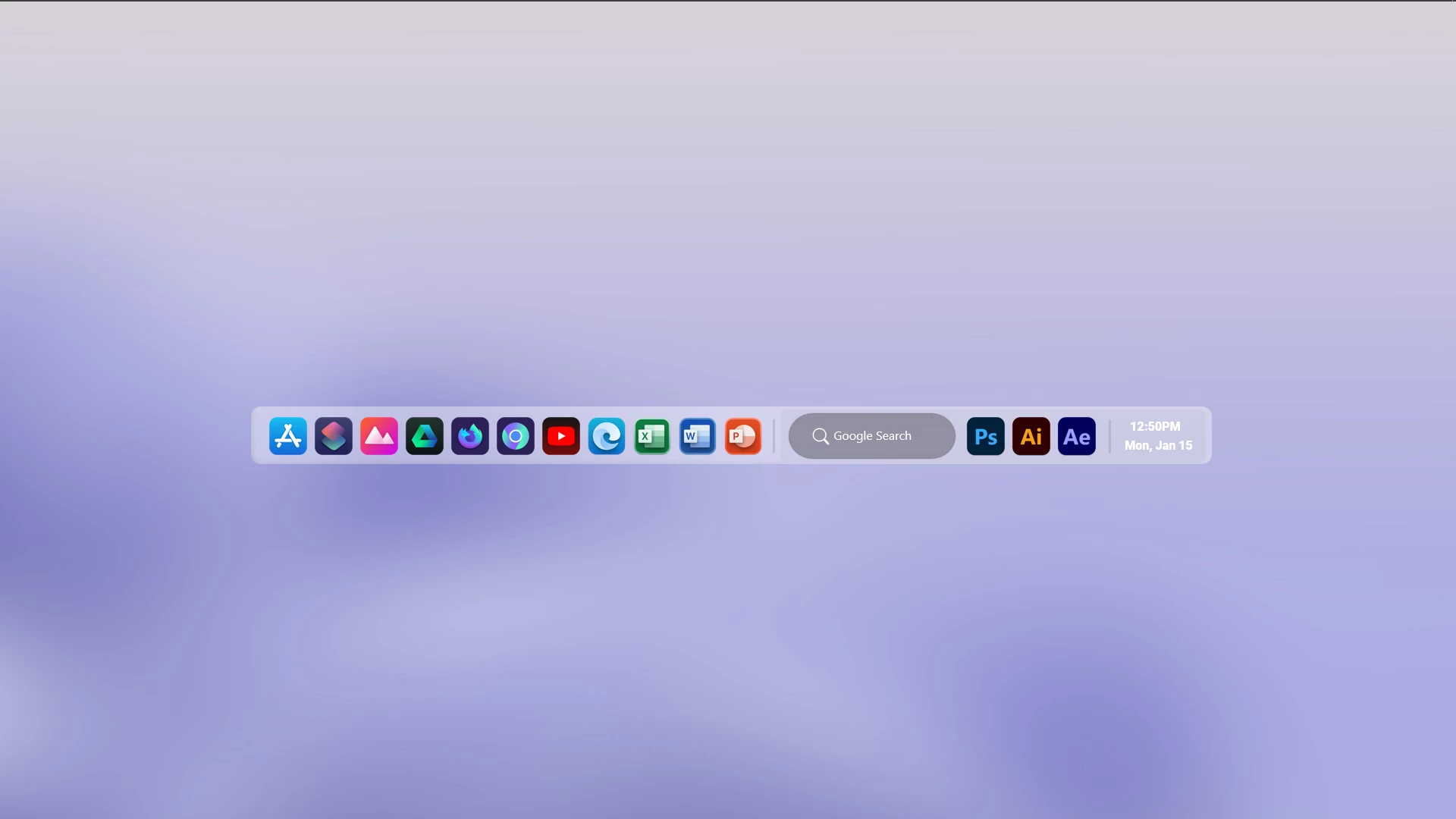
Windows Dock Rainmeter Skin is a clean and modern desktop customization skin designed for Windows users who want a dock-style launcher on their desktop. This Rainmeter skin adds a minimal floating dock interface that helps organize application shortcuts in a stylish and accessible layout.
The design features a rounded transparent dock panel with application icons, a search area, and a compact desktop layout. Its simple appearance blends well with modern wallpapers and minimal themes, creating a clean workspace without changing the Windows system interface.
Windows Dock Rainmeter Skin is suitable for users who enjoy macOS-style dock layouts, minimal desktop setups, and creative Windows customization. It works well with matching wallpapers, icon packs, and other Rainmeter resources to create a personalized desktop experience.
Key Features
- Modern dock-style desktop layout.
- Floating transparent dock panel.
- Organized application shortcut icons.
- Minimal and clean visual design.
- Search bar style element.
- Date and time display area.
- Rainmeter-based desktop customization.
System Requirements
- Windows operating system.
- Rainmeter installed on your computer.
- Basic knowledge of loading and managing Rainmeter skins.
- A desktop environment capable of running Rainmeter.
Installation Steps
- Download and install Rainmeter from the official website.
- Download the Windows Dock Rainmeter Skin package.
- Extract the ZIP file if required.
- If the package contains a .rmskin file, double-click it to open the Rainmeter Skin Installer.
- Click Install to add the skin to Rainmeter.
- Right-click the Rainmeter icon from the system tray.
- Go to Skins and select the installed Windows Dock skin.
- Click Load to apply the available components.
- Adjust the dock position according to your preferred desktop layout.
What is included in this?
- Rainmeter Skin
Zip File 33MB
DownloadMore Resources
Disclaimer
Windows Dock Rainmeter Skin is a third-party desktop customization resource created for Rainmeter users. It is not an official Microsoft product, Windows feature, or macOS software. The term “Windows Dock” refers only to the visual dock-style layout provided through Rainmeter customization. Windows, Rainmeter, and related trademarks belong to their respective owners.
Conclusion
Windows Dock Rainmeter Skin provides a simple and elegant way to add a dock-style interface to your Windows desktop. With its floating layout, organized icons, and minimal design, it can help create a cleaner and more modern desktop experience.
For users who enjoy Rainmeter customization and modern launcher-style layouts, this skin can be a useful addition to their desktop setup.








Disclaimer: All themes, visual styles, and concepts shared on this website are unofficial, fan-made creations built from imagination for customization purposes. We are not affiliated with, endorsed by, or sponsored by Microsoft or any other official brand.