

Naruto Inspired Rainmeter Skin
Naruto Inspired Rainmeter Skin : Naruto Inspired Rainmeter Skin is a creative desktop customization theme designed for anime fans who want to bring a Naruto-inspired visual style to their Windows desktop.

Naruto Inspired Rainmeter Skin
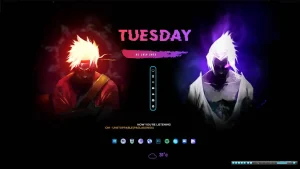
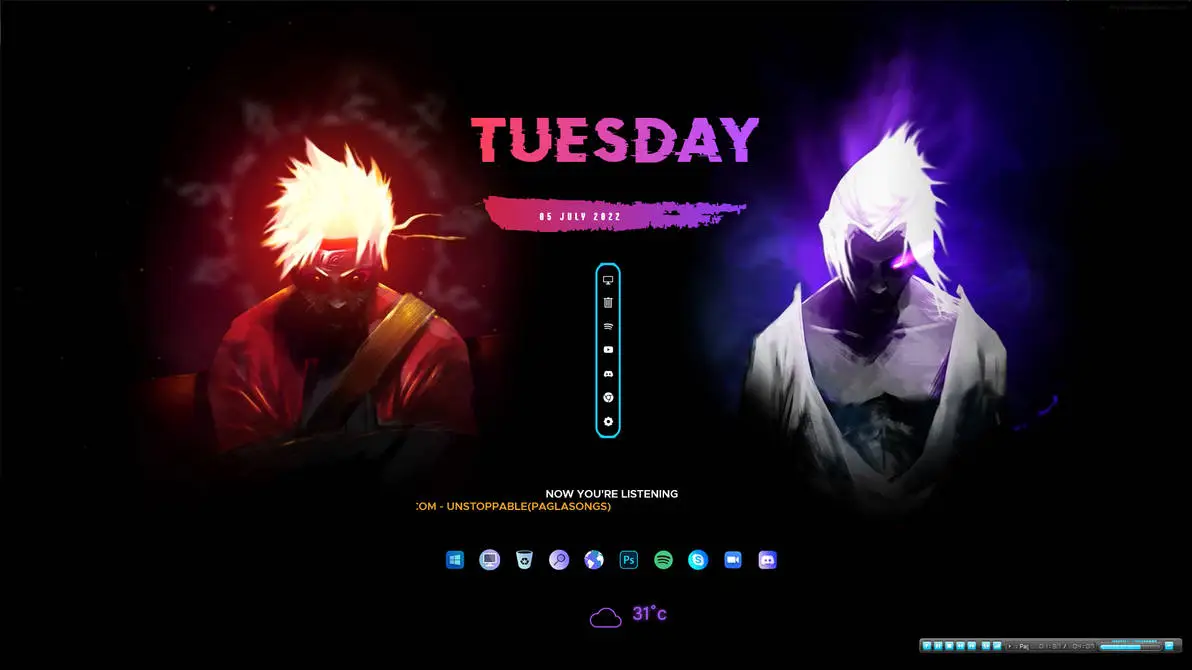
Naruto Inspired Rainmeter Skin adds a dark anime-style look to the Windows desktop with bold colours, date information, music details, weather information, and compact desktop controls. The layout uses a black background with pink, purple, blue, and cyan accents for a strong Naruto-inspired appearance.
The top section includes a large day display in pink and purple lettering, followed by the date inside a colourful brush-style banner. Naruto-inspired artwork is placed along the sides, while a slim vertical control panel appears in the centre.
The lower section contains a music information area, a row of circular application icons, and a weather display with a cloud symbol and temperature reading. The dark layout keeps the desktop clean while allowing the colourful elements to stand out clearly.
Desktop Layout
- Dark black desktop layout with colourful anime-inspired accents.
- Large pink and purple day display.
- Date placed inside a brush-style colour banner.
- Naruto-inspired artwork along the sides.
- Vertical centre panel with compact control icons.
- Music information area near the lower section.
- Circular application icons arranged in one row.
- Weather display with a cloud icon and temperature reading.
Key Features
- Anime-inspired Rainmeter desktop design.
- Pink, purple, blue, and cyan colour details.
- Large day and date display.
- Music status area.
- Compact vertical control panel.
- Application shortcut row.
- Weather and temperature display.
- Suitable for dark anime desktop setups.
System Requirements
- Windows operating system.
- Rainmeter installed on your computer.
- Basic knowledge of managing Rainmeter skins.
How to Install Naruto Inspired Rainmeter Skin
- Download and install Rainmeter from the official website.
- Download the Naruto Inspired Rainmeter Skin file from this page.
- If the package is compressed, extract the files before installation.
- Open the .rmskin file to start the Rainmeter Skin Installer.
- Click Install to add the skin to Rainmeter.
- Right-click the Rainmeter icon in the system tray.
- Open Skins and select Naruto Inspired Rainmeter Skin.
- Load the available components and arrange them on the desktop.
What is Included?
- Rainmeter Skin
Zip File 2MB
DownloadHow to Remove Naruto Inspired Rainmeter Skin
You can remove the active Rainmeter elements through the Rainmeter management options. This removes the skin components from the desktop while leaving the rest of your Windows setup unchanged.
- Right-click an active Rainmeter element on the desktop.
- Select Unload Skin to remove that component.
- Open the Rainmeter Manage window from the system tray.
- Find Naruto Inspired Rainmeter Skin in the installed skins list.
- Unload the remaining active components.
Disclaimer
Naruto Inspired Rainmeter Skin is a third-party desktop customization resource made for personal use. Naruto, its characters, artwork, and related trademarks belong to their respective owners. This resource is not an official product of Naruto, Shueisha, TV Tokyo, Microsoft, or any related company.
Conclusion
Naruto Inspired Rainmeter Skin brings a dark anime-inspired style to the Windows desktop with colourful date text, music details, weather information, application icons, and compact controls. The layout keeps the desktop simple while adding a strong visual character for users who enjoy Naruto-inspired customization.
With Rainmeter, users can arrange the available elements according to their preferred desktop setup. The skin can also be combined with suitable wallpapers and icons to create a more personal anime-themed workspace.







Disclaimer: All themes, visual styles, and concepts shared on this website are unofficial, fan-made creations built from imagination for customization purposes. We are not affiliated with, endorsed by, or sponsored by Microsoft or any other official brand.