

Dark Minimalism Rainmeter Suite
Download Dark Minimalism Rainmeter Suite for Windows 10 and Windows 11. Customize your desktop with a clean dark minimal design, clock widget, and aesthetic layout.

Dark Minimalism Rainmeter Suite For Windows
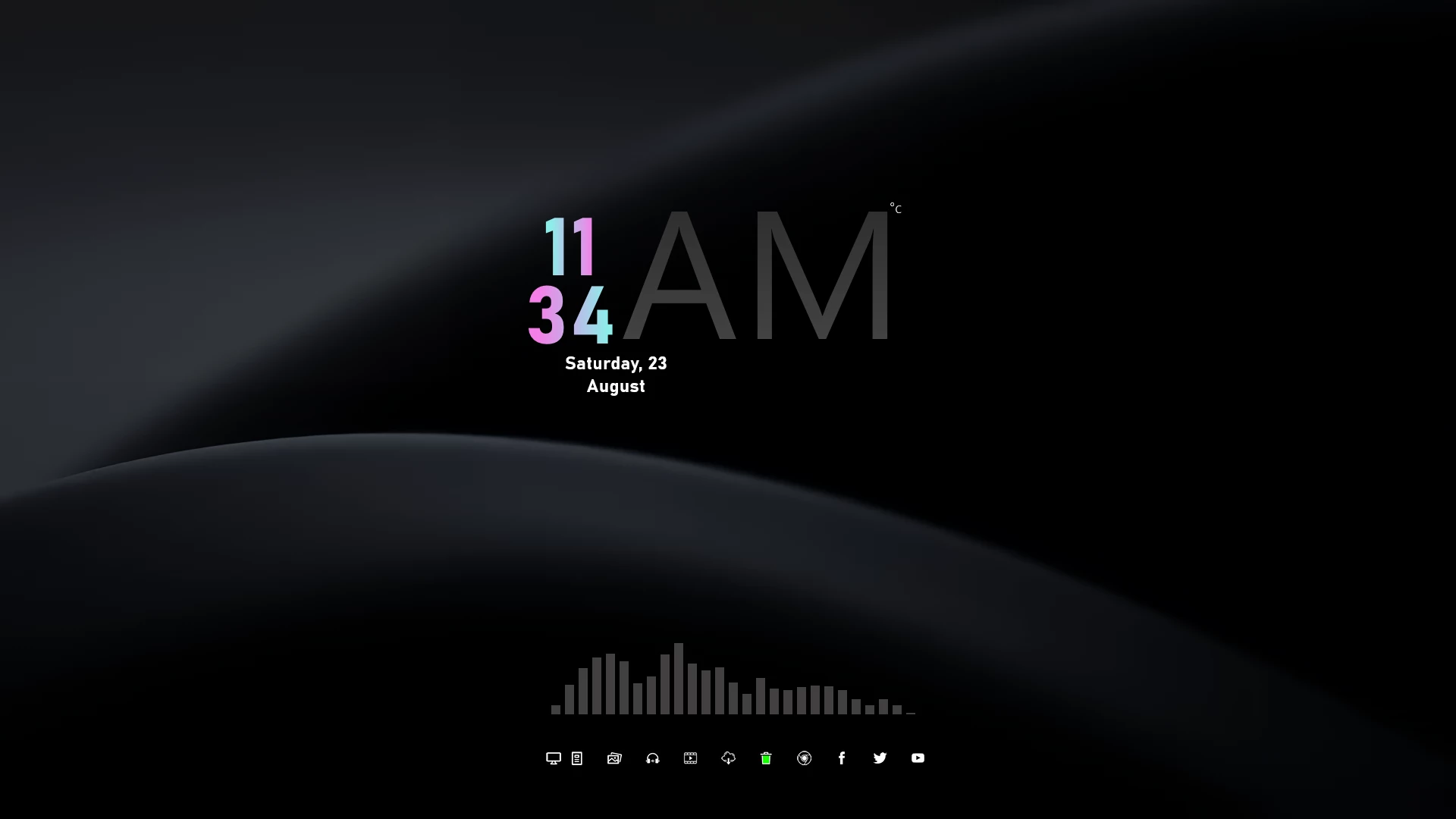
Dark Minimalism Rainmeter Suite For Windows is a clean and elegant desktop customization pack designed for users who prefer simple, dark, and distraction-free setups. With a minimal interface, subtle visual elements, and a modern dark aesthetic, this Rainmeter suite helps create a stylish and organized Windows desktop.
The suite features a large minimalist clock display, date information, and a simple visualizer-style element that blends naturally with dark wallpapers. Its clean design focuses on simplicity and balance, making it a great choice for users who enjoy modern and minimal desktop layouts.
Dark Minimalism Rainmeter Suite is suitable for users who want a professional-looking desktop without unnecessary visual clutter. Using Rainmeter, you can personalize your Windows setup and create a workspace that matches your preferred style.
Key Features
- Clean dark minimal desktop design.
- Large minimalist clock display.
- Simple date and time information layout.
- Minimal visualizer-style desktop element.
- Works well with dark and modern wallpapers.
- Rainmeter-based Windows desktop customization.
- Suitable for professional and aesthetic desktop setups.
Compatibility
- Windows 10 / Windows 11
- Rainmeter application installed
- Recommended Resolution: 1920 × 1080
What is Included
- Dark Minimalism Rainmeter Suite
- Matching Wallpaper
How to Install Dark Minimalism Rainmeter Suite
- Download and install Rainmeter on your Windows PC.
- Download the Dark Minimalism Rainmeter Suite file.
- Extract the downloaded ZIP file.
- If the package contains an .rmskin file, double-click it.
- The Rainmeter Skin Installer window will appear.
- Click Install to add the skin to Rainmeter.
- Right-click the Rainmeter icon from the system tray.
- Navigate to Skins and select Dark Minimalism Rainmeter Suite.
- Click Load to apply the elements on your desktop.
Theme Files 6MB
DownloadMore Resources
How to Remove Dark Minimalism Rainmeter Suite
- Right-click the Rainmeter icon from the system tray.
- Select Manage to open Rainmeter settings.
- Find Dark Minimalism Rainmeter Suite from the installed skins list.
- Unload the active widgets.
- Remove the skin folder from the Rainmeter Skins directory if you want to delete it completely.
Who Should Use This Skin?
Dark Minimalism Rainmeter Suite is suitable for users who enjoy clean, modern, and simple desktop designs. It is a great option for students, professionals, creators, and anyone who prefers a calm workspace with a minimal visual style.
Disclaimer
Dark Minimalism Rainmeter Suite is a third-party Windows customization resource created for personal desktop customization purposes. It is not an official Microsoft product. Windows and Microsoft-related trademarks belong to their respective owners. Use this customization at your own discretion.
Conclusion
Dark Minimalism Rainmeter Suite provides a simple and elegant way to personalize your Windows desktop. With its dark aesthetic, clean clock design, and minimal layout, it is a suitable choice for users who prefer a modern and distraction-free desktop experience.







Disclaimer: All themes, visual styles, and concepts shared on this website are unofficial, fan-made creations built from imagination for customization purposes. We are not affiliated with, endorsed by, or sponsored by Microsoft or any other official brand.