Modern Tile UI Rainmeter Skin
Modern Tile UI Rainmeter Skin

Modern Tile UI Rainmeter Skin
Modern Tile UI Rainmeter Skin is a modern desktop customization theme designed to give your Windows desktop a refreshed and redesigned interface. Inspired by clean visual styles, this Rainmeter skin combines a modern layout, rounded elements, and tile UI design to create a polished desktop experience.
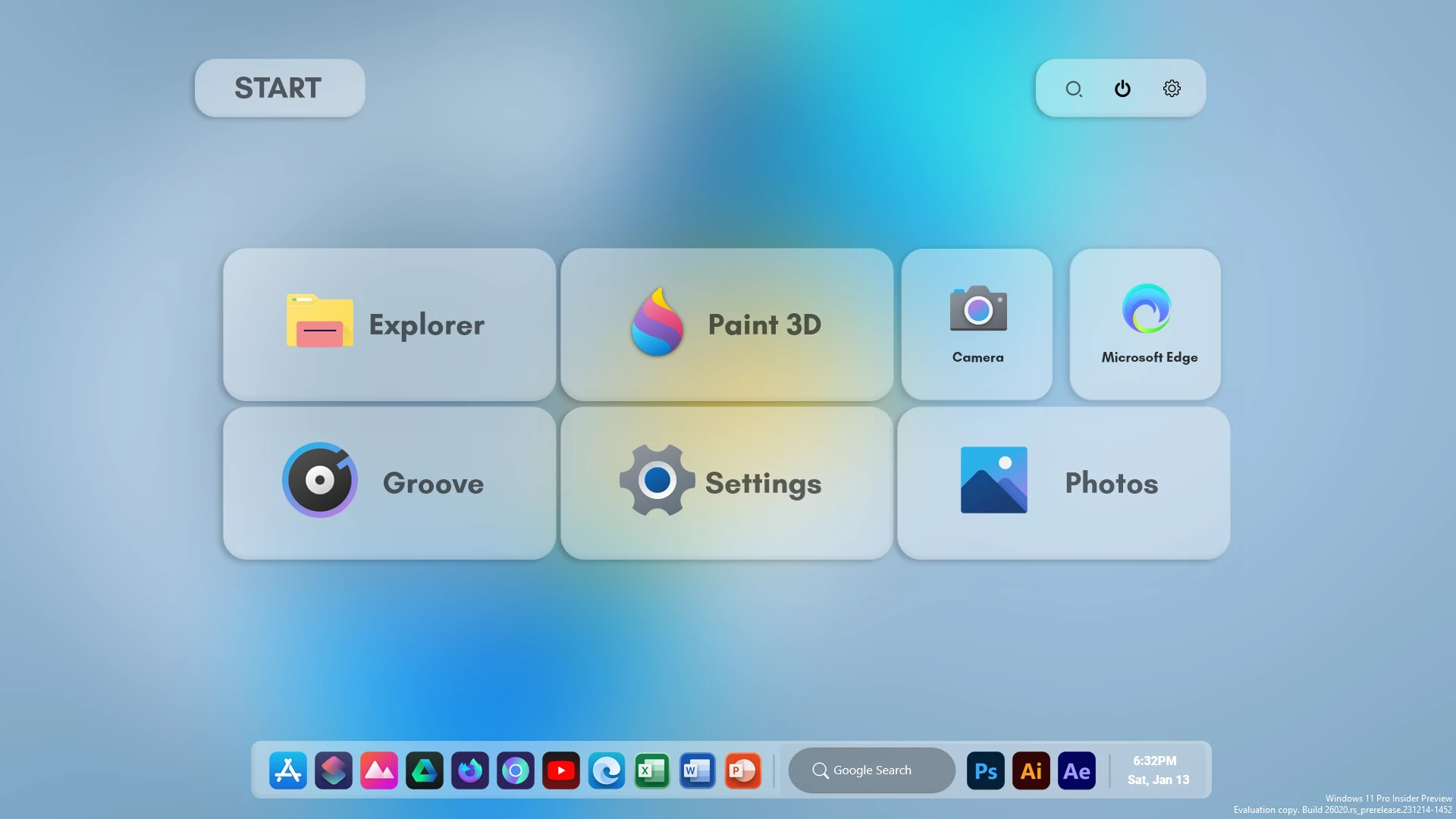
The skin features a redesigned Start Menu-style panel with organized application tiles, a search area, and a bottom dock-style launcher. The glass-inspired interface, soft transparency, and rounded corners create a sleek appearance while keeping the original Windows system unchanged.
Modern Tile UI Rainmeter Skin is a great choice for users who want a cleaner and more stylish desktop setup. It works well with modern wallpapers and other customization resources to create a complete aesthetic workspace.
Design Overview
This Rainmeter skin focuses on recreating a modern interface experience through desktop widgets. The combination of app tiles, launcher elements, and transparent panels creates a balanced layout that feels intuitive while offering a fresh visual style.
Key Features
- Modern tile-inspired Start Menu-style interface.
- Clean application tile layout.
- Glass-style transparent panels.
- Rounded corner UI elements.
- Integrated search-style desktop element.
- Dock-style application launcher.
- Minimal and organized desktop appearance.
- Rainmeter-based customization system.
- Works well with modern wallpapers.
Compatibility
Modern Tile UI Rainmeter Skin is designed for users who want a customized desktop experience. It works through Rainmeter and does not replace system components or modify Windows files.
System Requirements
- Windows 10 or Windows 11 operating system.
- Rainmeter application installed on your computer.
- Recommended for Full HD and higher resolution displays.
- Basic knowledge of loading Rainmeter skins.
What is included in this?
- Modern Tile UI Rainmeter Skin.
- Desktop launcher and widget files.
- Application tile interface elements.
Required Tool
Installation Steps
- Download and install Rainmeter from the official website.
- Download the Modern Tile UI Rainmeter Skin package.
- Extract the file if required.
- Open the included .rmskin file.
- Click Install in the Rainmeter Skin Installer.
- Open Rainmeter from the Windows system tray.
- Go to the Skins section.
- Select Modern Tile UI components.
- Click Load to apply the interface elements.
- Adjust the position according to your preferred desktop layout.
Rainmeter Skin19MB
Download Customization Tips
For the best result, combine Modern Tile UI Rainmeter Skin with a clean wallpaper and matching icons. Keeping the desktop uncluttered helps the Start Menu-style panel and launcher elements stand out properly.
How to Remove Modern Tile UI Rainmeter Skin
Removing this Rainmeter skin only disables the desktop customization elements. It does not affect system files, applications, or personal data.
- Right-click on any active Modern Tile UI widget.
- Select Unload Skin.
- Open Rainmeter Manage from the system tray.
- Unload all related components.
- Remove the skin folder if you no longer want to use it.
Who Should Use This Skin?
Modern Tile UI Rainmeter Skin is suitable for users who enjoy modern tile-style customization and clean desktop layouts.
- Users who like redesigned tile-based interfaces.
- People who prefer organized app launcher layouts.
- Rainmeter users looking for a modern UI setup.
- Users creating a minimal customization theme.
Disclaimer
Modern Tile UI Rainmeter Skin is a third-party desktop customization resource created for Rainmeter users. It is provided only for personal desktop customization purposes.
Final Thoughts
Modern Tile UI Rainmeter Skin provides an easy way to give your desktop a fresh, modern appearance. With its redesigned Start Menu-style panel, glass interface elements, and organized launcher layout, it creates a stylish alternative to the default desktop experience.
For users who enjoy clean interfaces and creative desktop customization, this Rainmeter skin can be a useful addition to a personalized setup.