


Slide Dock For Rainmeter
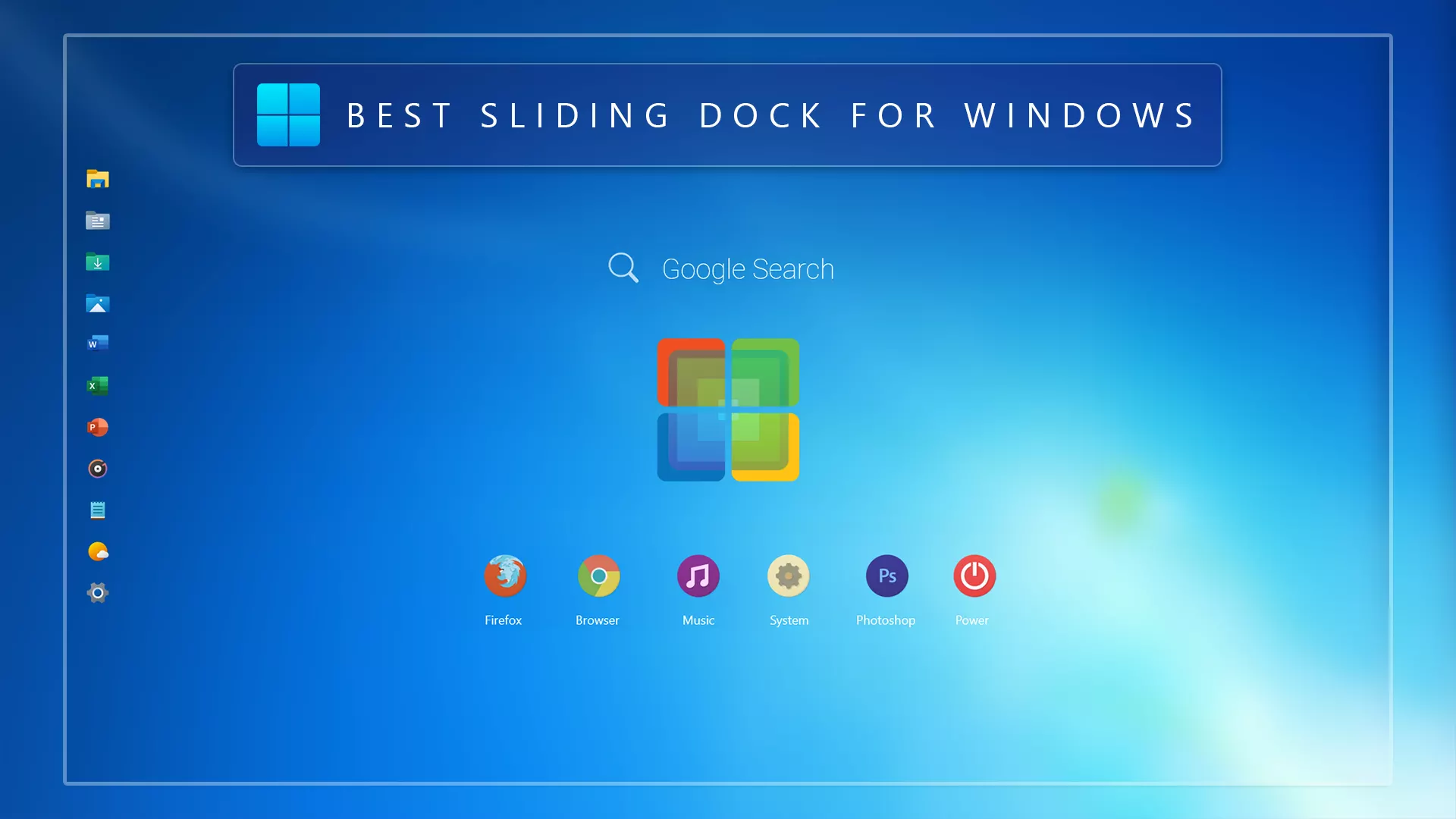
Slide Dock For Rainmeter : The Slide Dock for Rainmeter is a sleek and interactive launcher that brings smooth animation and minimalist design to your Windows desktop.

Slide Dock For Rainmeter
Slide Dock For Rainmeter is a sleek and interactive desktop launcher designed for Windows users who want quick access to apps, folders, and shortcuts in a clean visual style. If you enjoy modern desktop customization, this Rainmeter dock can help you create a more organized and stylish Windows setup.
Instead of keeping too many icons scattered across the desktop, Slide Dock gives you a cleaner way to arrange your favorite shortcuts. Its sliding dock style makes the desktop feel more dynamic while keeping the overall layout simple and practical.
What Is Slide Dock For Rainmeter?
Slide Dock For Rainmeter is a Rainmeter skin that works as a desktop launcher. It is built for users who want a smooth dock-style panel on their Windows desktop. You can use it to place shortcuts for frequently used apps, folders, tools, or other desktop items.
The main purpose of this skin is to improve both the look and usability of your desktop. It is especially useful for users who prefer clean setups, minimal icons, and a more customized Windows experience.
Why Use Slide Dock For Rainmeter?
Slide Dock For Rainmeter is useful because it helps keep your desktop neat while still giving you fast access to important shortcuts. A dock-style launcher can make your Windows desktop feel more modern, especially when combined with matching wallpapers, icon packs, and other Rainmeter skins.
This skin is a good choice for users who want a desktop setup that looks stylish but does not feel overloaded. It works well for productivity desktops, gaming setups, creative workspaces, and minimal Windows themes.
Main Features
- Sleek Rainmeter dock-style launcher for Windows
- Useful for apps, folders, and shortcut organization
- Clean and minimal desktop appearance
- Smooth sliding dock-style layout
- Works well with wallpapers, widgets, and icon packs
- Suitable for Windows 10 and Windows 11 customization
- Lightweight and easy to use with Rainmeter
Some customization options may depend on the included skin files and settings. If the package includes editable configuration files, you may be able to adjust items such as icon paths, spacing, size, direction, or visual accents.
Rainmeter Requirement
To use Slide Dock For Rainmeter, you need to install Rainmeter on your Windows computer first. Rainmeter is required because this dock is not a standalone Windows application. It runs through the Rainmeter customization platform.
For the best result, use the latest stable version of Rainmeter. After installing Rainmeter, you can install the skin package and load the dock from the Rainmeter manager.
Best For
- Windows users who want a clean desktop launcher
- Rainmeter users who like dock-style skins
- People who want fewer icons on the desktop
- Users creating a futuristic or minimal Windows theme
- Desktop customization lovers who want a stylish app dock
Desktop Customization Tips
Slide Dock For Rainmeter looks best when used with a clean wallpaper and matching icon style. If you are creating a glass, futuristic, dark, or minimal Windows setup, this dock can help complete the overall look.
You can place the dock in a position that fits your workflow. For example, you may keep it near the side of the screen for quick access or use it as part of a full Rainmeter desktop layout with clocks, system monitors, and other widgets.
What is included in this?
- Rainmeter Skins
- Wallpaper
Optional Customization Tools
Installation steps:
- Download and install Rainmeter on your Windows PC.
- Once installed, Rainmeter will start automatically.
- Download the .rmskin file for Slide Dock For Rainmeter.
- Double-click the .rmskin file to open the Rainmeter Skin Installer.
- Click Install to add the skin to Rainmeter.
- Right-click the Rainmeter icon from the system tray.
- Go to Skins and select the installed Slide Dock skin.
- Click Load to apply it to your desktop.
- More RainmeterSkins
Performance and Usability
Slide Dock For Rainmeter is designed for desktop convenience and visual customization. Since it runs through Rainmeter, performance may depend on your system, Rainmeter version, and how many skins you load at the same time.
If you want a smoother experience, avoid running too many heavy Rainmeter skins together. Keeping your setup simple can help your desktop stay clean and responsive.
Theme Files 22MB
DownloadDisclaimer
Slide Dock For Rainmeter is a third-party Windows desktop customization resource created for personal customization purposes. It is not an official Microsoft product and is not affiliated with Microsoft. This resource only changes the visual appearance of your desktop through Rainmeter and does not modify core Windows system files. Windows and Microsoft-related trademarks belong to their respective owners. Use this customization at your own discretion.
Final Thoughts
Slide Dock For Rainmeter is a useful and stylish dock skin for Windows users who want a better way to organize shortcuts on the desktop. It is simple, clean, and suitable for modern Windows customization setups.
If you want a Rainmeter launcher that can improve your desktop style while keeping your apps and folders easy to access, Slide Dock For Rainmeter is worth trying.








Disclaimer: All themes, visual styles, and concepts shared on this website are unofficial, fan-made creations built from imagination for customization purposes. We are not affiliated with, endorsed by, or sponsored by Microsoft or any other official brand.