

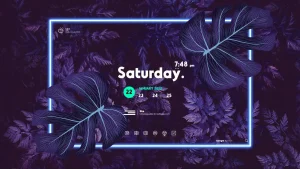
Coloration Rainmeter Skin

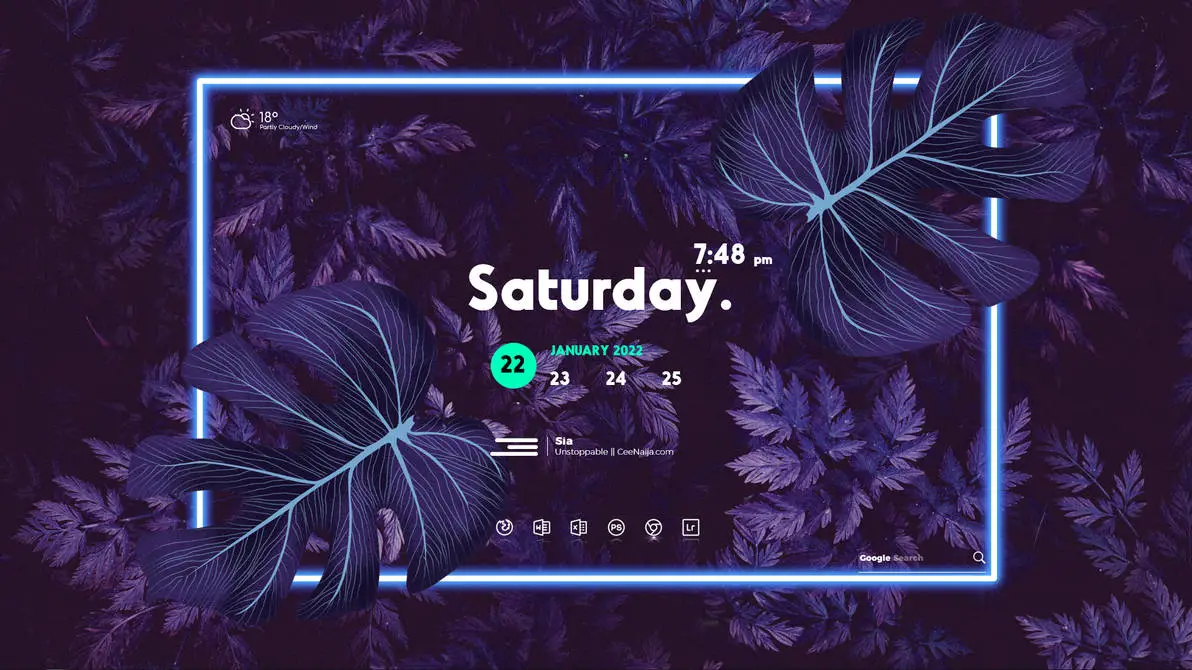
Coloration Rainmeter Skin
Coloration Rainmeter Skin combines a large white weekday display with a compact clock, a short calendar row, weather details, and music information. Bright green accents highlight the date, while the other widgets use simple white text and icons.
The main display sits near the centre of the desktop. The weekday appears in bold lettering with a full stop, and a smaller digital clock sits above its right side with an AM/PM indicator. Below it, the month and year appear in green above a row of dates. A solid green circle highlights the selected date.
The smaller widgets are spaced around this main group. Weather information sits in the upper-left corner, music details appear below the calendar, and six outline shortcut icons form a row near the bottom. A small Google Search field sits in the lower-right corner. The widgets have no large enclosing panels, leaving the desktop background visible between them.
Key Features
- Large, bold white weekday display with a full stop.
- Compact digital clock with an AM/PM indicator.
- Green month and year text above a short row of dates.
- Circular green highlight around the selected date.
- Small weather display with a condition icon, temperature, and weather text.
- Music information with an artist name and track details.
- Three horizontal white bars beside the music text.
- Six evenly spaced outline shortcut icons near the bottom.
- Google Search field with a magnifying glass icon in the lower-right corner.
- Open widget layout without large background panels.
System Requirements
- A Windows computer that supports the Rainmeter version you install.
- Rainmeter installed on your computer.
- Basic knowledge of loading and managing Rainmeter skins.
Installation Steps
- Download and install Rainmeter from the official website.
- Download the Coloration Rainmeter Skin package from this page.
- Extract the downloaded ZIP file.
- If the package contains a .rmskin file, double-click it to open the Rainmeter Skin Installer, then click Install.
- If there is no .rmskin file, check the package for installation instructions.
- Once the skin is installed, open Rainmeter’s Manage window from the system tray.
- Find the Coloration skin folder and select the component you want to use.
- Click Load and repeat for the other available components.
- Arrange the loaded widgets to suit your desktop.
What is included in this?
- Rainmeter Skins
- Wallpaper
Theme Files 3MB
DownloadHow to Remove Coloration Rainmeter Skin
Unload the active components to hide the skin from your desktop. Unloading keeps the skin files available if you want to use them again.
- Right-click an active Coloration Rainmeter element.
- Select Unload Skin to hide that widget.
- Open Rainmeter’s Manage window from the system tray.
- Find the Coloration skin folder and unload its remaining active components.
- If you also want to remove the installed files, delete only the related skin folder after unloading its components.
Who Should Use This Skin?
This layout suits users who prefer a large day display with smaller supporting widgets around it.
- Users who like bold white text with bright green accents.
- People who want time and calendar details grouped together.
- Rainmeter users who prefer widgets without large background panels.
- Users who like compact weather, music, and shortcut sections.
Disclaimer
Coloration Rainmeter Skin is a third-party customization resource for Rainmeter. It is not an official Microsoft product or affiliated with Microsoft. Windows, Rainmeter, and other product names belong to their respective owners.
Conclusion
Coloration Rainmeter Skin puts the weekday and calendar at the centre of its design. White lettering, green date highlights, and small outline icons give the widgets a consistent look. The weather, music, shortcut, and search sections add detail while keeping the layout open and easy to scan.







Disclaimer: All themes, visual styles, and concepts shared on this website are unofficial, fan-made creations built from imagination for customization purposes. We are not affiliated with, endorsed by, or sponsored by Microsoft or any other official brand.