

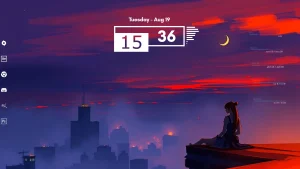
Romantic Rainmeter Skins
Download Romantic Rainmeter Suite for Windows and create a soft, cozy desktop with romantic widgets, setup tips, and Rainmeter guide.

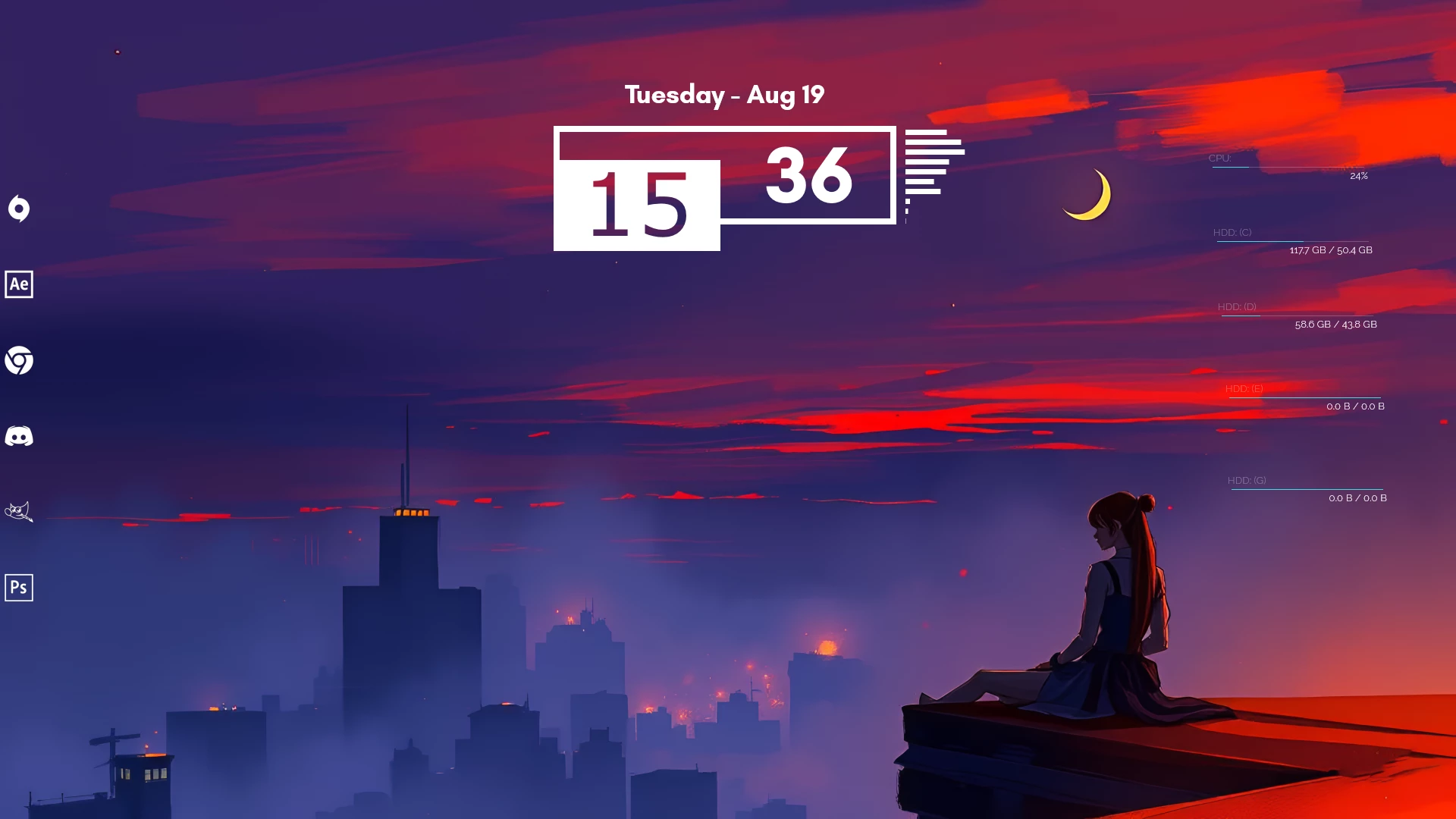
Romantic Rainmeter Suite
Romantic Rainmeter Suite is a soft and elegant desktop skin collection for Windows users who want a warm, cozy, and personal setup. It adds gentle colors, clean widgets, and a calm layout that feels pleasant for daily use.
If you like aesthetic wallpapers, pastel tones, soft gradients, and minimal desktop designs, this skin can be a nice choice for your customization setup. It is suitable for users who want their desktop to feel more expressive without making it look crowded.
This widget pack works well for study spaces, creative work, music sessions, and personal desktop themes. With the right wallpaper and icon style, it can help turn a simple Windows screen into a more beautiful and relaxing workspace.
Overview
This skin collection focuses on a clean and charming desktop experience. Instead of using heavy visual elements, it uses a soft and minimal style that can match aesthetic, pastel, floral, cozy, or love-inspired wallpapers.
The package may include useful widgets such as a clock, date display, music player, weather widget, system monitor, and launcher depending on the included files. The layout is designed to keep your desktop useful while still looking stylish.
Design Style
The design is based on soft colors, smooth curves, gentle gradients, and a warm desktop mood. It is a good match for users who prefer a calm and beautiful setup instead of a dark gaming or heavy futuristic interface.
You can pair it with pink, purple, red, beige, floral, sunset, or Valentine-inspired wallpapers. A matching icon pack and simple taskbar style can also help complete the full desktop look.
What Is Included In This?
- Romantic Rainmeter Suite
- Skin files
- Soft-style desktop widgets
- Customizable widget layout
- Desktop personalization elements
Possible Widget Elements
Depending on the included files, the skin may include widgets such as a clock, date module, weather panel, music player, system monitor, app launcher, and other desktop elements.
Widget availability can vary based on the package version, so it is best to check the included files after installation. Some widgets may also require extra setup, such as weather location configuration or music player support.
Key Features
- Soft and cozy desktop style
- Clean and aesthetic widget layout
- Suitable for personal desktop setups
- Works well with pastel and warm wallpapers
- Useful widgets for everyday desktop use
- Customizable layout through Rainmeter
Compatibility
This skin is made for Windows users who have Rainmeter installed. It can be used on supported Windows versions where the app works properly.
Before installing the package, make sure you are using the latest stable version of Rainmeter. Some widgets may depend on your screen resolution, Windows settings, system permissions, or extra configuration inside the app.
Optional Customization Tools
Installation Steps
- Download and install Rainmeter from the official website.
- After installation, the app should start automatically.
- Download the skin file from the download section.
- Extract the downloaded file if it comes in ZIP format.
- If the file is in .rmskin format, double-click it to open the installer.
- Click Install to add the package.
- Right-click the Rainmeter icon from the system tray.
- Go to Skins and select the installed folder.
- Click Load to apply the widgets on your desktop.
- Move and arrange the widgets based on your preferred layout.
Customization Tips
- Use a soft wallpaper for the best matching look.
- Keep only the widgets you need for a clean desktop.
- Arrange the widgets neatly to avoid a crowded layout.
- Use matching icons to make the full setup look consistent.
- Refresh the skin after changing widget settings.
- Adjust widget positions based on your monitor size and resolution.
Troubleshooting
- If the skin does not appear, make sure Rainmeter is running.
- If the widgets are not loading, open the manager window and load them manually.
- If the weather widget does not update, check the location settings.
- If the music widget does not work, check whether your media player is supported.
- If the layout looks incorrect, move the widgets manually from the settings.
- If the file does not open, make sure Rainmeter is installed correctly.
How To Remove The Skin
If you want to remove the active widgets from your desktop, right-click any widget and select Unload Skin. You can also open the manager window, select the active skin, and unload it from there.
To fully remove the files, close Rainmeter and delete the related folder from the skins directory. If you changed your wallpaper, icon pack, or taskbar style, you can restore those settings manually from Windows personalization or your customization tool.
Download Information
Romantic Rainmeter Suite 85MB
DownloadFinal Thoughts
This is a good option for Windows users who want a soft, cozy, and aesthetic desktop setup. It adds warm-style widgets while keeping the desktop useful and organized for daily use.
If you enjoy gentle colors, clean layouts, and personal customization, this skin can be a beautiful addition to your Windows setup. Install it carefully, arrange the widgets neatly, and pair it with a matching wallpaper for the best result.
FAQs
What is Romantic Rainmeter Suite?
It is a desktop skin collection for Windows that adds soft-style widgets and visual elements to your setup.
Do I need Rainmeter to use this skin?
Yes, you need to install Rainmeter before using this skin collection.
Can I customize the widgets?
Yes, the widgets can usually be moved, loaded, unloaded, refreshed, and adjusted based on your desktop layout.
Why is the skin not showing on my desktop?
The skin may not show if Rainmeter is not running, the package was not installed correctly, or the widget has not been loaded from the menu.
Can I remove it later?
Yes, you can unload the skin from Rainmeter or remove the skin folder if you no longer want to use it.
Which wallpaper works best with this skin?
Soft, pastel, floral, pink, red, purple, or cozy aesthetic wallpapers usually match well with this type of desktop setup.







