PinkPulse Icon Pack
PinkPulse Icon Pack : The PinkPulse Icon Pack features a bold mix of neon pink highlights, soft gradients, and minimal shapes that make your desktop feel futuristic yet playful.

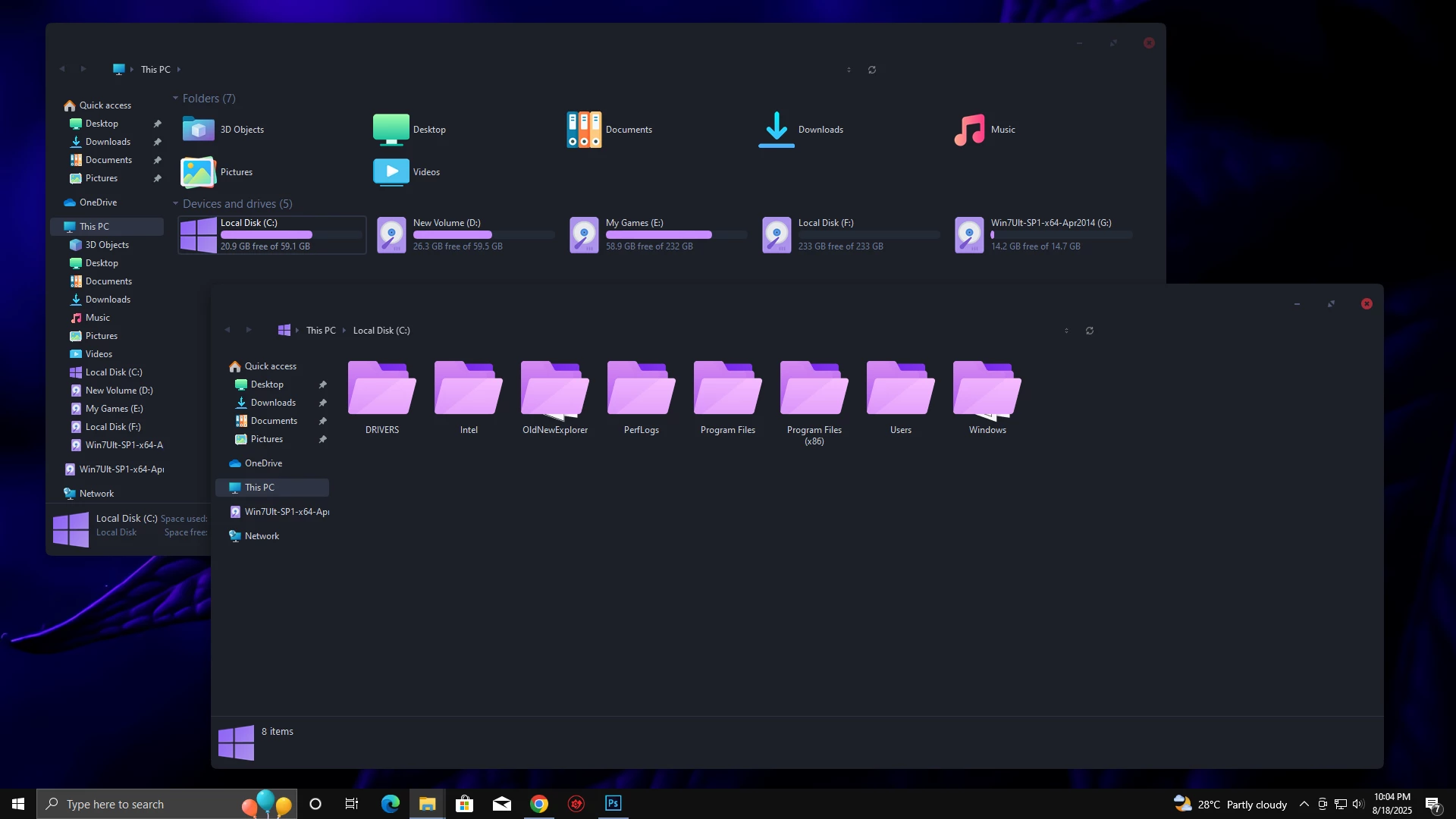
PinkPulse Icon 7TSP Icon Pack For Windows
7TSP PinkPulse Icon Pack is a stylish and modern icon collection designed to give your Windows desktop a fresh, vibrant, and feminine touch. Built specifically for use with the 7TSP installer, this pack replaces the default Windows icons with sleek, glowing pink-themed designs that bring life and uniqueness to your system. From folders and drives to system icons and control panel items, every detail has been carefully redesigned to deliver a consistent and elegant look..
The PinkPulse Icon Pack features a bold mix of neon pink highlights, soft gradients, and minimal shapes that make your desktop feel futuristic yet playful. It blends seamlessly with both dark and light Windows themes, making it a versatile choice for customization lovers. Whether you want a modern aesthetic for your workspace or a stylish transformation to match your wallpapers and Rainmeter skins, this pack is the perfect companion
Lightweight and easy to install with 7TSP, PinkPulse ensures smooth performance without slowing down your PC. For users who love colorful customization and want to stand out, 7TSP PinkPulse Icon Pack offers the ideal balance of beauty, creativity, and functionality.
What Is PinkPulse 7TSP Icon Pack?
PinkPulse 7TSP Icon Pack is a custom Windows icon pack focused on a bright and modern pink aesthetic. Its design combines neon-inspired highlights, clean shapes, and subtle gradients to create a unique desktop appearance.
The pack is suitable for users who enjoy colorful customization, creative desktop setups, feminine-inspired designs, futuristic interfaces, and personalized Windows environments. It is especially appealing for those who want their PC setup to feel more expressive and different from the default Windows style.
Key Features
- Modern pink-themed icon design with glowing visual details
- Clean and consistent icons for folders, drives, and system elements
- Works well with both dark and light desktop themes
- Ideal for creative and colorful Windows customization setups
- Windows 11 Operating System
- Windhawk Installed
- Resource Redirect Mod Enabled
- Basic File Path Knowledge
- Download and install Windhawk
- Enable the Resource Redirect mod inside Windhawk
- Download the Icon Pack ZIP file
- Extract the icon pack to a folder on your system
- Copy the folder path and paste it into Resource Redirect settings
- Apply changes and restart Windows Explorer
For a detailed guide, you can also check:
- Windows 7✅
- Windows 8/8.1✅
- Windows 10✅
- Windows 11✅
- 7TSP icon Pack
7TSP Icon Pack 9MB
DownloadFinal Thoughts
PinkPulse 7TSP Icon Pack provides an easy way to give your Windows desktop a unique and colorful appearance. With its pink-inspired visuals, modern icon style, and creative design approach, it can help transform a standard desktop into a more personal workspace.
Before applying any customization, remember to create a restore point, check compatibility, and follow safe installation practices. With the right combination of wallpapers and desktop elements, PinkPulse can become a beautiful part of your Windows customization setup.