

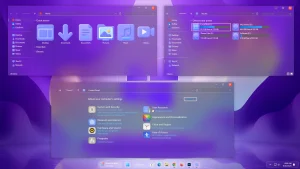
7tsp 3D Purple Icon Pack
7tsp 3D Purple Icon Pack : The 7TSP 3D Purple Icon Pack is a vibrant customization set that brings a bold, futuristic edge to your Windows desktop.

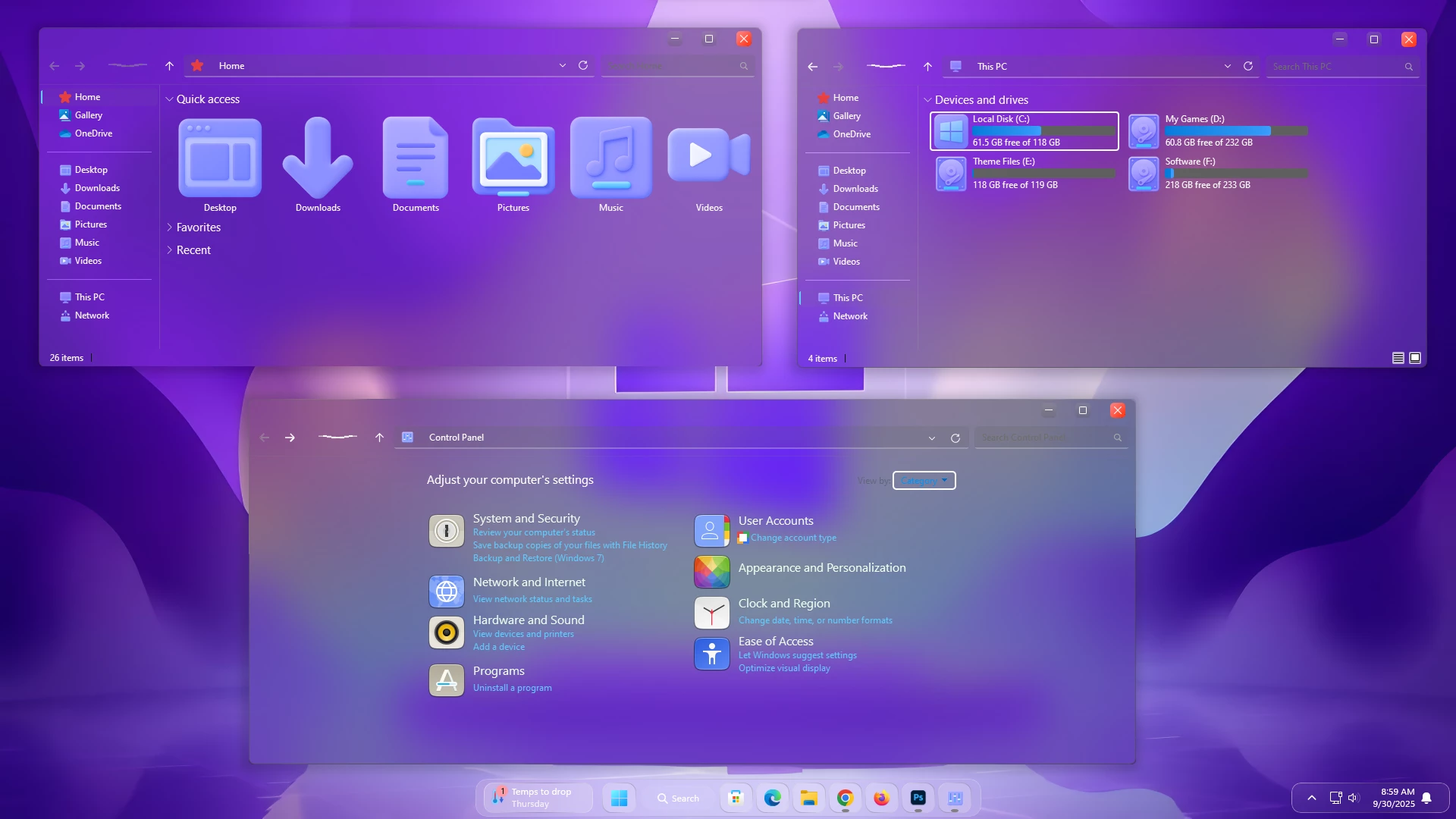
7TSP 3D Purple Icon Pack For Windows
The 7TSP 3D Purple Icon Pack For Windows gives Windows a colorful new look with rounded icons, purple and blue gradients, and soft 3D-style details. The pack is designed for use with a compatible 7TSP GUI tool and changes supported Windows icons while keeping the familiar desktop layout.
The design uses a mix of deep purple, blue, and lighter gradient tones to create a layered appearance. Rounded shapes and subtle highlights add depth to the icons without making them look overly complicated.
The color palette works well with dark wallpapers, purple-themed desktops, and other colorful Windows customization setups. It can also be paired with matching wallpapers and themes to keep the overall desktop appearance more consistent.
What Is 7TSP 3D Purple Icon Pack?
7TSP 3D Purple Icon Pack is a third-party Windows icon customization pack created for use with a compatible 7TSP GUI application. It replaces supported Windows icon resources with a coordinated collection of purple and blue 3D-inspired icons.
The pack is intended for users who want a more colorful alternative to the default Windows icons without changing the normal Windows interface or everyday workflow.
Key Features
- 3D-inspired purple icon design
- Purple and blue gradient color palette
- Rounded icon shapes with soft depth effects
- Coordinated folder and supported system icon styling
- Designed for use with compatible 7TSP GUI tools
- Works well with dark and colorful desktop setups
- Consistent visual style across supported Windows resources
Requirements
- A compatible Windows PC
- A compatible 7TSP GUI application
- The 7TSP 3D Purple Icon Pack file
- A Windows System Restore Point before applying system icon changes
How to Install 7TSP 3D Purple Icon Pack
- Create a Windows System Restore Point before making any icon changes.
- Download and install a compatible 7TSP GUI application.
- Download the 7TSP 3D Purple Icon Pack.
- Open 7TSP as administrator and select the icon pack file.
- Apply the pack and allow the tool to finish patching the supported Windows resources.
- Restart Windows if the tool asks you to, or if some icons do not refresh immediately.
Compatibility
- Windows 10: Compatibility may vary
- Windows 11: Compatibility may vary by Windows build and 7TSP version
Because 7TSP modifies Windows icon resources, compatibility can change after Windows updates. Keeping a System Restore Point available before applying or replacing the icon pack is recommended.
What Is Included?
- 7TSP 3D Purple Icon Pack
7TSP 3D Purple Icon Pack6MB
Download How to Remove 7TSP 3D Purple Icon Pack
- Save your work and open the same 7TSP GUI application as administrator.
- Open the Restore option.
- Select Restore modified system files to before 7tsp was used if that option is available.
- Confirm the restoration process.
- Wait until the tool finishes restoring the modified Windows resources.
- Restart Windows if prompted, then check that the original icons have returned.
Disclaimer
This icon pack is an unofficial third-party Windows customization resource. It is not affiliated with, endorsed by, or sponsored by Microsoft. Applying a 7TSP icon pack can modify Windows system icon resources, and compatibility may vary after Windows updates. Create a System Restore Point before applying the pack and keep a backup or restore option available.
Final Thoughts
7TSP 3D Purple Icon Pack gives Windows a more colorful appearance with purple gradients, rounded shapes, and subtle 3D details. The design is a good match for users who prefer darker wallpapers or purple-themed desktop setups and want something noticeably different from the default Windows icons.
For a more consistent desktop, pair the icon pack with a matching wallpaper or Windows theme. Keeping a System Restore Point available also makes it easier to return to the default icons if you decide to change the setup later.
Frequently Asked Questions
What is 7TSP 3D Purple Icon Pack?
It is a custom Windows icon pack designed to be applied through a compatible 7TSP GUI tool. It replaces supported Windows icon resources with purple and blue 3D-inspired designs.
Do I need 7TSP to use this icon pack?
Yes. A compatible 7TSP GUI application is required to apply the pack to supported Windows resources.
Does the icon pack change every Windows icon?
Not necessarily. Only the Windows resources included in the icon pack and supported by the 7TSP tool will be changed.
Can Windows updates affect the icon pack?
Yes. Windows updates can replace or change system resources, so some customized icons may return to their default appearance or need to be applied again.
Can I restore the default Windows icons?
Yes. Use the restore option in the same 7TSP GUI tool to restore previously modified resources. A System Restore Point provides an additional recovery option.
You may also like

Disclaimer: All themes, visual styles, and concepts shared on this website are unofficial, fan-made creations built from imagination for customization purposes. We are not affiliated with, endorsed by, or sponsored by Microsoft or any other official brand.