

macOS-Inspired 7TSP Elegance Icon Pack for Windows
macOS-Inspired 7TSP Elegance Icon Pack for Windows : macOS Elegance 7TSP Icon Pack introduces the classic look of Apple to Windows, fusing macOS icon beauty with the flexibility of 7TSP customization

macOS-Inspired 7TSP Elegance Icon Pack for Windows
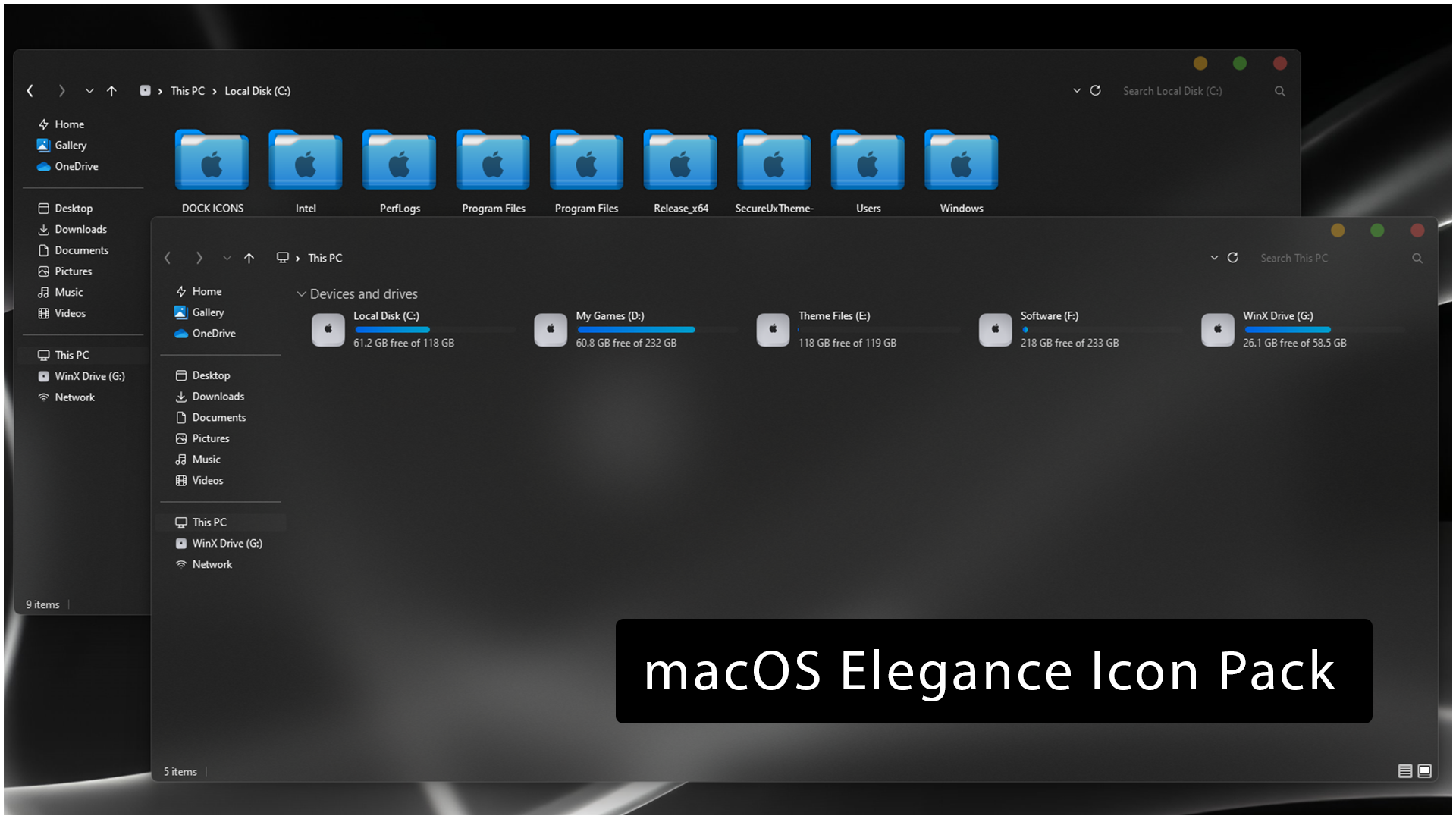
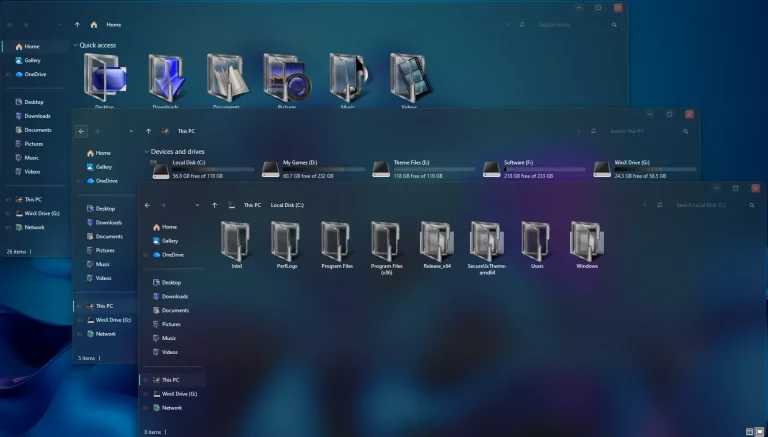
The macOS-Inspired 7TSP Elegance Icon Pack for Windows is a desktop icon customization pack featuring a clean blue aesthetic and a subtle macOS-inspired touch. The folder icons use cyan and deep blue tones with a dark emblem in the center, giving File Explorer a fresh, coordinated look while keeping each directory clear and easy to recognize.
The same unified visual approach extends to supported system and drive icons. In This PC, storage drives use light silver-gray rounded icons with darker center details, accented by bright cyan-blue capacity indicator bars. The result provides a refined, consistent appearance across your workspace without requiring a complete overhaul of your entire desktop setup.
This pack is designed for use with a compatible release of 7TSP GUI and changes supported Windows icon resources only. Operating system themes, wallpapers, docks, and taskbar styling remain completely independent.
Blue macOS-Inspired Icon Design
The folder icons are the centerpiece of the Elegance icon pack. Each icon balances a bright cyan-blue frame with deeper blue layering and a simple central glyph. This repeating design maintains a cohesive visual rhythm across folder views while offering a distinctive alternative to default Windows yellow folders.
Drive icons adopt a balanced, understated aesthetic with smooth silver-gray surfaces and matching dark accents. The cyan-blue storage bars introduce a subtle pop of color in This PC, matching naturally with the folders above.
Key Features
- Cyan and blue folder icons inspired by modern macOS design elements.
- High-contrast center emblems for quick and easy folder recognition.
- Silver-gray drive icons for supported storage locations.
- Cyan-blue drive space indicators in This PC.
- Cohesive visual styling across compatible File Explorer locations.
- Fully compatible for installation with 7TSP GUI.
- Can be used alongside any desktop wallpaper or third-party visual style.
What Is Included?
- macOS-Inspired 7TSP Elegance Icon Pack: Core icon archive containing the replacement resources for supported Windows folders, drives, and system locations.
Compatibility
- Windows 11: Supported with a compatible 7TSP GUI release.
- Windows 10: Supported with a compatible 7TSP GUI release.
Compatibility depends on both the icon pack configuration and the version of 7TSP GUI you use. System resources can shift between major Windows feature updates, so verify your build compatibility before patching.
System Requirements
- A Windows build supported by your selected 7TSP release.
- A compatible release of 7TSP GUI.
- Administrator privileges on your PC.
- A newly created Windows System Restore Point prior to installation.
- Sufficient storage space for the backup files created by 7TSP.
To verify your current Windows build, press Windows + R, type winver, and press Enter. Compare your build with the supported versions listed for your 7TSP tool.
Before You Install
Save any open work and complete any pending Windows restarts before beginning. Always leave the automated backup option enabled inside 7TSP, as these backup files provide the safest and most reliable way to revert to default Windows icons later.
If you currently have another 7TSP icon pack installed, restore your system to default icons before applying this pack. Installing one pack over another can complicate your backup files and lead to unexpected display issues.
How to Install macOS-Inspired 7TSP Elegance Icon Pack
- Create a Restore Point: Set up a Windows System Restore Point before modifying system icon resources.
- Download the Pack: Download the archive using the link below and extract the outer ZIP file.
- Check the Pack Files: Verify the included files and locate the inner 7TSP package. Keep this file intact unless specified otherwise in the documentation.
- Launch 7TSP GUI: Download a compatible version of 7TSP GUI, right-click the executable, and select Run as administrator.
- Add the Custom Pack: Click Add a Custom Pack and select the downloaded Elegance 7TSP pack.
- Start Patching: Verify that backup options are selected, then begin the patching process.
- Restart Windows: Allow the patcher to finish without interruption, then reboot your PC to apply the new icons across File Explorer.
For a complete matching desktop style, you can explore:
Elegance 7TSP Pack 9 MB
DownloadHow to Restore Default Windows Icons
- Open 7TSP GUI: Run the 7TSP tool as administrator.
- Access Restore: Click the Restore option within the interface.
- Select Your Backup: Choose the automatic backup created during the initial installation.
- Complete the Process: Allow 7TSP to restore the original system resources without closing the utility midway.
- Reboot Windows: Restart your computer to reload the default Windows icons in File Explorer.
Depending on your version of 7TSP, the restoration menu may appear under Program > Restore Backup. Always choose the backup corresponding to your initial installation.
Explore More Customization
The Elegance icon pack works great on its own, but you can also combine it with custom visual styles and wallpapers for a fully personalized workspace.
Disclaimer
The macOS-Inspired 7TSP Elegance Icon Pack for Windows is an independently created third-party customization resource intended solely for personal desktop personalization. The term “macOS” is used strictly to describe the visual inspiration and design style. This pack is not an official Apple product and is not affiliated with, endorsed by, sponsored by, or connected to Apple Inc., Microsoft Corporation, or the developers of 7TSP GUI. Apple, macOS, Windows, and related trademarks belong to their respective owners.
Final Word
The macOS-Inspired 7TSP Elegance Icon Pack for Windows balances clean simplicity with modern aesthetic touches. Vibrant blue folders deliver personality, darker center glyphs maintain clarity, and sleek silver-gray storage icons prevent File Explorer from feeling visually repetitive.
Whether used independently or paired with a complementary Windows visual style, it offers a quick and cohesive way to upgrade your desktop look. Remember to keep your restore points and 7TSP backups handy for seamless recovery whenever needed.
Disclaimer: All themes, visual styles, and concepts shared on this website are unofficial, fan-made creations built from imagination for customization purposes. We are not affiliated with, endorsed by, or sponsored by Microsoft or any other official brand.