Elite Glass Start Menu & Taskbar Style
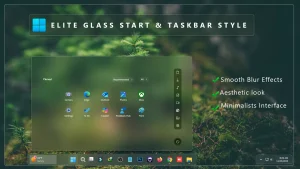
Elite Glass Start Menu & Taskbar Style : Elite Glass Start & Taskbar Style using Windhawk brings a stunning modern look to Windows 11 by transforming the Start Menu and Taskbar into a premium, transparent “glass-like” interface.

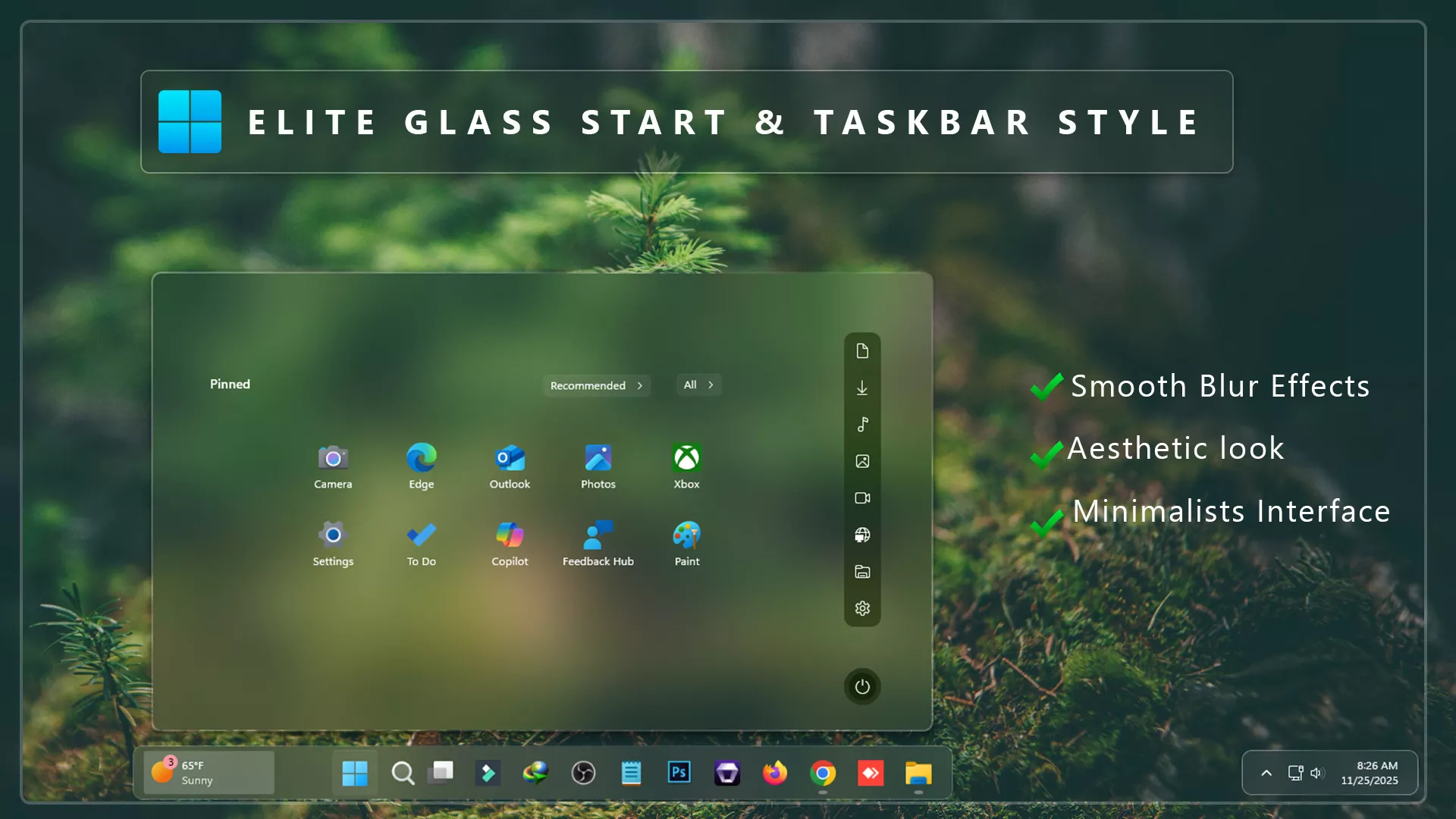
Elite Glass Start Menu & Taskbar Style – Windhawk
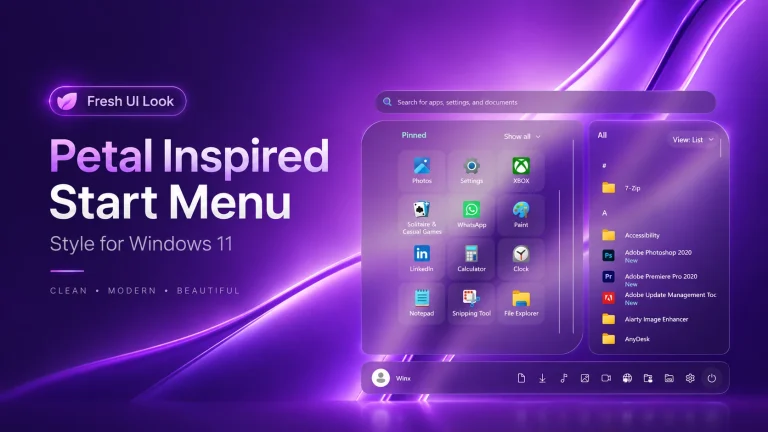
If you are looking for a premium glass-inspired customization for Windows 11, the Elite Glass Start Menu & Taskbar Style is one of the best options available for Windhawk users. This elegant design transforms the default Windows 11 Start Menu and Taskbar into a modern transparent interface with beautiful glass effects, smooth corners, and a clean visual appearance. Whether you prefer minimal desktop setups or advanced Windows customization, this style can instantly enhance the overall look of your system.
Modern Glass Design for Windows 11
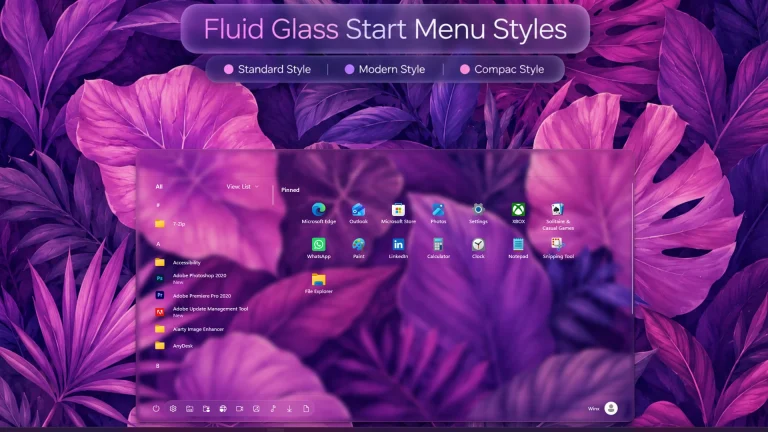
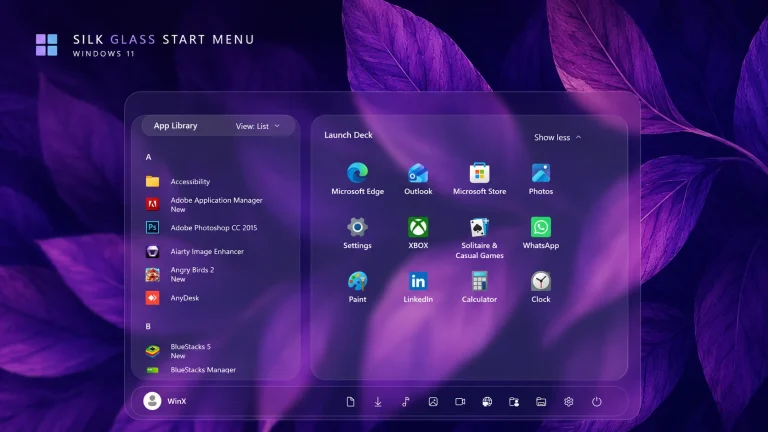
The Elite Glass Start Menu & Taskbar Style brings a refined glass aesthetic to your Windows 11 desktop. The transparent background effect creates a premium feel while maintaining excellent readability and usability. Unlike standard Windows themes, this customization focuses on delivering a balanced combination of beauty and performance.
The glass effect blends naturally with your wallpaper, making the Start Menu appear lightweight and modern. It provides a fresh experience that resembles the latest UI design trends while preserving the familiar functionality of Windows 11.
Why Choose Elite Glass Start Menu Style?
Many Windows enthusiasts prefer customized Start Menu styles because they offer greater visual appeal compared to the default interface. The Elite Glass Start Menu Style is designed specifically for users who want a cleaner and more elegant desktop environment.
- Beautiful transparent glass effect
- Modern and professional appearance
- Smooth rounded corners
- Enhanced visual consistency
- Optimized for Windows 11
- Easy installation using Windhawk
- Lightweight and performance-friendly
Enhanced Taskbar Customization
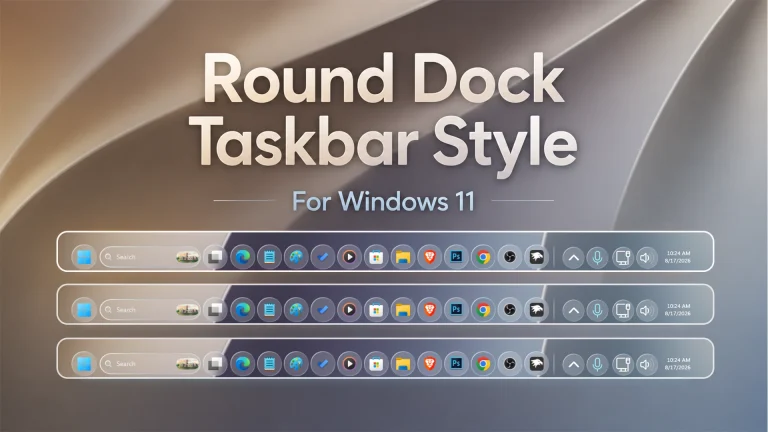
In addition to the Start Menu improvements, this style also includes a stunning glass Taskbar design. The transparent Taskbar creates a seamless visual connection between desktop elements and helps achieve a more immersive user experience. The elegant appearance works perfectly with dark themes, light themes, and custom wallpapers.
Users who enjoy creating unique desktop setups will appreciate how the Elite Glass Taskbar complements modern icon packs, Rainmeter widgets, and custom Windows themes.
Perfect for Windows Customization Enthusiasts
The Elite Glass Start Menu & Taskbar Style is ideal for users who frequently customize Windows 11. Whether you create desktop showcases, upload customization videos on YouTube, or simply enjoy personalizing your PC, this style offers a professional look that stands out.
The design is carefully crafted to maintain usability while introducing a visually appealing glass effect. Every detail has been optimized to provide a polished and premium desktop experience.
Easy Installation with Windhawk
Installing the Elite Glass Start Menu Style is simple when using Windhawk. Windhawk allows users to apply advanced Start Menu modifications without replacing core Windows files. This makes the customization process safer, faster, and easier to manage.
After installation, you can enjoy an upgraded Windows 11 interface with enhanced transparency, improved aesthetics, and a sleek modern appearance.
Performance and Compatibility
One of the biggest advantages of this customization is its lightweight nature. The Elite Glass Start Menu & Taskbar Style is designed to work efficiently on Windows 11 systems while maintaining smooth performance. It delivers impressive visual enhancements without placing unnecessary strain on system resources.
This style is suitable for most modern Windows 11 installations and works especially well alongside other desktop customization tools.
- Windows 11 21H2: YES
- Windows 11 22H2: YES
- Windows 11 23H2: YES
- Windows 11 24H2: YES
- Windows 11 25H2: YES (Works, but test carefully after Windows updates)
- Download & Install windhawk.
- install & Open the Windows 11 Start Menu Styler mod in Windhawk.
- Go to the “Advanced” tab.
- Copy the content below to the text box under “Mod settings” and click “Save”.
- Windhawk Start Menu Mods
- Windhawk Taskbar Mods
- Windhawk Taskbar Size Mods
{ "theme": "Elite Glass Start Menu by Link Vegas", "controlStyles[0].target": "Windows.UI.Xaml.Controls.Grid#TopLevelSuggestionsListHeader", "controlStyles[0].styles[0]": "Width=450", "controlStyles[1].target": "Windows.UI.Xaml.Controls.Grid#NoTopLevelSuggestionsText", "controlStyles[1].styles[0]": "Height=0", "controlStyles[2].target": "Windows.UI.Xaml.Controls.Grid#TopLevelSuggestionsContainer", "controlStyles[2].styles[0]": "Height=0", "controlStyles[3].target": "Windows.UI.Xaml.Controls.Grid#ShowMoreSuggestions", "controlStyles[3].styles[0]": "RenderTransform:=<TranslateTransform Y=\"-474\" X=\"-242\" />", "controlStyles[4].target": "StartMenu.PinnedList", "controlStyles[4].styles[0]": "Height=100", "controlStyles[4].styles[1]": "Width=500", "controlStyles[4].styles[2]": "RenderTransform:=<TranslateTransform Y=\"30\" X=\"250\" />", "controlStyles[5].target": "Windows.UI.Xaml.Controls.Grid#ShowMoreSuggestions > Windows.UI.Xaml.Controls.Button > Windows.UI.Xaml.Controls.ContentPresenter > Windows.UI.Xaml.Controls.StackPanel > Windows.UI.Xaml.Controls.TextBlock", "controlStyles[5].styles[0]": "Text=Recommended", "controlStyles[6].target": "StartDocked.StartSizingFrame", "controlStyles[6].styles[0]": "MaxWidth=850", "controlStyles[6].styles[1]": "MinWidth=850", "controlStyles[6].styles[2]": "MaxHeight=500", "controlStyles[7].target": "Grid#RootContent", "controlStyles[7].styles[0]": "MinWidth=850", "controlStyles[8].target": "Border#AcrylicOverlay", "controlStyles[8].styles[0]": "Visibility=Collapsed", "controlStyles[8].styles[4]": "Margin=0,6,0,-55", "controlStyles[9].target": "Border#AcrylicBorder", "controlStyles[9].styles[0]": "Background:=<AcrylicBrush TintColor=\"{ThemeResource CardStrokeColorDefaultSolid}\" FallbackColor=\"{ThemeResource CardStrokeColorDefaultSolid}\" TintOpacity=\"0\" TintLuminosityOpacity=\".05\" Opacity=\"1\"/>", "controlStyles[9].styles[1]": "BorderBrush:=<LinearGradientBrush StartPoint=\"0,0\" EndPoint=\"1,1\" Opacity=\"0.6\"><GradientStop Color=\"#80ffffff\" Offset=\"0.0\" /><GradientStop Color=\"{ThemeResource SurfaceStrokeColorDefault}\" Offset=\"0.55\" /><GradientStop Color=\"#80ffffff\" Offset=\"1\" /></LinearGradientBrush>", "controlStyles[9].styles[2]": "BorderThickness=2", "controlStyles[9].styles[3]": "CornerRadius=10", "controlStyles[9].styles[4]": "Margin=0", "controlStyles[10].target": "Border#DropShadow", "controlStyles[10].styles[0]": "CornerRadius=5", "controlStyles[10].styles[1]": "Margin=0", "controlStyles[12].target": "StartDocked.SearchBoxToggleButton", "controlStyles[12].styles[0]": "Height=38", "controlStyles[11].target": "StartDocked.SearchBoxToggleButton#StartMenuSearchBox", "controlStyles[12].styles[2]": "CornerRadius=20", "controlStyles[12].styles[1]": "RenderTransform:=<TranslateTransform Y=\"550\" X=\"0\" />", "controlStyles[13].target": "StartDocked.SearchBoxToggleButton > Grid > Border", "controlStyles[13].styles[0]": "Background:=<AcrylicBrush TintColor=\"{ThemeResource CardStrokeColorDefaultSolid}\" FallbackColor=\"{ThemeResource CardStrokeColorDefaultSolid}\" TintOpacity=\"0\" TintLuminosityOpacity=\".30\" Opacity=\"1\"/>", "controlStyles[13].styles[1]": "RenderTransform:=<TranslateTransform Y=\"0\" X=\"0\" />", "controlStyles[14].target": "StartDocked.LauncherFrame > Grid#RootGrid > Grid#RootContent > Grid#MainContent > Grid#InnerContent > Rectangle", "controlStyles[14].styles[0]": "RenderTransform:=<TranslateTransform Y=\"555\" X=\"0\" />", "controlStyles[15].target": "StartDocked.SearchBoxToggleButton", "controlStyles[15].styles[0]": "Canvas.ZIndex=1", "controlStyles[15].styles[1]": "RenderTransform:=<TranslateTransform Y=\"550\" X=\"0\" />", "controlStyles[16].target": "StartDocked.NavigationPaneView", "controlStyles[16].styles[0]": "Transform3D:=<CompositeTransform3D RotationZ=\"270\" TranslateY=\"-750\" TranslateX=\"740\"/>", "controlStyles[17].target": "StartDocked.UserTileView#UserTile", "controlStyles[17].styles[0]": "Transform3D:=<CompositeTransform3D RotationZ=\"90\" TranslateY=\"410\" TranslateX=\"-60\"/>", "controlStyles[18].target": "StartDocked.AppListViewItem > Grid > ContentPresenter", "controlStyles[18].styles[0]": "Transform3D:=<CompositeTransform3D RotationZ=\"90\" TranslateY=\"40\"/>", "controlStyles[19].target": "StartDocked.PowerOptionsView", "controlStyles[19].styles[0]": "Transform3D:=<CompositeTransform3D TranslateY=\"40\" TranslateX=\"30\" RotationZ=\"90\" />", "controlStyles[20].target": "StartDocked.LauncherFrame > Grid#RootGrid > Grid#RootContent > Grid#MainContent > Grid#InnerContent > Rectangle", "controlStyles[20].styles[0]": "Visibility=Collapsed", "controlStyles[21].target": "Windows.UI.Xaml.Controls.Grid#AllAppsRoot", "controlStyles[21].styles[0]": "Margin=0,0,155,0", "controlStyles[22].target": "Windows.UI.Xaml.Controls.TextBlock#PinnedListHeaderText", "controlStyles[23].target": "Border#ContentBorder@CommonStates > Grid#DroppedFlickerWorkaroundWrapper > Border", "controlStyles[23].styles[0]": "FocusVisualPrimaryBrush:=<SolidColorBrush Color=\"#b3cefd\" Opacity=\".10\"/>", "controlStyles[23].styles[1]": "CornerRadius=5", "controlStyles[23].styles[2]": "Height=80", "controlStyles[23].styles[3]": "Width=92", "controlStyles[24].target": "StartMenu.PinnedList#StartMenuPinnedList", "controlStyles[24].styles[0]": "MaxWidth=500", "controlStyles[24].styles[1]": "Margin=-550,0,0,0", "controlStyles[24].styles[2]": "Height=410", "controlStyles[25].target": "Windows.UI.Xaml.Controls.Border#ContentBorder@CommonStates > Windows.UI.Xaml.Controls.Grid#DroppedFlickerWorkaroundWrapper > Border#BackgroundBorder", "controlStyles[26].target": "Windows.UI.Xaml.Controls.Grid#MoreSuggestionsRoot", "controlStyles[26].styles[0]": "Margin=50,0,150,0", "controlStyles[27].target": "StartDocked.AppListView#NavigationPanePlacesListView > Windows.UI.Xaml.Controls.Border", "controlStyles[27].styles[0]": "Background:=<AcrylicBrush TintColor=\"{ThemeResource CardStrokeColorDefaultSolid}\" FallbackColor=\"{ThemeResource CardStrokeColorDefaultSolid}\" TintOpacity=\"0\" TintLuminosityOpacity=\".55\" Opacity=\"1\"/>", "controlStyles[27].styles[1]": "CornerRadius=10", "controlStyles[27].styles[2]": "Margin=0,0,15,0", "controlStyles[28].target": "StartDocked.NavigationPaneButton#PowerButton > Windows.UI.Xaml.Controls.Grid@CommonStates > Windows.UI.Xaml.Controls.Border#BackgroundBorder", "controlStyles[28].styles[0]": "Background:=<AcrylicBrush TintColor=\"{ThemeResource CardStrokeColorDefaultSolid}\" FallbackColor=\"{ThemeResource CardStrokeColorDefaultSolid}\" TintOpacity=\"0\" TintLuminosityOpacity=\"1\" Opacity=\"1\"/>", "controlStyles[28].styles[1]": "BorderBrush@Normal:=<AcrylicBrush TintColor=\"{ThemeResource SurfaceStrokeColorDefault}\" FallbackColor=\"{ThemeResource SurfaceStrokeColorDefault}\" TintOpacity=\"0\" TintLuminosityOpacity=\".1\" Opacity=\"1\"/>", "controlStyles[28].styles[2]": "CornerRadius=30", "controlStyles[28].styles[3]": "BorderThickness=5", "controlStyles[28].styles[4]": "Margin=0", "controlStyles[28].styles[5]": "BorderBrush@PointerOver:=<AcrylicBrush TintColor=\"{ThemeResource SystemAccentColor}\" FallbackColor=\"{ThemeResource SystemAccentColor}\" TintOpacity=\".8\" TintLuminosityOpacity=\".5\" Opacity=\".55\"/>", "controlStyles[29].target": "Button#ShowAllAppsButton > ContentPresenter@CommonStates", "controlStyles[29].styles[0]": "Margin=0,0,15,0", "controlStyles[30].target": "Button#ShowAllAppsButton > ContentPresenter#ContentPresenter@CommonStates", "controlStyles[30].styles[0]": "RenderTransform:=<TranslateTransform Y=\"0\" X=\"-150\" />", "controlStyles[31].target": "Windows.UI.Xaml.Controls.GridView#PinnedList > Windows.UI.Xaml.Controls.Border > Windows.UI.Xaml.Controls.ScrollViewer > Windows.UI.Xaml.Controls.Border > Windows.UI.Xaml.Controls.Grid > Windows.UI.Xaml.Controls.ScrollContentPresenter > Windows.UI.Xaml.Controls.ItemsPresenter > Windows.UI.Xaml.Controls.ItemsWrapGrid > Windows.UI.Xaml.Controls.GridViewItem", "controlStyles[31].styles[0]": "Margin=0,0,0,0", "controlStyles[32].target": "StartMenu.PinnedList > Grid#Root", "controlStyles[32].styles[0]": "Padding=0", "disableNewStartMenuLayout": 1}{ "theme": "", "controlStyles[0].target": "Grid#MainMenu", "controlStyles[0].styles[0]": "Width=850", "controlStyles[0].styles[1]": "MinWidth=850", "controlStyles[0].styles[2]": "MaxWidth=850", "controlStyles[1].target": "Grid#FrameRoot", "controlStyles[1].styles[0]": "Height=500", "controlStyles[1].styles[1]": "MaxHeight=500", "controlStyles[2].target": "Grid#SideBySidePinnedWrapper", "controlStyles[2].styles[0]": "ColumnDefinitions:=<ColumnDefinitionCollection><ColumnDefinition Width=\"350*\"/><ColumnDefinition Width=\"500*\"/></ColumnDefinitionCollection>", "controlStyles[3].target": "GridView#AllAppsGrid > Border > Grid#SideBySidePinnedWrapper > ScrollViewer#ScrollViewer", "controlStyles[3].styles[0]": "Grid.Column=0", "controlStyles[3].styles[1]": "Margin=0", "controlStyles[4].target": "ScrollViewer#SideBySidePinnedScrollViewer", "controlStyles[4].styles[0]": "Grid.Column=1", "controlStyles[4].styles[1]": "Margin=0", "controlStyles[5].target": "Grid#SideBySidePinnedWrapper > ScrollViewer > Border#Root > Grid > ScrollContentPresenter > ItemsPresenter > ItemsWrapGrid", "controlStyles[5].styles[0]": "Margin=24,0,24,14", "controlStyles[6].target": "Grid#AllListHeading", "controlStyles[6].styles[0]": "Margin=0,4,0,0", "controlStyles[7].target": "Grid#AllListHeading > TextBlock#AllListHeadingText", "controlStyles[7].styles[0]": "Margin=34,6,10,7", "controlStyles[8].target": "Grid#AllListHeading > Microsoft.UI.Xaml.Controls.DropDownButton#ViewSelectionButton", "controlStyles[8].styles[0]": "Margin=0,0,24,0", "controlStyles[9].target": "GridView#AllAppsGrid", "controlStyles[9].styles[0]": "Margin=0,0,0,58", "controlStyles[10].target": "StartMenu.PinnedList#StartMenuPinnedList", "controlStyles[10].styles[0]": "Width=470", "controlStyles[10].styles[1]": "MaxWidth=470", "controlStyles[10].styles[2]": "Height=330", "controlStyles[10].styles[3]": "MaxHeight=330", "controlStyles[10].styles[4]": "Margin=15,18,15,0", "controlStyles[11].target": "Grid#PinnedListHeaderGrid", "controlStyles[11].styles[0]": "Margin=8,0,8,0", "controlStyles[12].target": "TextBlock#PinnedListHeaderText", "controlStyles[12].styles[0]": "Margin=14,4,0,0", "controlStyles[13].target": "Microsoft.UI.Xaml.Controls.PipsPager#PinnedListPipsPager", "controlStyles[13].styles[0]": "Visibility=Collapsed", "controlStyles[14].target": "Grid#TopLevelSuggestionsListHeader", "controlStyles[14].styles[0]": "Height=0", "controlStyles[14].styles[1]": "Visibility=>showMoreSuggestionsVisible", "controlStyles[15].target": "Grid#TopLevelSuggestionsRoot", "controlStyles[15].styles[0]": "Grid.Row=0", "controlStyles[15].styles[1]": "MaxHeight=54", "controlStyles[15].styles[2]": "RenderTransform:=<TranslateTransform Y=\"8\"/>", "controlStyles[16].target": "Grid#ShowMoreSuggestions", "controlStyles[16].styles[0]": "Visibility={{showMoreSuggestionsVisible}}", "controlStyles[16].styles[1]": "Margin=0", "controlStyles[17].target": "Button#ShowMoreSuggestionsButton", "controlStyles[17].styles[0]": "HorizontalAlignment=Left", "controlStyles[17].styles[1]": "Margin=20,0,0,0", "controlStyles[18].target": "Button#ShowMoreSuggestionsButton > Grid > ContentPresenter > StackPanel > TextBlock", "controlStyles[18].styles[0]": "Text=Recommended", "controlStyles[19].target": "Grid#MoreSuggestionsRoot", "controlStyles[19].styles[0]": "Margin=18,0,18,0", "controlStyles[20].target": "Border#AcrylicBorder", "controlStyles[20].styles[0]": "Background:=<AcrylicBrush BackgroundSource=\"Backdrop\" TintColor=\"{ThemeResource CardStrokeColorDefaultSolid}\" TintOpacity=\"0\" TintLuminosityOpacity=\".05\"/>", "controlStyles[20].styles[1]": "BorderBrush:=<LinearGradientBrush StartPoint=\"0,0\" EndPoint=\"1,1\" Opacity=\"0.6\"><GradientStop Color=\"#80FFFFFF\" Offset=\"0.0\"/><GradientStop Color=\"{ThemeResource SurfaceStrokeColorDefault}\" Offset=\"0.55\"/><GradientStop Color=\"#80FFFFFF\" Offset=\"1\"/></LinearGradientBrush>", "controlStyles[20].styles[2]": "BorderThickness=2", "controlStyles[20].styles[3]": "CornerRadius=10", "controlStyles[20].styles[4]": "Margin=0", "controlStyles[21].target": "Border#AcrylicOverlay", "controlStyles[21].styles[0]": "Visibility=Collapsed", "controlStyles[22].target": "Border#DropShadow", "controlStyles[22].styles[0]": "CornerRadius=10", "controlStyles[22].styles[1]": "Margin=0", "controlStyles[23].target": "Border#StartDropShadow", "controlStyles[23].styles[0]": "CornerRadius=10", "controlStyles[24].target": "StartMenu.SearchBoxToggleButton#SearchBoxToggleButton", "controlStyles[24].styles[0]": "Height=38", "controlStyles[24].styles[1]": "Width=460", "controlStyles[24].styles[2]": "HorizontalAlignment=Right", "controlStyles[24].styles[3]": "Margin=0,0,20,12", "controlStyles[24].styles[4]": "Canvas.ZIndex=10", "controlStyles[25].target": "StartMenu.SearchBoxToggleButton#SearchBoxToggleButton > Grid@CommonStates > Border#BorderElement", "controlStyles[25].styles[0]": "Background:=<AcrylicBrush BackgroundSource=\"Backdrop\" TintColor=\"{ThemeResource CardStrokeColorDefaultSolid}\" TintOpacity=\"0\" TintLuminosityOpacity=\".30\"/>", "controlStyles[25].styles[1]": "BorderBrush:=<LinearGradientBrush StartPoint=\"0,0\" EndPoint=\"1,0\" Opacity=\".65\"><GradientStop Color=\"#80FFFFFF\" Offset=\"0\"/><GradientStop Color=\"{ThemeResource SurfaceStrokeColorDefault}\" Offset=\".5\"/><GradientStop Color=\"#80FFFFFF\" Offset=\"1\"/></LinearGradientBrush>", "controlStyles[25].styles[2]": "BorderThickness=1", "controlStyles[25].styles[3]": "CornerRadius=20", "controlStyles[26].target": "StartMenu.PinnedList#StartMenuPinnedList Border#ContentBorder@CommonStates > Grid#DroppedFlickerWorkaroundWrapper > Border", "controlStyles[26].styles[0]": "CornerRadius=5", "controlStyles[26].styles[1]": "Height=80", "controlStyles[26].styles[2]": "Width=92", "controlStyles[26].styles[3]": "FocusVisualPrimaryBrush:=<SolidColorBrush Color=\"#b3cefd\" Opacity=\".10\"/>", "controlStyles[27].target": "StartMenu.PinnedList#StartMenuPinnedList Border#ContentBorder@CommonStates > Grid#DroppedFlickerWorkaroundWrapper > Border#BackgroundBorder", "controlStyles[27].styles[0]": "Background@Normal:=<AcrylicBrush BackgroundSource=\"Backdrop\" TintColor=\"{ThemeResource CardStrokeColorDefaultSolid}\" TintOpacity=\"0\" TintLuminosityOpacity=\".22\"/>", "controlStyles[27].styles[1]": "Background@PointerOver:=<AcrylicBrush BackgroundSource=\"Backdrop\" TintColor=\"{ThemeResource CardStrokeColorDefaultSolid}\" TintOpacity=\"0\" TintLuminosityOpacity=\".55\"/>", "controlStyles[27].styles[2]": "BorderBrush:=<LinearGradientBrush StartPoint=\"0,0\" EndPoint=\"1,1\" Opacity=\".45\"><GradientStop Color=\"#70FFFFFF\" Offset=\"0\"/><GradientStop Color=\"#20FFFFFF\" Offset=\".5\"/><GradientStop Color=\"#70FFFFFF\" Offset=\"1\"/></LinearGradientBrush>", "controlStyles[27].styles[3]": "BorderThickness=1", "controlStyles[27].styles[4]": "CornerRadius=5", "controlStyles[28].target": "StartDocked.AppListView#NavigationPanePlacesListView > Border", "controlStyles[28].styles[0]": "Background:=<AcrylicBrush BackgroundSource=\"Backdrop\" TintColor=\"{ThemeResource CardStrokeColorDefaultSolid}\" TintOpacity=\"0\" TintLuminosityOpacity=\".55\"/>", "controlStyles[28].styles[1]": "CornerRadius=10", "controlStyles[28].styles[2]": "Margin=0,0,15,0", "controlStyles[29].target": "StartDocked.NavigationPaneButton#PowerButton > Grid@CommonStates > Border#BackgroundBorder", "controlStyles[29].styles[0]": "Background:=<AcrylicBrush TintColor=\"{ThemeResource CardStrokeColorDefaultSolid}\" FallbackColor=\"{ThemeResource CardStrokeColorDefaultSolid}\" TintOpacity=\"0\" TintLuminosityOpacity=\"1\" Opacity=\"1\"/>", "controlStyles[29].styles[1]": "BorderBrush@Normal:=<AcrylicBrush TintColor=\"{ThemeResource SurfaceStrokeColorDefault}\" FallbackColor=\"{ThemeResource SurfaceStrokeColorDefault}\" TintOpacity=\"0\" TintLuminosityOpacity=\".1\" Opacity=\"1\"/>", "controlStyles[29].styles[2]": "CornerRadius=30", "controlStyles[29].styles[3]": "BorderThickness=2", "controlStyles[29].styles[4]": "Margin=0", "controlStyles[29].styles[5]": "BorderBrush@PointerOver:=<AcrylicBrush TintColor=\"{ThemeResource SystemAccentColor}\" FallbackColor=\"{ThemeResource SystemAccentColor}\" TintOpacity=\".8\" TintLuminosityOpacity=\".5\" Opacity=\".55\"/>", "controlStyles[30].target": "Grid#NavPanePlaceholder", "controlStyles[30].styles[0]": "Margin=24,0,24,0", "controlStyles[31].target": "StartDocked.NavigationPaneView#UserControl > Grid#RootPanel", "controlStyles[31].styles[0]": "FlowDirection=1", "controlStyles[32].target": "StartDocked.PowerOptionsView#PowerButton", "controlStyles[32].styles[0]": "FlowDirection=0", "controlStyles[33].target": "ItemsStackPanel > ListViewItem", "controlStyles[33].styles[0]": "FlowDirection=0", "controlStyles[34].target": "Windows.UI.Xaml.Controls.Primitives.ToggleButton#ShowHideCompanion", "controlStyles[34].styles[0]": "Visibility=Collapsed", "controlStyles[35].target": "Grid#CompanionRoot", "controlStyles[35].styles[0]": "Visibility=Collapsed", "controlStyles[36].target": "Grid#RightCompanionContainerGrid", "controlStyles[36].styles[0]": "Visibility=Collapsed", "disableNewStartMenuLayout": "newLayoutSideBySide"}{ "theme": "Elite Glass Taskbar", "controlStyles[0].target": "Taskbar.TaskbarFrame#TaskbarFrame > Grid#RootGrid", "controlStyles[0].styles[0]": "Background:=<WindhawkBlur BlurAmount=\"30\" TintColor=\"#10ffffff\" />", "controlStyles[0].styles[1]": "Margin=3", "controlStyles[0].styles[2]": "CornerRadius=10", "controlStyles[0].styles[3]": "BorderBrush:=<LinearGradientBrush StartPoint=\"0,0\" EndPoint=\"1,1\" Opacity=\"0.6\"><GradientStop Color=\"#80ffffff\" Offset=\"0.0\" /><GradientStop Color=\"{ThemeResource SurfaceStrokeColorDefault}\" Offset=\"0.55\" /><GradientStop Color=\"#80ffffff\" Offset=\"1\" /></LinearGradientBrush>", "controlStyles[0].styles[4]": "BorderThickness=1", "controlStyles[0].styles[5]": "Padding=10,0", "controlStyles[1].target": "Taskbar.TaskListButtonPanel@CommonStates > Border#BackgroundElement", "controlStyles[2].target": "Grid#SystemTrayFrameGrid", "controlStyles[2].styles[0]": "Background:=<WindhawkBlur BlurAmount=\"10\" TintColor=\"#10ffffff\" />", "controlStyles[2].styles[1]": "CornerRadius=10", "controlStyles[2].styles[2]": "Margin=8,8,8,8", "controlStyles[2].styles[3]": "Padding=10,0,2,0", "controlStyles[2].styles[4]": "BorderBrush:=<LinearGradientBrush StartPoint=\"0,0\" EndPoint=\"1,1\"><GradientStop Color=\"#80ffffff\" Offset=\"0.0\" /><GradientStop Color=\"{ThemeResource SurfaceStrokeColorDefault}\" Offset=\"0.55\" /><GradientStop Color=\"#80ffffff\" Offset=\"1\" /></LinearGradientBrush>", "controlStyles[2].styles[5]": "BorderThickness=1", "controlStyles[3].target": "Taskbar.TaskListLabeledButtonPanel@RunningIndicatorStates > Rectangle#RunningIndicator", "controlStyles[3].styles[0]": "Fill:=#808080", "controlStyles[3].styles[1]": "RadiusX=4", "controlStyles[3].styles[2]": "RadiusY=4", "controlStyles[3].styles[3]": "Height=4", "controlStyles[3].styles[4]": "Width=10", "controlStyles[3].styles[5]": "Width@ActiveRunningIndicator=20", "controlStyles[3].styles[6]": "Fill@ActiveRunningIndicator=#60CDFF", "controlStyles[4].target": "Taskbar.TaskListLabeledButtonPanel > TextBlock#LabelControl", "controlStyles[4].styles[0]": "Margin=4,0,0,0", "controlStyles[4].styles[1]": "Foreground=White", "controlStyles[5].target": "Taskbar.SearchBoxButton", "controlStyles[5].styles[0]": "Foreground=White", "controlStyles[5].styles[1]": "Margin=-11,0,0,0", "controlStyles[6].target": "TextBlock#SearchBoxTextBlock", "controlStyles[6].styles[0]": "FontSize=12", "controlStyles[6].styles[1]": "Foreground=White", "controlStyles[7].target": "Grid", "controlStyles[7].styles[0]": "RequestedTheme=2", "controlStyles[8].target": "Taskbar.TaskListButton#TaskListButton[AutomationProperties.Name=Copilot] > Taskbar.TaskListLabeledButtonPanel#IconPanel > Border#BackgroundElement", "controlStyles[8].styles[0]": "Background:=<WindhawkBlur BlurAmount=\"10\" TintColor=\"#10ffffff\" />", "controlStyles[9].target": "Taskbar.AugmentedEntryPointButton#AugmentedEntryPointButton > Taskbar.TaskListButtonPanel#ExperienceToggleButtonRootPanel > Border#BackgroundElement@CommonStates", "controlStyles[9].styles[0]": "Background:=<WindhawkBlur BlurAmount=\"10\" TintColor=\"#30ffffff\" />", "controlStyles[9].styles[1]": "Background@InactivePointerOver:=<WindhawkBlur BlurAmount=\"10\" TintColor=\"#20ffffff\" />", "controlStyles[10].target": "Border#MultiWindowElement", "controlStyles[10].styles[0]": "Visibility=Collapsed", "controlStyles[11].target": "TextBlock#TimeInnerTextBlock", "controlStyles[11].styles[0]": "Foreground=White", "controlStyles[12].target": "TextBlock#DateInnerTextBlock", "controlStyles[12].styles[0]": "Foreground=White", "controlStyles[13].target": "SystemTray.TextIconContent > Grid > SystemTray.AdaptiveTextBlock#Base > TextBlock", "controlStyles[13].styles[0]": "Foreground=White", "controlStyles[14].target": "Taskbar.AugmentedEntryPointButton#AugmentedEntryPointButton", "controlStyles[14].styles[0]": "Margin=-12,0,0,0", "controlStyles[15].target": "Taskbar.ExperienceToggleButton#LaunchListButton[AutomationProperties.Name=Task View]", "controlStyles[15].styles[0]": "Margin=-12,0,0,0", "controlStyles[16].target": "taskbar:TaskListLabeledButtonPanel@RunningIndicatorStates > Border", "controlStyles[16].styles[0]": "Background@InactiveRunningIndicatorPointerOver:=<WindhawkBlur BlurAmount=\"40\" TintColor=\"#10ffffff\" />", "controlStyles[16].styles[1]": "CornerRadius=10", "controlStyles[16].styles[2]": "BorderBrush@InactiveRunningIndicatorPointerOver:=<LinearGradientBrush StartPoint=\"0,0\" EndPoint=\"1,1\"><GradientStop Color=\"#80ffffff\" Offset=\"0.0\" /><GradientStop Color=\"{ThemeResource SurfaceStrokeColorDefault}\" Offset=\"0.55\" /><GradientStop Color=\"#80ffffff\" Offset=\"1\" /></LinearGradientBrush>", "controlStyles[16].styles[3]": "BorderThickness@InactiveRunningIndicatorPointerOver=1", "controlStyles[17].target": "Taskbar.TaskListLabeledButtonPanel@CommonStates > Border#BackgroundElement", "controlStyles[18].target": "Rectangle#BackgroundStroke", "controlStyles[18].styles[0]": "Visibility=Collapsed", "controlStyles[18].styles[1]": "Fill=#000000", "controlStyles[19].target": "Taskbar.TaskbarFrame#TaskbarFrame", "controlStyles[19].styles[0]": "Width=Auto", "controlStyles[19].styles[1]": "HorizontalAlignment=Center", "controlStyles[19].styles[2]": "Margin=250,0,250,0", "controlStyles[20].target": "Rectangle#BackgroundFill", "controlStyles[20].styles[0]": "Fill=Transparent", "controlStyles[21].target": "SystemTray.NotifyIconView#NotifyItemIcon", "controlStyles[21].styles[0]": "Background:=<WindhawkBlur BlurAmount=\"10\" TintColor=\"#40ffffff\" />", "controlStyles[21].styles[1]": "CornerRadius=10", "controlStyles[21].styles[2]": "Margin=2", "controlStyles[21].styles[3]": "Padding=4", "controlStyles[21].styles[4]": "BorderBrush:=<LinearGradientBrush StartPoint=\"0,0\" EndPoint=\"1,1\"><GradientStop Color=\"#80ffffff\" Offset=\"0.0\" /><GradientStop Color=\"{ThemeResource SurfaceStrokeColorDefault}\" Offset=\"0.55\" /><GradientStop Color=\"#80ffffff\" Offset=\"1\" /></LinearGradientBrush>", "controlStyles[21].styles[5]": "BorderThickness=1"}{ "TaskbarHeight": 65, "IconSize": 28, "TaskbarButtonWidth": 52, "IconSizeSmall": 16, "TaskbarButtonWidthSmall": 32} ⚠️ Disclaimer: This Windhawk Start Menu Style is provided for Windows UI personalization and educational purposes only. It is an unofficial customization and is not developed, endorsed, or supported by Microsoft. Compatibility may vary depending on your Windows version, Windhawk version, Start Menu Styler version, and system configuration. Windows updates may also affect how the style works. Please keep a backup of your current settings before applying any changes.
Final Thoughts
The Elite Glass Start Menu & Taskbar Style – Windhawk is an excellent choice for anyone looking to modernize their Windows 11 desktop. With its elegant transparency effects, premium glass appearance, and seamless integration with Windhawk, it offers a perfect balance between style and functionality.
If you want your Windows 11 PC to look cleaner, more professional, and visually impressive, this Elite Glass Start Menu Style is definitely worth trying. Experience a fresh new desktop environment and take your Windows customization to the next level with this beautiful Windhawk Start Menu and Taskbar style.