Surface Inspired Rainmeter Skin V2
Surface Inspired Rainmeter Skin : Surface Inspired Rainmeter Skin is a sleek and modern desktop customization suite inspired by Microsoft’s Surface design language, offering a refined user interface that blends style and efficiency

Surface Inspired Rainmeter Skin V2
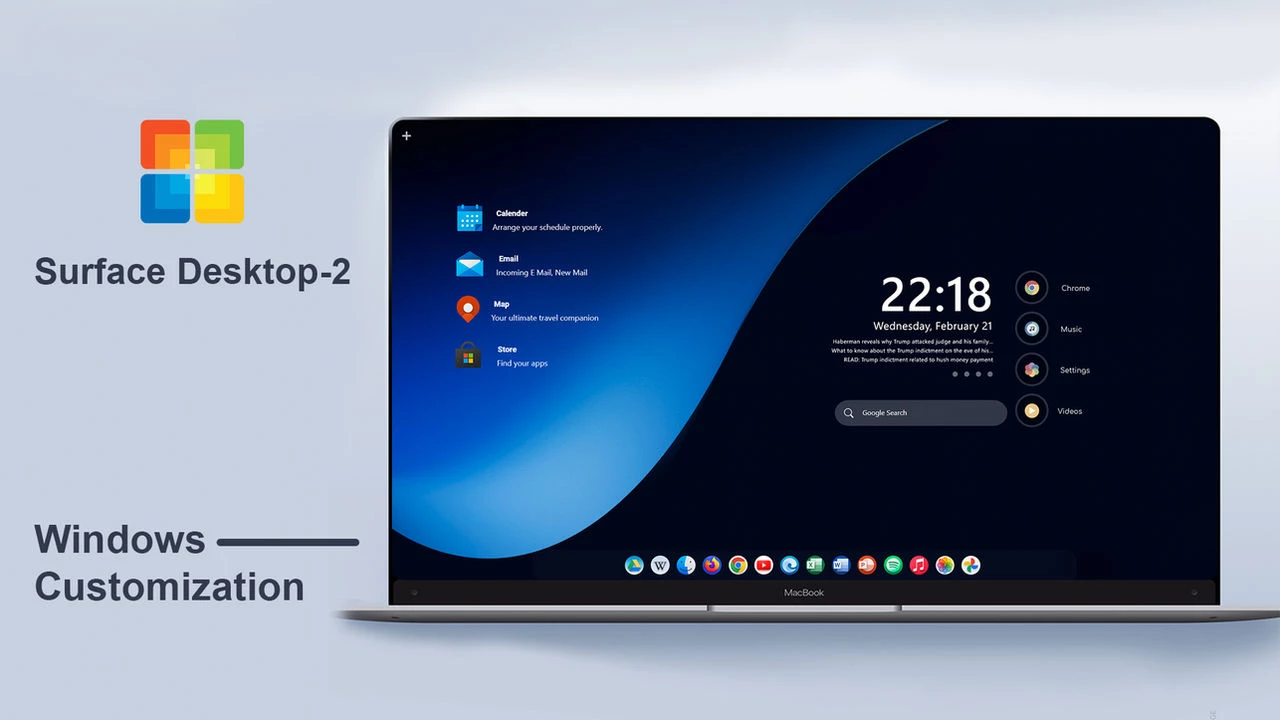
Surface Inspired Rainmeter Skin V2 is a clean and modern desktop customization suite designed with a minimal Surface-inspired interface. It transforms the Windows desktop with an organized layout, stylish widgets, and a balanced visual design that pairs seamlessly with modern wallpapers.
This Rainmeter skin features a simple desktop panel with a digital clock, date information, quick access shortcuts, and a dock-style application launcher. The dark interface and neatly arranged elements create a clean workspace while keeping frequently used options easily accessible.
Surface Inspired Rainmeter Skin V2 is a great choice for users who prefer minimal desktop setups and want to personalize their Windows experience with a modern and organized layout. Its simple design makes it suitable for creating a stylish customized desktop without unnecessary clutter.
Key Features
- Surface-inspired minimal desktop design.
- Clean dark interface with modern visual elements.
- Digital clock and date display.
- Quick access shortcuts for commonly used applications.
- Dock-style application launcher at the bottom.
- Rainmeter-based Windows desktop customization.
System Requirements & Compatibility
- Windows 10 / Windows 11
- Rainmeter application installed
- Recommended Resolution: 1920 × 1080
What is Included
- Surface Inspired Rainmeter Skin V2 Package
How to Install Surface Inspired Rainmeter Skin V2
- Download and install Rainmeter on your Windows PC.
- Download the Surface Inspired Rainmeter Skin V2 file.
- Open the downloaded .rmskin file.
- The Rainmeter Skin Installer window will appear.
- Click Install to add the skin to Rainmeter.
- Right-click the Rainmeter icon from the system tray.
- Navigate to Skins and select Surface Inspired Rainmeter Skin V2.
- Click Load to apply the skin.
Zip File 73MB
DownloadExplore More Windows Customization
Looking for more ways to personalize your desktop? Explore our collection of Rainmeter Skins and discover more desktop styles from our collection of Windows 11 Themes.
How to Remove Surface Inspired Rainmeter Skin V2
- Right-click the Rainmeter icon from the system tray.
- Select Manage to open Rainmeter settings.
- Find Surface Inspired Rainmeter Skin V2 from the skin list.
- Unload the active skin widgets.
- Remove the skin folder from the Rainmeter Skins directory if you want to delete it completely.
Who Should Use This Skin?
Surface Inspired Rainmeter Skin V2 is suitable for users who enjoy clean and organized desktop layouts. It is a solid option for Windows users who like minimal designs, modern interfaces, and personalized desktop setups inspired by Surface-style aesthetics.
Disclaimer
Surface Inspired Rainmeter Skin V2 is an independent third-party desktop customization resource created for personal Windows customization purposes. It is not an official Microsoft Surface product and is not affiliated with, endorsed by, or sponsored by Microsoft Corporation. The terms “Surface” and “Microsoft” are used strictly to describe the visual design inspiration and compatibility. All trademarks and registered logos belong to their respective owners.
Conclusion
Surface Inspired Rainmeter Skin V2 provides a simple way to customize your Windows desktop with a clean Surface-inspired design. With its organized widgets, application shortcuts, and minimal interface, it offers a balanced desktop experience for users who enjoy modern customization styles.