

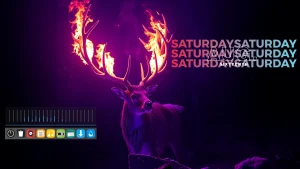
Fantastic Flame Desktop – Rainmeter Suite
Flame Desktop - Rainmeter Suite :Flame Desktop – Rainmeter Suite is a bold and powerful desktop customization pack designed to bring energy, speed, and a futuristic edge to your Windows setup

Flame Desktop Rainmeter Suite
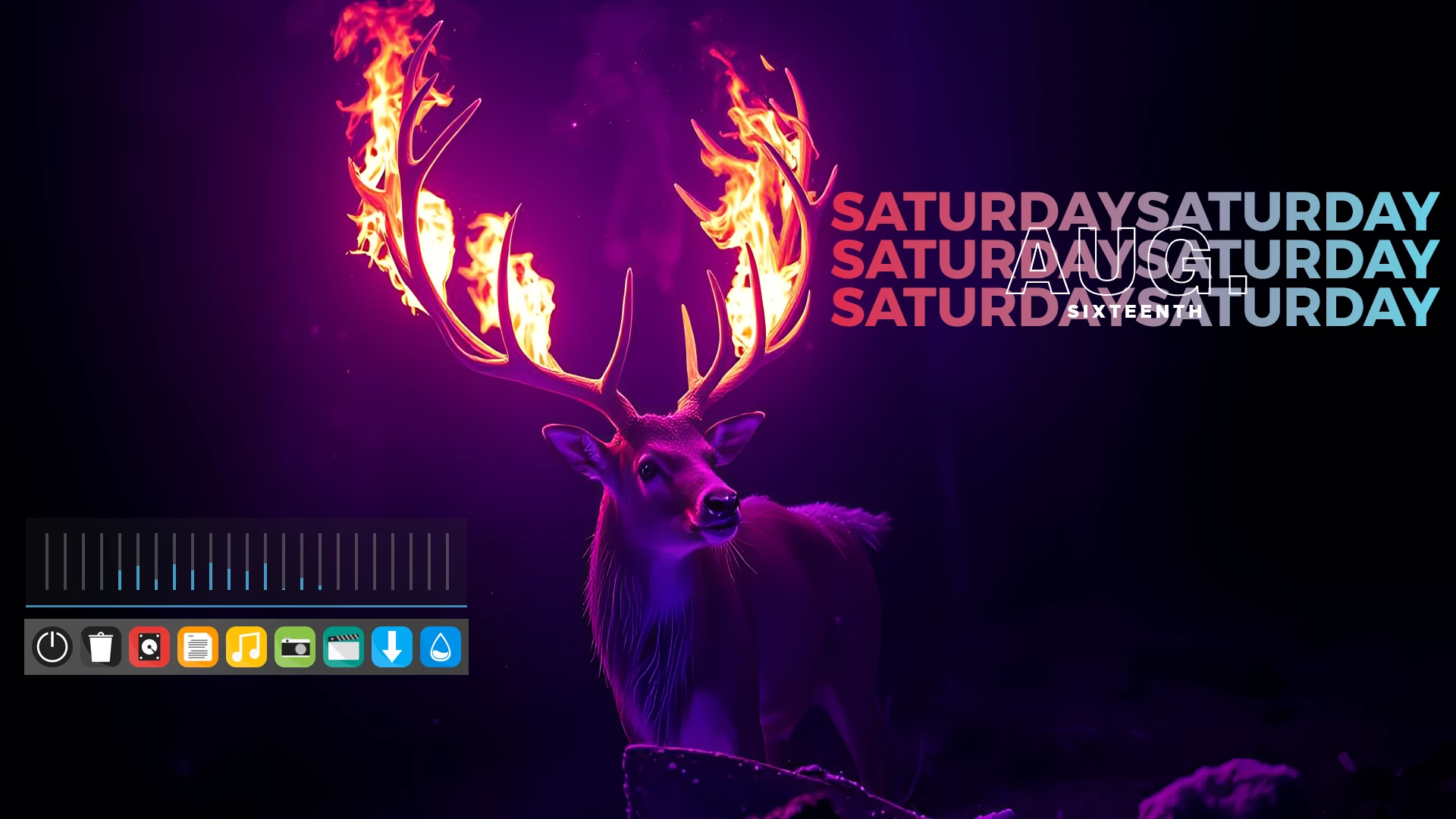
Flame Desktop Rainmeter Suite is a bold Rainmeter customization pack designed to give your Windows desktop a powerful, glowing, and futuristic look. With flame-inspired highlights, dark visual elements, and functional widgets, this suite is ideal for users who want a clean but energetic desktop setup.
This Rainmeter suite combines style and usability in one package. It includes desktop widgets for time, system performance, music control, app shortcuts, weather display, and network activity. The design focuses on bright flame accents, smooth contrast, and a modern layout that works well with dark wallpapers and gaming-style Windows themes.
Whether you are a gamer, desktop customization lover, or someone who enjoys a unique Windows setup, Flame Desktop Rainmeter Suite can help you create a more personal and visually attractive workspace without making the desktop feel too crowded.
What Makes Flame Desktop Rainmeter Suite Special?
The main attraction of this suite is its glowing flame-style design. The widgets are created to stand out clearly on dark backgrounds while keeping the overall desktop layout clean and easy to use. It is a good choice for users who want a strong visual theme with practical desktop tools.
You can move the widgets, adjust their position, and match them with your favorite wallpapers, icon packs, docks, and Windows themes. This makes the setup flexible for different desktop styles, including gaming, futuristic, neon, dark, and minimal layouts.
What Is Included in This Suite?
- Rainmeter skins
- Clock widget
- Weather widget
- CPU and RAM monitoring widgets
- Music player widget
- App launcher
- Network status widget
- Flame-inspired visual elements
Best Use Cases
Flame Desktop Rainmeter Suite is suitable for different types of Windows desktop customization setups. It works especially well if you want a glowing, high-contrast, and performance-focused desktop appearance.
- Gaming desktop setups
- Dark Windows themes
- Neon-style customization
- RGB-inspired desktop layouts
- Futuristic workspace designs
- Rainmeter widget-based customization
Required Tool
To use this suite, you need to install Rainmeter first. Rainmeter is a popular desktop customization tool for Windows that allows users to apply skins and widgets on the desktop.
Installation Steps
- Download and install Rainmeter from the official website.
- After installation, Rainmeter will start automatically.
- Download the Flame Desktop Rainmeter Suite file from the download button below.
- If the file is in .rmskin format, double-click it to open the Rainmeter Skin Installer.
- Click Install to add the skin package to Rainmeter.
- Right-click the Rainmeter icon from the system tray.
- Go to Skins and select the installed Flame Desktop skin.
- Click Load to apply the widgets to your desktop.
- Move and arrange the widgets according to your preferred desktop layout.
How to Customize the Suite
After loading the skin, you can adjust the widget positions and layout based on your wallpaper and screen resolution. Most Rainmeter skins allow basic customization such as moving widgets, changing transparency, editing settings files, and loading or unloading specific widgets.
- Use a dark or flame-style wallpaper for the best visual result.
- Place system monitor widgets near the side of the screen for a cleaner look.
- Use matching icons or a dock to complete the desktop setup.
- Unload widgets you do not need to keep the desktop lightweight.
- Restart Rainmeter after making major skin changes.
Compatibility
Flame Desktop Rainmeter Suite is made for Windows desktop customization through Rainmeter. For the best experience, use the latest version of Rainmeter and keep your Windows system updated. The final look may vary depending on your screen resolution, wallpaper, scaling settings, and loaded widgets.
Safety Note
This customization pack is shared for desktop personalization purposes. Always download Rainmeter from its official website and scan downloaded files before installing them. Avoid installing unknown third-party files from untrusted sources.
How to Uninstall or Remove the Skin
- Right-click the Rainmeter icon from the system tray.
- Go to Skins and unload the active Flame Desktop widgets.
- Open the Rainmeter skins folder from your Documents directory.
- Delete the Flame Desktop skin folder if you no longer want to use it.
- Restart Rainmeter to refresh the skin list.
Troubleshooting
Widgets are not showing
Make sure Rainmeter is running in the background. Right-click the Rainmeter tray icon and manually load the skin from the Skins menu.
The skin does not look like the preview
The final desktop appearance depends on your wallpaper, screen size, Windows scaling, and widget placement. Try using a dark wallpaper and adjust the widgets manually.
Weather widget is not working
Some weather widgets may need location settings, API configuration, or updated skin files. Check the skin settings file if the weather information is not loading.
Widgets are too big or too small
Adjust your Windows display scaling or edit the Rainmeter skin settings if the widget size does not match your screen properly.
Download Flame Desktop Rainmeter Suite
Use the button below to download the theme files. After downloading, follow the installation steps carefully to apply the suite on your Windows desktop.
Theme Files 17MB
DownloadFrequently Asked Questions
What is Flame Desktop Rainmeter Suite?
Flame Desktop Rainmeter Suite is a Windows desktop customization pack made for Rainmeter. It includes flame-inspired widgets and visual elements for creating a glowing, futuristic desktop setup.
Do I need Rainmeter to use this suite?
Yes. You need to install Rainmeter before applying this suite because the widgets are designed to run through Rainmeter.
Can I customize the widgets?
Yes. You can move, load, unload, and arrange the widgets based on your desktop layout. Some skins may also allow deeper customization through settings files.
Is this suitable for gaming setups?
Yes. The glowing flame design works well with gaming-style wallpapers, dark themes, RGB-inspired icons, and modern desktop layouts.
Can I remove the suite later?
Yes. You can unload the widgets from Rainmeter and remove the skin folder from the Rainmeter skins directory whenever you want.
Final Words
Flame Desktop Rainmeter Suite is a great choice for users who want a bold, glowing, and futuristic Windows desktop look. It offers useful widgets with a strong flame-inspired visual style, making your desktop both functional and visually impressive.
If you enjoy Rainmeter customization and want a desktop setup with energy, contrast, and modern design, this suite is worth trying.







