

White Sur Rainmeter Skin
White Sur Rainmeter Skin : The White Sur Rainmeter Skin is a beautifully minimalist desktop customization inspired by macOS Big Sur's clean design, enhanced with a bright, elegant white theme

White Sur Rainmeter Skin
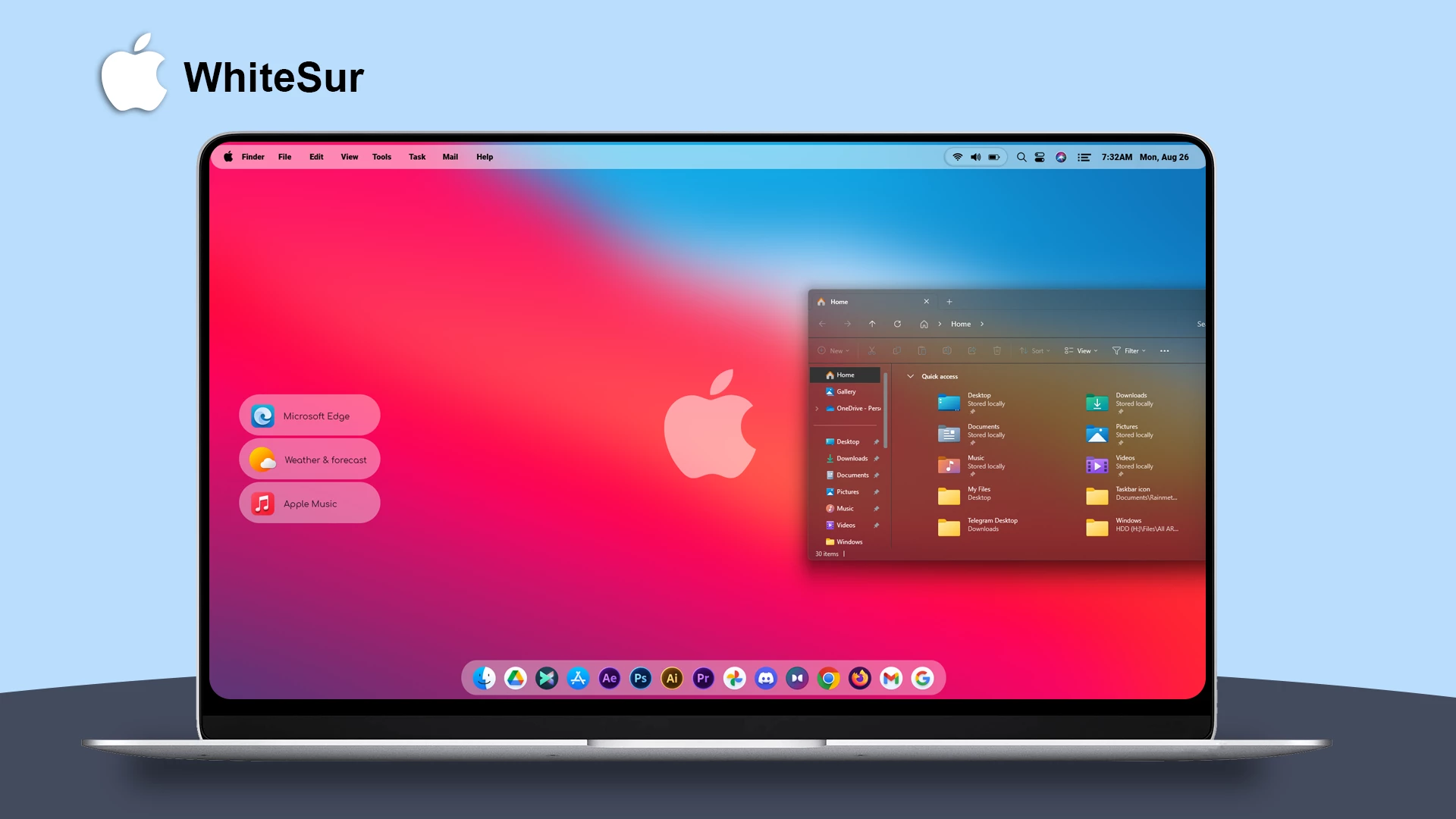
White Sur Rainmeter Skin brings a clean and elegant desktop customization style inspired by the visual simplicity of macOS design. It adds a bright and minimal interface to Windows with transparent elements, rounded shapes, and neatly arranged desktop widgets.
The skin features a modern desktop layout with a stylish dock, quick access shortcuts, clock, and organized panels. The combination of soft transparency effects and clean icons creates a balanced look that works well with colorful wallpapers and minimal desktop setups.
White Sur Rainmeter Skin is a great option for users who enjoy a simple and visually clean Windows desktop. With its organized layout and customizable Rainmeter elements, it allows users to create a personalized setup with a modern appearance.
Key Features
- Minimal white-inspired desktop interface.
- macOS-style visual inspiration with a Windows customization approach.
- Transparent panels with a clean modern appearance.
- Dock-style launcher for quick access to applications.
- Clock and desktop information widgets.
- Organized shortcut panels for frequently used apps.
- Customizable Rainmeter-based desktop elements.
- Suitable for minimal and clean desktop setups.
System Requirements
Compatibility
- Windows 10 / Windows 11
- Rainmeter application installed
- Recommended Resolution: 1920 × 1080
What is Included
- White Sur Rainmeter Skin
How to Install White Sur Rainmeter Skin
- Download and install Rainmeter on your Windows PC.
- Download the White Sur Rainmeter Skin file.
- Open the downloaded .rmskin file.
- The Rainmeter Skin Installer window will appear.
- Click Install to add the skin to Rainmeter.
- Right-click the Rainmeter icon from the system tray.
- Navigate to Skins and select White Sur Rainmeter Skin.
- Click Load to apply the skin.
Zip File 36MB
DownloadMore Resources
How to Remove White Sur Rainmeter Skin
- Right-click the Rainmeter icon from the system tray.
- Select Manage to open Rainmeter settings.
- Find White Sur Rainmeter Skin from the installed skins list.
- Unload the active widgets.
- Remove the skin folder from the Rainmeter Skins directory if you want to delete it completely.
Who Should Use This Skin?
White Sur Rainmeter Skin is suitable for users who prefer clean, minimal, and modern desktop designs. It is a good choice for Windows users who like macOS-inspired aesthetics and want to create a more organized desktop environment.
Disclaimer
White Sur Rainmeter Skin is a third-party Windows customization resource created for personal desktop customization purposes. It is not an official Apple or Microsoft product. Apple, macOS, Windows, and related trademarks belong to their respective owners. Use this customization at your own discretion.
Conclusion
White Sur Rainmeter Skin offers a simple way to personalize your Windows desktop with a clean and modern interface. Its minimal layout, transparent elements, and organized widgets make it a suitable choice for users who enjoy stylish and uncluttered desktop customization.







