Ultimate Rampage Asus Gaming Start Menu & Taskbar Style for Windows 11
Experience the ultimate Rampage Asus Gaming Start Menu Taskbar Style for Windows 11 using Windhawk. Transform your desktop with a powerful ASUS ROG-inspired gaming UI, modern design, and smooth customization for a premium look and feel.

Ultimate Rampage (Asus Gaming) Start Menu & Taskbar Styler – Powerful Gaming UI Customization
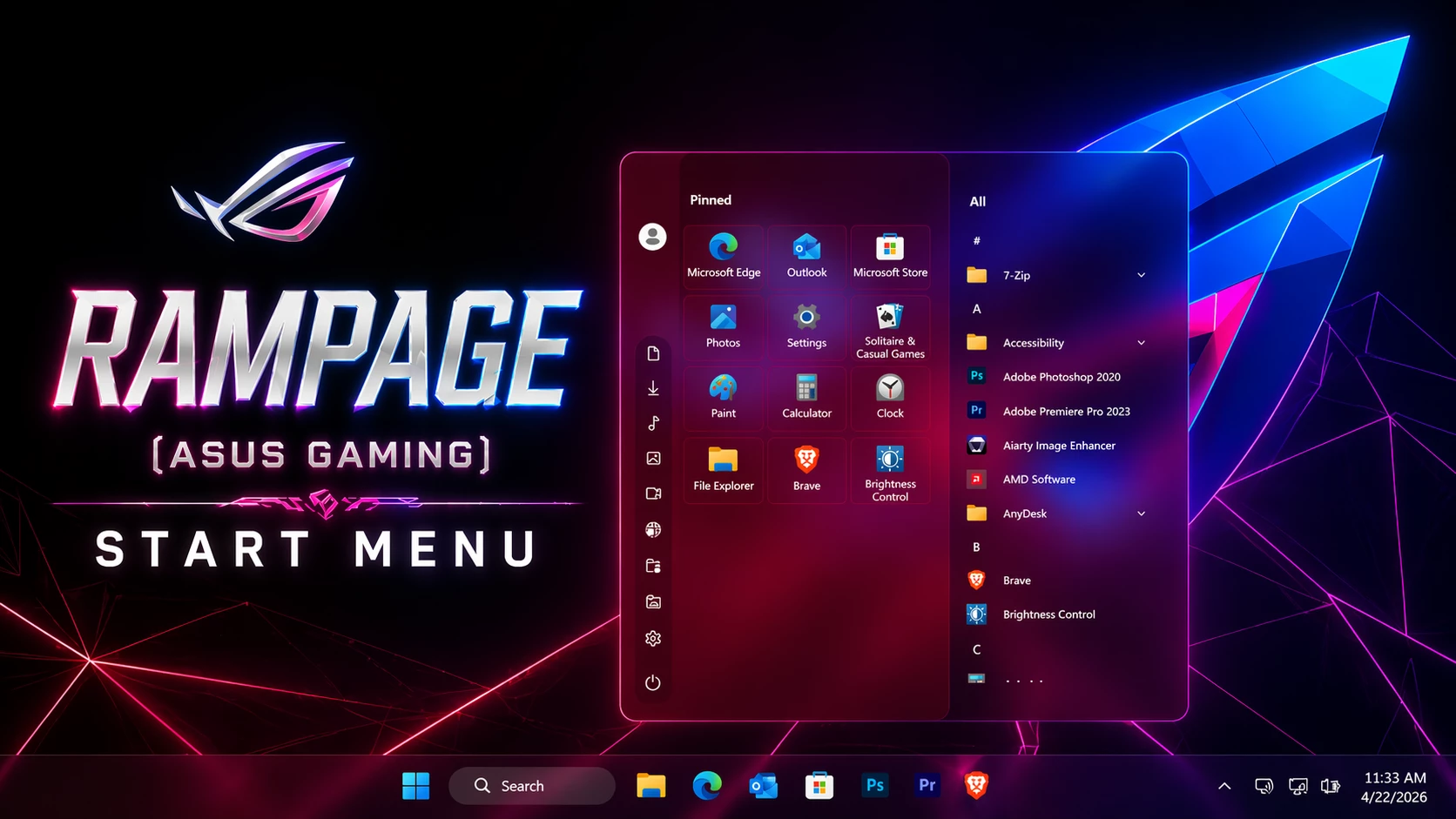
The Rampage Asus Gaming Start Menu Taskbar Style brings a powerful ASUS ROG-inspired look to Windows 11 using Windhawk. is the ultimate solution if you want to transform your desktop into a high-performance gaming setup. Inspired by ASUS ROG-style visuals, this customization delivers a bold RGB interface that completely upgrades your default Windows 11 Start Menu and taskbar.
The Rampage Asus Gaming Start Menu Taskbar Style brings a powerful ASUS ROG-inspired look to Windows 11 using Windhawk.This design features a stunning combination of neon red and electric blue lighting with a smooth glassmorphism effect. The Start Menu is centered with a semi-transparent blurred background, creating a premium and modern look. The pinned apps section is clean and organized, while the app list maintains a structured layout for smooth navigation.
What is Rampage Asus Gaming Start Menu?
The Rampage Asus Gaming Start Menu is a custom UI style designed for Windows 11 using Windhawk. It combines futuristic lighting, transparency, and a clean layout to deliver a powerful gaming-inspired desktop experience.
Why This Gaming UI Stands Out
The Rampage Asus Gaming Start Menu Taskbar Style brings a powerful ASUS ROG-inspired look to Windows 11 using Windhawk.What makes this style unique is its immersive gaming aesthetic. The glowing edges, smooth gradients, and vibrant contrast create a visually stunning environment. Whether you’re a gamer, content creator, or customization enthusiast, this setup enhances both performance and appearance.
The taskbar perfectly matches the Start Menu with a translucent finish, centered icons, and minimal layout. Subtle shadows and lighting effects add depth, making your desktop feel modern and dynamic.
Key Features of Rampage Start Menu
- RGB-inspired gaming design
- Glassmorphism transparent Start Menu
- Clean and minimal taskbar layout
- Smooth animations effects
- Fully customizable colors and transparency
- Lightweight customization using Windhawk
How It Enhances Your Experience
This Rampage Asus Gaming Start Menu Taskbar Style includes modern UI improvements, custom icons, and smooth animations.This customization creates a distraction-free yet powerful interface. The transparent UI reduces clutter while keeping everything sharp and readable. The dark RGB color scheme helps reduce eye strain during long usage sessions.
You can also personalize the theme by adjusting colors, layout, and transparency levels to match your setup perfectly.
- Windows 11 installed
- Windhawk software
- Basic knowledge of Windows customization
- Download and install Windhawk
- Open Windhawk and install the Windows 11 Start Menu Styler mod
- Go to the Advanced tab
- Paste the provided configuration code into the “Mod settings” box
- Click Save to apply the style
- For more details, visit this GitHub guide
- Windhawk Start Menu configuration
- Taskbar customization settings
- Taskbar height and icon styling tweaks
Icon Pack 4KB
DownloadConclusion
The Overall, the Rampage Asus Gaming Start Menu Taskbar Style is perfect for gamers who want a premium Windows 11 setup..Rampage Asus Gaming Start Menu for Windows 11 is one of the best ways to upgrade your desktop visually. With its futuristic design and gaming-inspired aesthetics, it delivers both style and functionality.
If you want your PC to look like a next-gen gaming setup, this customization is definitely worth trying.