


admin
Skyline Icon Pack for Windows 11
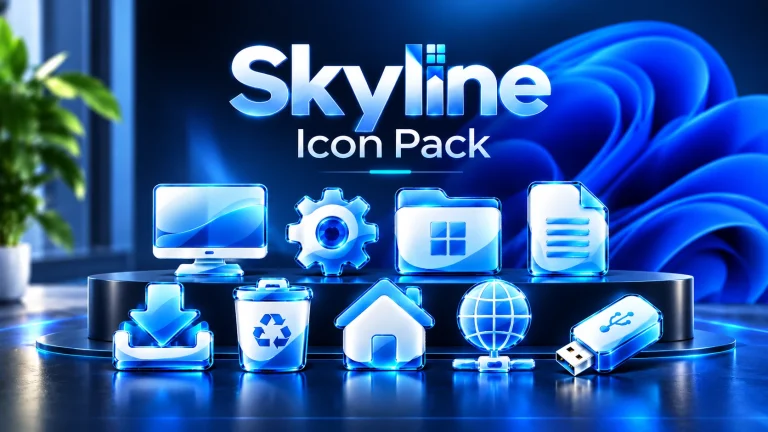
Give Windows 11 a fresh visual style with Skyline Icon Pack, featuring glossy blue and white icons, curved glass-like surfaces, bright cyan edges, and a consistent 3D design for Windhawk Resource Redirect.
Fluent Glass Rainmeter Skin
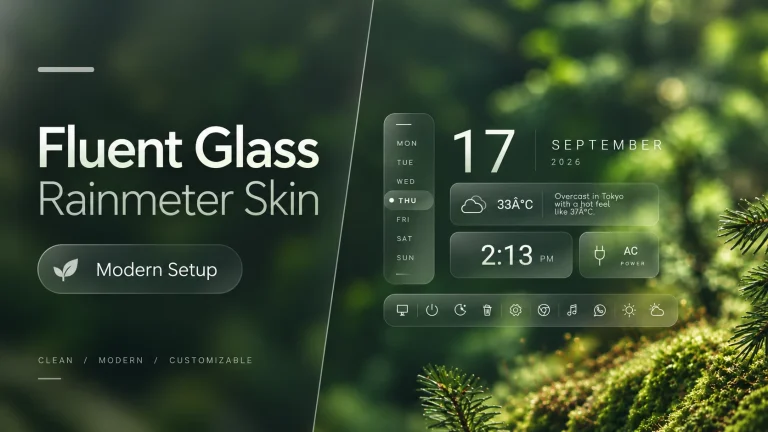
Fluent Glass Rainmeter Skin brings a clean and modern glass-inspired desktop setup for Windows users. Featuring transparent panels, date, weather, clock, power status, and a minimal white icon dock, this Rainmeter customization creates an elegant and organized desktop experience.
Petal Inspired Start Menu Style for Windows 11
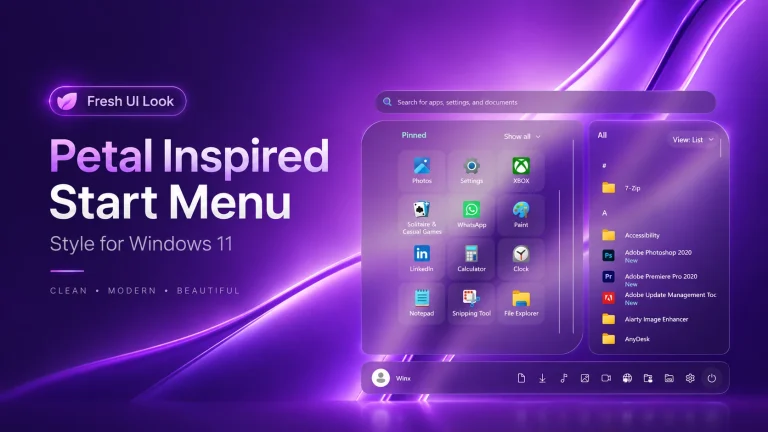
Petal Inspired Start Menu Style for Windows 11 : Bring a fresh and elegant look to your Windows 11 desktop with the Petal Inspired Start Menu Style. Designed with a clean, modern, and aesthetic approach, this customization gives your Start Menu a soft and stylish appearance inspired by the natural flow of petals. It blends beautifully with modern wallpapers and glass-style interfaces while keeping the familiar Windows 11 experience.
Fluent Glass Settings Style For Windows 11
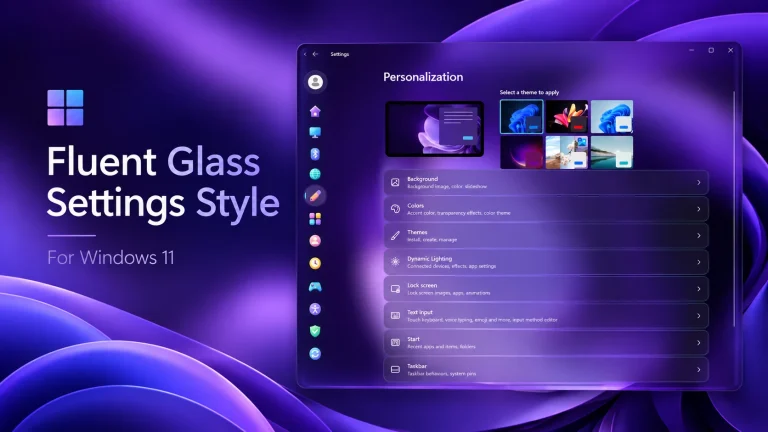
Fluent Glass Settings Style For Windows 11 : Transform the Windows 11 Settings experience with a modern Fluent Glass style featuring transparent panels, custom navigation icons, and a clean glass-inspired interface.
Minimal Glossy Explorer Style For Windows 11

Minimal Glossy gives Windows 11 File Explorer a dark glass look with circular navigation buttons and rounded address and search bars. Explore its design and learn how to apply or remove the preset with Windhawk.
Glance Notification Center Style For Windows 11
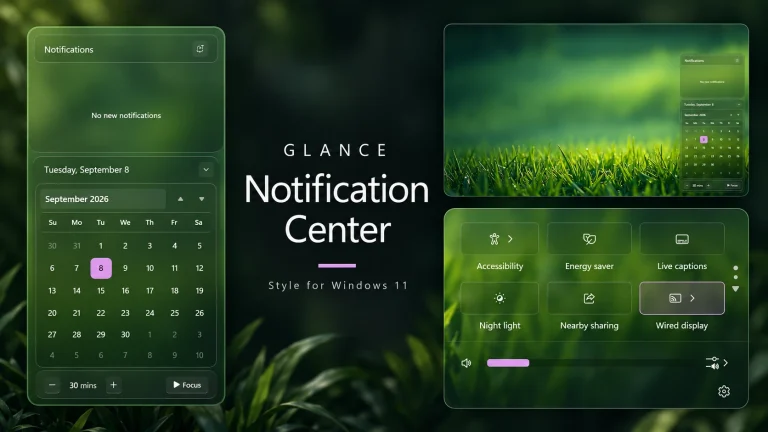
Glance Notification Center Style For Windows 11 : Glance brings a transparent glass look to Windows 11's notification panel, calendar and Quick Settings. Explore the rounded cards, subtle borders and purple accents shown in the preview, with practical advice for preparing your PC, applying the Windhawk configuration and returning to your previous setup.
Fluid Glass Taskbar Styles For Windows 11

Fluid Glass Taskbar : Give your desktop a fresh look with Fluid Glass Taskbar Styles for Windows 11. Glass-inspired transparency, soft edges, and a clean design bring a modern touch to your taskbar, creating an elegant setup that complements your favorite wallpaper.
Fluid Glass Start Menu Styles For Windows 11
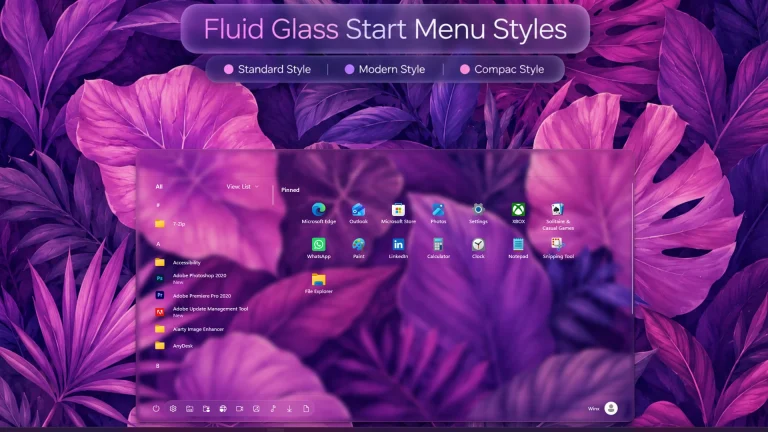
Fluid Glass Start Menu Styles For Windows 11 : Give your Windows 11 Start menu a glass-inspired look with Fluid Glass styles. Compare five preview layouts, explore transparent panels and pinned app designs, and follow a beginner-friendly Windhawk setup guide with backup and restore tips.
Mid Aero Settings Style for Windows 11
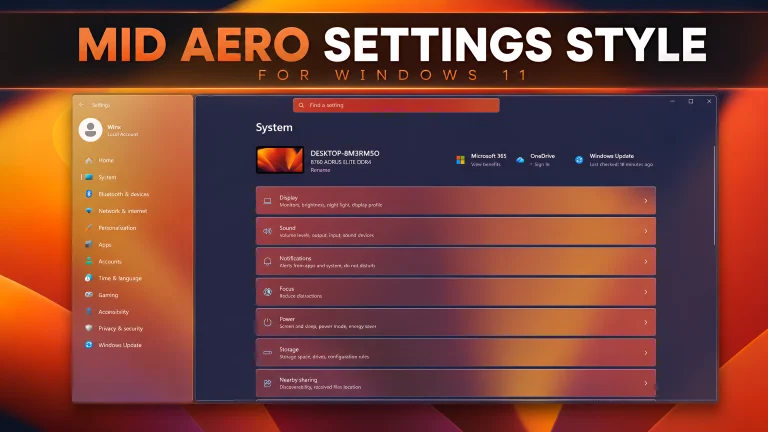
Mid Aero Settings Style for Windows 11 : Give the Windows 11 Settings app an Aero-inspired appearance with a translucent purple sidebar, dark content area, gradient cards, and subtle borders. This beginner-friendly guide explains what the Mid Aero style changes, how to apply it with Windhawk, and how to restore the default design.
Silk Glass Start Menu Style for Windows 11
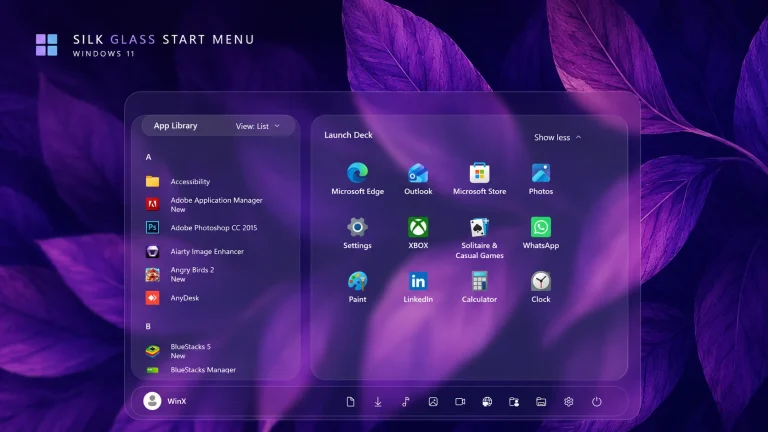
Silk Glass Start Menu Style : Give Windows 11 a soft pink-and-purple glass Start Menu with Silk Glass, a Windhawk style featuring an app library and launch deck.
Disclaimer: All themes, visual styles, and concepts shared on this website are unofficial, fan-made creations built from imagination for customization purposes. We are not affiliated with, endorsed by, or sponsored by Microsoft or any other official brand.