7TSP Windows 9 Icon Pack
7TSP Windows 9 Icon Pack :The Windows 9 7TSP Icon Pack is a full-system icon replacement set that captures the clean, transitional style imagined for Microsoft’s never-released Windows 9, while staying fully compatible with modern Windows 11 and Windows 10 systems

7TSP Windows 9 Icon Pack
The 7TSP Windows 9 Icon Pack is a clean and modern full-system icon replacement pack designed for users who want to refresh the default look of Windows without making the desktop feel too heavy or overdesigned. This icon pack is made for the 7TSP, also known as Seven Theme Source Patcher, and it brings a Windows 9 inspired visual style to Windows 11, Windows 10, Windows 8.1, Windows 8, and Windows 7 systems.
The idea behind the 7TSP Windows 9 Icon Pack is simple: give your Windows desktop a fresh, balanced, and professional appearance while keeping the familiar Windows feeling. Since Windows 9 was never officially released by Microsoft, this icon pack follows an imagined design direction that sits between the classic look of Windows 7 and the flatter, cleaner design language of Windows 10 and Windows 11.
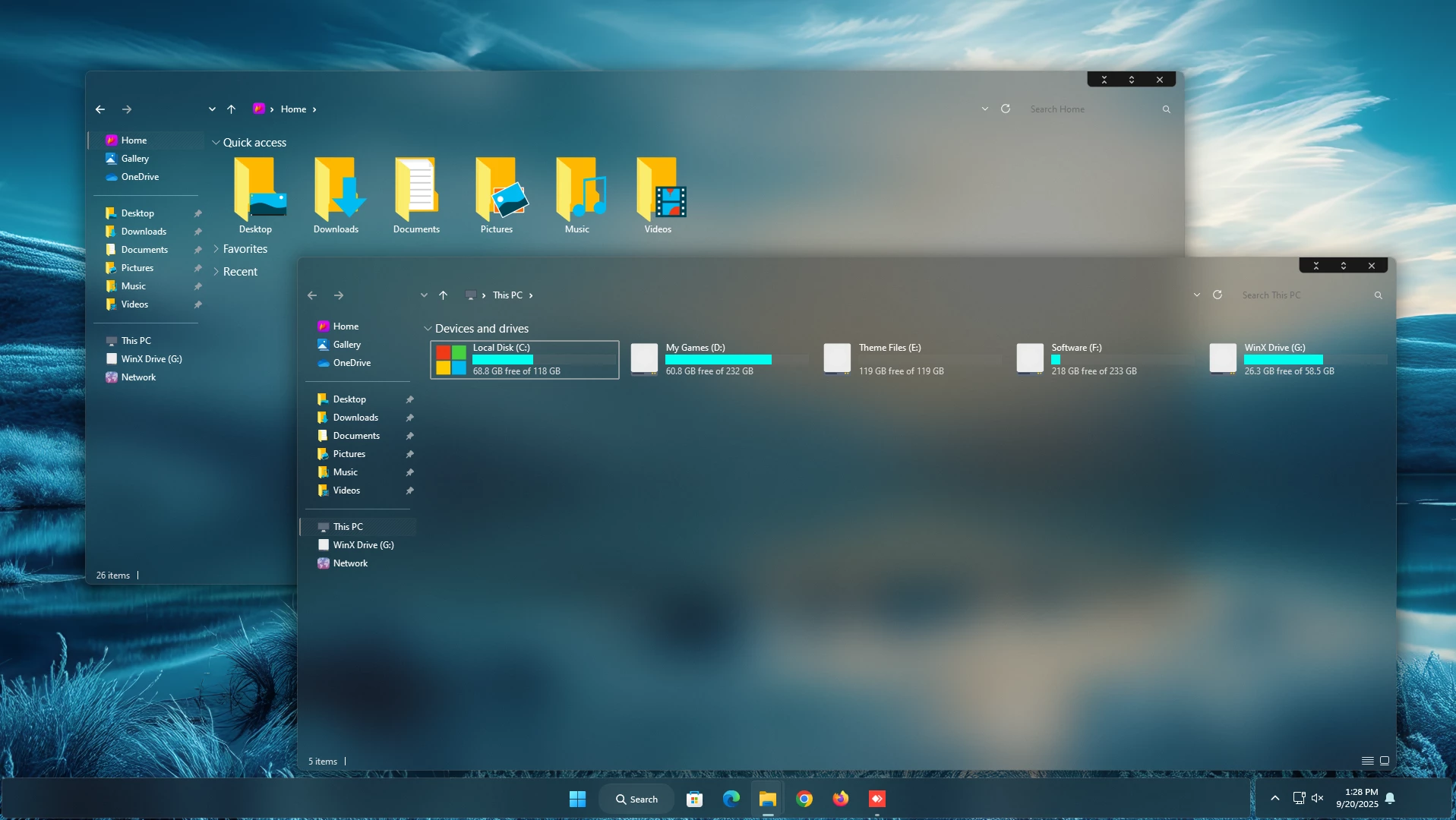
If you enjoy Windows customization, the 7TSP Windows 9 Icon Pack can be a very good choice because it changes many default system icons in one consistent style. Instead of replacing only a few folder icons manually, this pack works through 7TSP to patch system icons in a more complete way. It helps your desktop, File Explorer, drives, folders, control panel icons, and common file-type icons look more unified.
What Makes 7TSP Windows 9 Icon Pack Special?
The main attraction of the 7TSP Windows 9 Icon Pack is its clean and minimal visual style. The icons are not too glossy, not too flat, and not too colorful. They have a calm modern appearance with soft details, subtle gradients, and smooth edges. This makes the pack suitable for both personal and professional desktop setups.
Many icon packs look good in screenshots but feel uncomfortable during daily use because the icons are too bright, too complex, or visually inconsistent. The 7TSP Windows 9 Icon Pack focuses on usability first. The icons are easy to recognize, clean on the eyes, and suitable for long-term use. Whether you use your PC for study, office work, video editing, gaming, browsing, or content creation, this icon pack can give your Windows setup a more polished look.
Windows 9 Inspired Design Style
The 7TSP Windows 9 Icon Pack is inspired by what many users imagine Windows 9 could have looked like. It combines a modern flat design approach with a little bit of depth and softness. This creates a balanced style that does not feel outdated and also does not feel too plain.
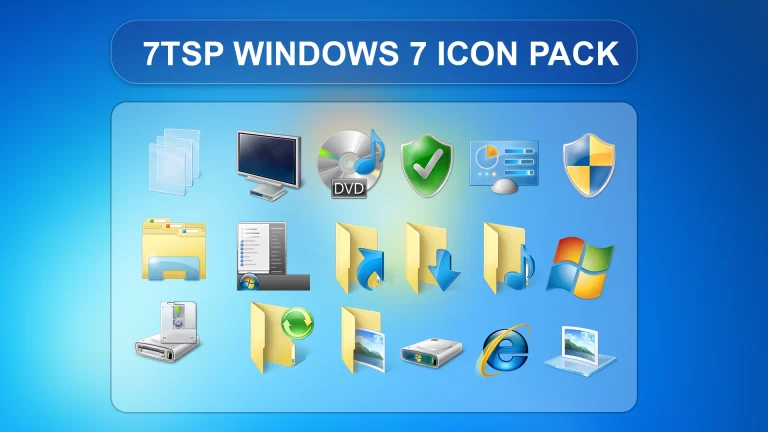
The folder icons, drive icons, system icons, and file icons follow the same design direction. The color palette usually feels soft and professional, with light grays, clean blues, and smooth icon shapes. This gives your desktop a premium and organized look without making Windows look confusing.
For users who like Windows 7’s familiar icon personality but also prefer the simplicity of Windows 10 and Windows 11, the 7TSP Windows 9 Icon Pack offers a nice middle ground. It keeps the desktop recognizable while improving the overall appearance.
High-Resolution Icons for Modern Displays
The 7TSP Windows 9 Icon Pack includes high-resolution icon resources so the icons look sharp on modern displays. If you use a Full HD, 2K, or 4K monitor, sharp icons are important because low-quality icons can look blurry or pixelated. This pack is designed to keep icons clear and clean across different screen sizes and scaling settings.
High-DPI support is especially useful for Windows 11 and Windows 10 users because many modern laptops and monitors use higher display scaling. With the 7TSP Windows 9 Icon Pack, icons can maintain a crisp appearance in File Explorer, desktop shortcuts, and system areas where supported by Windows and the patching process.
Compatibility
The 7TSP Windows 9 Icon Pack is designed to work with multiple Windows versions through the 7TSP patching tool. This makes it useful for users who are still using older Windows versions as well as users who prefer newer Windows systems.
- Windows 7
- Windows 8/8.1
- Windows 10
- Windows 11
Although the 7TSP Windows 9 Icon Pack supports several Windows versions, the final result can depend on your Windows build, installed updates, system files, and the version of 7TSP you are using. For the best experience, always use a compatible 7TSP version and follow the installation steps carefully.
What Is Included in This Pack?
This download includes the main 7TSP Windows 9 Icon Pack file for applying the icon theme through 7TSP. The pack is made to replace many default Windows system icons with Windows 9 inspired icons.
- 7TSP icon Pack
The pack is lightweight in size, but it can make a noticeable difference in the overall desktop appearance. If you want a simple way to make Windows look cleaner and more premium, the 7TSP Windows 9 Icon Pack is a practical customization option.
Why Use 7TSP Windows 9 Icon Pack?
There are many ways to customize Windows, but icon customization is one of the most visible changes. A good icon pack can make File Explorer, folders, drives, and system areas feel more organized. The 7TSP Windows 9 Icon Pack is useful because it applies a consistent design across many parts of the operating system.
This pack is also a good option for users who do not want a loud or extreme theme. Some Windows themes make the desktop look very different, but they may not be suitable for daily productivity. The 7TSP Windows 9 Icon Pack keeps the design simple, clean, and familiar. It gives Windows a fresh look without making the interface difficult to use.
Installation Guide
Before installing the 7TSP Windows 9 Icon Pack, it is strongly recommended to create a system restore point. Icon patching changes system resources, so having a restore point helps you return to the previous state if something does not work as expected.
To install the 7TSP Windows 9 Icon Pack, first download the pack from the download button below. Then open the 7TSP GUI tool, select the downloaded icon pack, and apply it. After the patching process is complete, restart your computer if required. Once Windows reloads, the new Windows 9 inspired icons should appear across supported system areas.
For a safer installation, close unnecessary apps before applying the pack. Also avoid interrupting the patching process while 7TSP is working. This helps reduce the chance of incomplete icon replacement or system icon cache issues.
Important Safety Note Before Applying
The 7TSP Windows 9 Icon Pack is made for customization purposes. It is not an official Microsoft product, and it is not connected with Microsoft. It is a third-party icon pack for users who enjoy personalizing their Windows desktop.
Always download customization files from trusted sources and scan files when necessary. Also, keep a backup of important data before making system-level visual changes. These are basic safe practices for any Windows customization, including the 7TSP Windows 9 Icon Pack.
Performance and Daily Use
The 7TSP Windows 9 Icon Pack is mainly a visual customization pack. It does not add heavy background services or unnecessary running apps. After installation, the icons are applied at the system-resource level through 7TSP, so the pack is generally suitable for daily use.
However, every Windows system is different. Performance and behavior may vary depending on your Windows version, patcher version, installed updates, and system configuration. If you face icon cache issues after applying the 7TSP Windows 9 Icon Pack, rebuilding the Windows icon cache or restarting the system may help.
Best For Clean Windows Customization
The 7TSP Windows 9 Icon Pack is best for users who want a clean Windows setup without using a fully modified operating system theme. It works well with minimal desktop layouts, modern wallpapers, glass-style themes, dark themes, light themes, and premium Windows customization setups.
If you create Windows customization videos, desktop showcase screenshots, or personal theme setups, the 7TSP Windows 9 Icon Pack can help make your desktop look more complete. A consistent icon style often makes a setup look more professional and visually balanced.
Download 7TSP Windows 9 Icon Pack
You can download the 7TSP Windows 9 Icon Pack from the button below. The file size is small, so it should be easy to download and store. After downloading, follow the installation guide carefully and make sure you have created a restore point before applying the pack.
7TSP Icon Pack 4MB
DownloadFinal Thoughts
The 7TSP Windows 9 Icon Pack is a simple but effective way to improve the visual style of Windows. It brings a clean Windows 9 inspired icon design while keeping the system familiar and easy to use. The pack is lightweight, modern, and suitable for users who want a professional desktop appearance without making complicated changes.
If you like minimal Windows customization and want your File Explorer, folders, drives, and system icons to look more consistent, the 7TSP Windows 9 Icon Pack is worth trying. Just remember to create a restore point before installation and use the correct version of 7TSP for your Windows system.