


Cool Lake Side wallpaper 4k
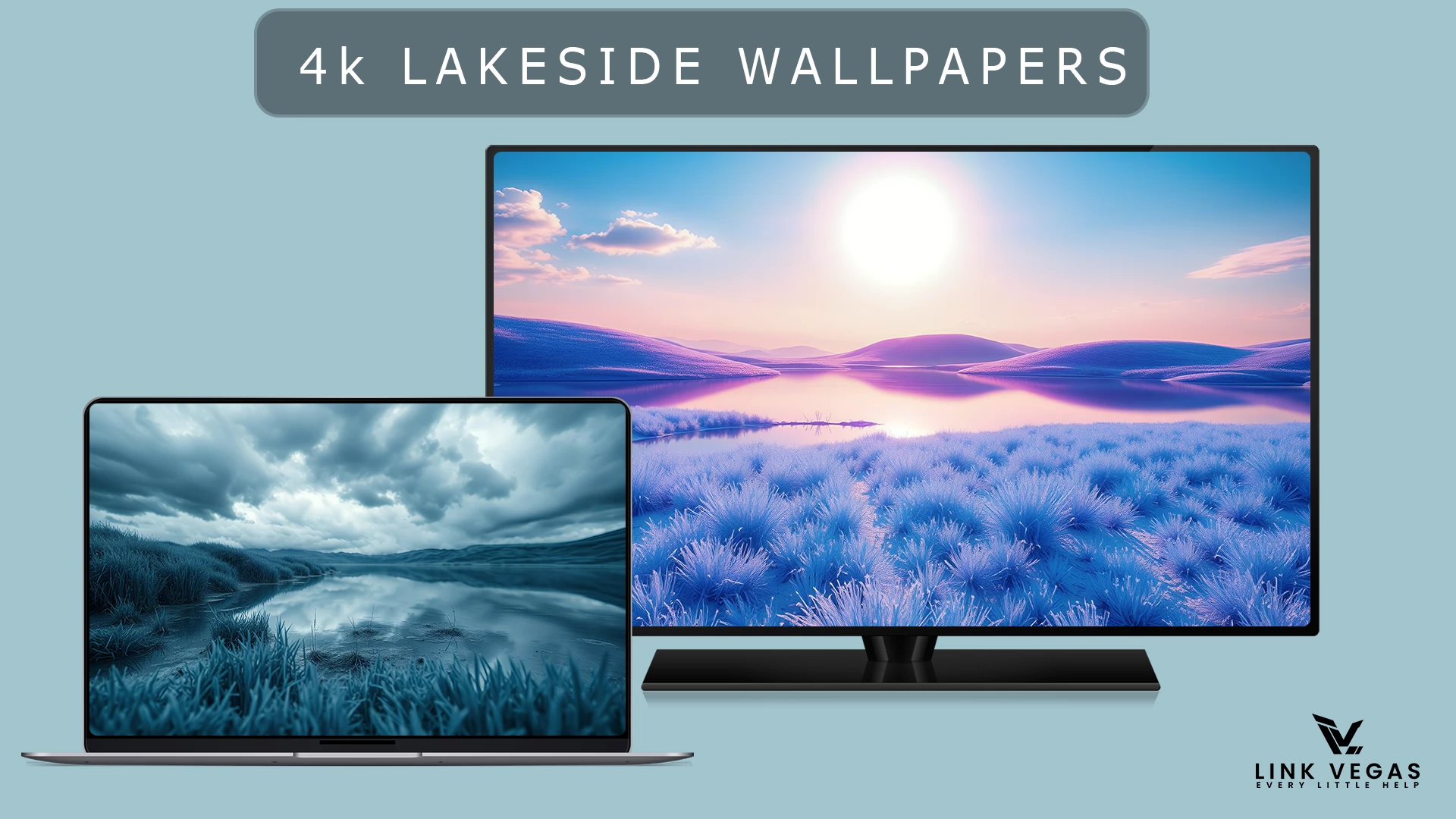
Lake Side wallpaper 4k : Lake Side Wallpaper 4K is the perfect choice for anyone who loves the calm, refreshing beauty of nature. This wallpaper

Lake Side Wallpaper 4K
The Lake Side Wallpaper 4K Collection brings together peaceful winter landscapes with cool blue tones, still water, and wide mountain views. Frost-covered hills and quiet lakes create a simple, spacious look, while reflections across the water add depth without making the background feel crowded.
There is a nice range of moods throughout the collection. Some scenes have clear skies and warm sunlight over icy shores; others feature pale pink horizons, misty valleys, or dramatic clouds above darker blue water. The consistent lakeside setting makes the wallpapers feel like a matching set, with enough variation to suit both bright and dark desktop layouts.
Wallpaper Features
- Winter-inspired landscapes: Blue hills, frosty grass, mountain lakes, and open skies.
- Natural reflections: Calm water mirrors the surrounding landscape and changing light.
- Varied lighting: Soft sunrise colors, cool daylight, mist, and overcast scenes.
- Clean compositions: Wide horizons and balanced details that work well behind desktop icons.
- Matching color palette: Shades of cyan, icy blue, lavender, and muted gray.
- Flexible backgrounds: Suitable for minimal desktop setups and nature-inspired home screens.
Compatibility
The wallpapers can be used on Windows 11, Windows 10, macOS, and other devices that support custom background images. They have a wide landscape layout, so phones and tablets may need some cropping to fit their screens.
Google Drive 88 MB
DownloadHow to Use These Wallpapers
- Download the wallpaper collection and extract the archive, if compressed.
- Open the folder and select your preferred lakeside background.
- On Windows, right-click the image and choose Set as desktop background.
- To adjust the fit, open Settings → Personalization → Background. On mobile, use your device’s wallpaper settings to position and crop the image.
Frequently Asked Questions
Can I use these wallpapers on Windows 11?
Yes. Windows 11 and Windows 10 both support custom desktop backgrounds. You can apply any of the images through Personalization settings.
Will the wallpapers fit a mobile screen?
Yes, although their landscape proportions mean you may need to crop the sides when setting one as a portrait phone wallpaper.
Do I need a special wallpaper app?
No. These are regular background images and can be applied using your device’s built-in wallpaper settings.
Can I change back to my previous wallpaper?
Yes. Simply choose another image from your device’s background settings. Applying these wallpapers does not replace Windows system files.
Final Word
With peaceful reflections, cool mountain scenery, and a mix of gentle and moody lighting, the Lake Side collection offers an easy way to refresh a desktop without overwhelming it. Pick a brighter landscape for an airy workspace or a darker lakeside scene for a quieter look.

Disclaimer: All themes, visual styles, and concepts shared on this website are unofficial, fan-made creations built from imagination for customization purposes. We are not affiliated with, endorsed by, or sponsored by Microsoft or any other official brand.