Kelso Rainmeter Skin
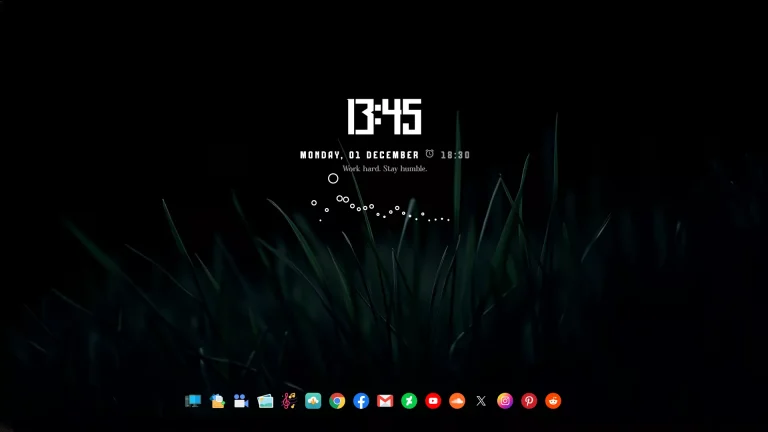
Kelso Rainmeter Skin : The Kelso Rainmeter Skin delivers a beautifully minimal and modern look to your Windows desktop with its clean Time & Date widget and dynamic audio visualizer.


Kelso Rainmeter Skin
The Kelso Rainmeter Skin delivers a beautifully minimal and modern look to your Windows desktop with its clean Time & Date widget and dynamic audio visualizer. Designed for users who love simplicity with a touch of motion, Kelso combines sharp typography, smooth animation, and a balanced layout that instantly enhances any desktop setup.
The Time & Date module features crisp fonts, elegant spacing, and a lightweight design that blends seamlessly with light, dark, or gradient wallpapers. It provides a clear, stylish display of your current day, date, and time—perfect for productivity-focused or aesthetic desktops.
The Visualizer Widget adds movement to your screen with smooth, reactive bars that sync perfectly to your system audio. Whether you’re listening to music, watching videos, or streaming, the visualizer brings your desktop to life with subtle animation that never feels overwhelming
- Rainmeter Skins
- Dock Icons & Backup
- Download & Install Rainmeter.
- Once installed, Rainmeter will start automatically
- Download the .rmskin file (Rainmeter Skin Installer format) Double-click the .rmskin file..
- The Rainmeter Skin Installer will open,Click Install to add it to Rainmeter.
- Right-click the Rainmeter icon in the system tray
- Navigate to Skins and select the installed skin.
- Click Load to apply it.
Theme Files 13MB
Download